Importing the Configuration Script
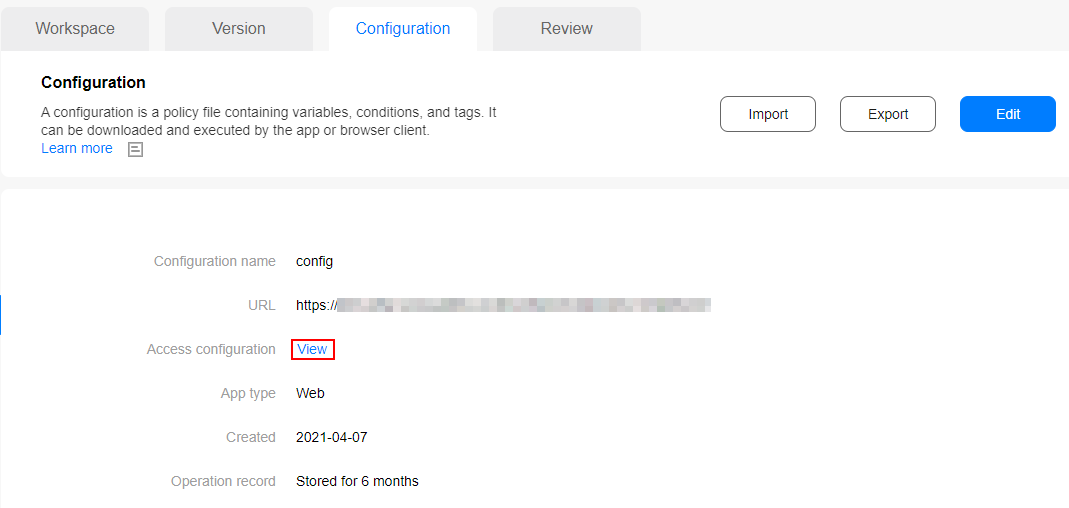
- Click the Configuration tab and then View.
- In the dialog box displayed, copy the code snippet to each page that needs to be tracked.
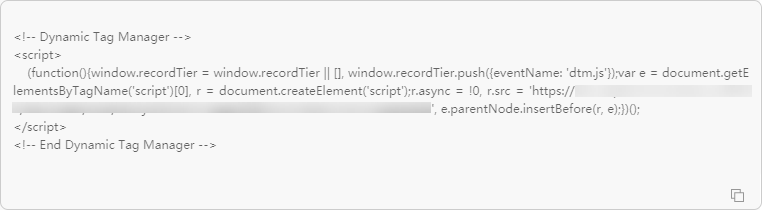
Paste the code snippet on the top of the page <head> section so that it can take effect immediately.
Procedure
Insert the code snippet in the proper position in <head> of each web app.
<html>
<head>
    <title>DTM Sample</title>
    <!-- Dynamic Tag Manager -->
      <script>
       (function(){
          window.recordTier = window.recordTier || [], window.recordTier.push({eventName: 'dtm.js'});
          var e = document.getElementsByTagName('script')[0], r = document.createElement('script');
          r.async = !0, r.src = 'https://xxxxxx/dtm.js?id=DTM-yyyy', e.parentNode.insertBefore(r, e);
        })();
      </script>
    <!-- End Dynamic Tag Manager -->
</head>
<body>
</body>
</html>

In the sample code, https://xxxxxx/dtm.js?id=DTM-yyyy varies depending on the configuration on the DTM portal.