var map;
var directionsService;
var directionsRenderer;
var markerOrigin, markerDestination;
    // Create a route planning request.
var DirectionsRequest = {};
DirectionsRequest.origin = {
    lat: 48.86,
    lng: 2.36
};
DirectionsRequest.destination = {
    lat: 49.18,
    lng: 0.39
};

function initMap() {
    directionsService = new HWMapJsSDK.HWDirectionsService();
    directionsRenderer = new HWMapJsSDK.HWDirectionsRenderer();

    var mapOptions = {};
    mapOptions.center = {lat: 48.856613, lng: 2.352222};
    mapOptions.zoom = 8;
    mapOptions.language = 'ENG';

    map = new HWMapJsSDK.HWMap(document.getElementById('map'), mapOptions);

    markerOrigin = new HWMapJsSDK.HWMarker({
        position: DirectionsRequest.origin,
        label: 'Origin'
    });

    markerDestination = new HWMapJsSDK.HWMarker({
        position: DirectionsRequest.destination,
        label: 'Destination'
    });

    markerOrigin.setMap(map);
    markerDestination.setMap(map);
        // Call the route planning API.
    directionsService.routeDriving(DirectionsRequest, callback);
    directionsRenderer.setMap(map);
        // Obtain the route planning result through the callback function.
    function callback(DirectionsResult, DirectionsStatus) {
        if (DirectionsStatus == '0') {
                // Render the planned routes through the HWDirectionsRenderer object.
            directionsRenderer.setDirections(DirectionsResult);
        }
    }
}
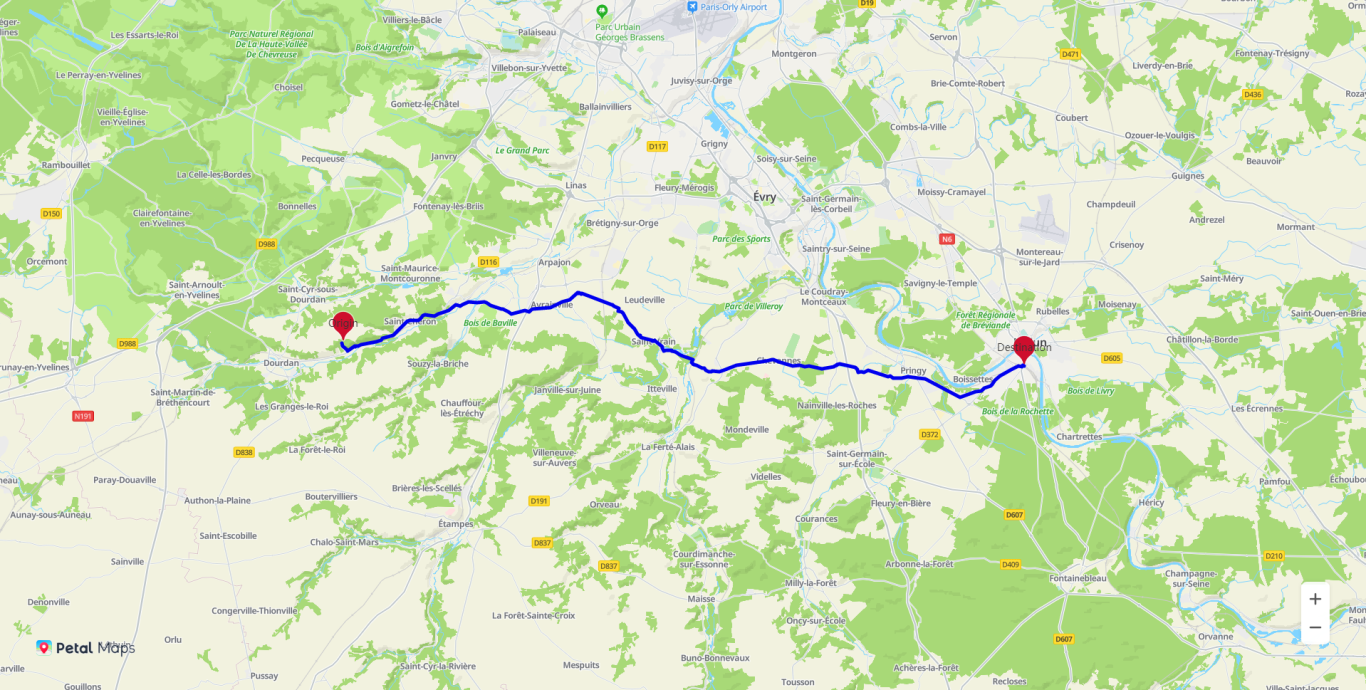
The figure below shows the route planning result.
Displaying the Traffic Information
You can call HWMapJsSDK.HWNaviLine(naviLineOption) to display traffic information during route planning. The supported operations are as follows:
- Sets different colors for different line segments to signify the traffic status.
- Shows an arrow indicating the road direction. You can set whether to show the arrow.
- Sets different styles for planned (primary and alternative) routes.
- Displays road names.
- Animates the earthworm line display from the start point to the end point.
- Supports the earthworm line click event.
[h2]Drawing an Earthworm Line
- Prepare the coordinates of the departure place, destination, and waypoints for the route. The sample code shows coordinates of some example points:
const points1 = [
    {
        lng: 2.30076809,
        lat: 48.79955318,
    },
    {
        lng: 2.30079317,
        lat: 48.79957199,
    },
    {
        lng: 2.30128908,
        lat: 48.79994965,
    }
];
Click points.zip to download the complete set of example coordinate points.
- Call the HWMapJsSDK.HWNaviLine(naviLineOption) method to draw an earthworm line. The sample code is as follows:
JavaScript
var map;

var firstNaviLine
var points = [
    points1,
    points2
]

var fillColors = [
    {
        colors: ["rgb(142,14,11)", "rgb(27,172,46)","rgb(255,167,0)", "rgb(142,14,11)","rgb(232,14,14)", "rgb(173,173,173)"],
        indexes: [1, 22, 67, 110, 310, 322, 407, 647,779, 822, 847, 910]
    }, {
        colors: ["#cddc39", "#ff9800"],
        indexes: [1, 5, 2, 12]
    }
]

var lineTexts = [
    {
        texts: [{name: "Beijing Road", setName: "beijinglu"}, {name: "Shanghai Road", setName: "shanghailu"}],
        indexes: [0, 51, 111, 621]
    }, {
        texts: [{name: "Nanjing Road", setName: "nanjinglu"}, {name: "Zhujiang Road", setName: "zhujianglu"}],
        indexes: [0, 251, 511, 621]
    }
];

var lineCodes = [
    {
        codes: [{code: "10002", codeSprite: "8900"}, {code: "5310", codeSprite: "910"}],
        indexes: [10, 227, 337, 66611]
    }, {
        codes: [{code: "2010", codeSprite: "9511"}, {code: "5115", codeSprite: "2005"}],
        indexes: [10, 227, 337, 66611]
    }
];

function initMap() {

    var mapOptions = {};
    mapOptions.center = {lat: 48.856613, lng: 2.352222};
    mapOptions.zoom = 12;
    mapOptions.language = 'en'

    map = new HWMapJsSDK.HWMap(document.getElementById('map'), mapOptions);

    // Draw an earthworm line.
    firstNaviLine = new HWMapJsSDK.HWNaviLine({
        map,
        points: points[0],
        strokeColor: '#c7b18c',
        strokeWeight: 1,
        fillColor: '#fce0b0',
        fillWidth: 5,
        textSize: 22,
        textColor: 'hsl(187,100%,42%)',
        collisionEnable: true,
        zIndex: 2,
        NaviLineFillColors: fillColors[0],
        NaviLineTexts: lineTexts[0],
        NaviLineCodes: lineCodes[0]
    })
}

function setMap() {
    firstNaviLine.setMap(firstNaviLine.getMap() ? null : map)
}

function getMap() {
    console.log(firstNaviLine.getMap())
}

function setPoints() {
    firstNaviLine.setPoints(points[1])
}

function getPoints() {
    console.log(firstNaviLine.getPoints())
}

function setStrokeWeight() {
    firstNaviLine.setStrokeWeight(5)
}

function getStrokeWeight() {
    console.log(firstNaviLine.getStrokeWeight())
}

function setStrokeColor() {
    firstNaviLine.setStrokeColor('green')
}

function getStrokeColor() {
    console.log(firstNaviLine.getStrokeColor())
}

function setFillWidth() {
    firstNaviLine.setFillWidth(2)
}

function getFillWidth() {
    console.log(firstNaviLine.getFillWidth())
}

function setFillColor() {
    firstNaviLine.setFillColor('#f00')
}

function getFillColor() {
    console.log(firstNaviLine.getFillColor())
}

function setTextSize() {
    firstNaviLine.setTextSize(32)
}

function getTextSize() {
    console.log(firstNaviLine.getTextSize())
}

function setTextColor() {
    firstNaviLine.setTextColor('rgba(54,107,252,1)')
}

function getTextColor() {
    console.log(firstNaviLine.getTextColor())
}

function setNaviLineColors() {
    firstNaviLine.setNaviLineColors(fillColors[1])
}

function getNaviLineColors() {
    console.log(firstNaviLine.getNaviLineColors())
}

function setNaviLineTexts() {
    firstNaviLine.setNaviLineTexts(lineTexts[1])
}

function getNaviLineTexts() {
    console.log(firstNaviLine.getNaviLineTexts())
}

function setNaviLineCodes() {
    firstNaviLine.setNaviLineCodes(lineCodes[1])
}

function getNaviLineCodes() {
    console.log(firstNaviLine.getNaviLineCodes())
}

function setCollisionEnable() {
    firstNaviLine.setCollisionEnable(false)
}

function getCollisionEnable() {
    console.log(firstNaviLine.getCollisionEnable())
}

function setZIndex() {
    firstNaviLine.setZIndex(10)
}

function getZIndex() {
    console.log(firstNaviLine.getZIndex())
}
HTML <div id="map"> <div style="position: absolute; z-index: 3; top: 20px; margin-left: 20px; width: 50%;"> <div style="display: flex; justify-content: space-between;"> <button type="button" class="button button--default" onclick="setMap()"> <span>setMap</span> </button> <button type="button" class="button button--default" onclick="getMap()"> <span>getMap</span> </button> <button type="button" class="button button--default" onclick="setPoints()"> <span>setPoints</span> </button> <button type="button" class="button button--default" onclick="getPoints()"> <span>getPoints</span> </button> <button type="button" class="button button--default" onclick="setStrokeWeight()"> <span>setStrokeWeight</span> </button> <button type="button" class="button button--default" onclick="getStrokeWeight()"> <span>getStrokeWeight</span> </button> <button type="button" class="button button--default" onclick="setStrokeColor()"> <span>setStrokeColor</span> </button> <button type="button" class="button button--default" onclick="getStrokeColor()"> <span>getStrokeColor</span> </button> </div> <div style="display: flex; justify-content: space-between; margin: 20px 0px;"> <button type="button" class="button button--default" onclick="setFillWidth()"> <span>setFillWidth</span> </button> <button type="button" class="button button--default" onclick="getFillWidth()"> <span>getFillWidth</span> </button> <button type="button" class="button button--default" onclick="setFillColor()"> <span>setFillColor</span> </button> <button type="button" class="button button--default" onclick="getFillColor()"> <span>getFillColor</span> </button> <button type="button" class="button button--default" onclick="setTextSize()"> <span>setTextSize</span> </button> <button type="button" class="button button--default" onclick="getTextSize()"> <span>getTextSize</span> </button> <button type="button" class="button button--default" onclick="setTextColor()"> <span>setTextColor</span> </button> <button type="button" class="button button--default" onclick="getTextColor()"> <span>getTextColor</span> </button> </div> <div style="display: flex;"> <button type="button" class="button button--default" onclick="setNaviLineColors()"> <span>setNaviLineColors</span> </button> <button type="button" class="button button--default" onclick="getNaviLineColors()"> <span>getNaviLineColors</span> </button> <button type="button" class="button button--default" onclick="setNaviLineTexts()"> <span>setNaviLineTexts</span> </button> <button type="button" class="button button--default" onclick="getNaviLineTexts()"> <span>getNaviLineTexts</span> </button> <button type="button" class="button button--default" onclick="setNaviLineCodes()"> <span>setNaviLineCodes</span> </button> <button type="button" class="button button--default" onclick="getNaviLineCodes()"> <span>getNaviLineCodes</span> </button> </div> <div style="display: flex; margin: 20px 0px;"> <button type="button" class="button button--default" onclick="setCollisionEnable()"> <span>setCollisionEnable</span> </button> <button type="button" class="button button--default" onclick="getCollisionEnable()"> <span>getCollisionEnable</span> </button> <button type="button" class="button button--default" onclick="setZIndex()"> <span>setZIndex</span> </button> <button type="button" class="button button--default" onclick="getZIndex()"> <span>getZIndex</span> </button> </div> </div> </div>CSS <style> #map { height: 100%; width: 100%; } .button { display: inline-block; line-height: 1; white-space: nowrap; cursor: pointer; background: #FFF; border: 1px solid #DCDFE6; color: #606266; -webkit-appearance: none; text-align: center; box-sizing: border-box; outline: 0; margin: 0; transition: .1s; font-weight: 500; padding: 12px 20px; font-size: 14px; border-radius: 4px; } </style>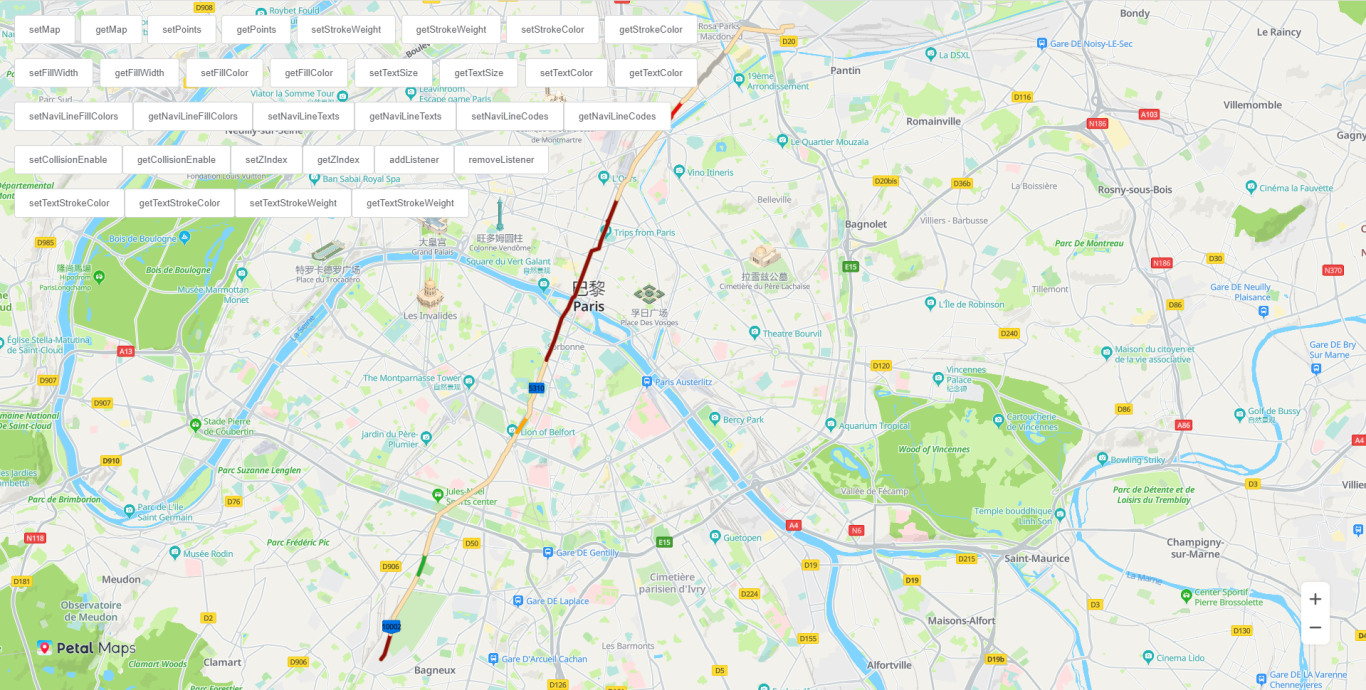
[h2]Setting the Earthworm Line Drawing Animation
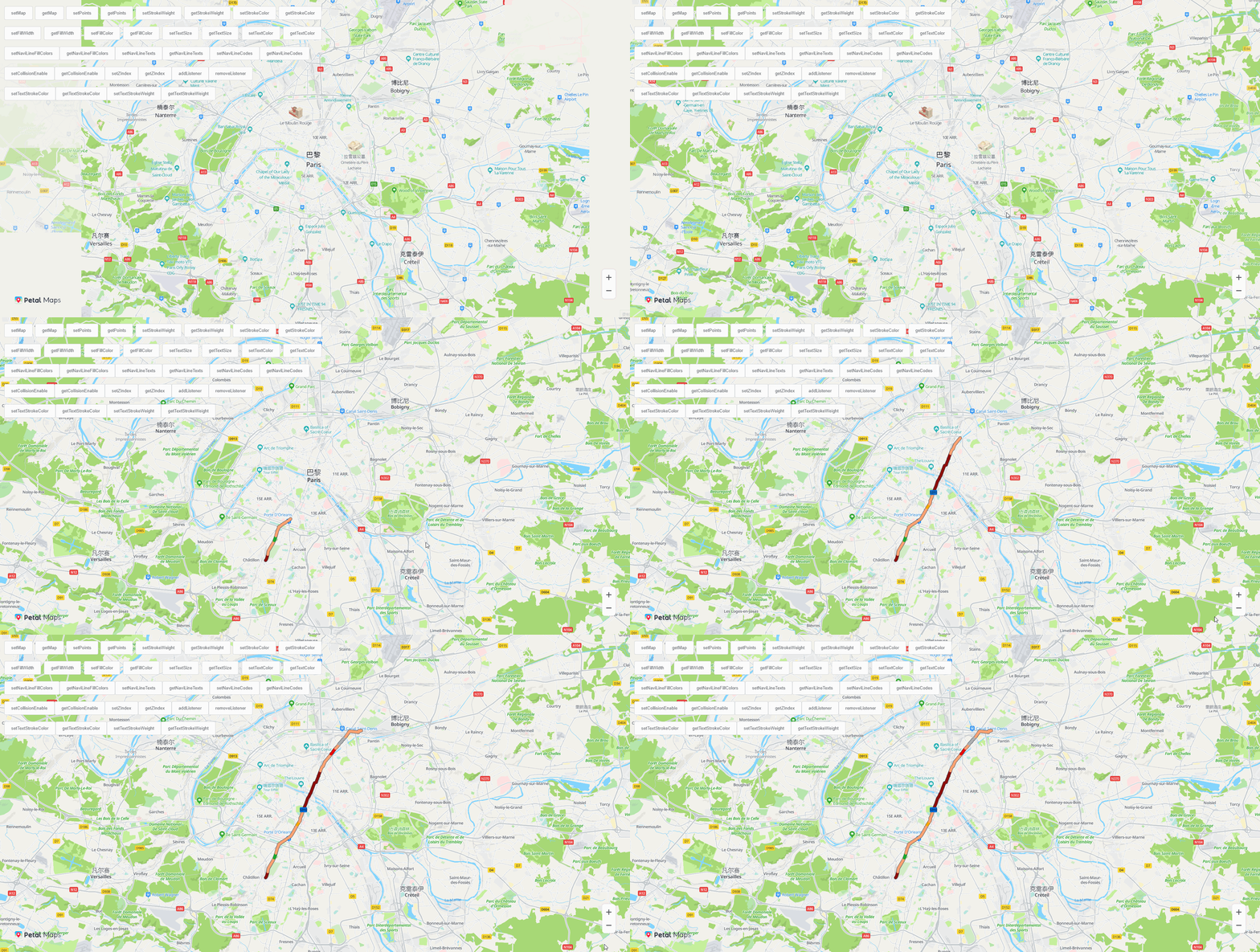
Call the HWMapJsSDK.HWNaviLine(naviLineOption) method and use the animateOption attribute in NaviLineOptions to set the earthworm line drawing animation.
function initMap() {

    var mapOptions = {};
    mapOptions.center = {lat: 48.856613, lng: 2.352222};
    mapOptions.zoom = 12;
    mapOptions.language = 'en'

    map = new HWMapJsSDK.HWMap(document.getElementById('map'), mapOptions);

    firstNaviLine = new HWMapJsSDK.HWNaviLine({
        map,
        points: points[0],
        strokeColor: '#c7b18c',
        strokeWeight: 1,
        fillColor: '#fce0b0',
        fillWidth: 5,
        textSize: 22,
        textColor: 'hsl(187,100%,42%)',
        collisionEnable: true,
        zIndex: 2,
        NaviLineFillColors: fillColors[0],
        NaviLineTexts: lineTexts[0],
        NaviLineCodes: lineCodes[0],
        animateOption:{
            // Set whether to animate the earthworm line display. The default value is false.
            animate: true,
            // Set the earthworm line drawing duration. The default value is 1000 milliseconds.
            timeout: 1000
        }
    })
} 
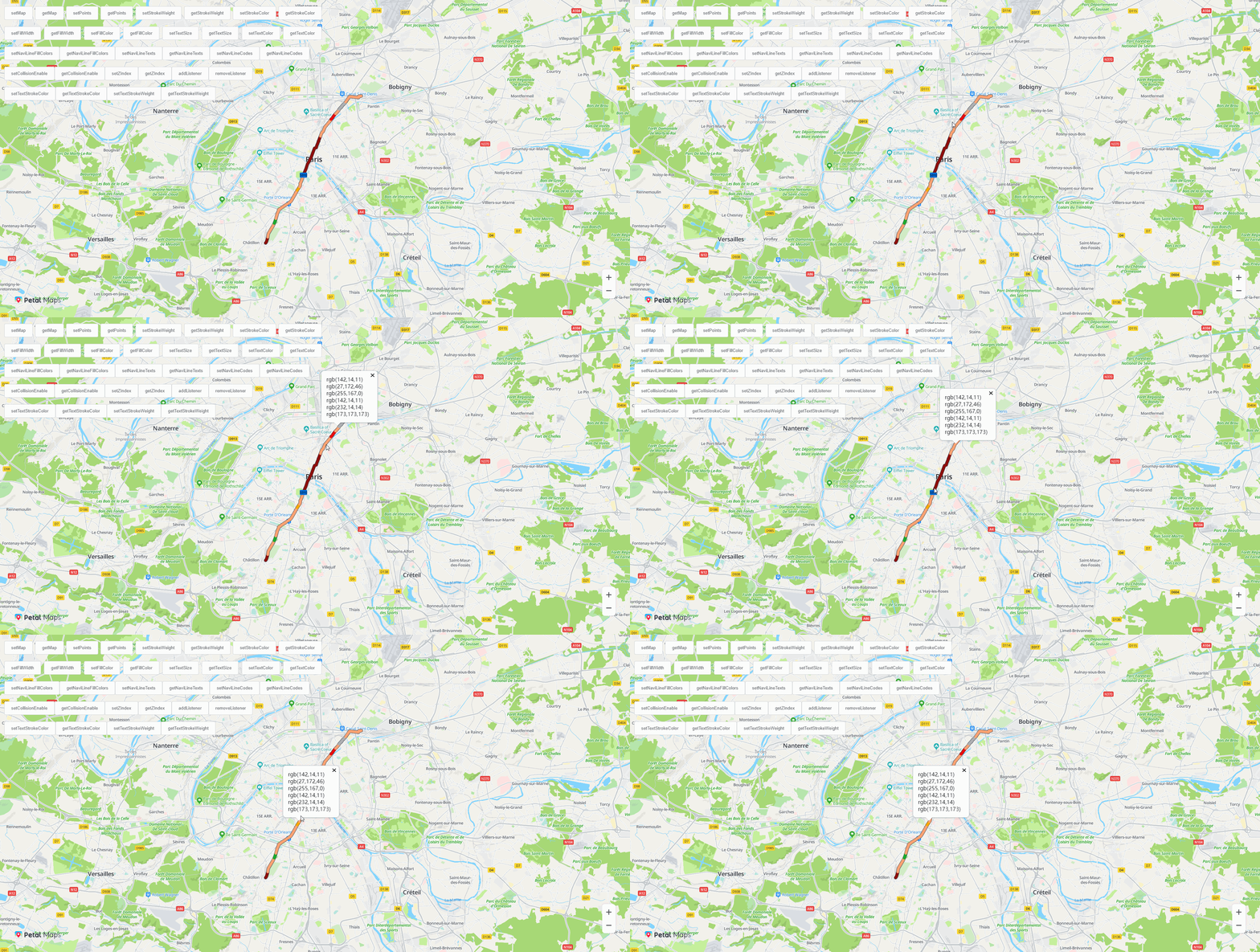
[h2]Configuring a Listener for Earthworm Line Events
Call the addListener(type, callback) or removeListener(type, callback) methods of HWNaviLine to add or delete the listener for the click event.
The sample code is as follows:
JavaScript
function handler(e){
    let naviline=e.target
    let colors=''
    if(!infoWindow){
        for(let i=0;i<naviline._fillColors.colors.length;i++){
            colors+= '<p>'+naviline._fillColors.colors[i]+'</p>'
        }
        infoWindow = new HWMapJsSDK.HWInfoWindow({
            map,
            position:HWMapJsSDK.HWMapUtils.epsgToLatLng(e.coordinate),
            content: colors
        })
    }else{
        infoWindow.setPosition(HWMapJsSDK.HWMapUtils.epsgToLatLng(e.coordinate))
    }
}

// Add the click event.
function addListener(){
    firstNaviLine.addListener('click', handler)
}
// Delete the click event.
function removeListener(){
    firstNaviLine.removeListener('click',handler)
}
HTML
<button type="button" class="button button--default" onclick="addListener()">
<span>addListener</span>
</button>
<button type="button" class="button button--default" onclick="removeListener()">
<span>removeListener</span>
</button>