Map controls are used by users to interact with the map. Map Kit provides various UI controls, including the scale, zoom slider, zoom button, compass, pan button, copyright information, and my-location icon ,as shown in the figure below.
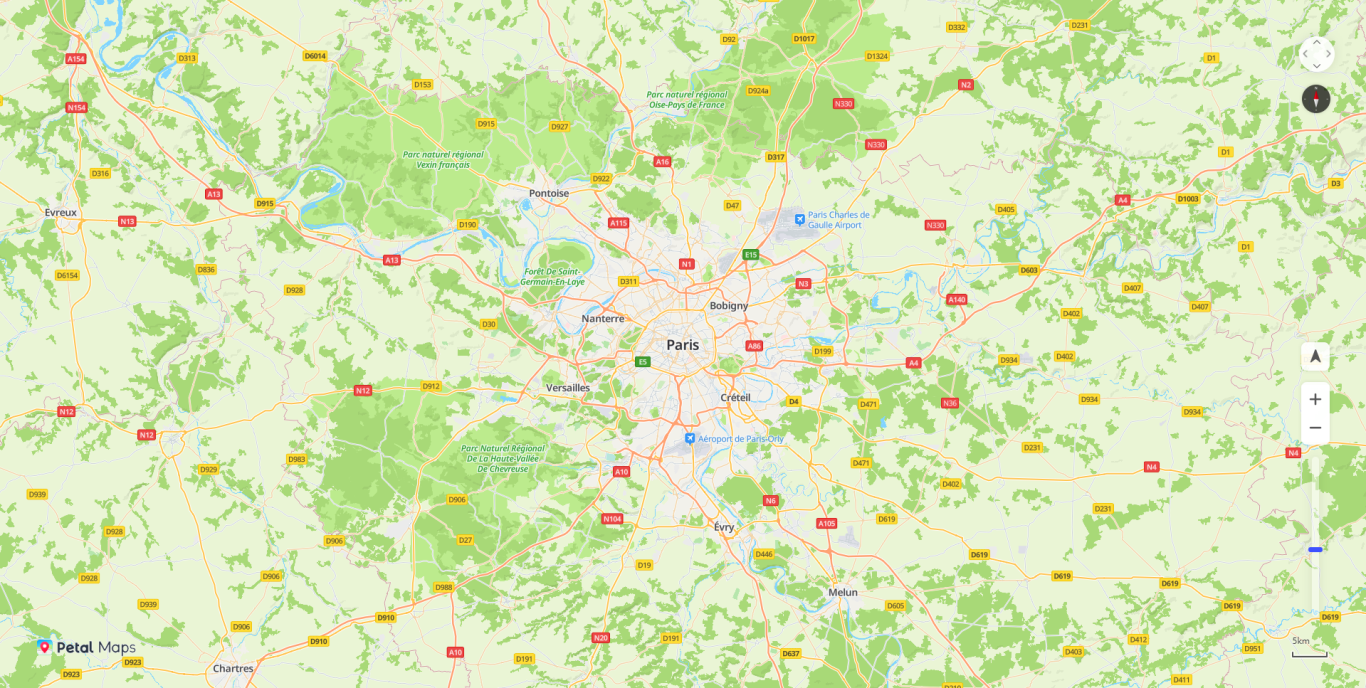
Scale
var mapOptions = {};
mapOptions.center = {lat: 48.856613, lng: 2.352222};
mapOptions.zoom = 10;
// Set to display the scale.
mapOptions.scaleControl = true;
mapOptions.scaleControlOptions = {
	// Set the scale unit to inch.
	units: "imperial"
};
Zoom Slider
var mapOptions = {};
mapOptions.center = {lat: 48.856613, lng: 2.352222};
mapOptions.zoom = 10;
// Set that the zoom slider is displayed.
mapOptions.zoomSlider = true;
Zoom Button
var mapOptions = {};
mapOptions.center = {lat: 48.856613, lng: 2.352222};
mapOptions.zoom = 10;
// Set that the zoom buttons are not displayed.
mapOptions.zoomControl = false;
Compass
var mapOptions = {};
mapOptions.center = {lat: 48.856613, lng: 2.352222};
mapOptions.zoom = 10;
// Set that the compass is displayed.
mapOptions.rotateControl= true;
Pan Button
var mapOptions = {};
mapOptions.center = {lat: 48.856613, lng: 2.352222};
mapOptions.zoom = 10;
// Set that the pan button is displayed.
mapOptions.navigationControl= true;
Copyright
var mapOptions = {};
mapOptions.center = {lat: 48.856613, lng: 2.352222};
mapOptions.zoom = 10;
// Set that the copyright information is displayed.
mapOptions.copyrightControl = true;
// Set the copyright information.
mapOptions.copyrightControlOptions = {value: "<div  style='position: absolute;left:170px;bottom:32px;'><font>Huawei Search © </font><a href='https://developer.huawei.com/consumer/cn/doc/development/HMS-Guides/hms-map-js-base-map'>HMS Map</a><font> contributors</font></div>"}
My-Location Icon
var mapOptions = {};
mapOptions.center = {lat: 48.856613, lng: 2.352222};
mapOptions.zoom = 10;
// Set that the my-location button is displayed.
mapOptions.locationControl= true;
The following table describes whether the my-location control is supported on related browsers and platforms.
Browser | Platform | Support My-Location |
|---|---|---|
Chrome 80 | Windows | Yes |
Chrome 6x | Windows | Yes |
Chrome 7x | Windows | Yes |
Internet Explorer 10 | Windows | No |
Internet Explorer 11 | Windows | No |
Chrome 6x | macOS | Yes |
Chrome 7x | macOS | Yes |
Chrome 6x | Android | Yes |
Chrome 7x | Android | Yes |
WeChat V7.X.X (latest version) | Android | Yes |
Huawei Browser (EMUI 9.X) | Android | Yes |
Huawei Browser (EMUI 10.X) | Android | Partially supported |
Safari 12.x | iOS | Partially supported |
Safari 13.x | iOS | Yes |
Safari 13.x | macOS | Yes |

You can set map controls before creating a map, or use the set method to set map controls after creating a map.