You can add custom POIs to a map to identify locations such as stores and buildings, and provide location details with information windows. Text labels of custom POIs support collision and directional avoidance.
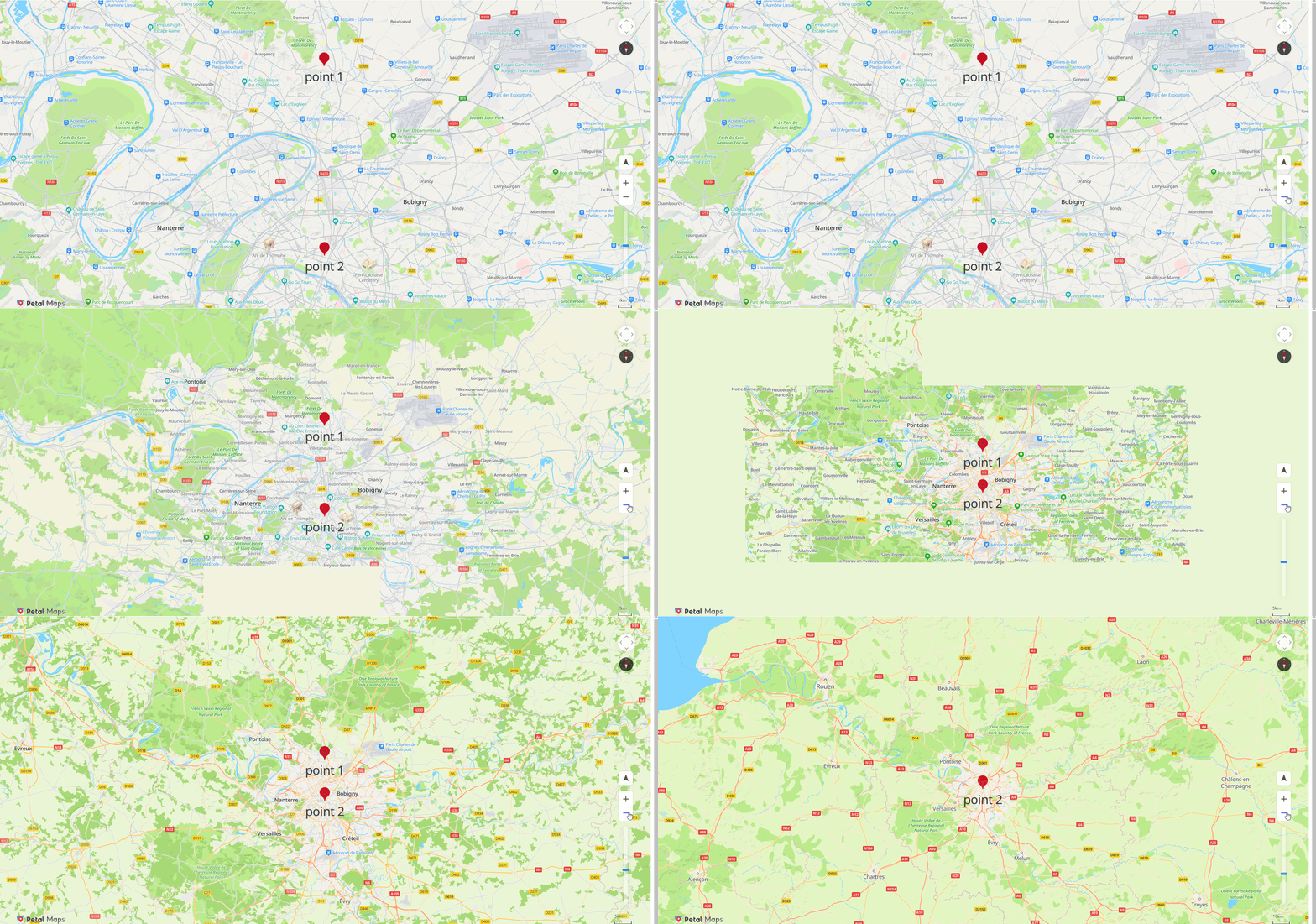
- A custom POI and its text label are treated as a whole to collide with other custom POIs and their text labels. When two custom POIs collide with each other, the POI with a higher priority will be shown and the POI with a lower priority will be hidden.
- The icon and text label of a custom POI can collide with icons and texts on the base map. When colliding with icons and texts on the base map, the icon and text label of a custom POI will be shown while those on the base map will be hidden.
- The text label of a custom POI supports directional avoidance. The avoidance directions include up, down, left, and right. You can set priorities for these directions, and select specific directions for displaying the text label (for example, select only up and down for displaying the text label). If the text label of a custom POI collides with another custom POI, the text label will be placed in the specified directions based on their priorities to avoid that POI. If the text label cannot be properly placed in any specified direction, the text label will be hidden.
Adding a Custom POI
Call HWMapJsSDK.HWCustomPoi(customPoiOptions) to add a custom POI.
function initMap() {
    var mapOptions = {};
    mapOptions.center = {lng: 2.3506770476074217, lat: 48.93245374505838};
    mapOptions.zoom = 12;
    mapOptions.language = 'en';
    mapOptions.sourceType = 'vector';
    mapOptions.navigationControl = true;
    mapOptions.locationControl = true;
    mapOptions.rotateControl = true;
    mapOptions.zoomControl = true;
    mapOptions.zoomSlider = true;
    mapOptions.scaleControl = true;
    mapOptions.copyrightControl = true;

    map = new HWMapJsSDK.HWMap(document.getElementById('map'), mapOptions);

    // Add a custom POI (point 1).
    customPoi1 = new HWMapJsSDK.HWCustomPoi({
        map,
        icon: {
            anchor: 'center',
            scale: 1,
            opacity: 1,
        },
        label: {
            color: '#333',
            fontSize: '36px',
            text: 'point 1',
            offsetX: 0,
            offsetY: 0,
        },
        position: {lat: 49, lng: 2.35},
        zIndex: 1,
        collisionEnabled: true,
        variableLabelAnchor: ['top','bottom','left', 'right'],
    });

    // Add a custom POI (point 2).
    customPoi2 = new HWMapJsSDK.HWCustomPoi({
        map,
        icon: {
            anchor: 'bottom',
            scale: 1,
            opacity: 1,
        },
        label: {
            color: '#333',
            fontSize: '36px',
            text: 'point 2',
            offsetX: 0,
            offsetY: 0,
        },
        position: {lat: 48.5, lng: 2.35},
        zIndex: 1,
        collisionEnabled: true,
        variableLabelAnchor: ['top','bottom','left', 'right'],
    });
}
The figure below shows the custom POI text label collision effect.
Deleting a Custom POI
To delete a custom POI from a map, call the setMap() method and pass null as a parameter of the method.
customPoi.setMap(null);
Configuring a Listener for Custom POI Events
Call the addListener(type, callback) or removeListener(type, callback) methods of HWCustomPoi to add or delete the listener for the click event.
function handleListener(e) {
    console.log(e);
}
// Add a listener for the client event.
customPoi.addListener('click', handleListener);
// Delete the listener for the click event.
customPoi.removeListener('click', handleListener);