目录
- Version Change History
- Introduction
- Workflows
- AppGallery Connect API
- About Accounts and Permissions
- Managing Your Developer Account
- Managing the Team Account
- Roles and Permissions
- Topping Up
- Setting a Spending Notification
- Viewing Account Spending Details
- Creating a Project
- Managing Data Processing Locations
- Creating a HarmonyOS App
- Creating an Atomic Service
- Viewing App Information
- Managing Huawei Open Capabilities
- Overview
- Using the Free Quota of a Paid Service
- Checking the Free Quota Usage
- Upgrading a Service Bundle to the Pay-As-You-Go Plan
- Downgrading a Service Bundle to the Free Plan
- Checking the Plan List
- Overview
- Registering a Device
- Deleting a Device
- FAQs
- Overview
- Requesting a Debug Certificate
- Requesting a Release Certificate
- Requesting an In-House Release Certificate
- Requesting an Enterprise App Re-signing Certificate
- Requesting a Binary Certificate
- Configuring a Public Key Fingerprint
- FAQs
- Overview
- Requesting ACL Permissions
- Overview
- Requesting a Debug Profile
- Requesting a Release Profile
- Requesting an In-House Release Profile
- Overview
- Registering an Emulator Debug Credential
- Overview
- Configuring a Privacy Statement (for a HarmonyOS App)
- Configuring a Privacy Statement (for an Atomic Service)
- Configuring a User Agreement
- FAQs
- Overview
- Service Introduction
- Obtaining Authorization from the Server
- Upload Management API
- Obtaining the File Upload URL
- Uploading a File
- Initializing Chunk Information
- Obtaining Chunk Upload URLs
- Uploading a Chunk
- Merging Chunks
- CommonUrlInfo
- ConnectRet
- FilePartComposeInfo
- FilePartInfo
- FilePartUploadInfo
- Result Codes
- Provisioning API Guide
- Requesting a Certificate
- Querying a Certificate
- Deleting Certificates
- Adding Devices in Batches
- Querying the Device List
- Deleting Devices
- Requesting a Profile
- Querying the Profile List
- Modifying Devices Bound to a Profile
- Deleting a Profile
- AddDeviceInfo
- AddDeviceResult
- CertInfo
- ConnectRet
- DeviceInfo
- ProvisionInfo
- Result Codes
- Languages
- Country/Region Codes
- App/Game Categories
- App Rating
- Obtaining the Public Key for Signature Verification
- Price Conversion Rules
- App File Restrictions
- Release Guidelines
- Making Preparations
- Uploading Your Package
- Configuring Supported Devices
- Configuring Localized Information (App Name and Icon)
- Configuring an App Category and Tags
- Configuring Service Information
- Selecting a Package to Be Released
- Configuring Release Countries/Regions
- Configuring Localized Information (Introduction, Features, and Assets)
- Configuring In-App Purchase Items and In-App Products
- Configuring Content Rating
- Configuring a Privacy Description
- Configuring a Privacy Statement
- Configuring Privacy Tag Information
- Configuring Copyright Information
- Configuring Information for the Reviewer
- Setting the Release Time
- Submitting the App for Review
- Release Guidelines
- Making Preparations
- Uploading Your Package
- Configuring Supported Devices
- Configuring Localized Information (Name and Icon)
- Configuring an App Category and Tags
- Configuring Service Information
- Selecting a Package Version
- Configuring Release Countries/Regions
- Configuring Localized Information (Introduction, Features, and Assets)
- Configuring In-App Purchase Items
- Configuring Content Rating
- Configuring a Privacy Description
- Configuring a Privacy Statement
- Configuring Privacy Tag Information
- Configuring AI Function Declaration
- Configuring Copyright Information
- Configuring Publication Approval Information
- Configuring an In-App Product
- Configuring the Information for Reviewers
- Scheduling the Release
- Submitting the App for Review
- Release Guidelines
- Making Preparations
- Uploading Your Package
- Configuring Supported Devices
- Configuring Localized Information (Atomic Service Name and Icon)
- Configuring an Atomic Service Category, Tags, and Qualifications
- Configuring Service Information
- Selecting a Package to Be Released
- Configuring Localized Information (Introduction and Features)
- Configuring In-App Purchase Items and In-App Products
- Configuring Content Rating
- Configuring a Privacy Description
- Configuring a Privacy Statement
- Configuring AI Function Declaration
- Configuring Information for the Reviewer
- Setting the Release Time
- Submitting the Atomic Service for Review
- Releasing an In-House App
- Sending a Review Reminder or Canceling Review
- FAQs
- Updating App Information
- Updating a Version
- Rolling Back an App
- Releasing an App by Phase
- Removing an App or Atomic Service
- Deleting an App or Atomic Service
- Viewing the Version History
- Interaction Center
- Technical Support
- Asset Specifications
- Package Parsing Error Codes
- Version Update Error Codes
- Service Overview
- Enabling the Merchant Service
- Enabling the In-App Purchases (HarmonyOS NEXT) API
- Activating the In-App Purchases Service and Configuring Event Notifications
- Creating a Key
- Downloading a Key
- Revoking a Key
- Querying a Public Key
- Prerequisites
- Non-subscriptions
- Auto-renewable Subscriptions
- Importing Products in Batches
- Prerequisites
- Non-subscriptions
- Auto-renewable Subscriptions
- Non-subscriptions
- Auto-renewable Subscriptions
- Modifying Products in Batches
- Common Errors
- Prerequisites
- Activating a Product
- Deactivating a Product
- Prerequisites
- Deleting a Product
- Restoring a Product
- Conversion Rules
- Optimization Rules
- Prerequisites
- Adding a Subscription Group
- Overview
- Prerequisites
- Creating an App
- Setting the App Price
- Submitting for Review
- Analyzing Data
- Financial Settlement
- Services & Support
- AppGallery Introduction
- Categorization
- Overview
- 1. App Information
- 2. App Security
- 3. App Functions
- 4. App Content
- 5. App Ads
- 6. App Payment
- 7. User Privacy
- 8. Minor Protection
- 9. Intellectual Property Rights
- 10. App Qualifications
- 11. Developers' Behavior
- Overview
- 1. Atomic Service Information
- 2. Atomic Service Security
- 3. Atomic Service Features
- 4. Atomic Service Content
- 5. Atomic Service Ads
- 6. Atomic Service Payments
- 7. User Privacy
- 8. Minor Protection
- 9. Intellectual Property Rights
- 10. Atomic Service Qualifications
- 11. Developers' Behavior
- Business License and Certificate Review Requirements for Apps
- Business License and Certificate Review Requirements for Atomic Services
- Application Age Rating Standard
- Guidelines for Handling HUAWEI AppGallery Infringement Complaints
- App Review FAQs
- Atomic Service Review FAQs
- Overview
- Where Can I Upload Certificates?
- FAQs About ICP Filing
- FAQs About Computer Software Copyright Certificates
- FAQs About the Security Assessment Report
- FAQs About the Network Culture Business License
- FAQs About the Medical Institution Practice License
- FAQs About the Surveying and Mapping Qualification Certificate
- FAQs About Internet Information Service Algorithm Filing
- FAQs About the Human Resource Service License and Organization Filing
- FAQs About Labeling Content Generated by Artificial Intelligence
- Template of Authorization Relationship Description
- FAQs About Age Rating Questionnaire
- Overview
- I. Non-compliant Personal Information Collection
- II. Personal Information Collection Beyond the Necessary Scope
- III. Non-compliant Use of Personal Information
- IV. Targeted Push Notifications and Precision Advertising
- V. Non-compliant Permission Requests
- VI. Automatic Launch and Secondary Launch
- VII. Download and Distribution
- VIII. Non-compliant Access to Personal Information
- IX. FAQs Related to Account Deletion
- X. True and Valid Information Provided by Developers
- FAQs About In-App Auto-Renewable Services
- Description for Tablet-like Devices
- APK Firmware and Resolution Specifications
- AppGallery Privacy Tag Service Description
- AppGallery Connect Agreement Signing Guide
- AppGallery Connect Service and Agreement
- HUAWEI AppGallery Connect Distribution Service Agreement For Paid Apps
- Agreement on Use of Huawei APIs
- Privacy and security in Huawei AppGallery Connect
- AppGallery Connect Data Processing Addendum
- Data Processing Information
- Subprocessor of Huawei Software Technologies Co., Ltd.
- Aspeigel SE's Sub-processors
- HUAWEI Services (Hong Kong) Co., Limited's Sub-processors
- AppGallery Connect Data Center Location
- HUAWEI AppGallery Connect Service Agreement
- HUAWEI Analytics Service Agreement
- HUAWEI Analytics Data Protection Agreement
- HUAWEI Push Service Agreement
- HUAWEI Map Service Agreement
- HUAWEI Nearby Service Agreement
- HUAWEI Health Kit Service Agreement
- HUAWEI Wallet Kit Service Agreement
- HUAWEI ML Kit Service Agreement
- HUAWEI Dynamic Tag Manager Service Agreement
- HUAWEI Prediction Service Agreement
- HUAWEI AppGallery Connect Paid Service Agreement
- HUAWEI Location Service Agreement
- HUAWEI AppGallery Connect Privacy Notice
- HUAWEI Developers Basic Service Agreement
- Huawei AppGallery Connect App Signing Service Agreement
- Statement About Referral Program and Privacy
- General Terms and Conditions for AppGallery Referral Program
- HUAWEI WisePlay DRM Service Agreement
- Business Connect Service Agreement
- HUAWEI Video Editor Kit Service Agreement
- HUAWEI SignPal Kit Service Agreement
- Business Introduction
- Applications Management Guide
- Content Copyright Dispute Operation Guide
- Content Removal Guide
- Online Signing Guide
- Joint Operation Partner Guide
- AppTouch Supplement to HUAWEI AppGallery Connect Distribution Service Agreement For Paid Apps
- Introduction to the AppTouch VIP Service
- Channel Promotion Operation Guide
- Report Operation Guide
- Application Access Guide
- VIP Service Access Guide
- InTouch Project
- AppTouch FAQ
- InTouch FAQ
- Service Introduction
- UI Design Specifications
- Overview
- Getting Started
- Overall Process
- Workspace
- About Accounts and Permissions
- Managing Your Developer Account
- Managing the Team Account
- Roles and Permissions
- About Projects and Apps
- Creating a Project
- Creating a HarmonyOS App or Atomic Service
- Creating an Android App
- Creating a Quick App
- Creating an iOS App
- Creating a Web App
- Data Processing Location
- Data Processing Location Policies
- Viewing App Basic Information
- FAQs
- Overview
- (Optional) Configuring the App Signing Certificate Fingerprint
- Integrating Services
- Debugging an API
- Overview
- Requesting a Debug Certificate
- Registering a Debugging Device
- Requesting a Debug Profile
- Overview
- Sandbox Testing
- Cloud Testing
- Cloud Debugging
- Integration Check
- Open Testing
- Early Access for Games
- Overview
- Requesting a Release Certificate
- Requesting a Release Profile
- Releasing a HarmonyOS App
- Releasing an Atomic Service
- Releasing an App (APK)
- Releasing an App (RPK)
- Releasing an App (App Bundle)
- Pre-orders
- Releasing a Multi-APK App That Supports One Device Type
- Configuring GMS/HMS Restrictions in the Multi-APK Version Release Scenario
- Package Parsing Error Codes (HarmonyOS)
- Package Parsing Error Codes (Non-HarmonyOS)
- FAQs
- Updating the Details of a Released App
- Releasing an App Update
- Releasing an App by Phase
- Version Update Errors (HarmonyOS)
- Sending a Review Reminder or Canceling Review
- Removing an App from Sale
- Rolling Back an App
- Deleting an App
- Transferring Non-HarmonyOS Apps
- Viewing App Credit Records
- Viewing Version History of an App
- Home Page of App Analytics
- Distribution Reports
- Operations Reports
- Quality Reports
- Analytics FAQs
- Comments
- Developer's Message
- Managing Gifts
- Creating an In-App Product
- Modifying an In-App Product
- Setting Automatic Price Updates
- Activating or Deactivating an In-App Product
- Deleting or Restoring an In-App Product
- Managing Subscription Groups
- Managing Product Marketing
- Currency Conversion Rules
- FAQs
- Interaction Center
- Technical Support
- Supported Countries/Regions, Languages, and Currencies for Product Management
- AppGallery Connect Service White Paper
- Specifications for App Visual Assets
- Google File Conversion Tool
Ads within your atomic service are considered part of your atomic service. Please ensure that the advertising methods and ad content displayed in your atomic service comply with applicable laws, regulations, and guidelines, and are suitable for the target audience of the atomic service. They should only be displayed within the atomic service, and must not contain illegal, misleading, malicious, or intrusive content. Detailed ad content requirements are the same as those outlined in Atomic Service Content.
5.1 The ad content should be legal and compliant, presented in an appropriate manner, and clearly identifiable as ads.
(1) The word "ad" must be clearly and prominently displayed to differentiate it from non-advertising information, so as not to mislead users. Ads that promote products or services through knowledge introduction, experience sharing, consumption reviews, and others, with shopping links or other purchase methods, must also clearly mark the content as an ad.
(2) The ads must not contain false or misleading content, nor should it deceive, mislead, or induce users into any behaviors.
(3) For Internet ads that require review, ensure that the ads are released strictly in accordance with the review opinions and are not edited, spliced, or modified.
(4) For Internet ads with links, ensure that the linked content aligns with the front-end ad content.
(5) Other ad content requirements are the same as those outlined in Atomic Service Content.
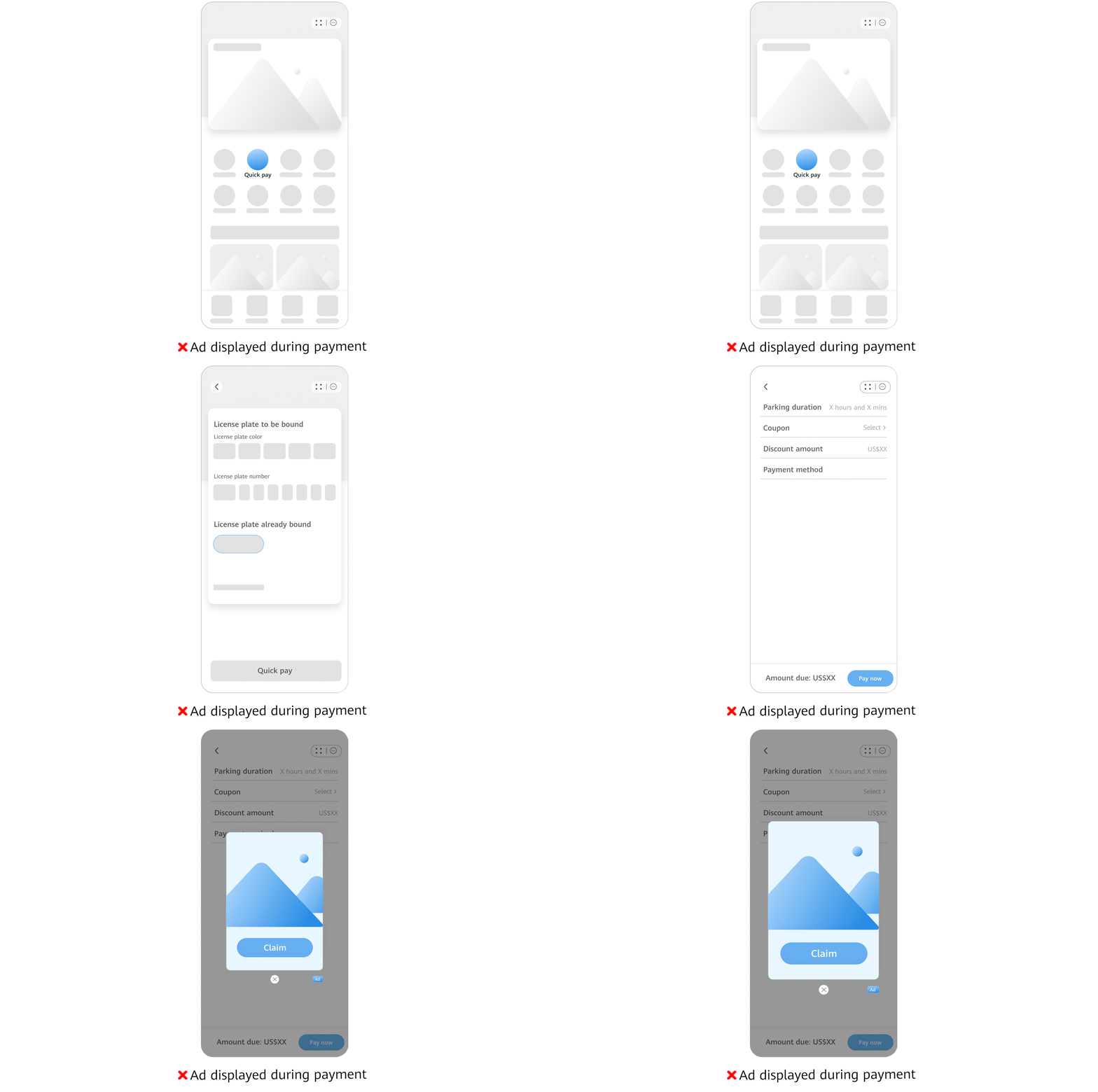
5.2 The pop-up ads must not interfere with users' normal operations, disrupt other atomic services, or affect the device functions, including but not limited to:
(1) Pop up maliciously or frequently, for example, showing an ad upon every operation.
(2) Suddenly pop up in feature areas where users may tap.
(3) Pop up when users tap buttons of system features, such as the back button and the home button.
(4) Pop up outside the atomic service.
(5) Pop up after the atomic service is closed or exited.
(6) Appear on the lock screen.
(7) Be added to emails or instant messages without user consent or request, or after a clear rejection.
(8) Disrupt user experience by automatically displaying ads or by inducing or forcing users to tap or view ads when users access your atomic service and use its features.
Example:
5.3 In cases that your atomic service allows users to tap an app ad and be redirected to a third-party app or page, or another ad, the atomic service must notify the user of the area and position to tap, and execute the redirection only after the user proactively taps the area. Your atomic service must not deceive, mislead, or coerce users into tapping ads. This includes but is not limited to:
(1) Use full-screen images or videos that contain links for downloads or redirections, misleading users into tapping the content or resulting in accidental taps. Use more than two types of interactive gestures (such as shaking, swiping, or rotating) for each ad unit within the atomic service. For example, configure an ad unit with both shake-to-open and swipe-to-open triggers at the same time.
(2) Contain text, images, or video links that induce users to proceed to other pages.
(3) Deceive, mislead, or coerce users to download, install, or use third-party apps, through methods including but not limited to "Start game now", "Claim money", "Phone lagging", "Battery draining too fast", or "Memory full" without clearly indicating an app download.|
(4) Deceive or mislead users into providing personal information, including but not limited to ID number, face, and fingerprint, through points, rewards, discounts, and others.
(5) Include content that misleads children into tapping on them.
(6) For ads with interaction actions, such as redirecting to a page or a third-party app through phone shaking, your atomic service must clearly indicate the required trigger action and interaction expectation. Do not set high sensitivity that could lower the threshold for determining whether the interaction action has been reached, thereby causing misleading or forceful redirections.
5.4 Ensure that ads in your atomic service can be closed in one tap through a clear, visible, and effective close button. The following are not allowed, including but not limited to:
(1) Provide a false, ineffective, or poorly visible close button (for example, the button too small or hidden).
(2) Contain a misleading or deceptive close button in the ad content.
(3) Delay the display of the close button, or require a countdown before the ad can be closed.
(4) Keep displaying an ad after it is closed.
(5) Require users to enter personal information to close an ad.
5.5 For ad distribution, your atomic service must clearly display information about the app being promoted and its download options. The app can then be downloaded with user consent. The information includes app name, app developer, app version, app features, permission list and their purposes, as well as the content, purpose, method, and scope of collecting and using personal information. Forcing software downloads or bundle installations is prohibited. This includes but is not limited to:
(1) Automatically download, install, or use third-party apps upon a random tap.
(2) Keep the download process running without an option to pause or cancel.
(3) Automatically resume previously paused or canceled download tasks after the atomic service is exited and relaunched.
(4) Fail to keep the app downloaded, installed, or used from the ad page in alignment with the promotional or promised content provided to users.
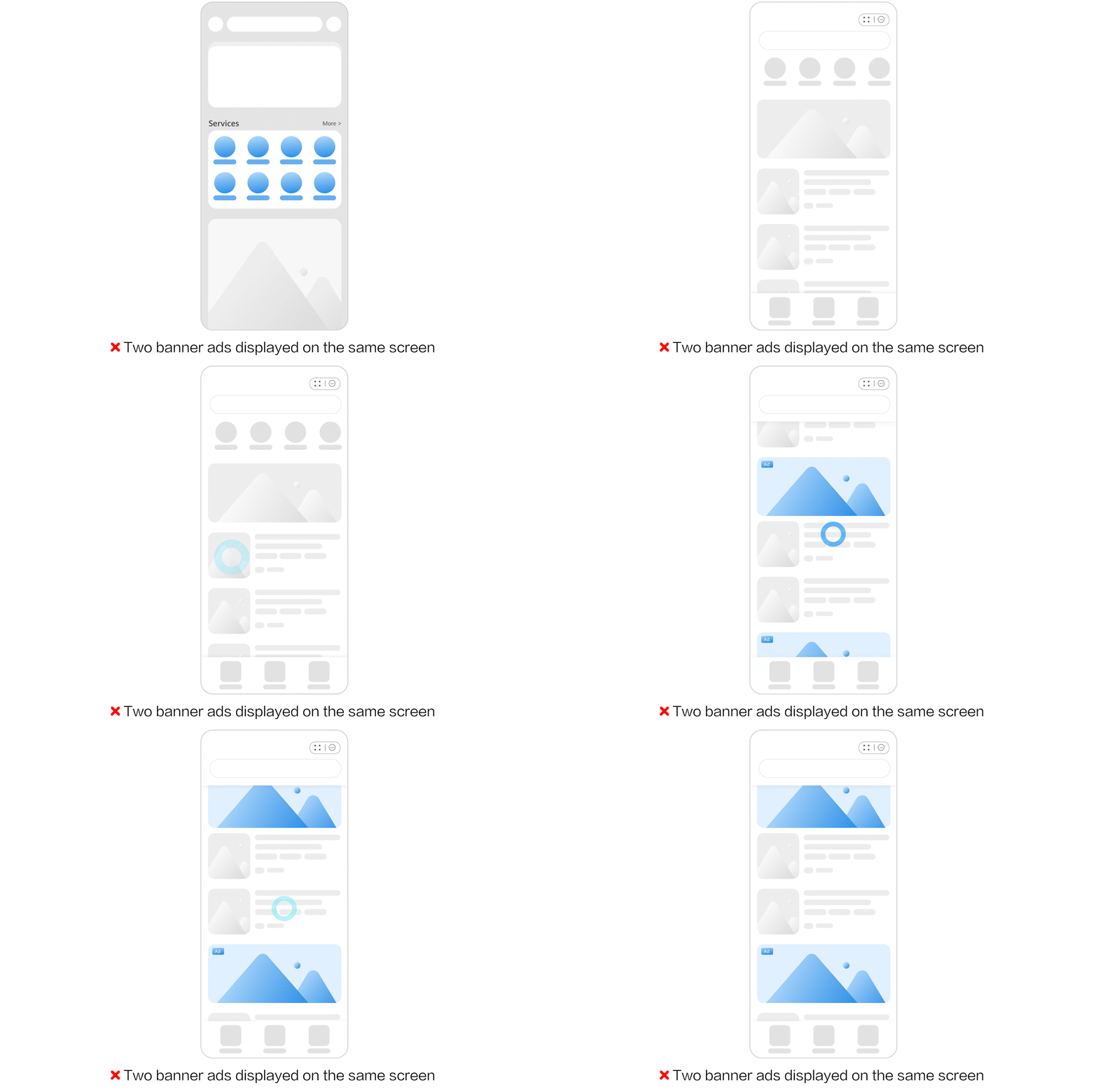
5.6 To ensure a smooth user experience and align with the streamlined and efficient nature of atomic services, page content should focus on core functions and must not be primarily used for marketing or advertising purposes, such as embedding blank ad units intended for future monetization or delivering business invitation ads. Violation examples:
(1) Displaying floating or overlay ads that occupy more than 50% of a functional page and obstruct functional content.
(2) Displaying two or more advertising elements—such as banner ad units, native ad units, pre-roll ad units, or video ad units—within a single screen is prohibited.
Example:
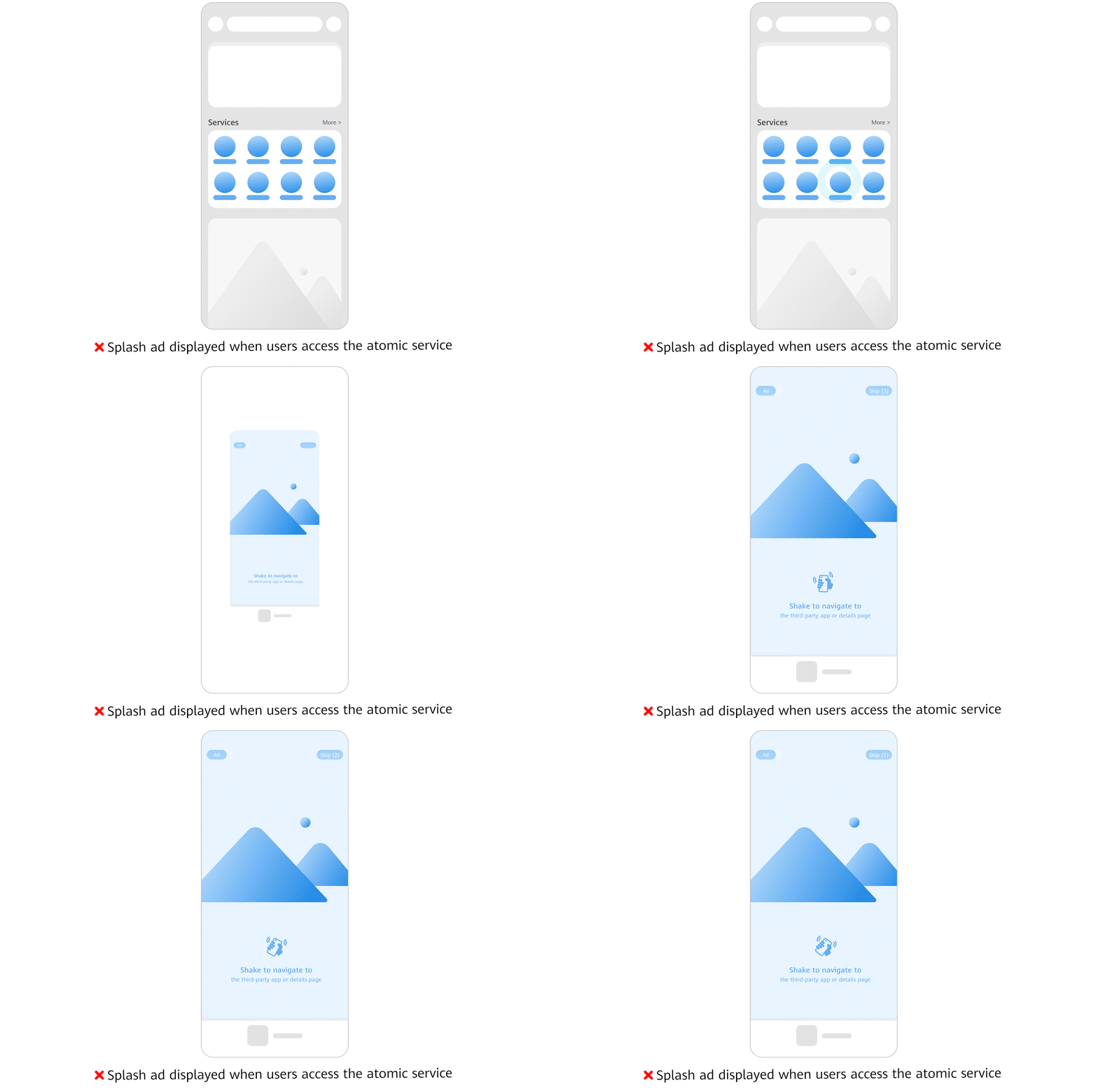
5.7 To ensure a smooth and seamless experience, splash ads must not be displayed when users enter your atomic service.
Example:
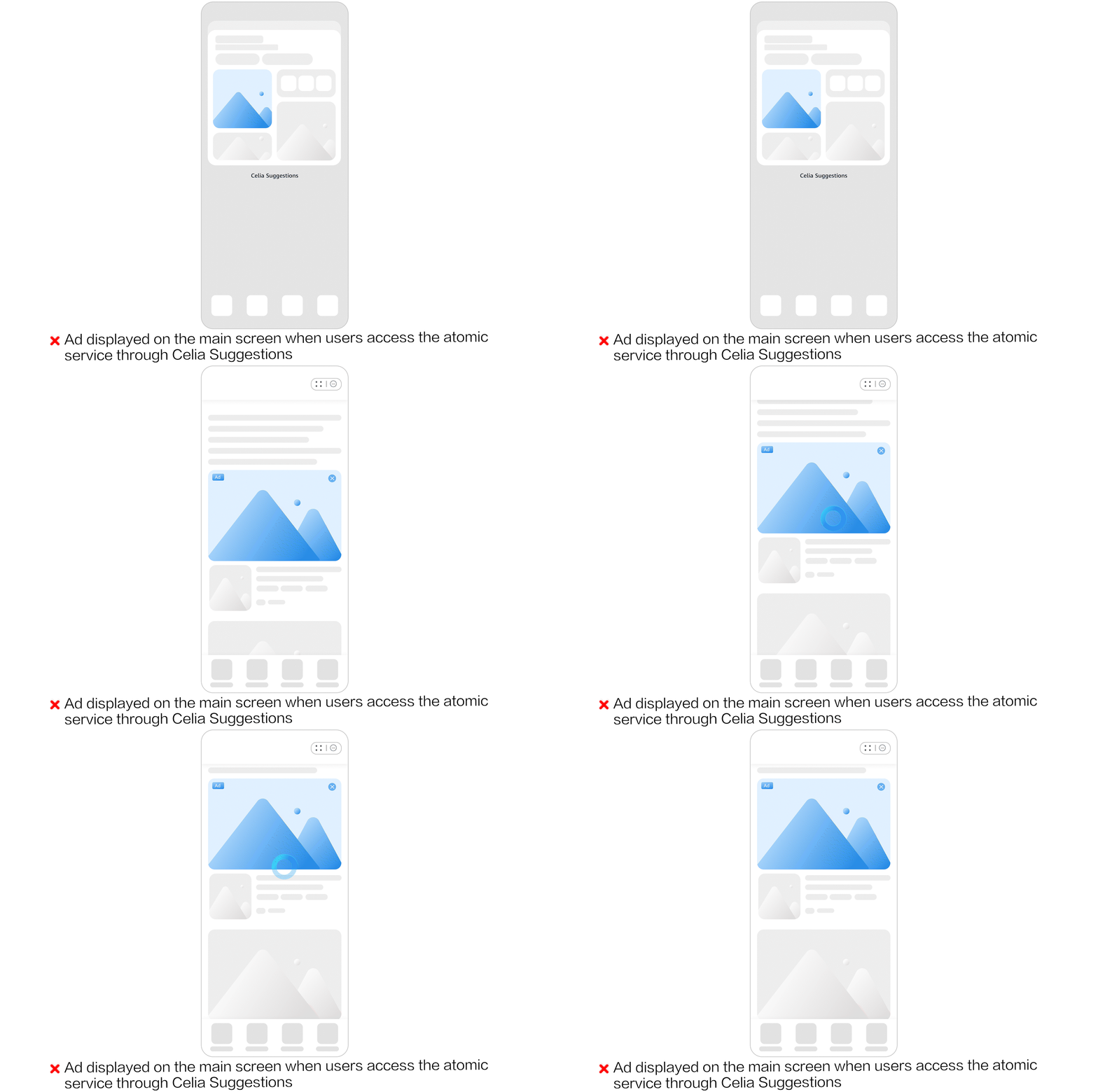
5.8 When an atomic service is accessed through an intelligent recommendation channel (such as Celia Suggestions), ads—such as splash ads on the main screen—must not be displayed. This ensures users can access atomic service content without interference and enjoy a seamless experience.
Example: