When a product is newly added or deactivated, it enters the Inactive state and cannot be sold. If you want to start selling the product, activate it.
- Sign in to AppGallery Connect and click My apps.
- Click the app for which you need to activate a product.
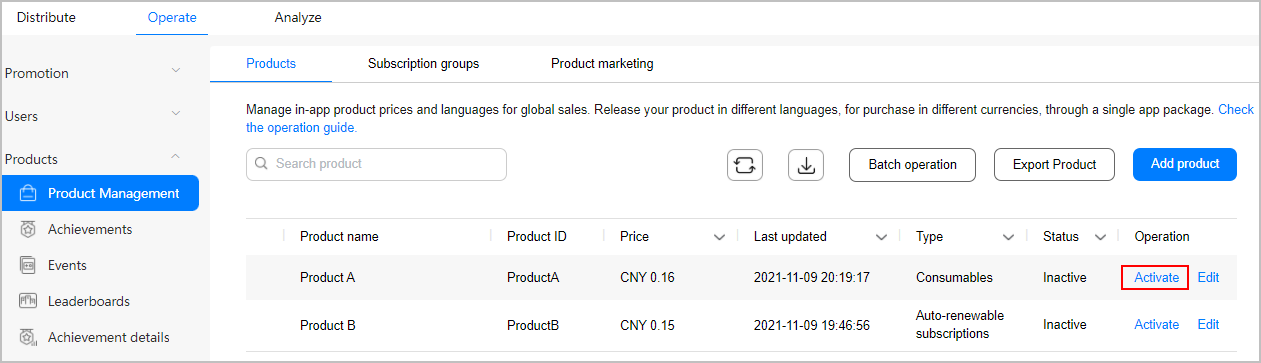
- Go to Operate > Products > Product Management.
- In the product list, click Activate in the Operation column corresponding to the product to be activated.
- In the displayed dialog box, click OK.

- Active products are open for purchase.
- If a product that was previously set with a promotional price is reactivated and the promotion is still valid, the promotional price will continue to apply.