An active product is available for sale. If you want to stop selling the product, deactivate it.
- Sign in to AppGallery Connect and click My apps.
- Click the app for which you need to deactivate a product.
- Go to Operate > Products > Product Management.
- On the product list, click Deactivate in the Operation column corresponding to the product to be deactivated.
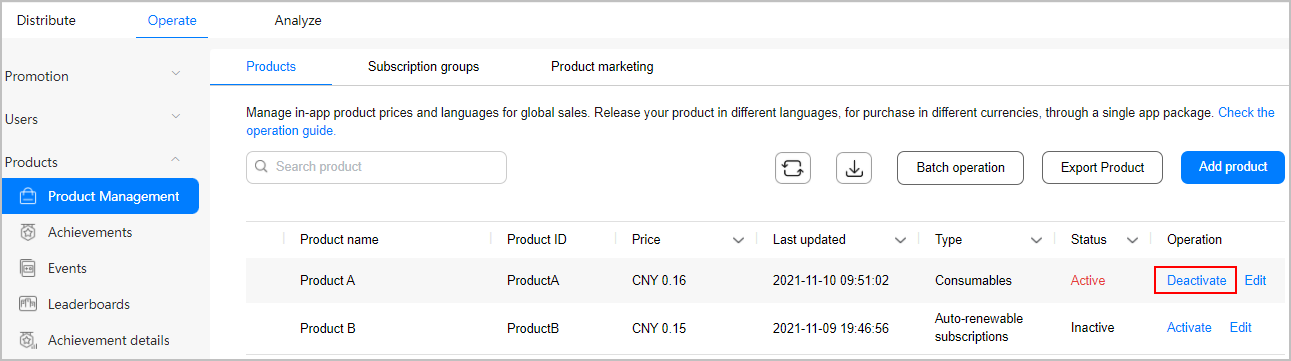
- In the displayed dialog box, click OK.

- Inactive products cannot be purchased.
- Existing subscriptions will remain valid, and renewal charges will apply.
- All ongoing promotions will be terminated immediately.