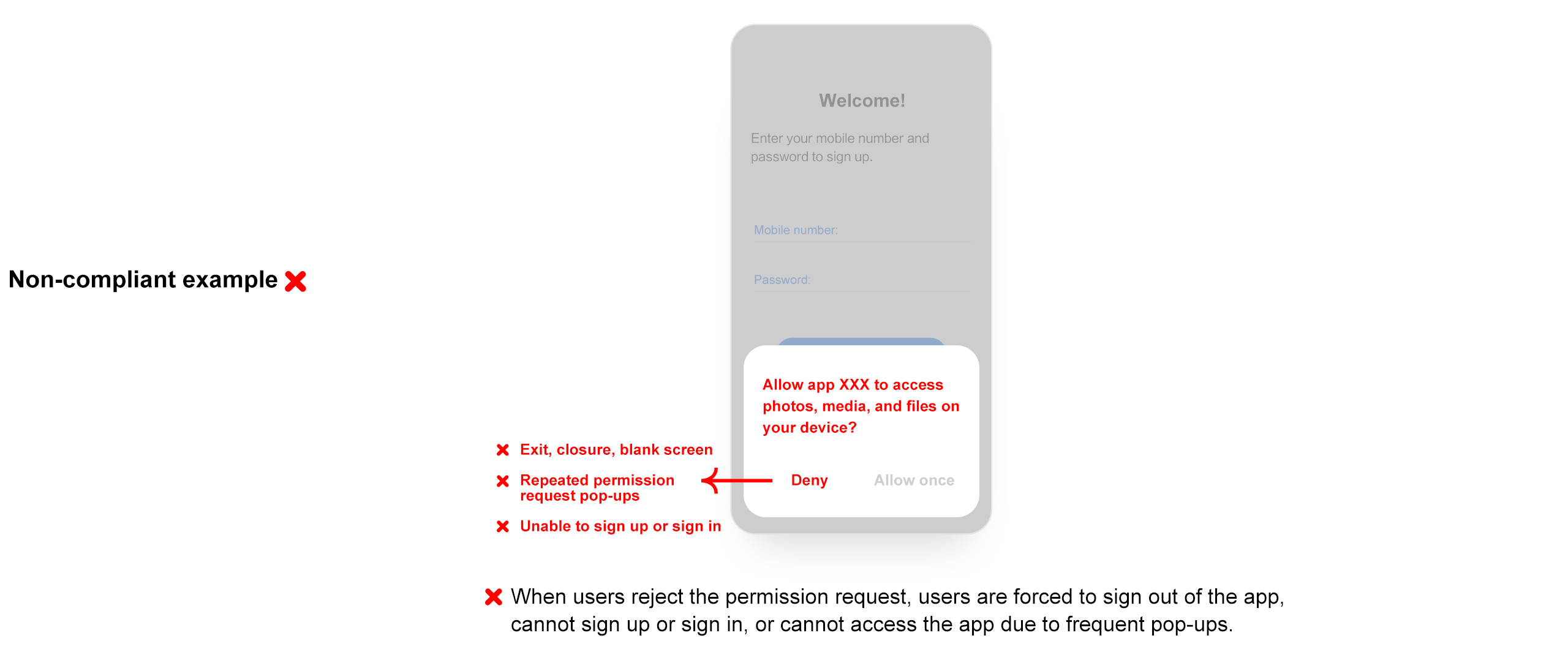
If the app requests permissions to access users' phone calls, contacts, location, SMS messages, recordings, camera, storage, calendar, and so on while it is open but users reject such requests, the app shall not exit or be closed.
If the app requests permissions while it is open but users reject such requests, the app shall not keep presenting pop-up windows to apply for permissions and prevent users from using the app.
The app requests permissions when users sign up or sign in but users reject such requests. In this case, the app shall still allow users to sign up and sign in.
If users reject the app's permission requests when the app is open, the app shall not present pop-up windows frequently to apply for permissions unrelated to the current service scenario and affect users' use of the app. When the app is launched again, it shall not frequently apply for permissions unrelated to the current service scenario.
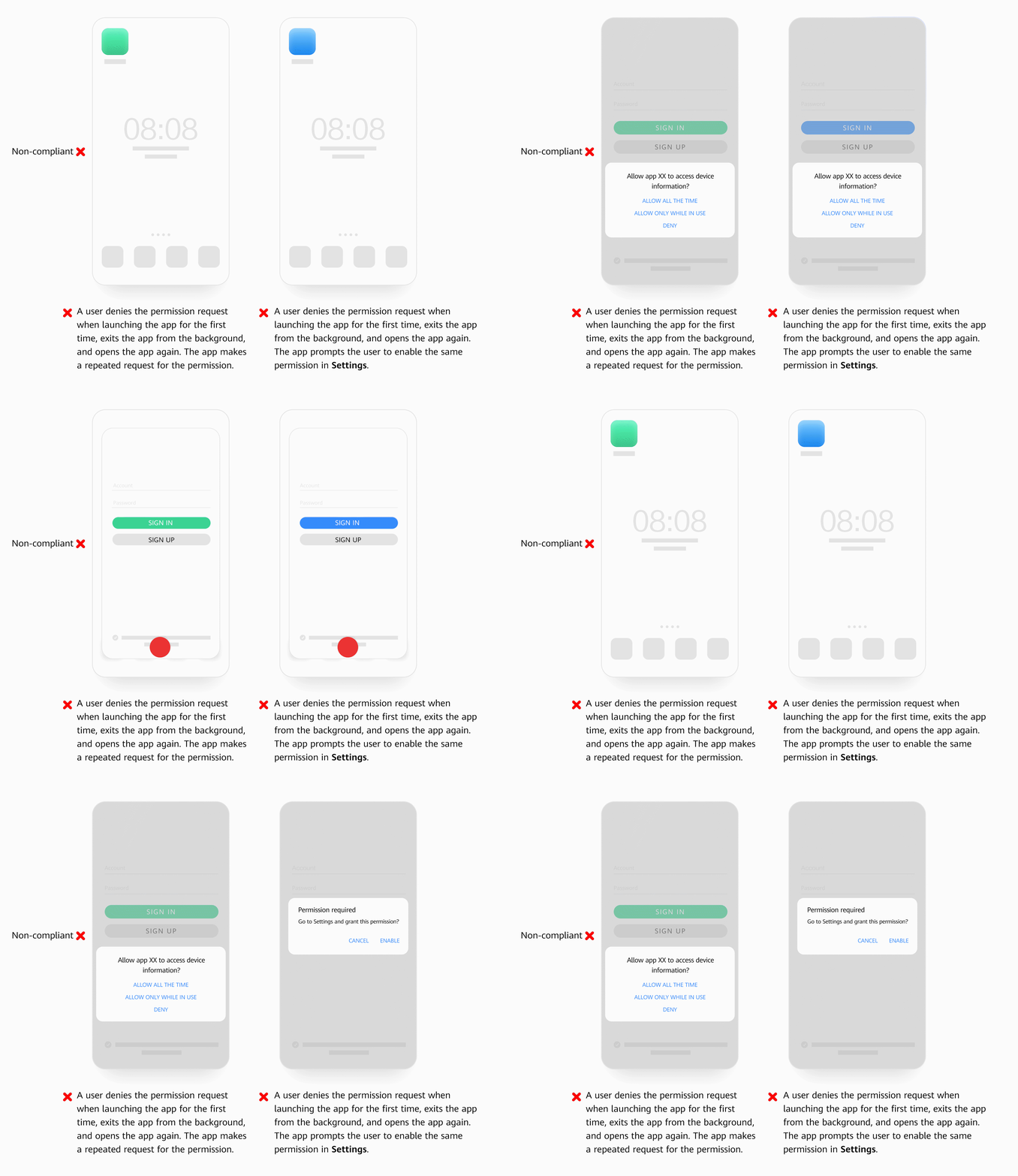
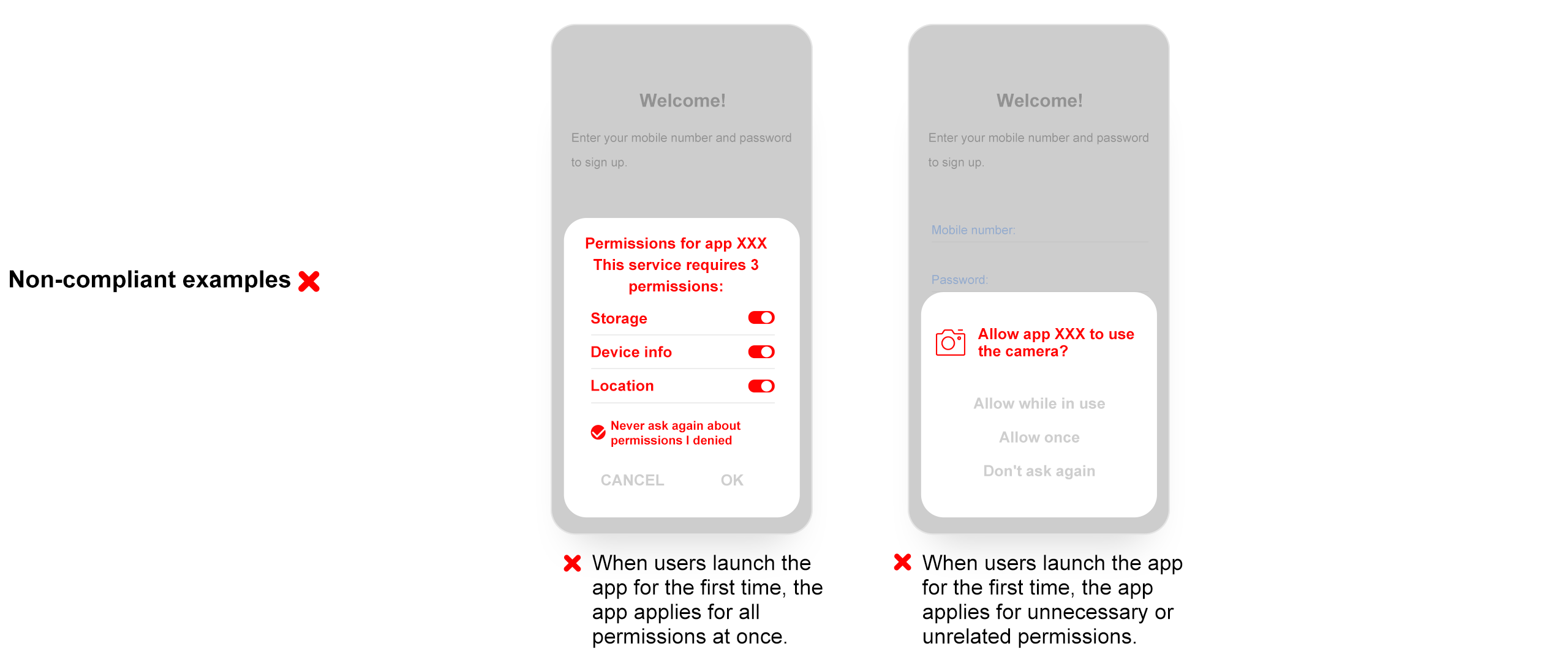
When users launch the app for the first time or when the app is open, the app shall not apply for permissions using a pop-up window if users have not begun to use the functions or services that would require such permissions.
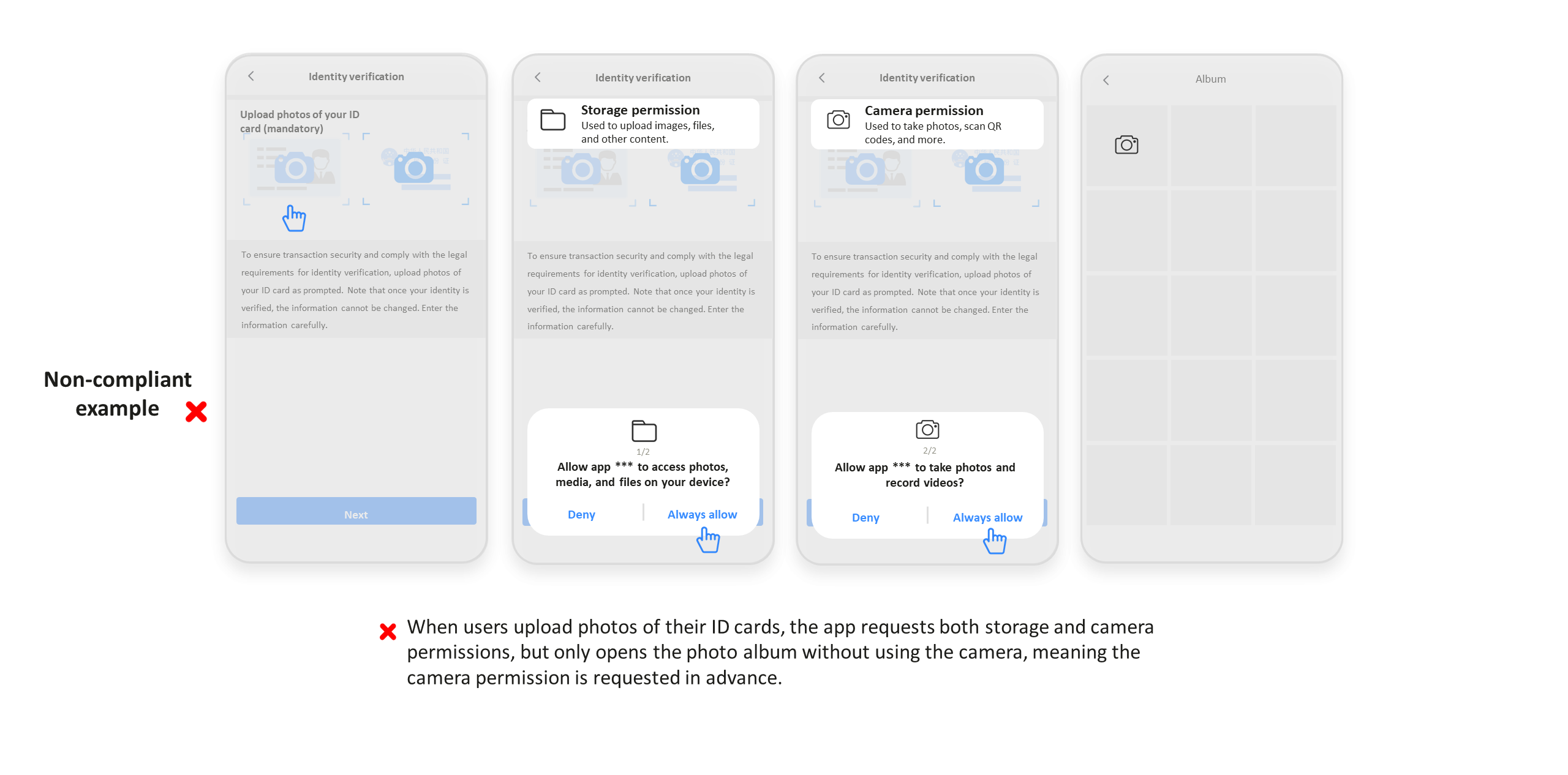
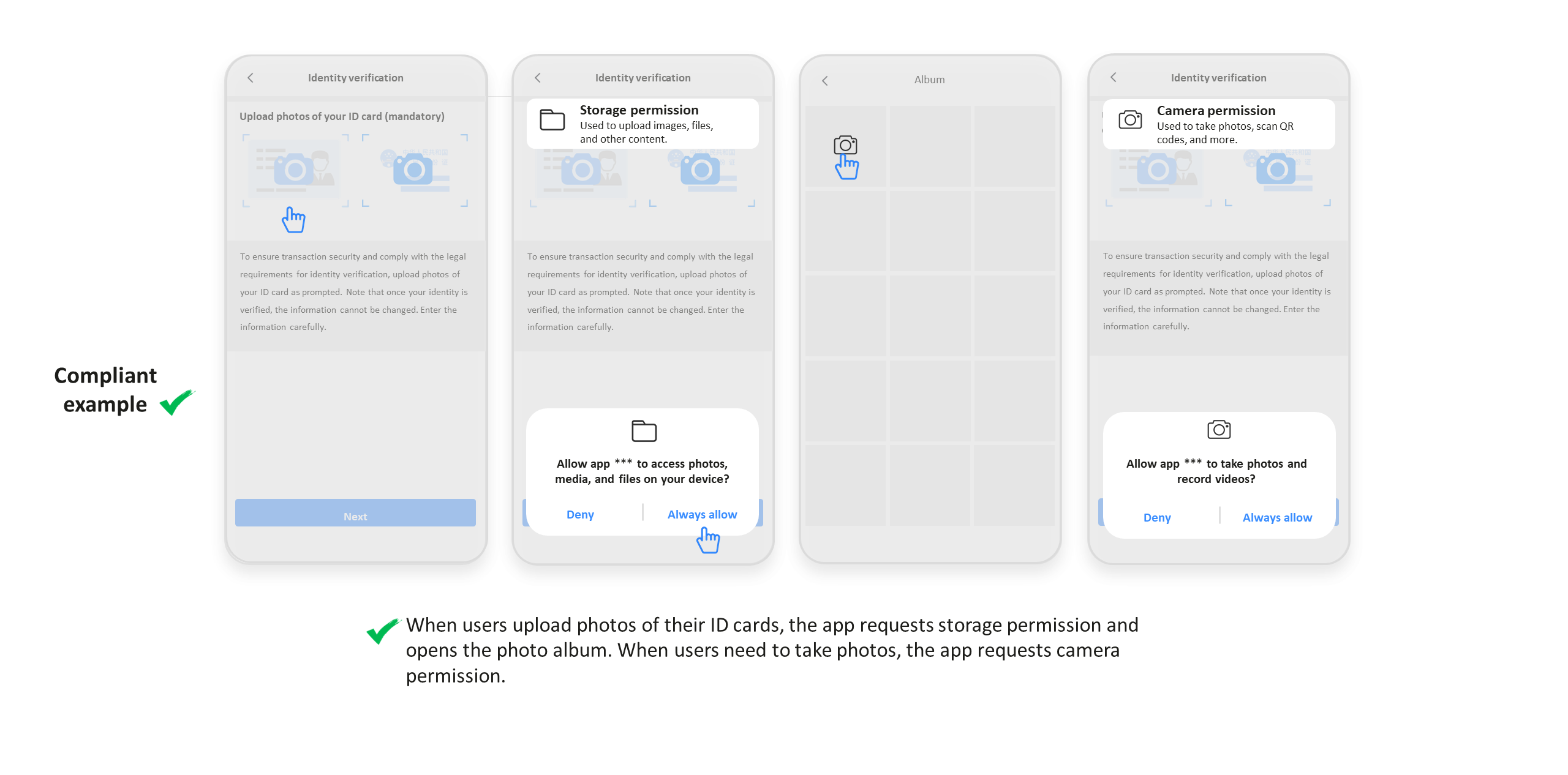
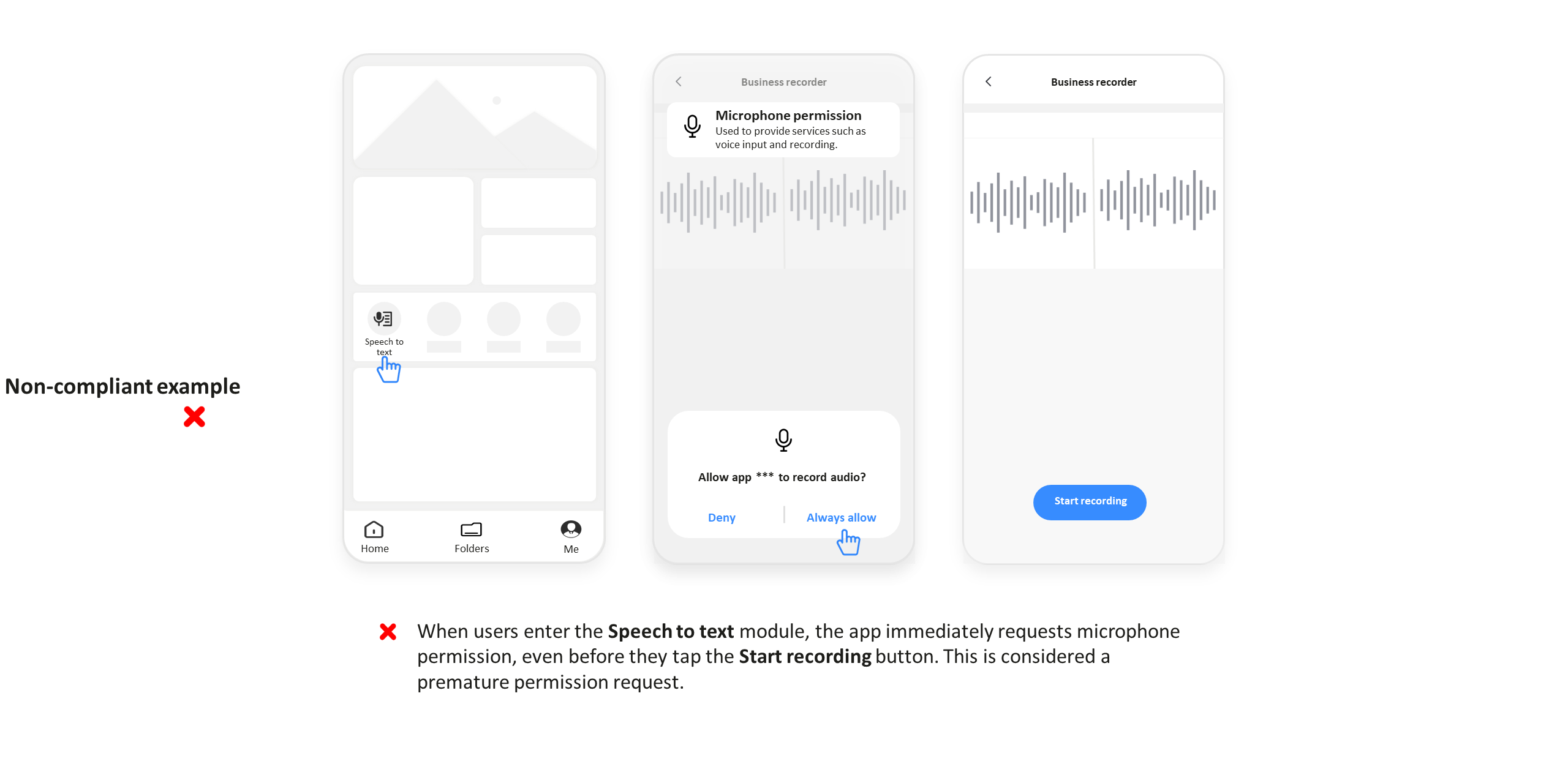
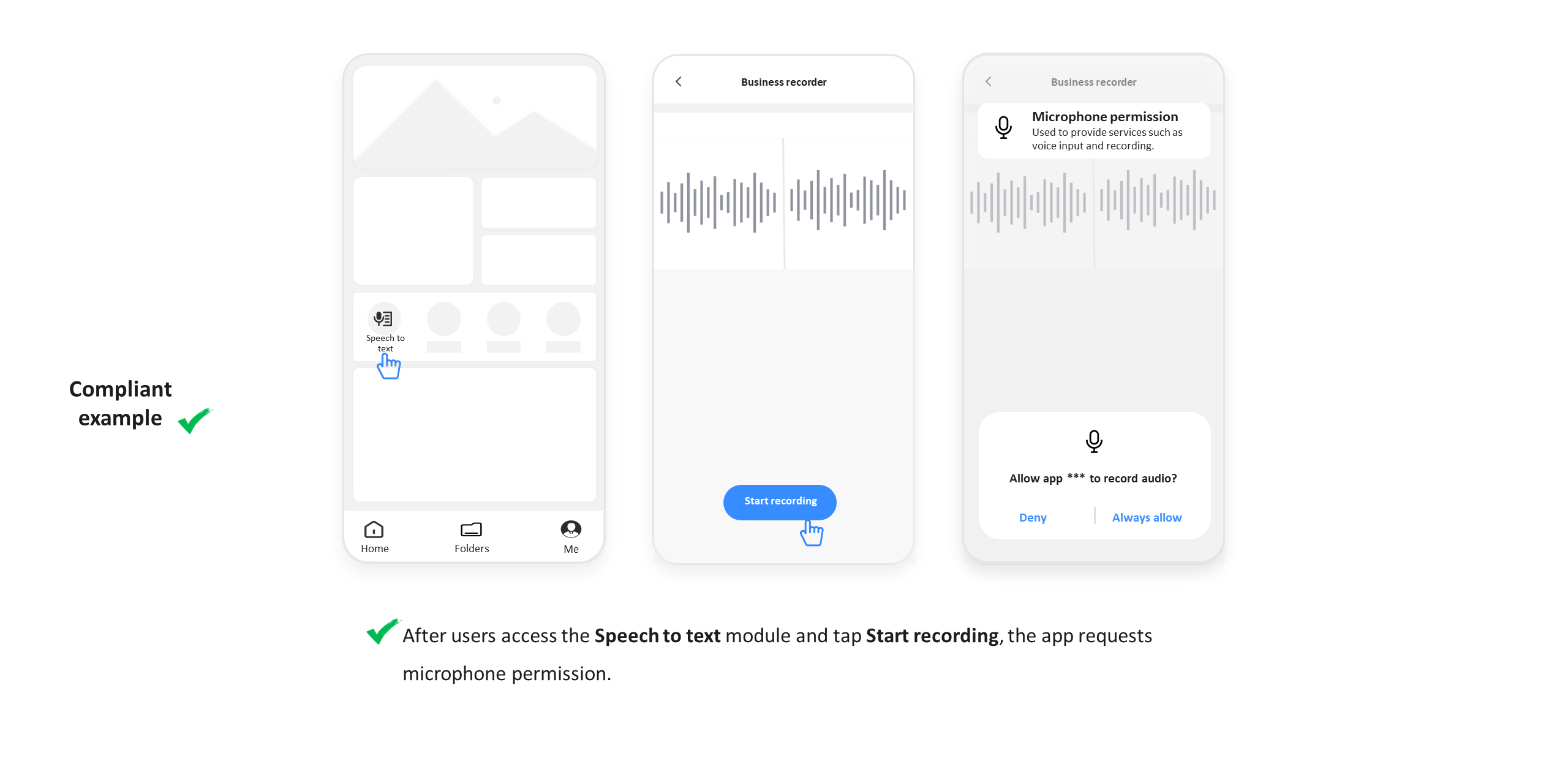
The app shall not apply for permissions such as the access to contacts, location, SMS messages, recordings, camera, and calendar if it is not providing the functions or services that would require such permissions.
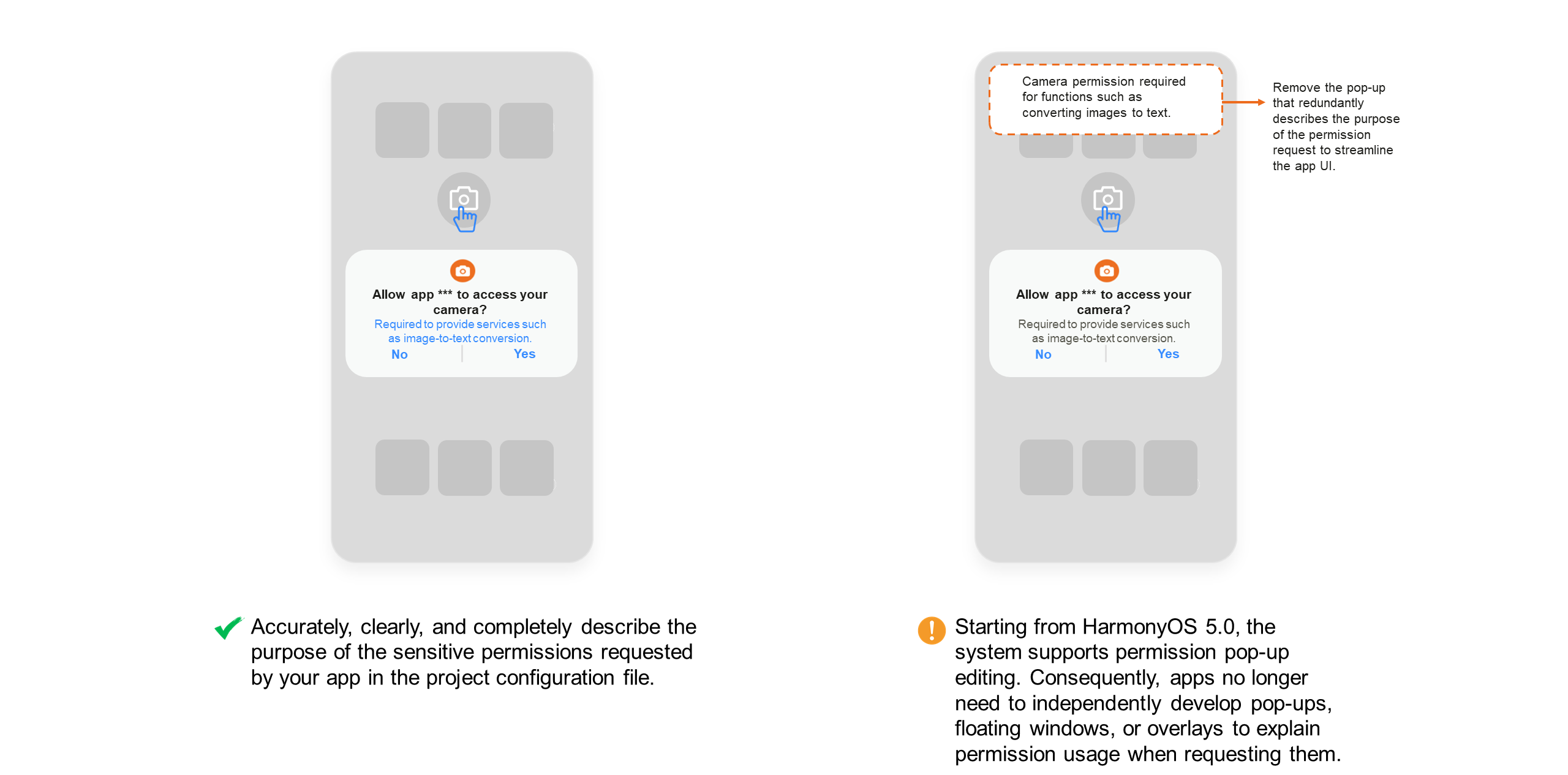
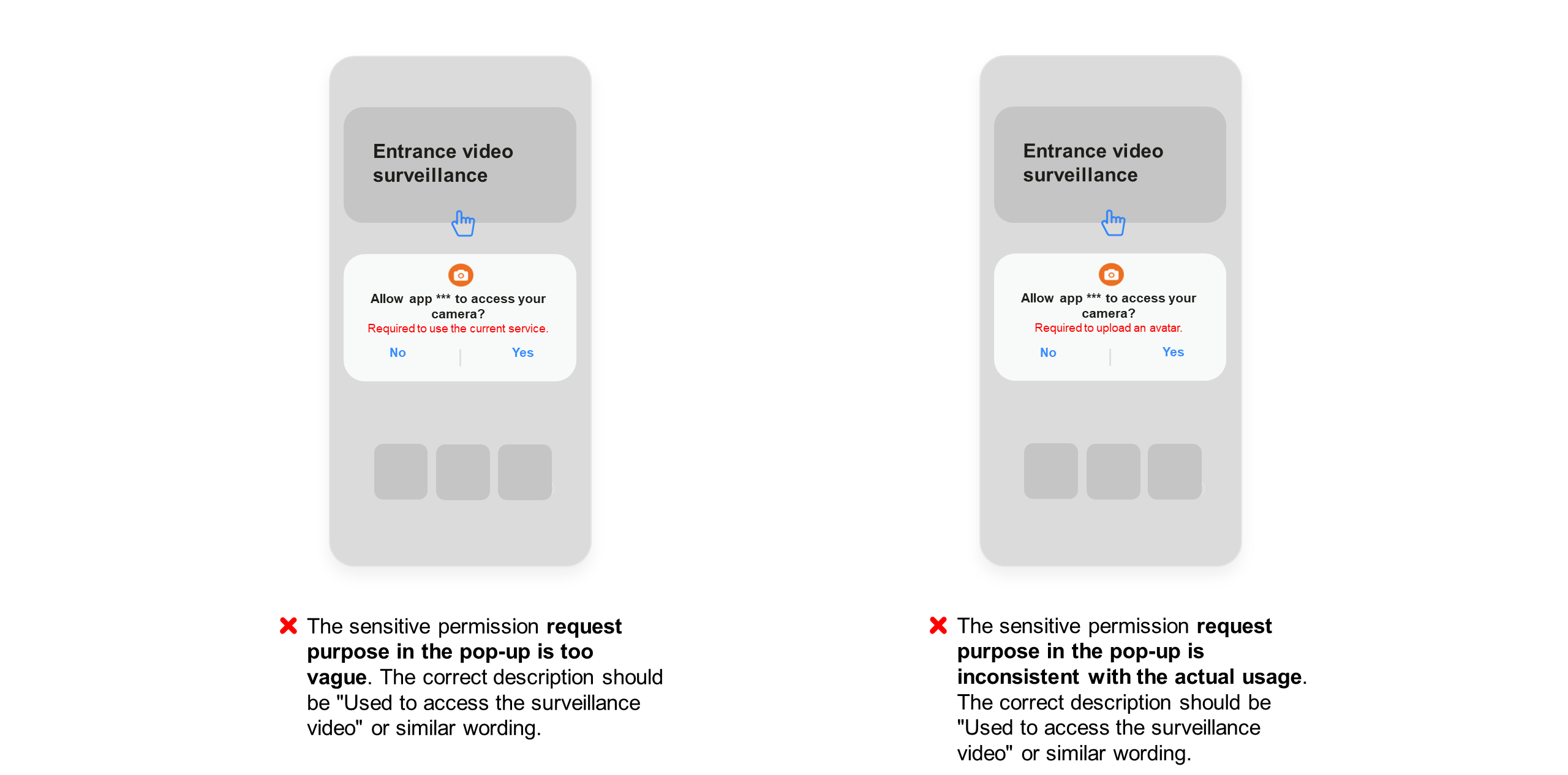
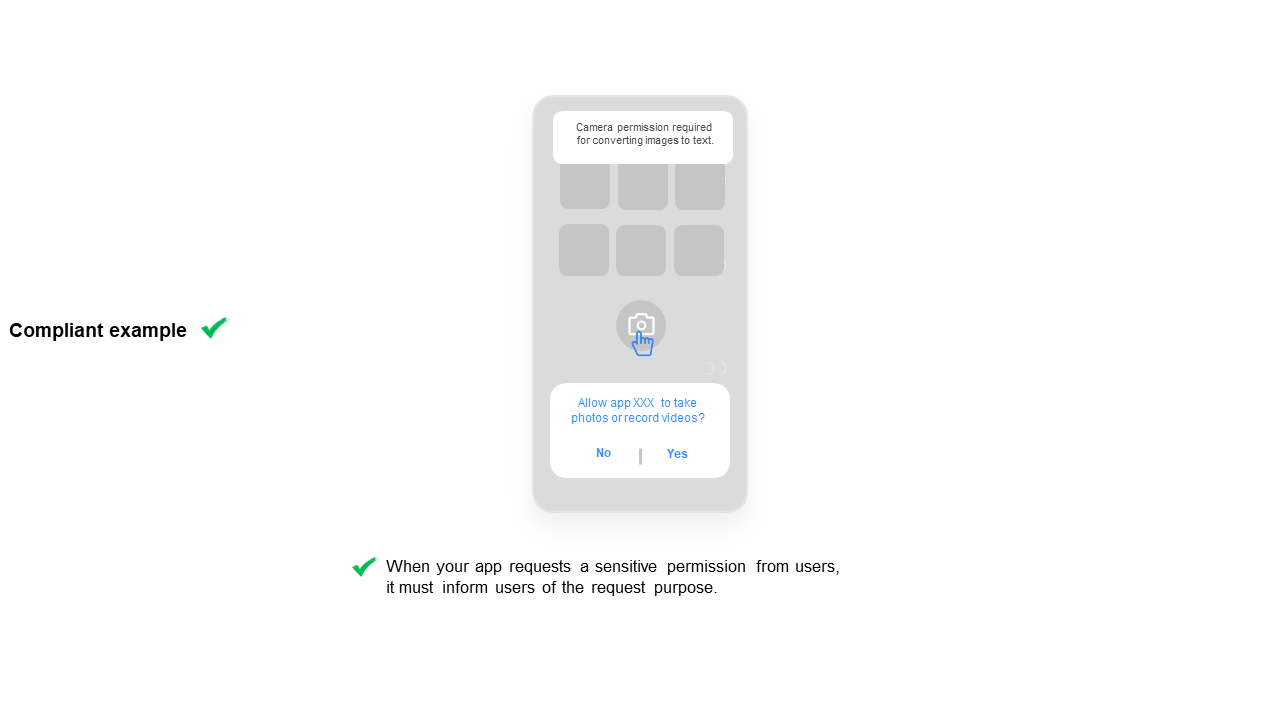
When your app requests a sensitive permission from users, it must inform users of the request purpose.
Sensitive permissions: phone calls, contacts, locations, SMS messages, microphone (recordings), camera access, storage, calendar, body sensor, call records, health and fitness information, and others.
Your app must inform users of the request purpose at the time when the request pop-up window is displayed.
Examples in the following figures apply to system versions earlier than HarmonyOS 5.0.
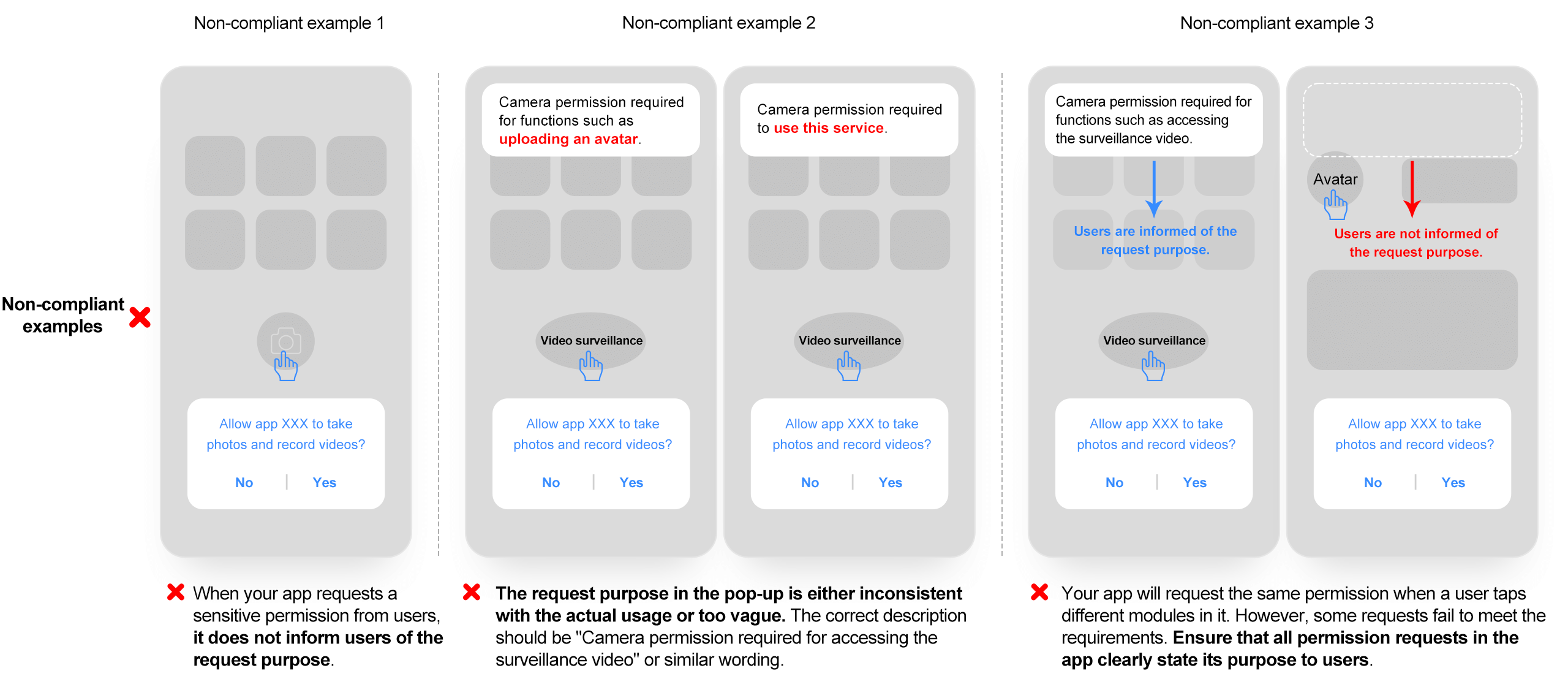
Examples in the following figures apply to HarmonyOS 5.0 and later versions.