To use the HUAWEI Analytics Kit SDK for Xamarin, you need to create Xamarin Android bindings libraries from HMS Analytics Kit SDK for Android. This process generates the Xamarin libraries themselves.
1. Download & save all the libraries that defined in Xamarin SDK Download.
2. Download Analytics Kit SDK for Xamarin from the Xamarin SDK Download.
3. Extract the downloaded SDK to a directory of your choosing.
4. Open the project XHiAnalytics-4.0.2.300 in Visual Studio by double clicking the XHiAnalytics-4.0.2.300.csproj file in the directory the Xamarin SDK was extracted.
5. Once you open the library project for the Xamarin Analytics SDK, each package you downloaded in the first step must placed under its related library project.
Inside the Solution Explorer, expand each project and repeat the steps below:
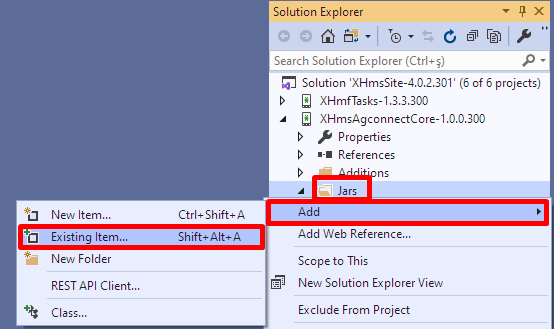
a. Right click on Jars
b. Follow Add -> Existing Item… menu path.
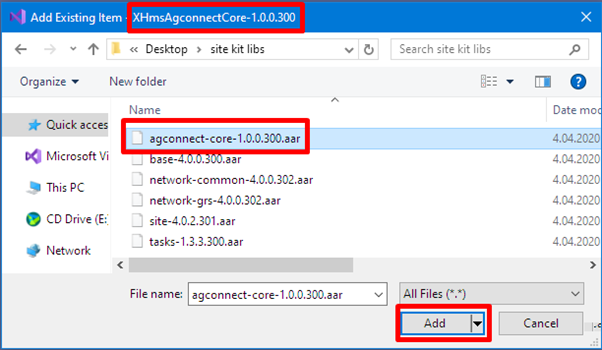
c. Navigate to the folder where you downloaded the packages and select the related .aar or .jar file.
For example; agconnect-core-1.0.0.300.aar file should be imported into the XAgConnectCore-1.0.0.300 project.
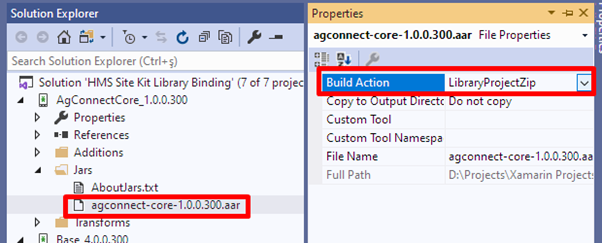
d. Click on the package file you just imported. In the Properties window;
set the Build Action as LibraryProjectZip if the file type is .aar
set the Build Action as EmbeddedJar if the file type is .jar
6. There are some external, open-source dependencies that should be downloaded seperately into each necessary library project. These dependencies are downloaded through NuGet Package Manager console.
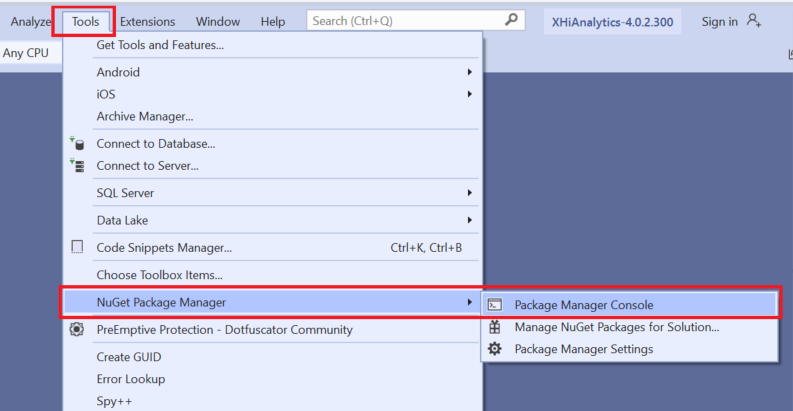
a. From the Visual Studio's toolbar, click Tools -> NuGet Package Manager -> Package Manager Console.
b. In the package manager console window, set one of the projects as the default:
XAgConnectHttps-1.0.0.300
XAgConnectCredential-1.0.0.300
XHiAnalytics-4.0.2.300

c. Run the following commands to install the dependencies.
- Install-Package Square.OkHttp3 -Version 3.11.0
- Install-Package Xamarin.Square.OkIO -Version 1.14.0

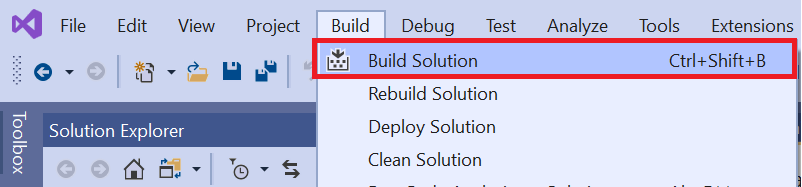
7. Build the library. From the Visual Studio's toolbar, click Build -> Build Solution.
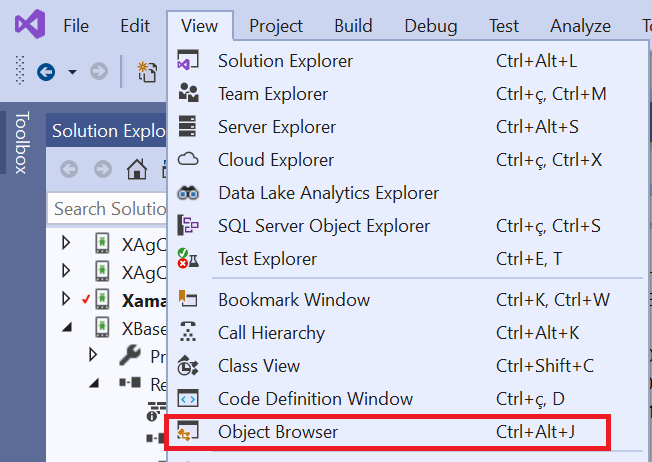
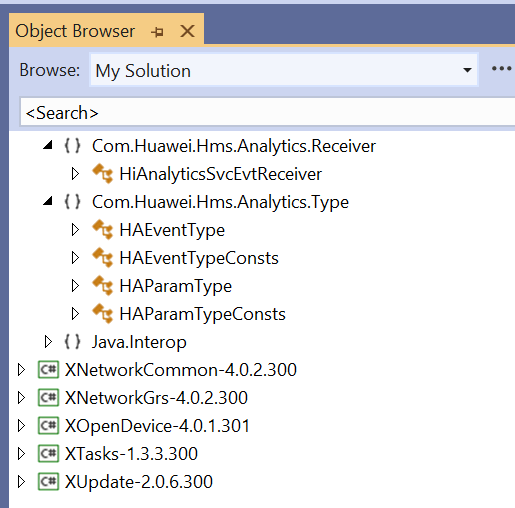
Once the build process is complete, generated classes should be visible in the object browser and ready to use.