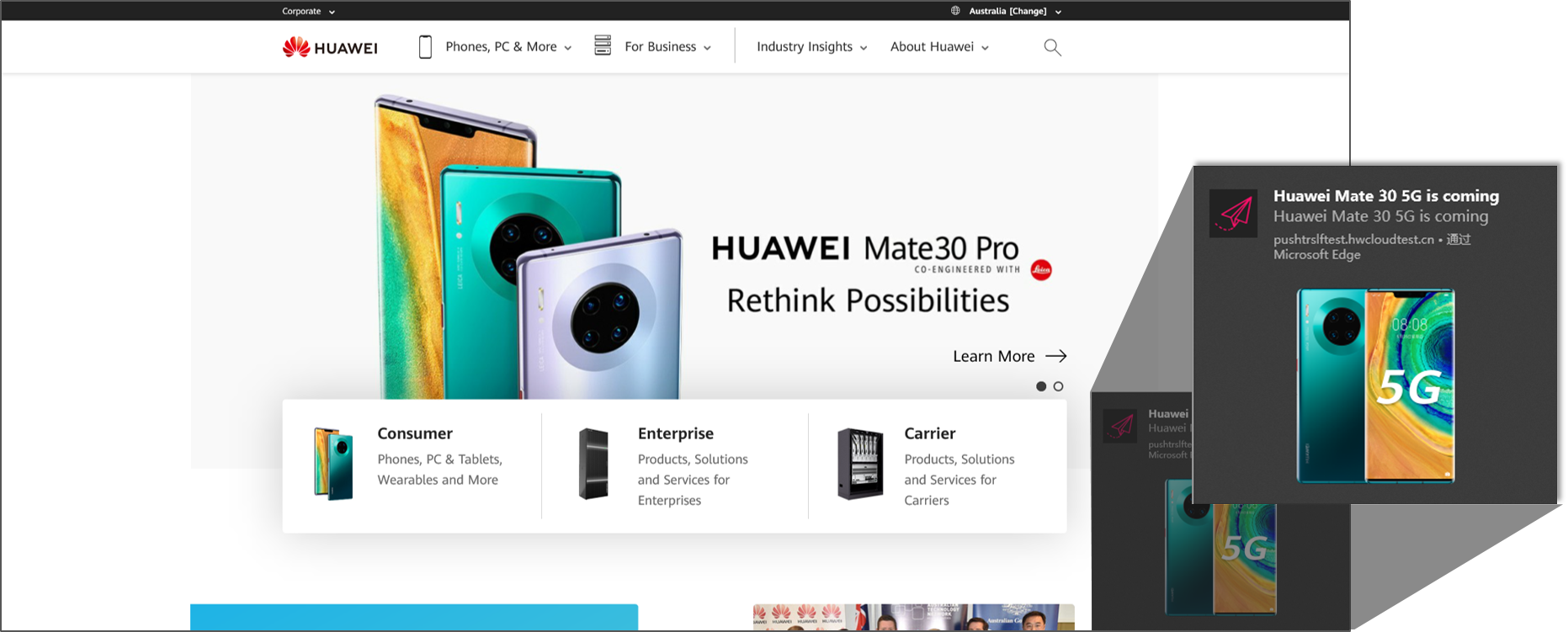
HUAWEI Push Kit provides the capability of sending messages to web apps (browsers) via a WebPush agent.For details about WebPush-related standards, please refer to RFC8030.
The following figure shows a message that is sent to a web app via the WebPush agent.
Supported browsers:
Device Type | Browser Type | Supported (Yes/No) | Version |
PC | Chrome | Yes | 78 or later |
Firefox | Yes | 56 or later | |
Edge | Yes | 44.18362.1.0 or later |
Currently, messages are pushed to a web app via the WebPush agent of an Android app created in AppGallery Connect. For details about how to create an Android app, please refer to the Preparations for Android apps.
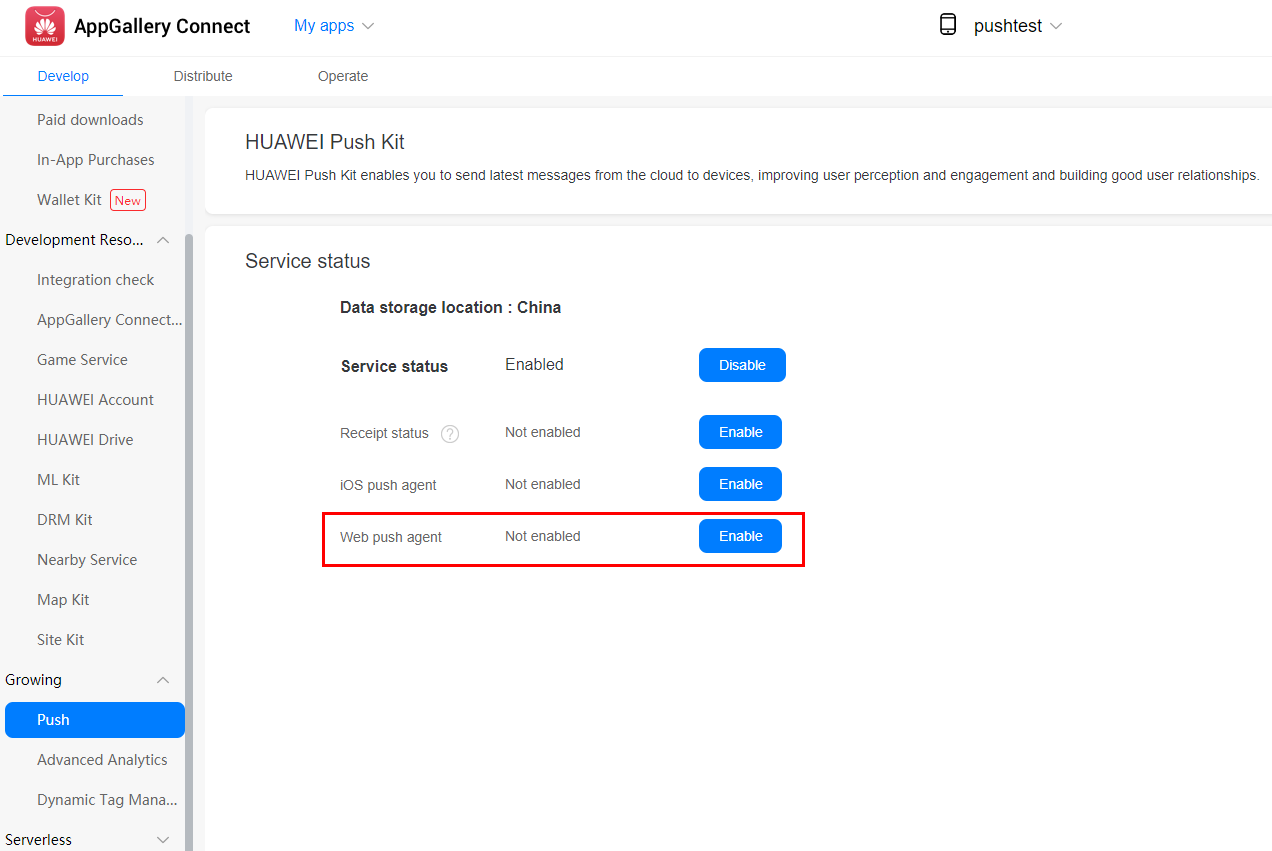
After enabling HUAWEI Push Kit, enable the WebPush agent.
Click Generate key pair to generate a valid key pair.
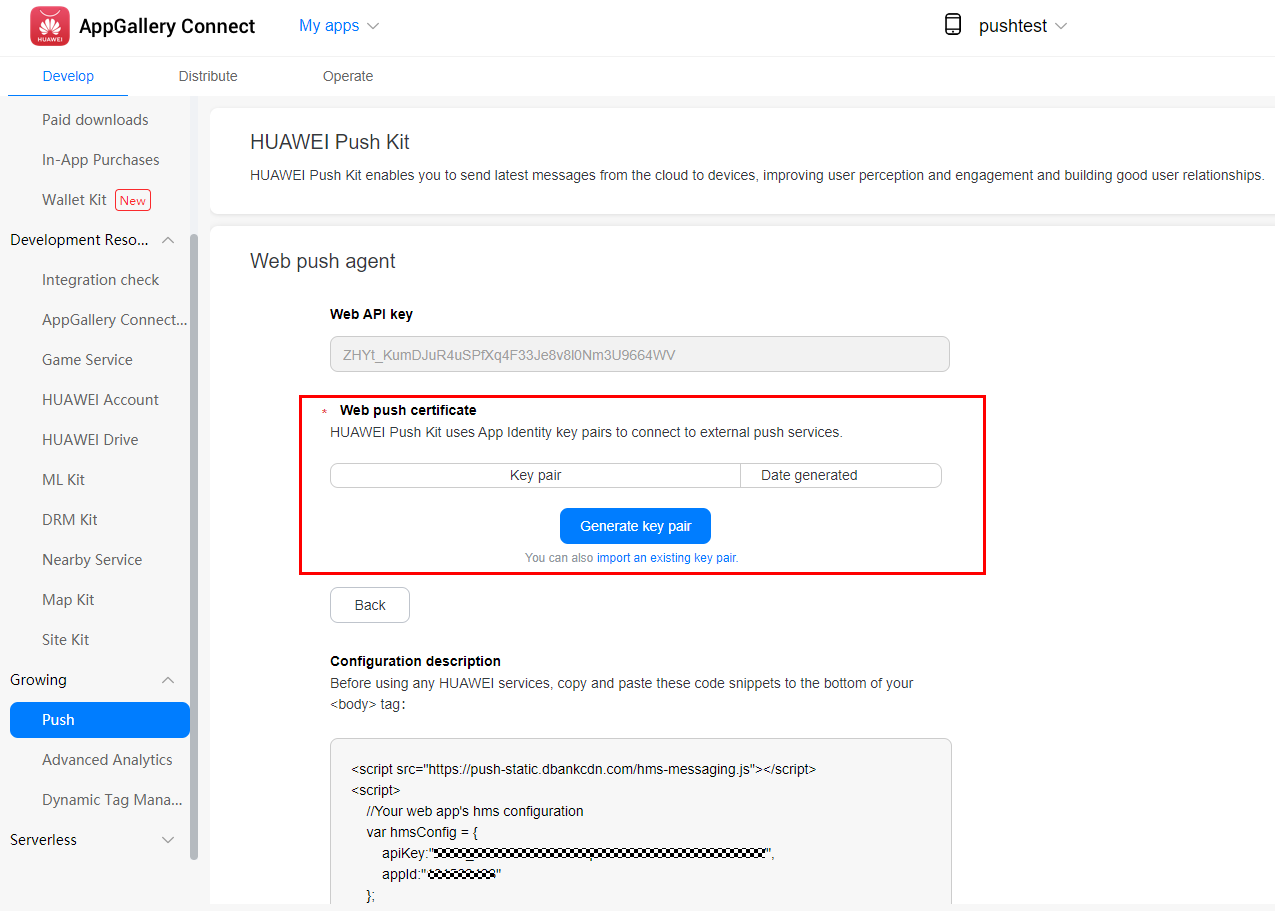
You can also run a command to generate your key, and then remove all linefeeds when importing the key.
1. Run the openssl ecparam -name prime256v1 -genkey -noout -out vapid_private.pem command to generate a VAPID key.
2. Create a Base64-encoded key string in DER format.
openssl ec -in ./vapid_private.pem -outform DER|tail -c +8|head -c 32|base64|tr -d '=' |tr '/+' '_-' >> private_key.txt
openssl ec -in ./vapid_private.pem -pubout -outform DER|tail -c 65|base64|tr -d '=' |tr '/+' '_-' >> public_key.txt
Copy the code snippets configured for enabling the WebPush agent and paste them to the end of the <body> tag in your project. Develop the code in the red box by yourself.
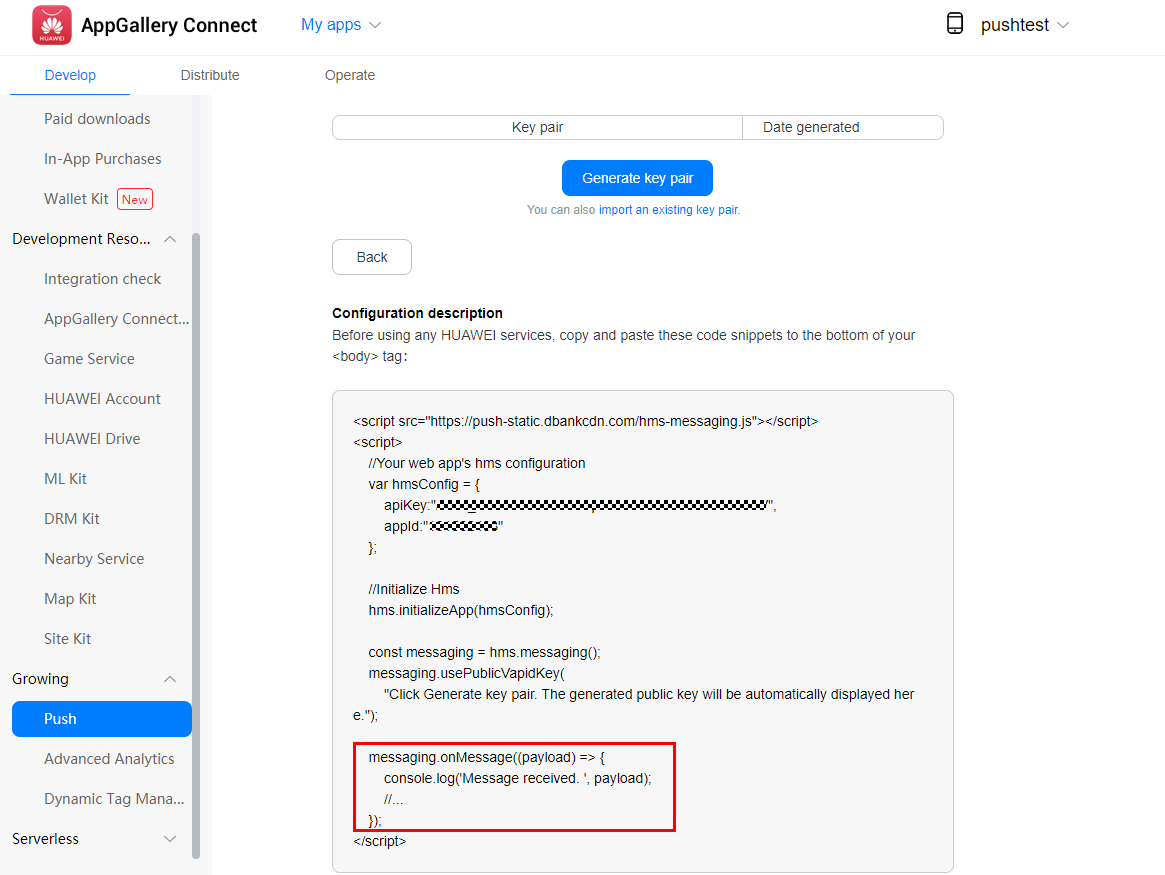
Develop the messaging.onMessage(payload) callback function for receiving messages when the browser is running in the foreground.
Sample code:
- messaging.onMessage((payload) => {
- console.log('Message received. ', payload);
- });
Develop the messaging.setBackgroundMessageHandler(payload) callback function of the background process serviceworker, for receving messages when the browser is running in the background.
Sample code:
- messaging.setBackgroundMessageHandler(function (payload) {
- console.log('[hms-messaging-sw.js] Received background message ', payload);
- const notificationTitle = 'Background Message Title';
- const notificationOptions = {
- body: 'Background Message body.',
- icon: '/hms-logo.png'
- };
- return self.registration.showNotification(notificationTitle,
- notificationOptions);
- });
Call the getToken method to apply for a token.
Sample code:
- messaging.getToken().then((currentToken) => {
- if (currentToken) {
- console.log('Current token: ', currentToken);
- } else {
- console.log('No Instance ID token available. Request permission to generate one.');
- }
- }).catch((err) => {
- console.log('An error occurred while retrieving token. ', err);
- });
Use the token to call the API provided by the HUAWEI Push Kit server to send messages. For details, please refer to Sending Messages.For a data message, the orignData parameter in the received message specifies the message content.
Sample code for sending messages from the app server:
- {
- "validate_only": false,
- "message": {
- "notification": {
- "title": "Big News",
- "body": "This is a Big News!"
- },
- "data": "this is data",
- "webpush": {
- "headers": {
- "ttl": "990",
- "urgency": "low",
- "topic": "12313"
- },
- "notification": {
- "title": "notication string",
- "body": "web push body",
- "actions": [
- {
- "action": "",
- "icon": "",
- "title": "string"
- }
- ],
- "badge": "string",
- "dir": "auto",
- "icon": "string",
- "image": "string",
- "lang": "string",
- "renotify": true,
- "require_interaction": true,
- "silent": true,
- "tag": "string",
- "timestamp": 1545201266,
- "vibrate": [100,200,300]
- },
- "hms_options": {
- "link": "https://example.com"
- }
- },
- "token": [
- "your token1",
- "your token2"
- ]
- }
- }