


Intelligent Assistant
Chat with our virtual assistant to get answers promptly.
Coupons are issued and distributed to users, providing a financial discount or rebate to promote sales.
Wallet Kit provides different ways for you to integrate coupons into the HUAWEI Wallet app.
The following table lists the integration steps.
No. |
Step |
Operation |
Description |
|---|---|---|---|
1 |
Preparations |
Configure app information and enable the required services. |
|
2 |
Obtain the keys or certificates required for data encryption. |
||
3 |
Apply for the Wallet Kit service. |
||
4 |
Pass integration |
Customize UI content based on the JSON field mapping. |
|
Claim passes. |
|||
Update passes. |
|||
Process expired passes. |
|||
Send a notification to a user who arrives near a specified geofence. |
|||
Create a link to a saved pass for a user to view the pass details. |
|||
Notify users of coupon expiration in advance. |
|||
5 |
Pre-release check |
Use the tool offered by Huawei to automatically check your app before release. |
|
6 |
App release |
Complete your app information in AppGallery Connect and submit a release application. |
For details about quick integration, please refer to codelab.
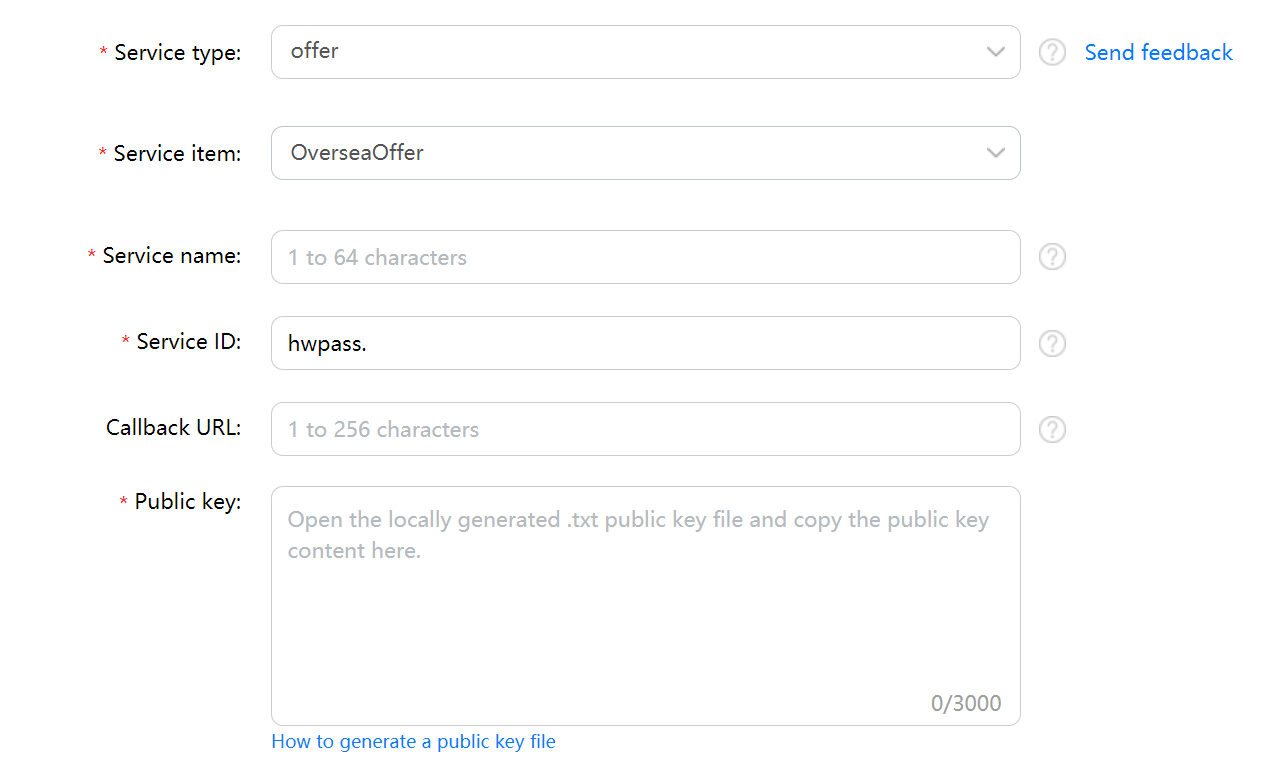
When applying for the Wallet Kit service, select offer for Service type and OverseaOffer for Service item.
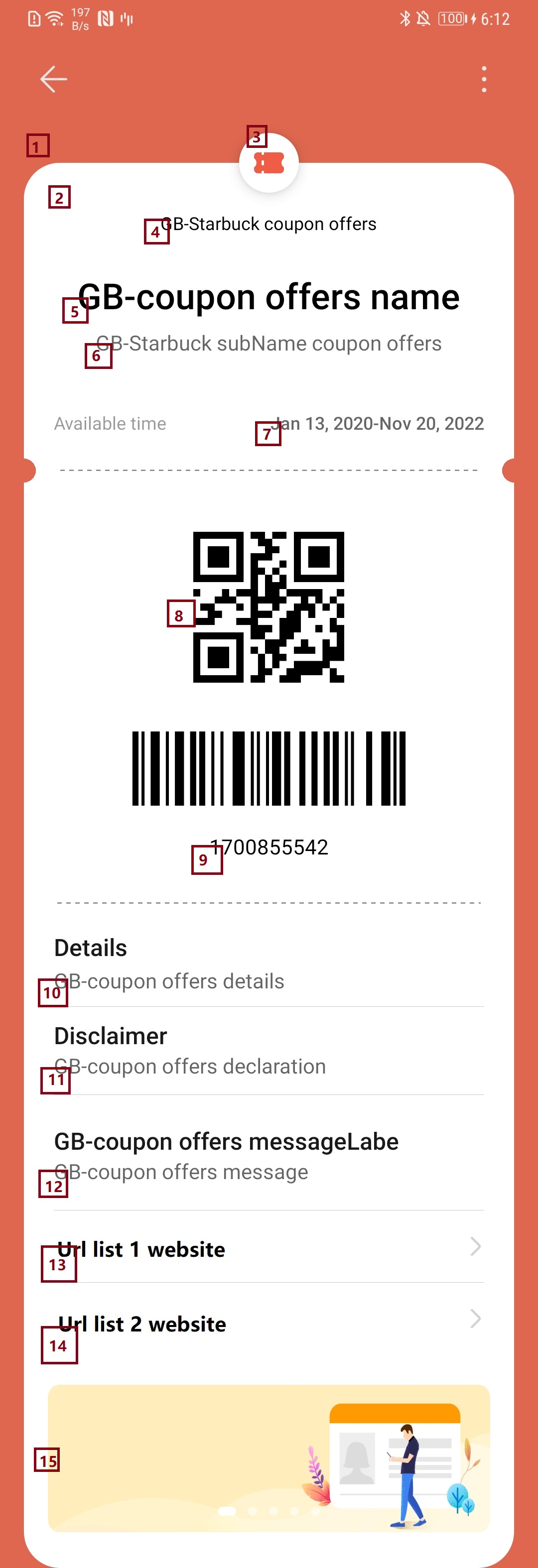
No. |
Item |
Mapping Field in JSON String |
Specifications |
Description |
|---|---|---|---|---|
1 |
Outer frame background color |
fields.appendFields[key= backgroundColor] |
Length: less than 256 bytes |
|
2 |
Background color |
- |
- |
|
3 |
Logo on the coupon |
fields.commonFields[key= logo] |
Dimensions: 90 x 90 px Size: 20 KB max |
|
4 |
Merchant name |
fields.commonFields[key= merchantName] |
Length: less than 256 bytes |
|
5 |
Coupon title |
fields.commonFields[key= name] |
Length: less than 256 bytes |
|
6 |
Coupon subtitle |
fields.commonFields[key= subName] |
Length: less than 256 bytes |
|
7 |
Validity period |
fields.status.effectTime -fields.status.expireTime |
Length: less than 256 bytes |
|
8 |
Barcode or QR code |
fields.barCode.type fields.barCode.value |
Length: less than 256 bytes |
|
9 |
Remarks |
fields.barCode.text |
Length: less than 256 bytes |
|
10 |
Details |
fields.appendFields[key= details] |
Length: less than 256 bytes |
|
11 |
Disclaimer |
fields.appendFields[key= declaration] |
Length: less than 256 bytes |
|
12 |
Message 1 |
fields.messageList[key=key1] |
Length: less than 256 bytes |
|
13 |
Redirection list 1 |
fields.urlList[key=key1] |
Length: less than 256 bytes |
|
14 |
Redirection list 2 |
fields.urlList[key=key2] |
Length: less than 256 bytes |
|
15 |
Scrolling images |
fields.imageList[key=key1] |
Length: less than 256 bytes (Restriction: The aspect ratio must be 3:1.) |
|
You can display any of the following items on a coupon by setting fields.commonFields[key= use_type]: 2D barcode, 1D barcode, 2D and 1D barcodes, button, and coupon code.
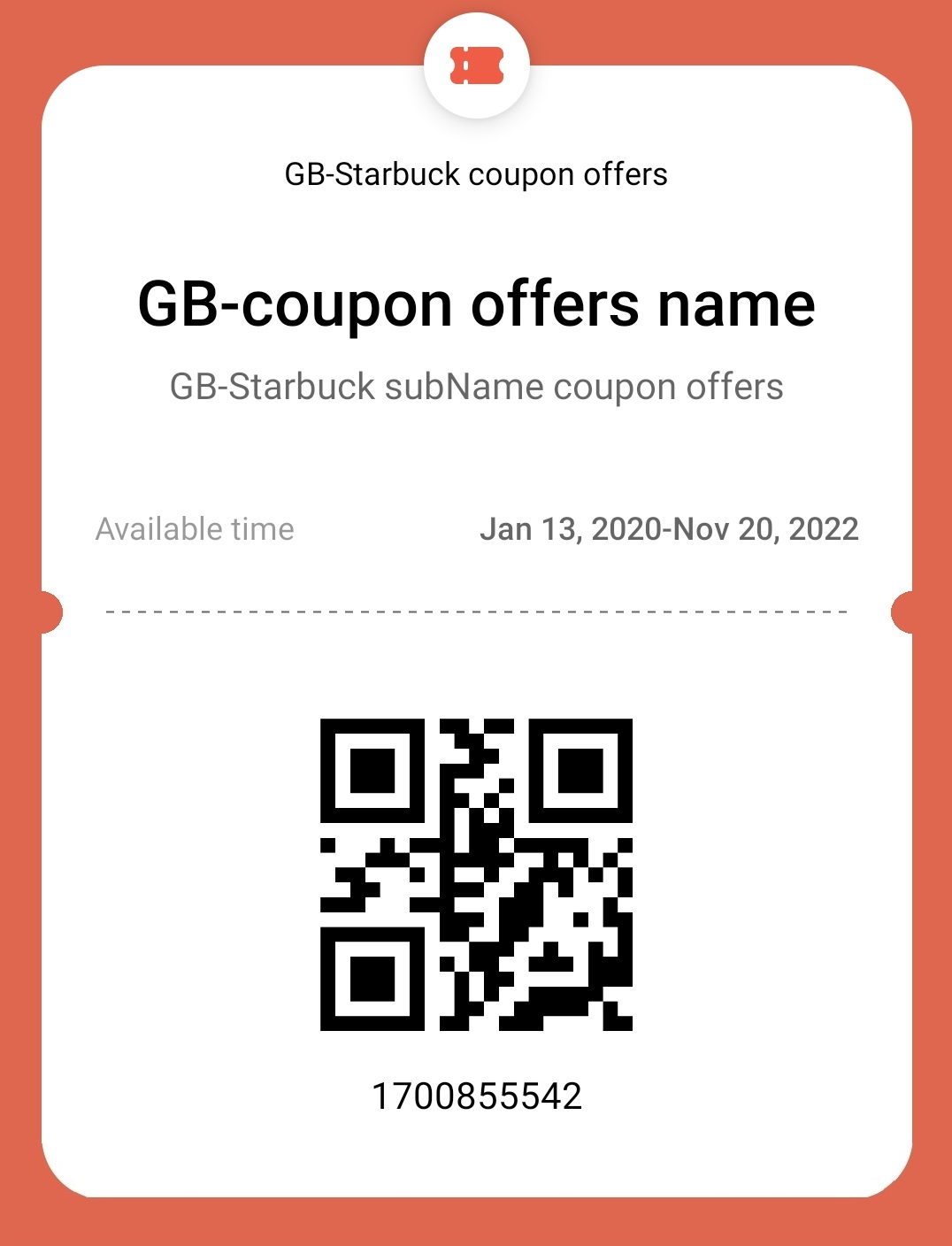
The following configuration is for displaying a 2D barcode:
- {
- "commonFields": [
- {
- "key": "use_type",
- "value": "0"
- }
- ],
- "barCode": {
- "text": "barCode Text",
- "type": "qrCode",
- "value": "1700855542",
- "encoding": "UTF-8"
- }
- }
UI effect:
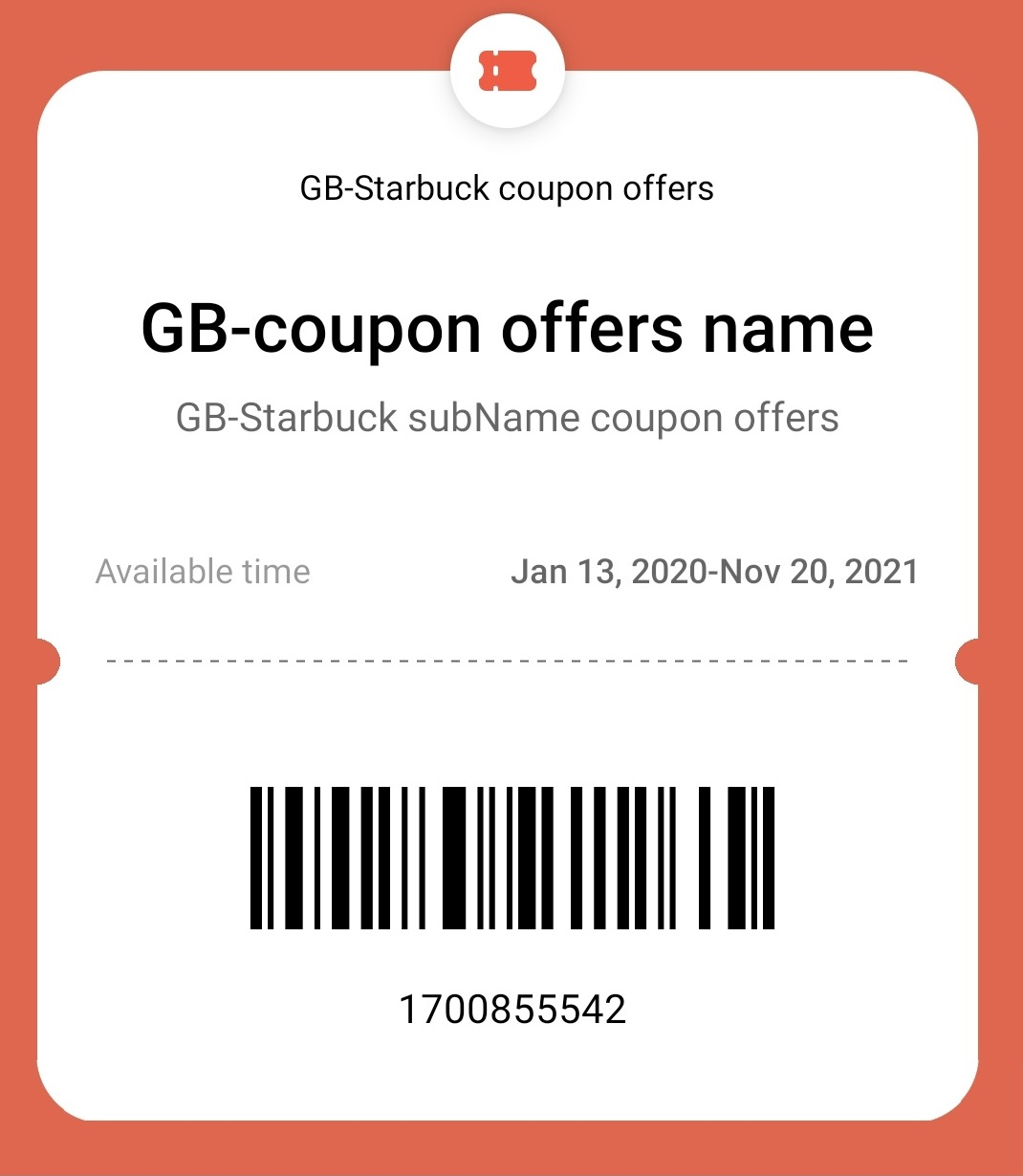
The following configuration is for displaying a 1D barcode:
- {
- "commonFields": [
- {
- "key": "use_type",
- "value": "0"
- }
- ],
- "barCode": {
- "text": "barCode Text",
- "type": "codabar",
- "value": "1700855542",
- "encoding": "UTF-8"
- }
- }
UI effect:
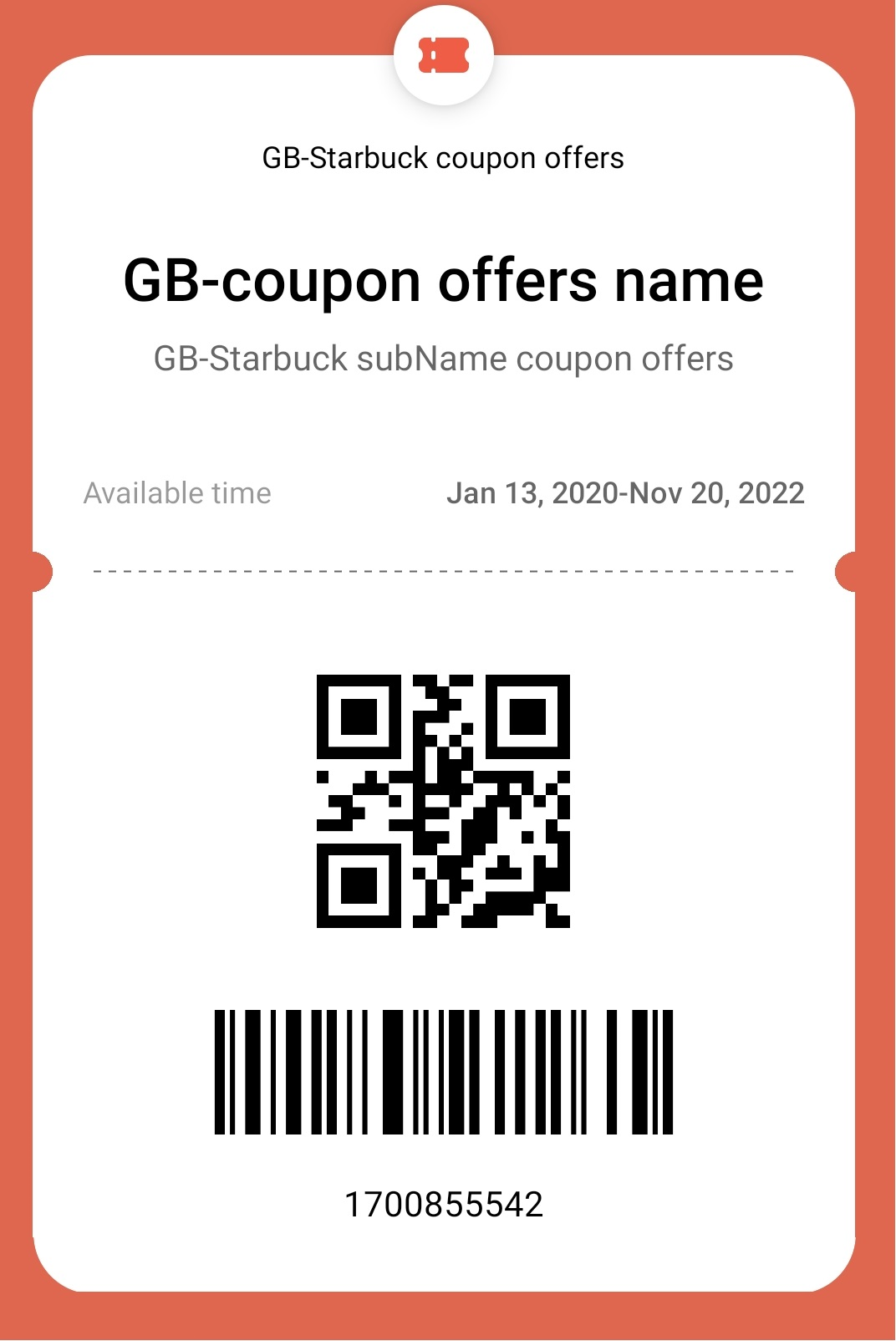
The following configuration is for displaying 2D and 1D barcodes at the same time:
- {
- "commonFields": [
- {
- "key": "use_type",
- "value": "0"
- }
- ],
- "barCode": {
- "text": "barCode Text",
- "type": "qrCode|codabar",
- "value": "1700855542",
- "encoding": "UTF-8"
- }
- }
UI effect:
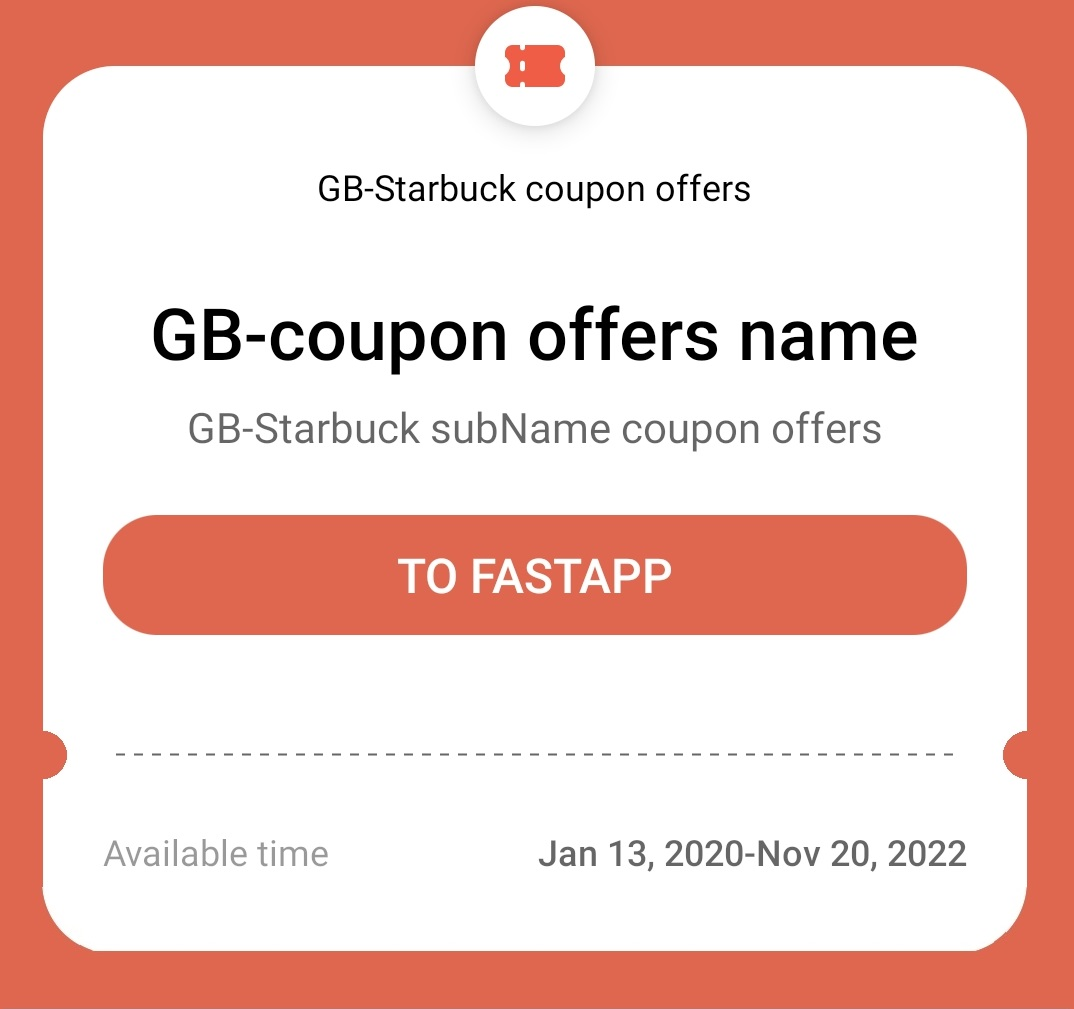
For details about the configuration for displaying a button, please refer to Button Redirection Configuration. After a user taps the button to use the coupon, the user can be redirected to an app, HTML5 page, or a quick app.
UI effect:
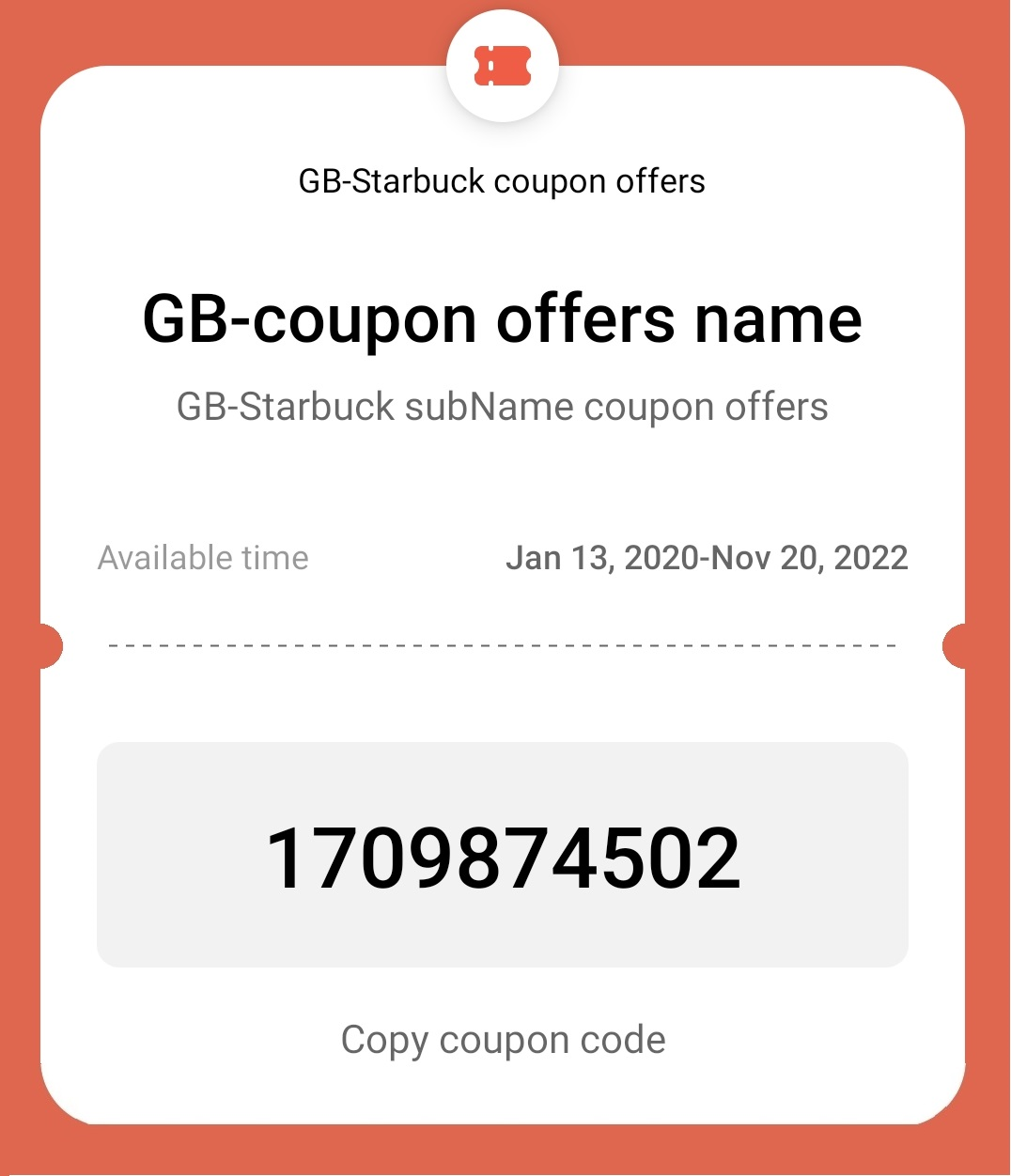
The following configuration is for displaying a coupon code:
- {
- "commonFields": [
- {
- "key": "use_type",
- "value": "3"
- }
- ],
- "barCode": {
- "text": "",
- "type": "",
- "value": "1709874502",
- "encoding": "UTF-8"
- }
- }
UI effect:
Scenario |
Integration Mode |
Implementation |
Procedure |
|---|---|---|---|
Coupons |
Claiming passes by web page, SMS message, email, or app |
Integrating the Add to HUAWEI Wallet Button to Your Web Page to Claim a Pass |
NOTE Model: common fields for users, such as logo and merchantName. Instance: user-specific field information, for example, cardNumber. If the instance and model have a same field, the field value in the instance overwrites that in the model. |
Adding a Deep Link to an SMS Message or Email to Claim a Pass |
|||
Pushing JWE Data to the Huawei Server After Your App Is Integrated with the Wallet SDK |
|||
Adding a Button for Claiming Passes in Your App NOTE The pass-adding page in HUAWEI Wallet is displayed even if the user does not sign in with a HUAWEI ID. |
The development scenario description uses the model and instance of a loyalty card as an example. You can customize the model and instance based on your needs.
Pushing model information to the Huawei server
For details about the API, please refer to Creating an Offer Model.
For details about the HwWalletObject field definition, please refer to Definition.
For details about the pass claiming process, please refer to Adding a Pass, which takes the loyalty card as an example. You can configure the model class and API definition based on the sample code before pushing your coupon model to the Huawei server.
- HwWalletObject hwWalletObject = new HwWalletObject();
- hwWalletObject.setOrganizationName("xxx");
- // Model ID, which is unique.
- hwWalletObject.setPassStyleIdentifier("offer001");
- // Service ID that you set when applying for the Wallet Kit service.
- hwWalletObject.setPassTypeIdentifier("hwpass.offer.merchant");
-
- Fields fields = new Fields();
- fields.setCountryCode("CN");
-
- // Geofence information.
- List<Location> locationList = new ArrayList<>();
- Location location = new Location();
- location.setLongitude("113.0679603815");
- location.setLatitude("25.6592051284");
- locationList.add(location);
- fields.setLocationList(locationList);
-
- List<ValueObject> commonFields = new ArrayList<>();
- ValueObject name = new ValueObject();
- name.setKey("name");
- name.setValue("50%-Off Coupon");
- commonFields.add(name);
-
- ValueObject subName = new ValueObject();
- subName.setKey("subName");
- subName.setValue("XXX Company");
- commonFields.add(subName);
- // URI of your logo.
- ValueObject logo = new ValueObject();
- logo.setKey("logo");
- logo.setValue("https://www.xxx.com/.../logo.png");
- commonFields.add(logo);
-
- // Merchant name. The following provides sample code for defining merchant names in multiple languages. You can specify a random string here, for example, merchantNameI18N, for obtaining the merchant name in the corresponding language from the value of Localized.
- ValueObject merchantName = new ValueObject();
- merchantName.setKey("merchantName");
- merchantName.setValue("Some merchant name");
- merchantName.setLocalizedValue("merchantNameI18N");
- commonFields.add(merchantName);
- fields.setCommonFields(commonFields);
-
- // Background color.
- List<ValueObject> appendFields = new ArrayList<>();
- ValueObject backgroundColor = new ValueObject();
- backgroundColor.setKey("backgroundColor");
- backgroundColor.setValue("#1C2635");
- appendFields.add(backgroundColor);
-
- ValueObject details = new ValueObject();
- details.setKey("details");
- details.setValue("Detail information of this coupon.");
- appendFields.add(details);
-
- ValueObject declaration = new ValueObject();
- declaration.setKey("declaration");
- declaration.setValue("Coupon disclaimer provided by merchant.");
- appendFields.add(declaration);
- // Promotion image.
- List<ValueObject> imageList = new ArrayList<>();
- ValueObject imagePic = new ValueObject();
- imagePic.setKey("image1");
- imagePic.setValue("https://www.xxx.com/.../banner.png");
- imageList.add(imagePic);
- fields.setImageList(imageList);
-
- List<Localized> localizedList = new ArrayList<>();
- // Merchant name in Chinese, which can be obtained based on the previously specified string merchantNameI18N.
- Localized merchantNameChinese = new Localized();
- merchantNameChinese.setKey("merchantNameI18N");
- merchantNameChinese.setLanguage("zh-CN");
- merchantNameChinese.setValue("Merchant name in Chinese");
- localizedList.add(merchantNameChinese);
- fields.setLocalized(localizedList);
-
- hwWalletObject.setFields(fields);
Push the model to the Huawei server through the following RESTful API using POST:
- POST
- https://{walletkit_server_url}/hmspass/v1/offer/model
Customizing an instance
For details about the API, please refer to Adding an Offer Instance.
- HwWalletObject hwWalletObject = new HwWalletObject();
- // Instance ID unique to the associated model.
- hwWalletObject.setSerialNumber("854687156");
- // Model ID, which is unique.
- hwWalletObject.setPassStyleIdentifier("Loyalty001");
- hwWalletObject.setOrganizationPassId("1231");
- // Service ID that you set when applying for the Wallet Kit service.
- hwWalletObject.setPassTypeIdentifier("hwpass.loyalty.merchant");
-
- Fields fields = new Fields();
- // Status. Only a pass within the validity period can be pushed to the Huawei server.
- Status status = new Status();
- status.setState("active");
- status.setEffectTime("2019-11-11T00:00:00.000Z");
- status.setExpireTime("2029-11-10T23:59:59.999Z");
- fields.setStatus(status);
-
- // Barcode or QR code.
- BarCode barCode = new BarCode();
- barCode.setText("Refresh every ten minutes");
- // Set setType to codabar or qrCode.
- barCode.setType("codabar");
- barCode.setValue("829383819844342342");
- fields.setBarCode(barCode);
-
- hwWalletObject.setFields(fields);
For details about how to update passes, please refer to Calling Huawei Server APIs to Update a Pass.
The URL of the API for updating a coupon model is as follows (change the API URL in the sample code to this one):
- https://xxx/hmspass/v1/offer/model/{modelId}
The URL of the API for updating a coupon instance is as follows (change the API URL in the sample code to this one):
- https://xxx/hmspass/v1/offer/instance/{instanceId}
An expired pass is marked with a specified expiration icon on the pass details page in HUAWEI Wallet. A pass is moved to the expired passes part as long as it meets one of the following conditions:
The time is within 24 hours after reaching the expiration time specified by PassObject.Status.expireTime for the pass.
The value of PassObject.Status.state is expired, inactive, or completed for the pass.
Currently, only passes added using a RESTful API support geofence notifications.
Geofencing
To enable the geofence notification function for a pass based on Huawei's location capability, you can set LocationList in the model of the pass using a RESTful API. A user with this pass will receive a notification when coming within a 200-meter radius of a specified location.
A maximum of five geofence notifications can be sent for each type of passes every day.
Adding locations using a RESTful API
You can set up to 3 locations into LocationList when customizing model information.
- HwWalletObject hwWalletObject = new HwWalletObject();
- ...
- // Geofence information.
- List<Location> locationList = new ArrayList<>();
- Location location = new Location();
- location.setLongitude("113.0679603815");
- location.setLatitude("25.6592051284");
- locationList.add(location);
- fields.setLocationList(locationList);
- ...
- hwWalletObject.setFields(fields);
HUAWEI Wallet provides two methods for a user to view a saved pass.
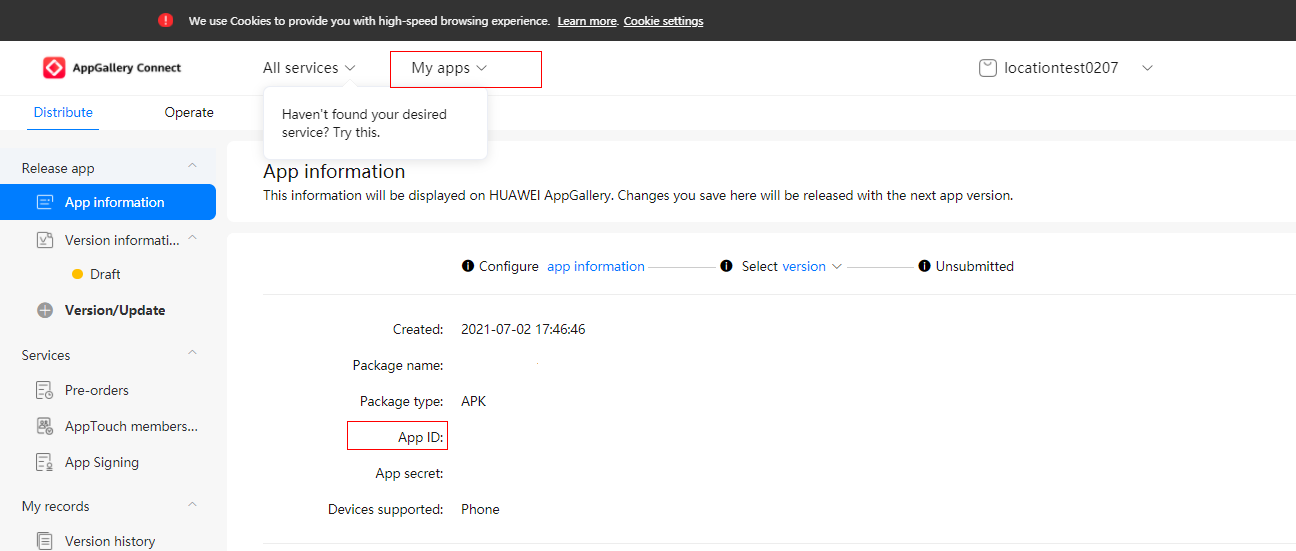
- https://{walletkit_website_url}/walletkit/consumer/pass/instance?issuerId=xxx&instanceId=xxxx
You need to replace {walletkit_website_url} in the preceding URL based on the region to which the website belongs.
Site |
Domain Name |
|---|---|
China |
walletpass-drcn.cloud.huawei.com |
Russia |
walletpass-drru.cloud.huawei.com |
Asia, Africa, and Latin America |
walletpass-dra.cloud.huawei.com |
Europe |
walletpass-dre.cloud.huawei.com |
- wallet://com.huawei.wallet/walletkit/consumer/pass/instance?issuerId=xxx&instanceId=xxxx
You can set PassObject.Status.expireTime to specify the expiration time of a coupon. HUAWEI Wallet will remind a user 24 hours in advance of the coupon expiration.
The reminder will be silent from 00:00 to 06:00. If the notification falls into this silent period, the reminder will be triggered 30 minutes before the silent period starts.