


Intelligent Assistant
Chat with our virtual assistant to get answers promptly.
We use essential cookies for the website to function, as well as analytics cookies for analyzing and creating statistics of the website performance. To agree to the use of analytics cookies, click "Accept All". You can manage your preferences at any time by clicking "Cookie Settings" on the footer. More Information.
HMS Core
You can add point annotations to a map to identify locations such as stores and buildings, and provide location details with information windows. This function allows you to:
Call the addPointAnnotation method of HuaweiMapEx to add a point annotation on the map.
- private Title title = new Title();
- private PointAnnotationOptions pointAnnotationOptions;
- // Define the anchor point of an icon.
- pointAnnotationOptions = new PointAnnotationOptions().anchor(0.5f, 0.5f).position(new LatLng(47.893478, 2.334595)).zIndex(5);
- // Set the icon.
- pointAnnotationOptions.icon(BitmapDescriptorFactory.fromResource(R.drawable.avocado));
- // Set the collision mode. The default collision mode is FONT (text collision only).
- pointAnnotationOptions.isCollision(pointAnnotationOptions.ALL);
- // Set the maximum zoom level.
- pointAnnotationOptions.maxZoom(15);
- // Set the minimum zoom level.
- pointAnnotationOptions.minZoom(0);
- // Set the zoom level.
- pointAnnotationOptions.zoom(0.0f, 15.0f);
- // Set the overlapping relationship.
- pointAnnotationOptions.zIndex(1);
- // Set the collision priority. A larger value indicates a lower priority.
- pointAnnotationOptions.priority(3f);
- // Set the title.
- title.setContent("point");
- pointAnnotationOptions.title(title);
- // Set whether the point annotation is visible.
- pointAnnotationOptions.visible(true);
-
- // Add a point annotation.
- hMapEx.addPointAnnotation(pointAnnotationOptions);
- val title = Title()
- var pointAnnotationOptions: PointAnnotationOptions
- // Define the anchor point of an icon.
- pointAnnotationOptions = PointAnnotationOptions().anchor(0.5f, 0.5f).position(LatLng(47.893478, 2.334595)).zIndex(5)
- // Set the icon.
- pointAnnotationOptions.icon(BitmapDescriptorFactory.fromResource(R.drawable.avocado))
- // Set the collision mode. The default collision mode is FONT (text collision only).
- pointAnnotationOptions.isCollision(pointAnnotationOptions.ALL)
- // Set the maximum zoom level.
- pointAnnotationOptions.maxZoom(15f)
- // Set the minimum zoom level.
- pointAnnotationOptions.minZoom(0f)
- // Set the zoom level.
- pointAnnotationOptions.zoom(0.0f, 15.0f)
- // Set the overlapping relationship.
- pointAnnotationOptions.zIndex(1)
- // Set the collision priority. A larger value indicates a lower priority.
- pointAnnotationOptions.priority(3f)
- // Set the title.
- title.content = "point"
- pointAnnotationOptions.title(title)
- // Set whether the point annotation is visible.
- pointAnnotationOptions.visible(true)
-
- // Add a point annotation.
- hMapEx.addPointAnnotation(pointAnnotationOptions)
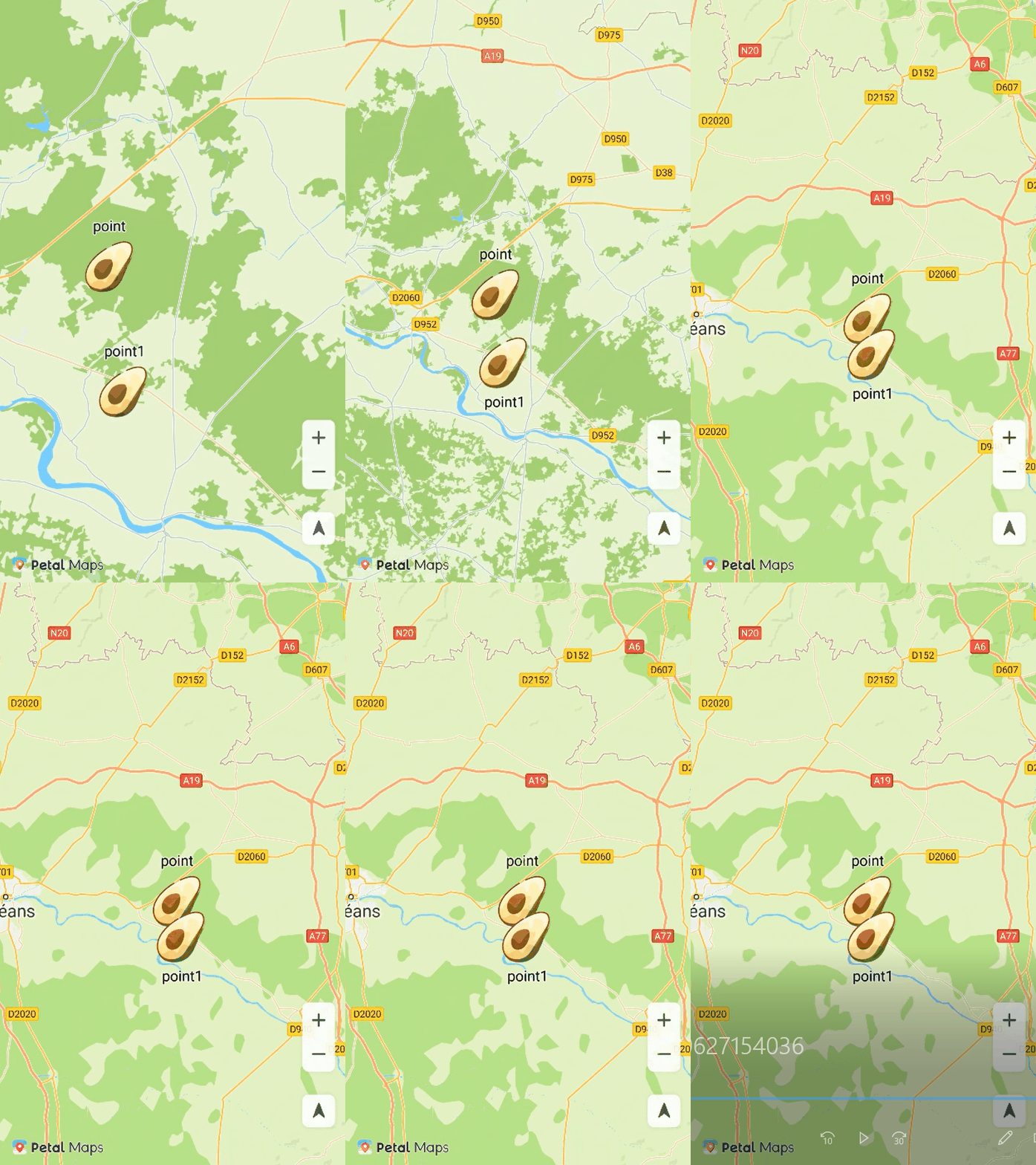
The figure below shows the point annotation collision effect.
You can use HuaweiMapEx.OnPointAnnotationClickListener to listen for point annotation click events. To set a listener for point annotation click events, call the setOnPointAnnotationClickListener method of the HuaweiMapEx object.
- // Add a listener for point annotation click events.
- hMapEx.setOnPointAnnotationClickListener(new HuaweiMapEx.OnPointAnnotationClickListener() {
- @Override
- public void onPointAnnotationClick(PointAnnotation pointAnnotation) {
- Toast.makeText(getApplicationContext(), "onPointAnnotationClick", Toast.LENGTH_SHORT).show();
- }
- });
- // Add a listener for point annotation click events.
- hMapEx.setOnPointAnnotationClickListener { Toast.makeText(applicationContext, "onPointAnnotationClick", Toast.LENGTH_SHORT).show() }
You can set animations for the title and icon of a point annotation. For the title, you can set the font size animation (FontSizeAnimation). For the icon, you can set the transparency animation (AlphaAnimation) and scale animation (ScaleAnimation). To set animations, you can call the setTitleAnimation or setIconAnimation method of PointAnnotation, and then call the startTitleAnimation or startIconAnimation method to start the animation.
- private FontSizeAnimation fontSizeAnimation;
- private PointAnnotation mPoint;
- // Create a font size animation.
- fontSizeAnimation = new FontSizeAnimation(10, 80);
- // Set the fill mode.
- fontSizeAnimation.setFillMode(1);
- // Set the repeat mode.
- fontSizeAnimation.setRepeatMode(1);
- // Set the number of repetitions.
- fontSizeAnimation.setRepeatCount(1);
- // Set the animation duration.
- fontSizeAnimation.setDuration(1000);
- // Add an animation listener.
- Animation.AnimationListener listener = new Animation.AnimationListener() {
- @Override
- public void onAnimationStart() {
- Toast.makeText(getApplicationContext(), "FontSizeAnimation start", Toast.LENGTH_SHORT).show();
- }
- @Override
- public void onAnimationEnd() {
- Toast.makeText(getApplicationContext(), "FontSizeAnimation end", Toast.LENGTH_SHORT).show();
- }
- };
- fontSizeAnimation.setAnimationListener(listener);
- // Set the title animation for a point annotation.
- mPoint.setTitleAnimation(fontSizeAnimation);
- // Enable the title animation.
- mPoint.startTitleAnimation();
- var fontSizeAnimation : FontSizeAnimation
- var mPoint : PointAnnotation
- // Create a font size animation.
- fontSizeAnimation = FontSizeAnimation(10f, 80f)
- // Set the fill mode.
- fontSizeAnimation.fillMode = 1
- // Set the repeat mode.
- fontSizeAnimation.repeatMode = 1
- // Set the number of repetitions.
- fontSizeAnimation.repeatCount = 1
- // Set the animation duration.
- fontSizeAnimation.duration = 1000
- // Add an animation listener.
- val listener: Animation.AnimationListener = object : Animation.AnimationListener {
- override fun onAnimationStart() {
- Toast.makeText(applicationContext, "FontSizeAnimation start", Toast.LENGTH_SHORT).show()
- }
- override fun onAnimationEnd() {
- Toast.makeText(applicationContext, "FontSizeAnimation end", Toast.LENGTH_SHORT).show()
- }
- }
- fontSizeAnimation.setAnimationListener(listener)
- // Set the title animation for a point annotation.
- mPoint.setTitleAnimation(fontSizeAnimation)
- // Enable the title animation.
- mPoint.startTitleAnimation()
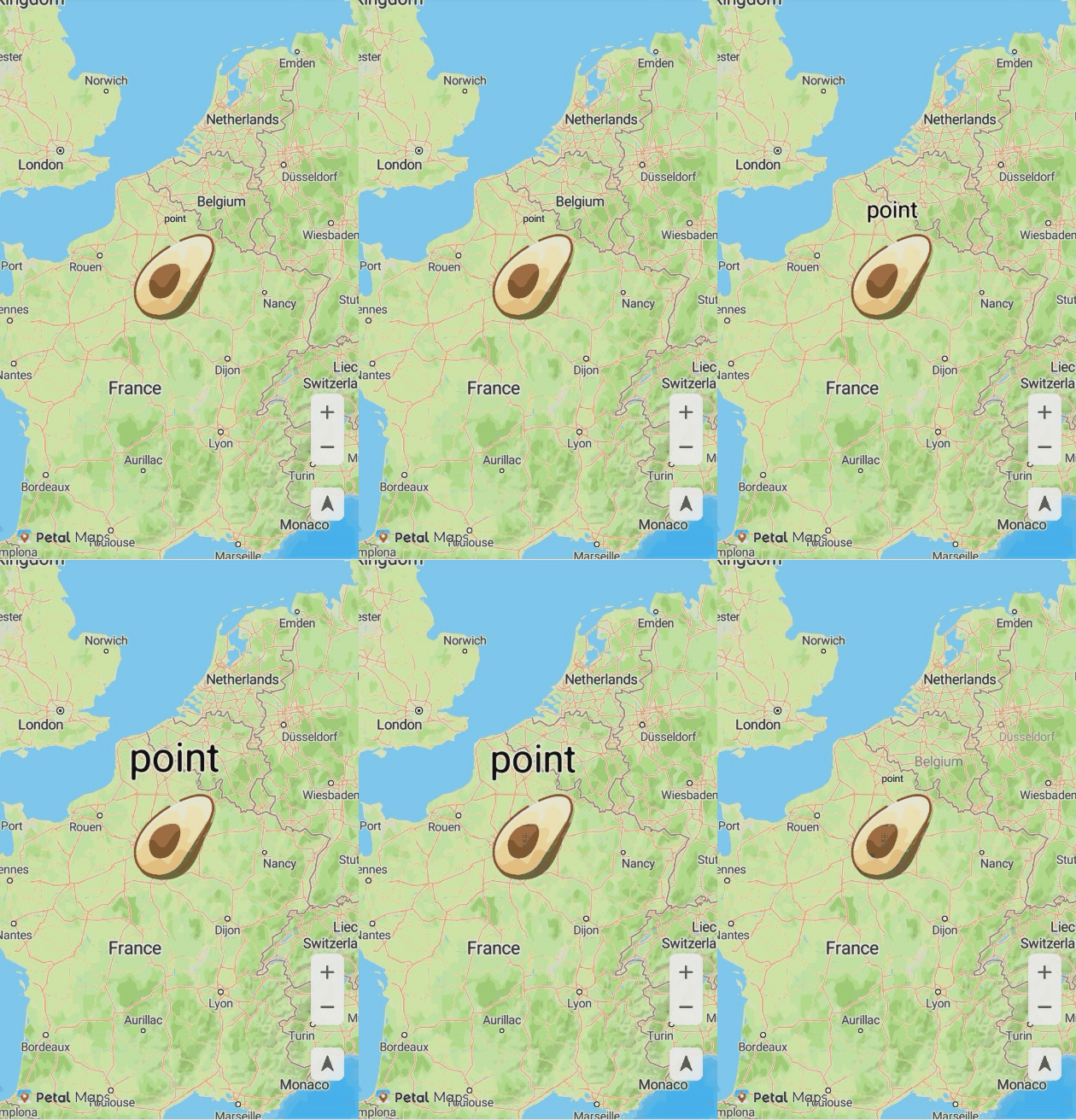
The figure below shows the title animation of a point annotation.
Intelligent Assistant
Chat with our virtual assistant to get answers promptly.
Quick start
Helps you find desired resources with ease.