


Intelligent Assistant
Chat with our virtual assistant to get answers promptly.
We use essential cookies for the website to function, as well as analytics cookies for analyzing and creating statistics of the website performance. To agree to the use of analytics cookies, click "Accept All". You can manage your preferences at any time by clicking "Cookie Settings" on the footer. More Information.
HMS Core
If you are using Eclipse, you can download the HMS Core SDK and integrate it into your Eclipse project.
For details, please refer to Game Service SDK Download.
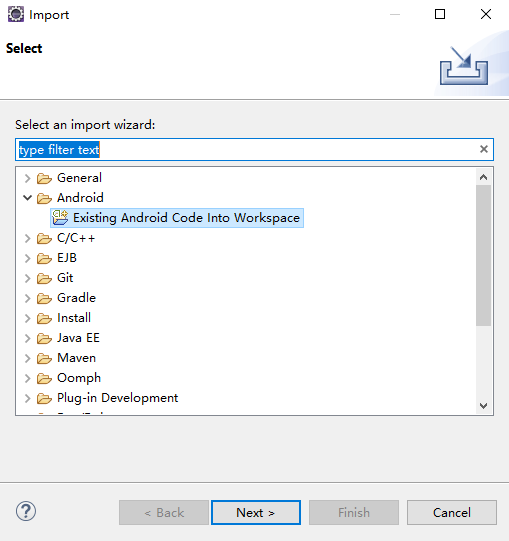
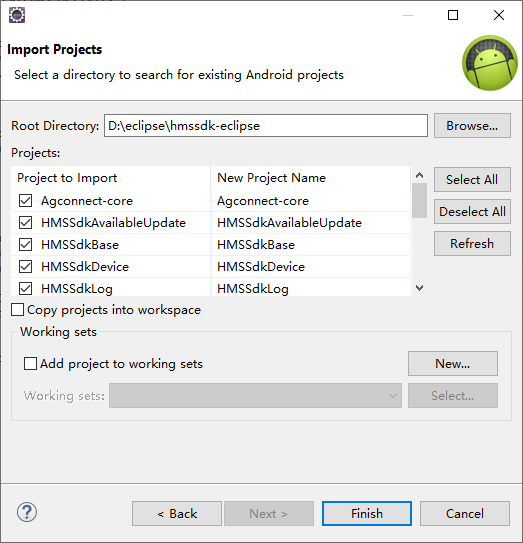
The projects to be imported must be located in the same drive as your workspace, for example, D:\. If they are not in the same drive, select Copy projects into workspace to copy the projects to the workspace.
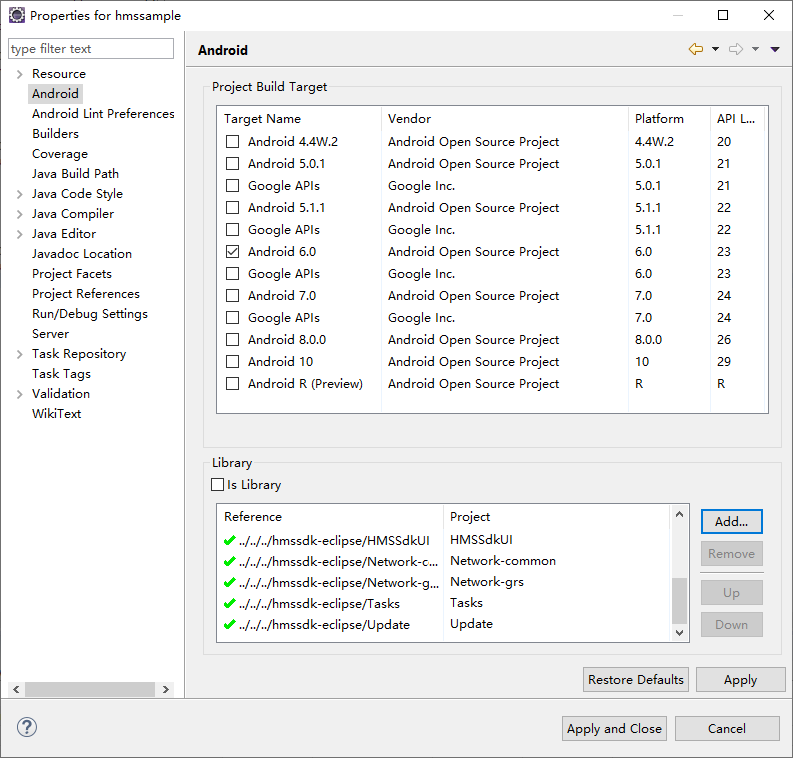
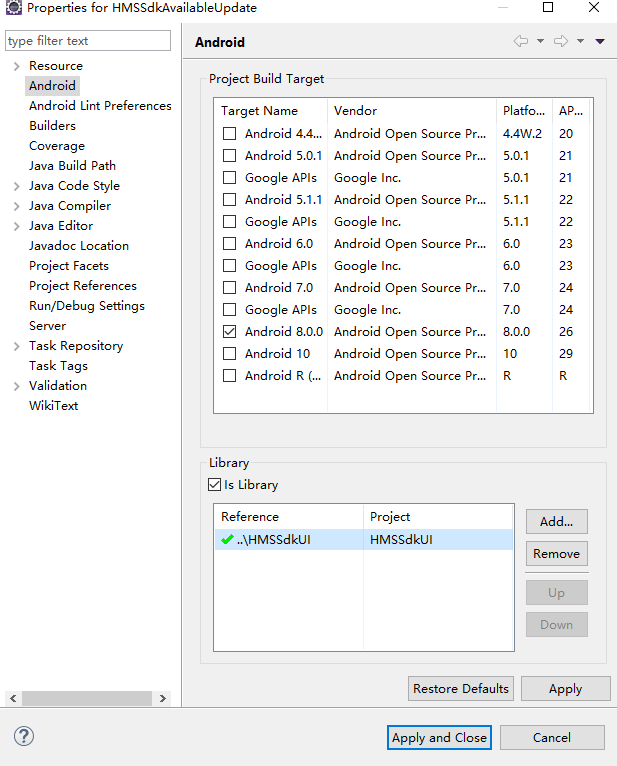
- <application>
- <provider
- android:name="com.huawei.agconnect.core.provider.AGConnectInitializeProvider"
- android:authorities="${applicationId}.AGCInitializeProvider"
- android:exported="false" />
- <service
- android:name="com.huawei.agconnect.core.ServiceDiscovery"
- android:exported="false" />
- </application>
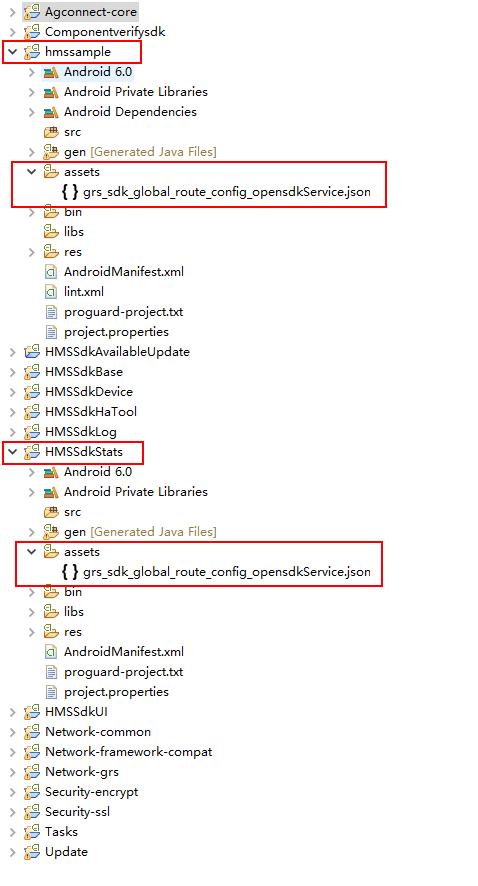
Copy the resource files in the assets directory of the HMSSdkStats project to the assets directory of your project.
If any other kits are involved, also copy their resource files to your project directory.
Open the project.properties file in your project directory, and add the following code to merge the Manifest files in the subprojects:
- manifestmerger.enabled=true
The ADT version must be 17 or later.
- // TODO: Import the following classes:
- import java.io.IOException;
- import java.io.InputStream;
- import com.huawei.agconnect.config.AGConnectServicesConfig;
- import com.huawei.agconnect.config.LazyInputStream;
- import android.app.Application;
- import android.content.Context;
- import android.util.Log;
-
- public class MyApplication extends Application{
- @Override
- public void onCreate() {
- super.onCreate();
- }
- // TODO: Add the following code:
- @Override
- protected void attachBaseContext(Context context) {
- super.attachBaseContext(context);
- AGConnectServicesConfig config = AGConnectServicesConfig.fromContext(context);
- config.overlayWith(new LazyInputStream(context) {
- public InputStream get(Context context) {
- try {
- return context.getAssets().open("agconnect-services.json");
- } catch (IOException e) {
- return null;
- }
- }
- });
- }
- // TODO: End
- }
- <application
- android:name=".MyApplication"
- ...
- >
- ...
Before building the APK, configure the obfuscation configuration file to prevent the HMS Core SDK from being obfuscated.
- -ignorewarnings
- -keepattributes *Annotation*
- -keepattributes Exceptions
- -keepattributes InnerClasses
- -keepattributes Signature
- -keepattributes SourceFile,LineNumberTable
- -keep class com.huawei.hianalytics.**{*;}
- -keep class com.huawei.updatesdk.**{*;}
- -keep class com.huawei.hms.**{*;}
Intelligent Assistant
Chat with our virtual assistant to get answers promptly.
Quick start
Helps you find desired resources with ease.