


Intelligent Assistant
Chat with our virtual assistant to get answers promptly.
We use essential cookies for the website to function, as well as analytics cookies for analyzing and creating statistics of the website performance. To agree to the use of analytics cookies, click "Accept All". You can manage your preferences at any time by clicking "Cookie Settings" on the footer. More Information.
HMS Core
Sandbox testing allows you to complete end-to-end testing without real payments when you connect to HUAWEI IAP for joint debugging. You can configure test accounts in AppGallery Connect and allow these testers to perform sandbox testing.
Currently, the sandbox testing supports the app integrated with HMS Core SDK 3.0 or later, and the to-be-tested device must be installed with HMS Core (APK) 3.0 or later. If the payment API of HMS Core SDK 2.0 is used for testing, real payments will be made.
Add test accounts, which are real HUAWEI IDs, under Users and permissions in AppGallery Connect. For details, please refer to Sandbox Testing.
The account for sandbox testing takes effect 30 minutes to 1 hour after being added. Check whether the current account can be used in the sandbox testing.
If the app package you want to test has never been released in AppGallery Connect, make sure that its versionCode is greater than 0. For an app package once released in AppGallery Connect, the versionCode of the package to be tested must be greater than that of the released one.
If you fail to access the sandbox, please refer to Preparing for Sandbox Testing to check whether:
Besides, you can also use the IapClient.isSandboxActivated or HMSIAP.isSandboxActivated API in your app for troubleshooting.
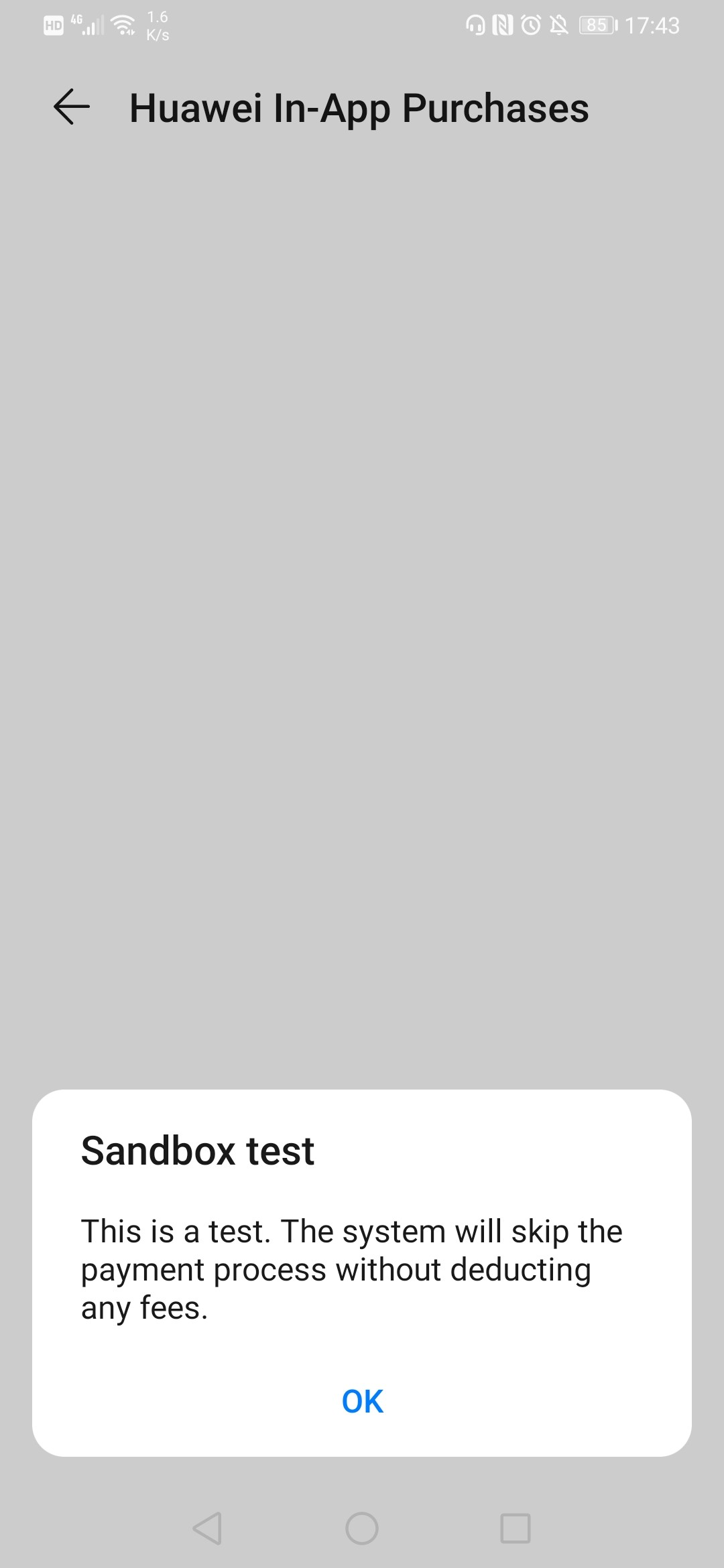
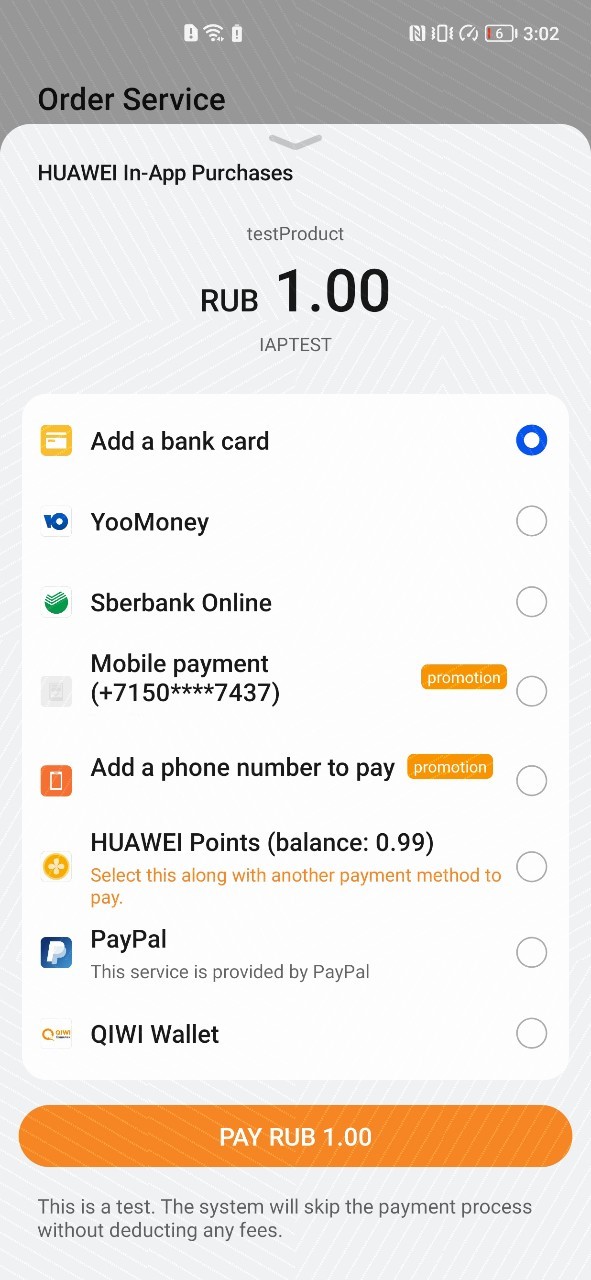
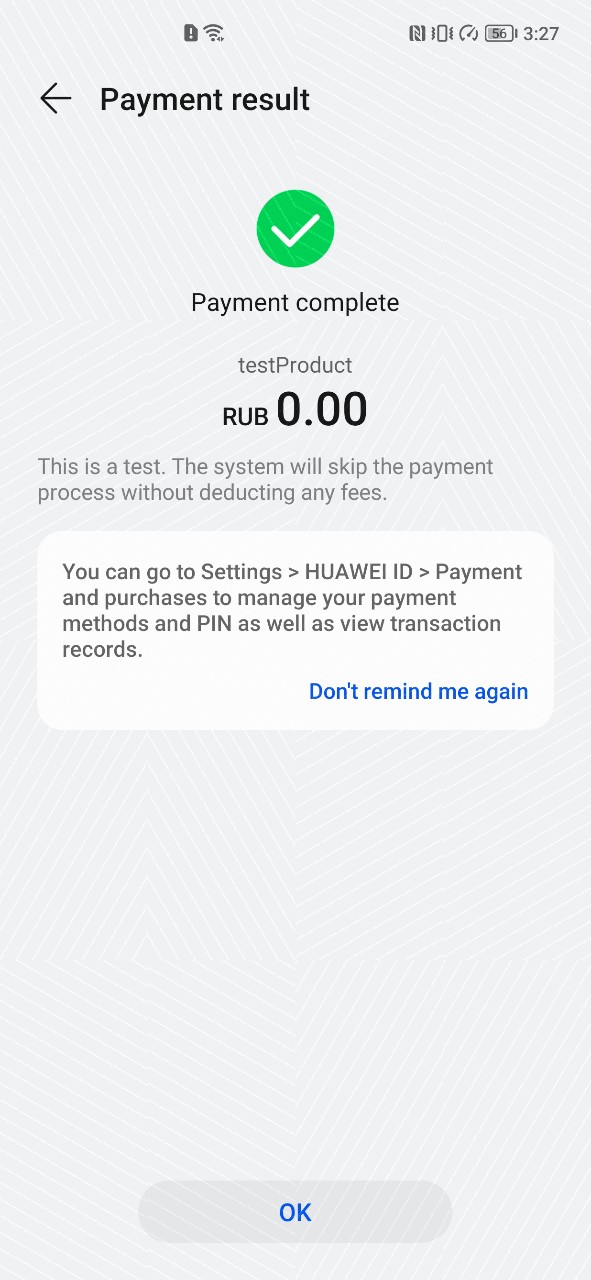
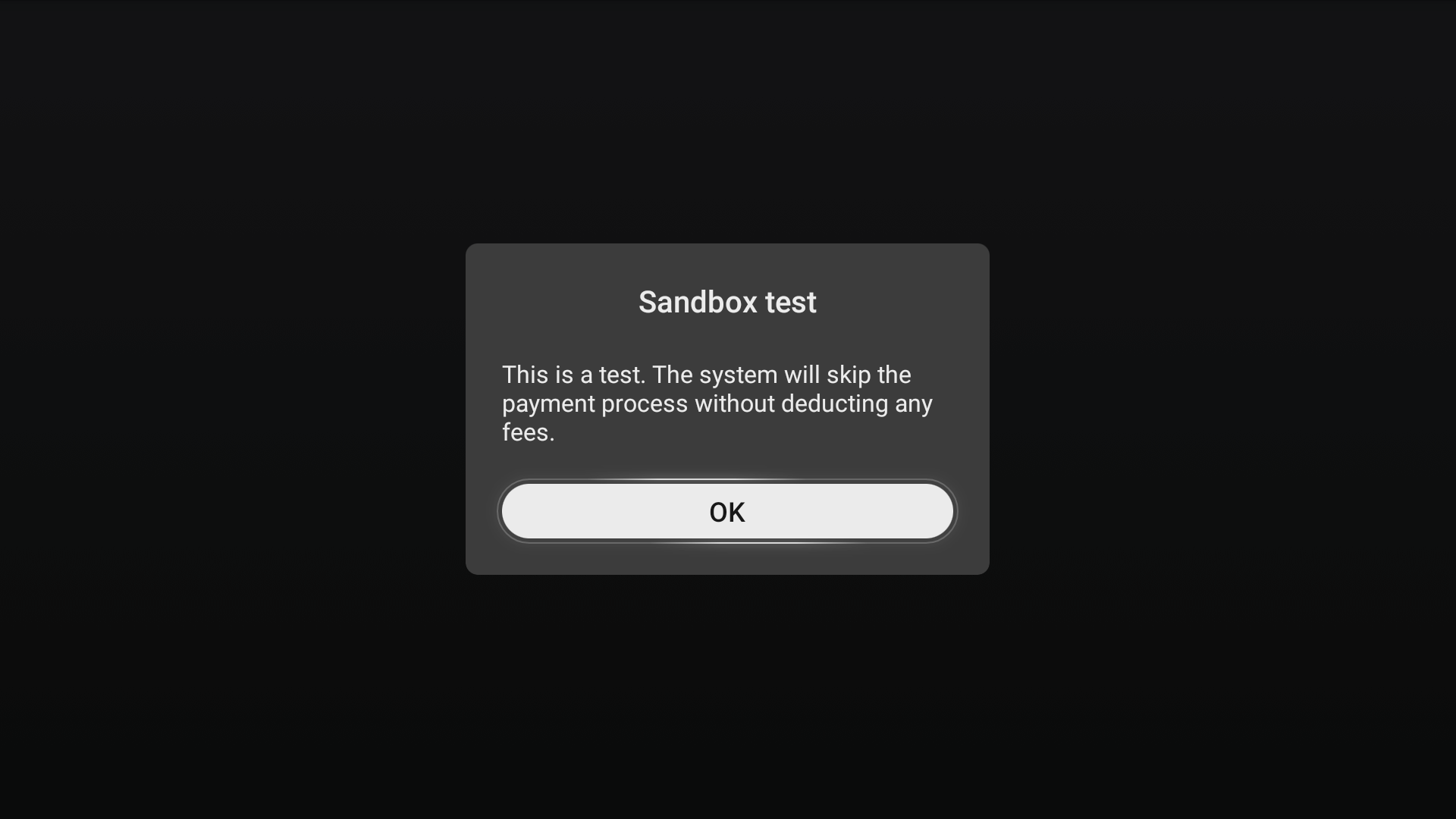
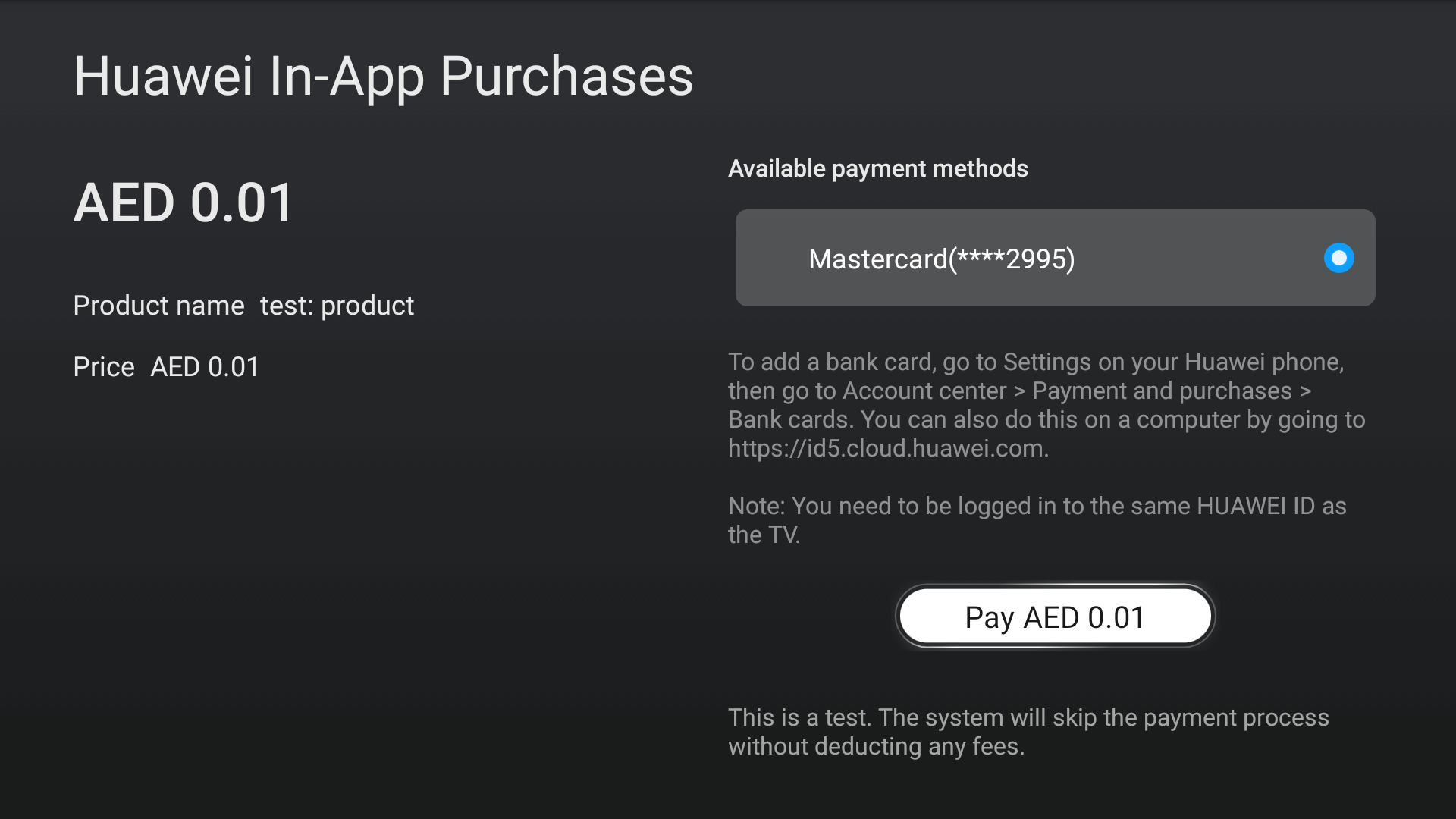
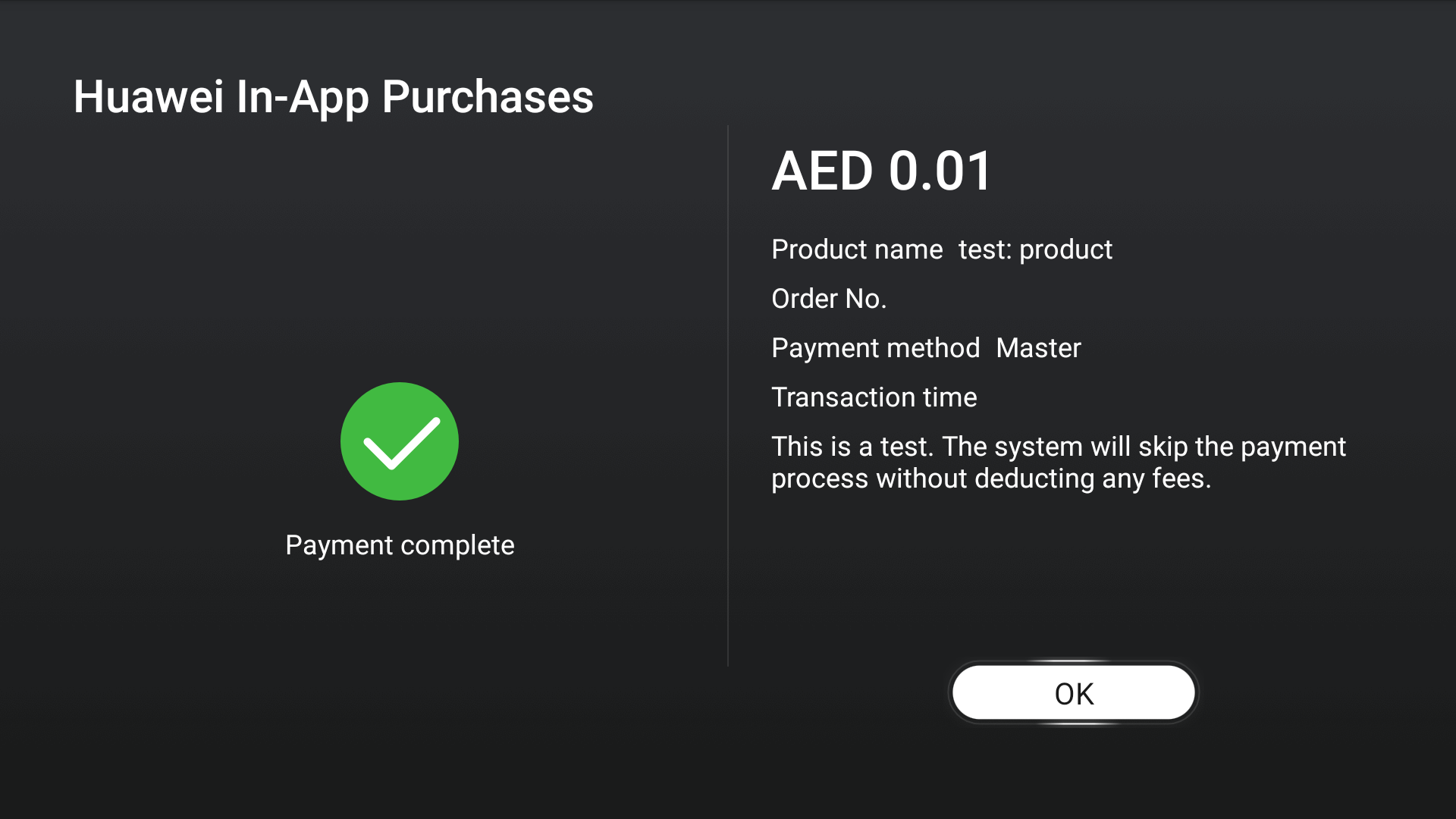
You can sign in using a configured test account, and install the app to be tested. When a request is initiated to purchase a one-time product, HUAWEI IAP detects that the user is a test user, skips the payment step, and displays a message indicating that the payment is successful.
If no screen shown in the preceding figure is displayed, the transaction is not involved in the sandbox testing. If you continue the test, real payments will be made. Check whether the two conditions of the sandbox testing are met. You can also use the IapClient.isSandboxActivated or HMSIAP.isSandboxActivated API to check whether the sandbox environment is available.
Sandbox testing for non-subscription on a phone:
Sandbox testing for non-subscription on a HUAWEI Vision:
The purchase process of subscriptions is similar to that of one-time products. The only difference is that subscriptions have more details to consider, such as the subscription renewal result (successful or failed) and subscription period. Test subscriptions renew much faster than actual subscriptions. For example, the actual subscription period is 1 week, while the test subscription will renew every 3 minutes.
| Real Time | Test Time |
|---|---|
| 1 week | 3 minutes |
| 30 days/31 days | 3 minutes |
| 1 month | 5 minutes |
| 2 months | 10 minutes |
| 3 months | 15 minutes |
| 6 months | 30 minutes |
| 1 year | 1 hour |
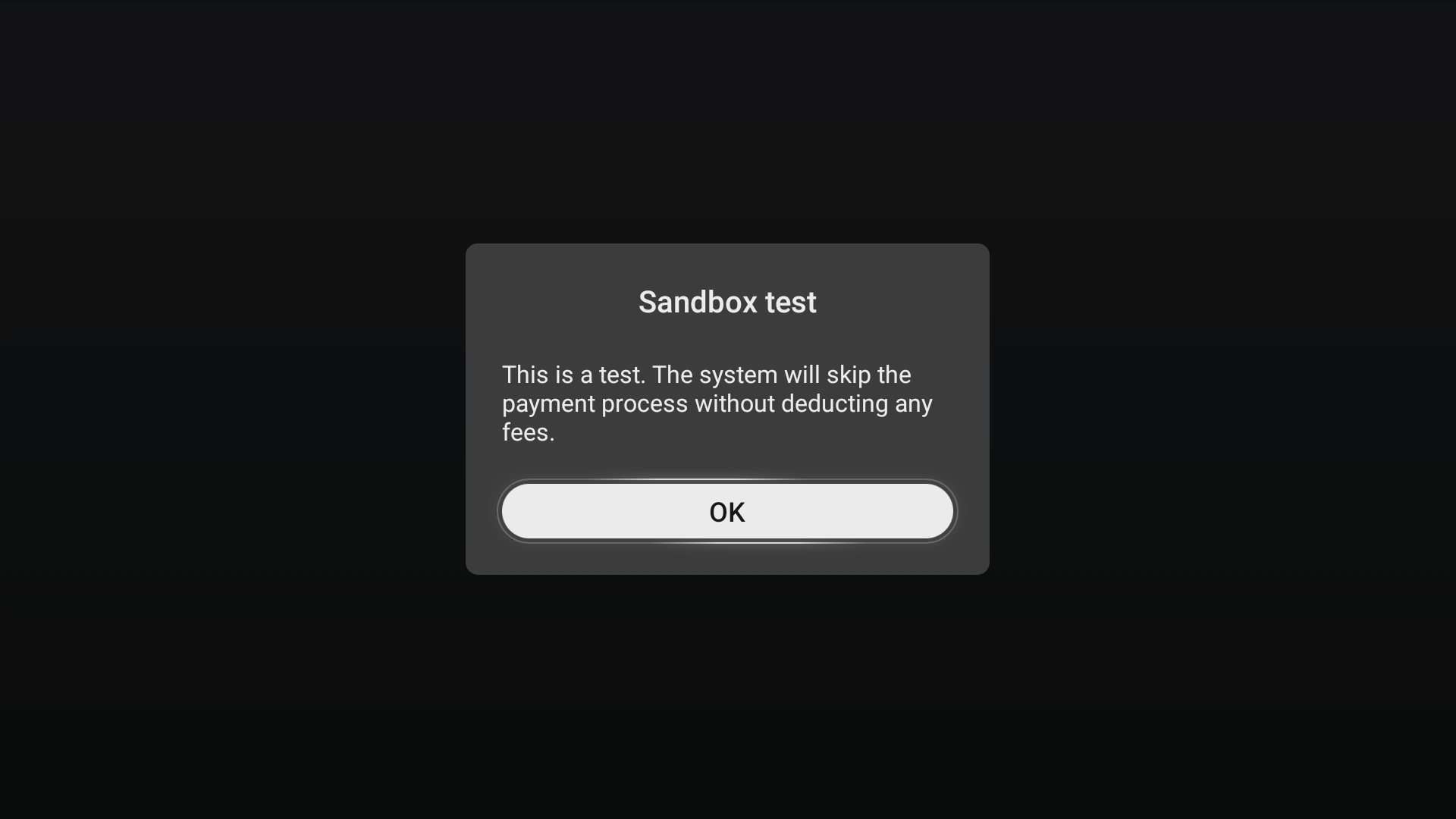
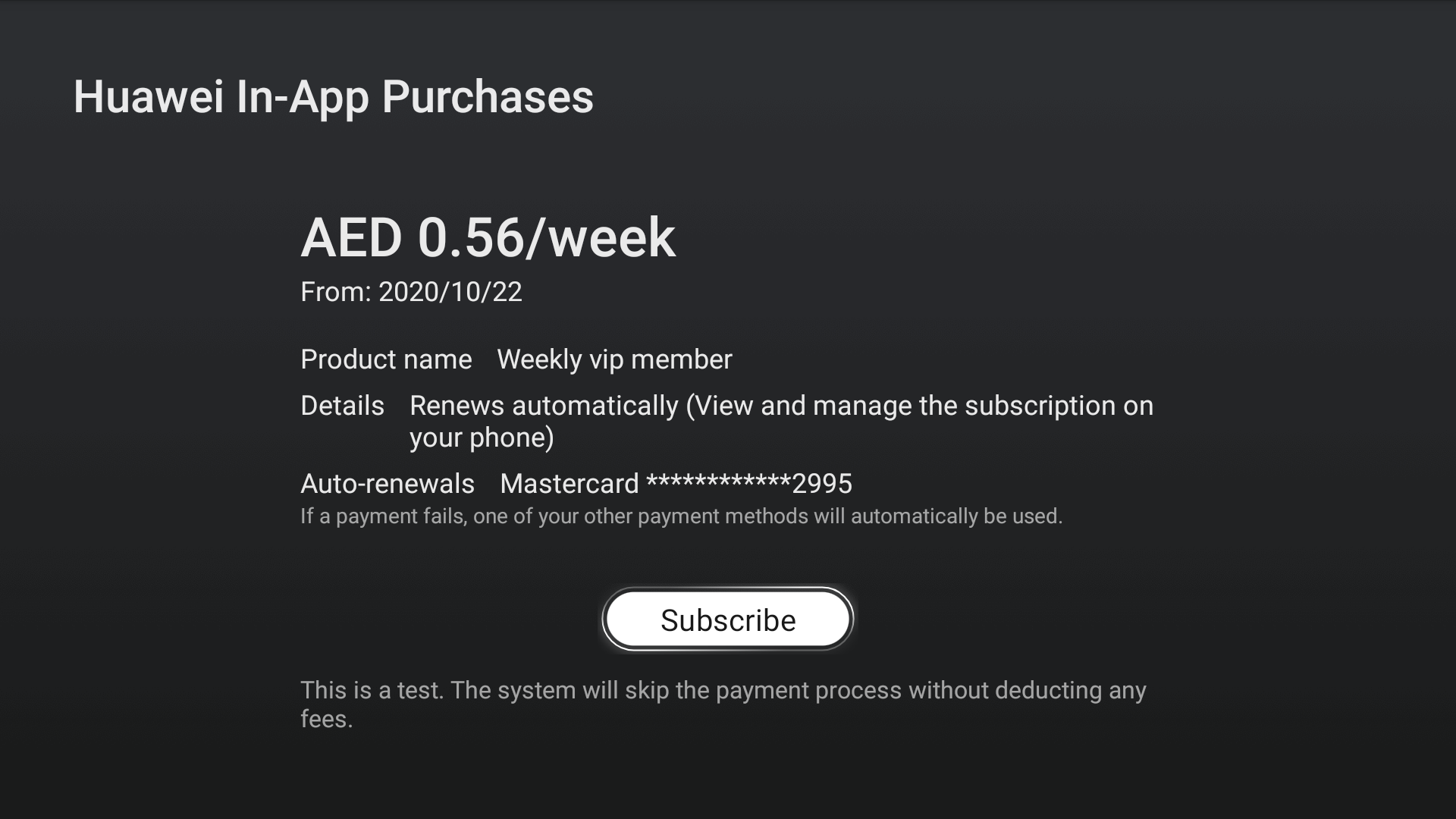
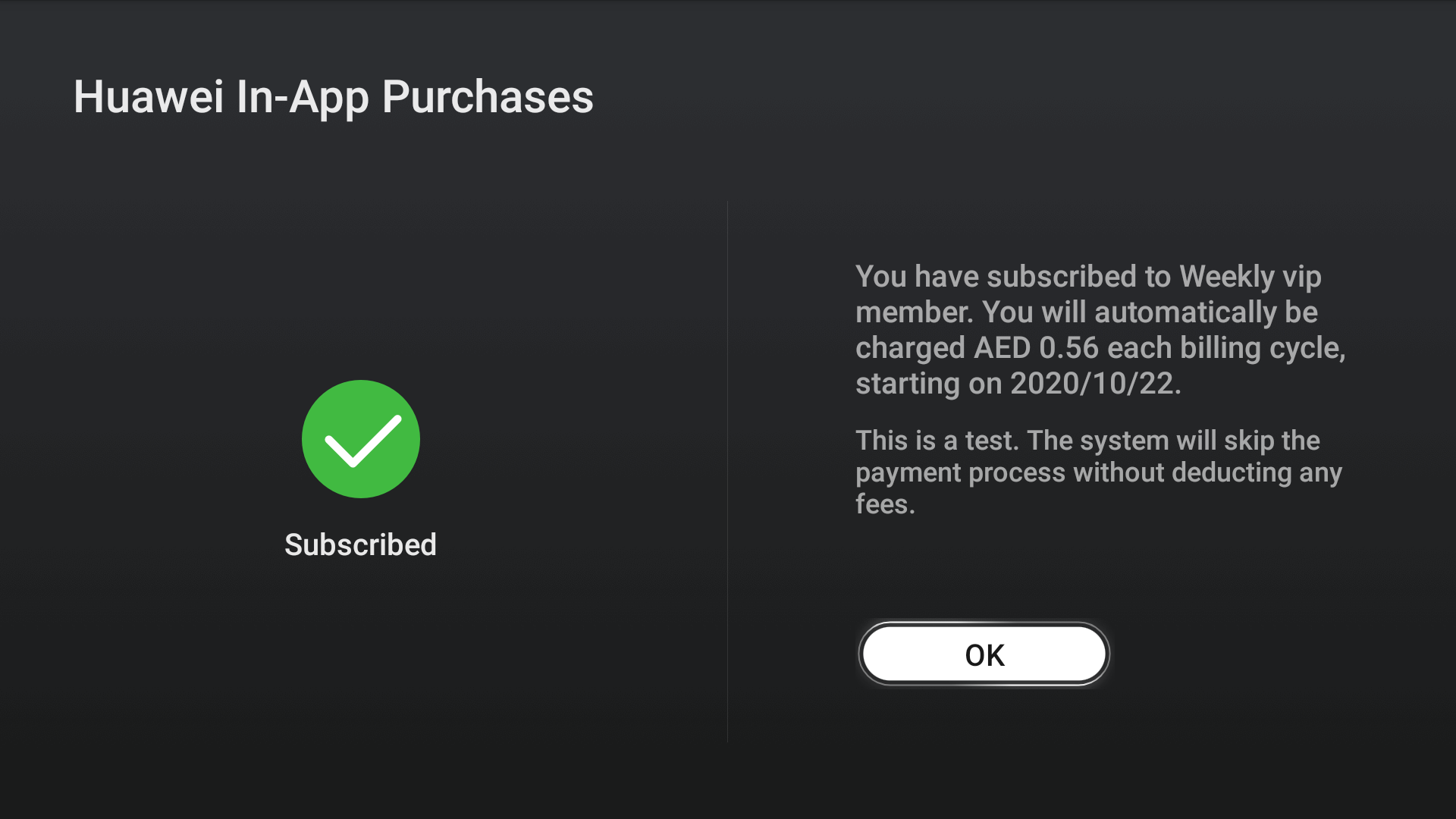
If no screen shown in the preceding figure is displayed, the transaction is not involved in the sandbox testing. If you continue the test, real payments will be made. Check whether the two conditions of the sandbox testing are met. You can also use the IapClient.isSandboxActivated or HMSIAP.isSandboxActivated API to check whether the sandbox environment is available.
Sandbox testing for subscription on a phone:
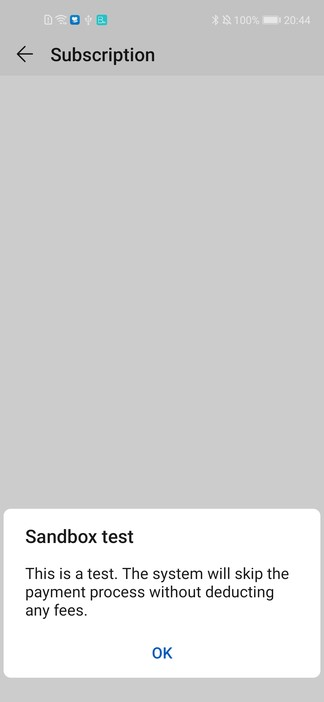
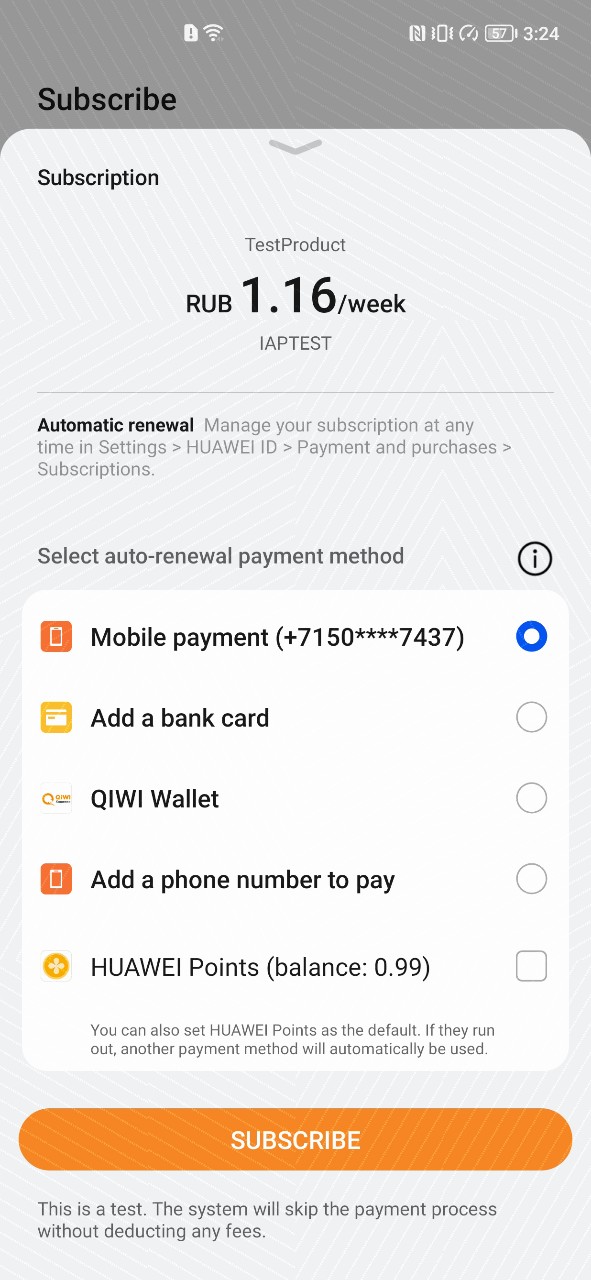
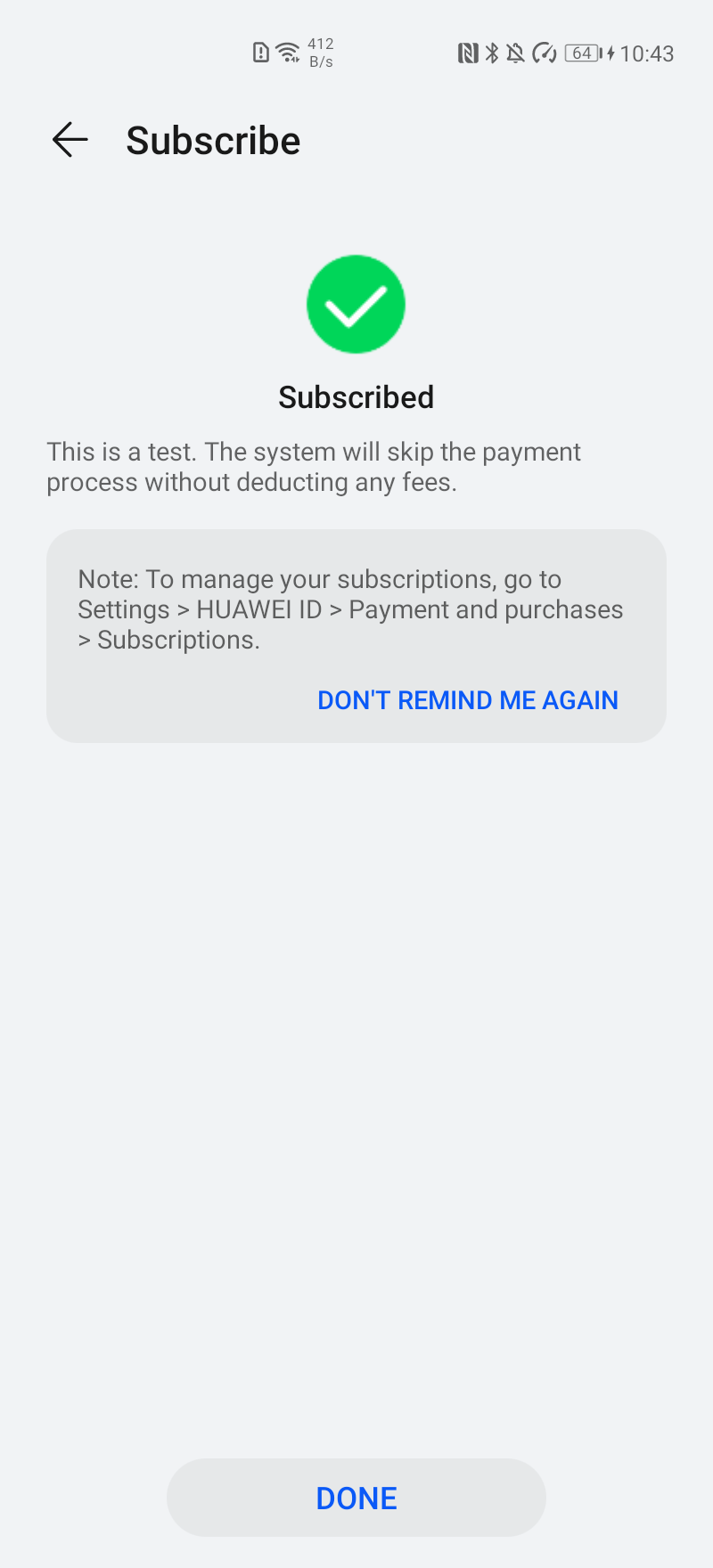
Sandbox testing for subscription on a HUAWEI Vision:
Intelligent Assistant
Chat with our virtual assistant to get answers promptly.
Quick start
Helps you find desired resources with ease.