API Declaration
Before calling this API, obtain the canvas object through the getContext() method of the canvas element in the JavaScript code.
var canvasComponent = this.$element(canvasId)
var canvas = canvasComponent.getContext("2d")
Application Scope
Item | Description |
|---|---|
Applicable devices | Mobile phones, tablets, and Vision products |
Applicable regions | Global |
Attributes
Attribute | Parameter | Type | Mandatory/Optional | Description |
|---|---|---|---|---|
fillStyle | style | color, gradient object | Optional | Sets the fill color. If this parameter is not set, the default color black is used. |
strokeStyle | style | color, gradient object | Optional | Sets the stroke color. If this parameter is not set, the default color black is used. |
lineWidth | lineWidth | number | Optional | Stroke width, in pixels. |
lineCap | lineCap | string | Optional | Line cap style. The options are butt (default), round, and square. |
lineJoin | lineJoin | string | Optional | Style of the intersection point of lines. The options are bevel, round, and miter (default). |
miterLimit | miterLimit | number | Optional | Maximum miter length. The miter length refers to the distance between the inner corner and the outer corner where two lines meet. This parameter takes effect only when LineJoin is set to miter. When the miter length exceeds the maximum value, the intersection point of lines will be displayed using the bevel style. |
font (default value: 10px sans-serif) | font-style | string | Optional | Font style. The options are normal, italic, and obliqua. |
font-weight | string | Optional | Font weight. The options are normal and bold. | |
font-family | string | Optional | Font family. The options are sans-serif, serif, and monospace. | |
font-size | string | Optional | Font size, in pixels. | |
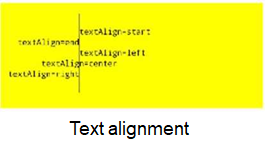
textAlign | align | string | Optional | Text alignment mode. The options are left, center, right, start (default), and end. |
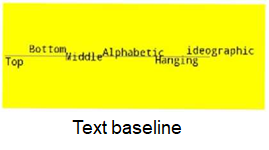
textBaseline | textBaseline | string | Optional | Text alignment mode in the horizontal direction. The options are top, bottom, middle, hanging, alphabetic (default), and ideographic. |
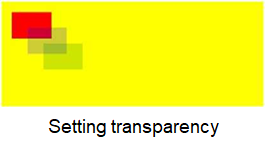
globalAlpha | alpha | number | Optional | Global alpha value of a paint. The value ranges from 0 (completely transparent) to 1 (completely opaque). |
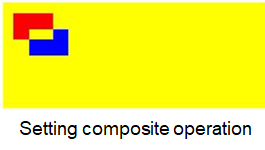
globalCompositeOperation | model | string | Optional | Indicates how to draw the overlapped part when an image is placed on another. The options are source-over (default), source-atop, source-in, source-out, destination-over, destination-atop, destination-in, destination-out, lighter, copy, and xor. If this attribute is set, PDF canvas drawing with anti-aliasing is not supported. |
lineDashOffset (Huawei extended API, not formulated by the vendor alliance) | offset | number | Optional | Dash line offset. The default value is 0. |
shadow (Huawei extended API, not formulated by the vendor alliance) | shadowOffsetX | number | Optional | Horizontal shadow offset against the drawn object. The default value is 0. |
shadowOffsetY | number | Optional | Vertical shadow offset against the drawn object. The default value is 0. | |
shadowBlur | number | Optional | Level of shadow blur. The default value 0 represents no blur and larger numbers represent increasingly more blur. [Versions earlier than 1078] If this attribute is set to 0, the shadow whose blur level is 0.1 will be drawn. [1078 or later] If this attribute is set to 0, no shadow will be drawn. | |
shadowColor | string | Optional | Shadow color. The default value is black. |
[h2]fillStyle for Color
var test = this.$element("1Canvas");
var ctx = test.getContext("2d");
console.log("ctx.fillStyle 111 >> " + ctx.fillStyle);
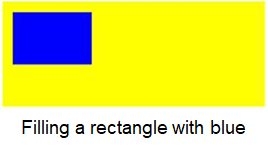
ctx.fillStyle = "#0000ff";
ctx.fillRect(20, 20, 150, 100);
console.log("ctx.fillStyle 222 >> " + ctx.fillStyle);
The following figure shows the final effect.
[h2]fillStyle for createLinearGradient()
var test = this.$element("2Canvas");
var ctx = test.getContext("2d");
console.log("ctx.fillStyle 333 >> " + ctx.fillStyle);
var my_gradient = ctx.createLinearGradient(0, 0, 0, 170);
console.log("yyyy", "my_gradient =" + my_gradient);
my_gradient.addColorStop(0, "black");
my_gradient.addColorStop(1, "white");
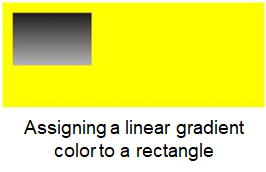
ctx.fillStyle = my_gradient;
console.log("ctx.fillStyle 444 >> " + ctx.fillStyle);
ctx.fillRect(20, 20, 150, 100);
The following figure shows the final effect.
[h2]strokeStyle for Color
var test = this.$element("4Canvas");
var ctx = test.getContext("2d");
console.log("ctx.strokeStyle 111 >> " + ctx.strokeStyle);
ctx.strokeStyle = "#0000ff";
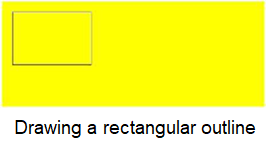
ctx.strokeRect(20, 20, 150, 100);
console.log("ctx.strokeStyle 222 >> " + ctx.strokeStyle);
The following figure shows the final effect.
[h2]strokeStyle for createLinearGradient()
var test = this.$element("5Canvas");
var ctx = test.getContext("2d");
console.log("ctx.strokeStyle 333 >> " + ctx.strokeStyle);
var gradient = ctx.createLinearGradient(0, 0, 170, 0);
gradient.addColorStop("0", "magenta");
gradient.addColorStop("0.5", "blue");
gradient.addColorStop("1.0", "red");
// Gradient fill
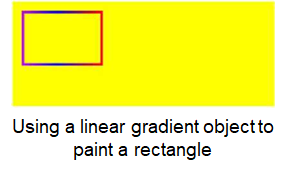
ctx.strokeStyle = gradient;
ctx.lineWidth = 5;
ctx.strokeRect(20, 20, 150, 100);
console.log("ctx.strokeStyle 444 >> " + ctx.strokeStyle);
The following figure shows the final effect.
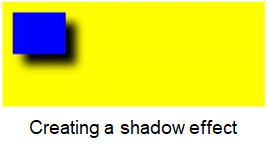
[h2]shadow
var ctx = test.getContext("2d");
ctx.shadowBlur = 20;
ctx.shadowColor = "black";
ctx.shadowOffsetX = 20;
ctx.shadowOffsetY = 20;
ctx.fillStyle = "blue";
ctx.fillRect(20, 20, 100, 80);
console.log("ctx.shadowBlur 222 >> " + ctx.shadowBlur);
console.log("ctx.shadowColor 222 >> " + ctx.shadowColor);
console.log("ctx.shadowOffsetX 222 >> " + ctx.shadowOffsetX);
console.log("ctx.shadowOffsetY 222 >> " + ctx.shadowOffsetY);
The following figure shows the final effect.
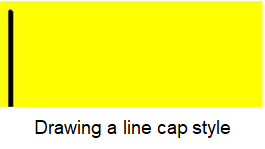
[h2]lineCap
var test = this.$element("7Canvas");
var ctx = test.getContext("2d");
console.log("ctx.lineCap 111 >> " + ctx.lineCap);
ctx.beginPath();
ctx.lineWidth = 10;
ctx.lineCap = "round";
ctx.moveTo(20, 20);
ctx.lineTo(20, 200);
console.log("ctx.lineCap 222 >> " + ctx.lineCap);
ctx.stroke();
The following figure shows the final effect.
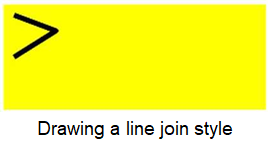
[h2]lineJoin
var test = this.$element("8Canvas");
var ctx = test.getContext("2d");
console.log("ctx.lineJoin 111 >> " + ctx.lineJoin);
ctx.beginPath();
ctx.lineWidth = 10;
ctx.lineJoin = "round";
ctx.moveTo(20, 20);
ctx.lineTo(100, 50);
ctx.lineTo(20, 100);
ctx.stroke();
console.log("ctx.lineJoin 222 >> " + ctx.lineJoin);
The following figure shows the final effect.
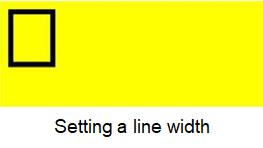
[h2]lineWidth
var ctx = test.getContext("2d");
console.log("ctx.lineWidth 111 >> " + ctx.lineWidth);
ctx.lineWidth = 10;
ctx.strokeRect(20, 20, 80, 100);
console.log("ctx.lineWidth 222 >> " + ctx.lineWidth);
The following figure shows the final effect.
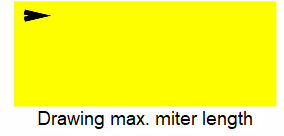
[h2]miterLimit
var test = this.$element("10Canvas");
var ctx = test.getContext("2d");
ctx.lineWidth = 10;
console.log("ctx.miterLimit 111 >> " + ctx.miterLimit);
ctx.lineJoin = "miter";
ctx.miterLimit = 5;
ctx.moveTo(20, 20);
ctx.lineTo(50, 27);
ctx.lineTo(20, 34);
ctx.stroke();
console.log("ctx.miterLimit 222 >> " + ctx.miterLimit);
The following figure shows the final effect.
[h2]font
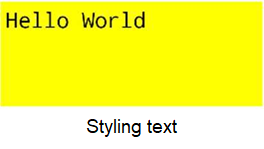
var test = this.$element("31Canvas");
var ctx = test.getContext("2d");
console.log("ctx.font 111 >> " + ctx.font);
ctx.font = "40px monospace";
ctx.fillText("Hello World", 10, 50);
console.log("ctx.font 222 >> " + ctx.font);
The following figure shows the final effect.
[h2]textAlign
var test = this.$element("32Canvas");
var ctx = test.getContext("2d");
// Create a blue line at position 150.
ctx.strokeStyle = "blue";
ctx.moveTo(150, 20);
ctx.lineTo(150, 170);
ctx.stroke();
ctx.font = "15px monospace";
console.log("ctx.textAlign 111 >> " + ctx.textAlign);
// Display different values of textAlign.
ctx.textAlign = "start";
console.log("ctx.textAlign 222 >> " + ctx.textAlign);
ctx.fillText("textAlign=start", 150, 60);
ctx.textAlign = "end";
console.log("ctx.textAlign 333 >> " + ctx.textAlign);
ctx.fillText("textAlign=end", 150, 80);
ctx.textAlign = "left";
console.log("ctx.textAlign 444 >> " + ctx.textAlign);
ctx.fillText("textAlign=left", 150, 100);
ctx.textAlign = "center";
console.log("ctx.textAlign 555 >> " + ctx.textAlign);
ctx.fillText("textAlign=center", 150, 120);
ctx.textAlign = "right";
console.log("ctx.textAlign 666 >> " + ctx.textAlign);
ctx.fillText("textAlign=right", 150, 140);
The following figure shows the final effect.
[h2]textBaseline
var test = this.$element("33Canvas");
var ctx = test.getContext("2d");
// Draw a blue line at the vertical coordinate 100.
ctx.strokeStyle = "blue";
ctx.moveTo(5, 100);
ctx.lineTo(395, 100);
ctx.stroke();
ctx.font = "20px monospace"
console.log("ctx.textBaseline 111 >> " + ctx.textBaseline);
// Place each word with a different value of textBaseline at the vertical coordinate 200.
ctx.textBaseline = "top";
ctx.fillText("Top", 5, 100);
console.log("ctx.textBaseline 222 >> " + ctx.textBaseline);
ctx.textBaseline = "bottom";
ctx.fillText("Bottom", 50, 100);
console.log("ctx.textBaseline 333 >> " + ctx.textBaseline);
ctx.textBaseline = "middle";
ctx.fillText("Middle", 120, 100);
console.log("ctx.textBaseline 444 >> " + ctx.textBaseline);
ctx.textBaseline = "alphabetic";
ctx.fillText("Alphabetic", 190, 100);
console.log("ctx.textBaseline 555 >> " + ctx.textBaseline);
ctx.textBaseline = "hanging";
ctx.fillText("Hanging", 290, 100);
console.log("ctx.textBaseline 666 >> " + ctx.textBaseline);
ctx.textBaseline = "ideographic";
ctx.fillText("ideographic", 350, 100);
console.log("ctx.textBaseline 777 >> " + ctx.textBaseline);
The following figure shows the final effect.
[h2]globalAlpha
var test = this.$element("40Canvas");
var ctx = test.getContext("2d");
ctx.fillStyle = "red";
ctx.fillRect(20, 20, 75, 50);
console.log("ctx.globalAlpha 111 >> " + ctx.globalAlpha);
// Adjust the transparency.
ctx.globalAlpha = 0.2;
ctx.fillStyle = "blue";
ctx.fillRect(50, 50, 75, 50);
ctx.fillStyle = "green";
ctx.fillRect(80, 80, 75, 50);
console.log("ctx.globalAlpha 222 >> " + ctx.globalAlpha);
The following figure shows the final effect.
[h2]globalCompositeOperation
var test = this.$element("41Canvas");
var ctx = test.getContext("2d");
ctx.fillStyle = "red";
ctx.fillRect(20, 20, 75, 50);
console.log("ctx.globalCompositeOperation 111 >> " + ctx.globalCompositeOperation);
ctx.globalCompositeOperation = "xor";
ctx.fillStyle = "blue";
ctx.fillRect(50, 50, 75, 50);
console.log("ctx.globalCompositeOperation 222 >> " + ctx.globalCompositeOperation);
The following figure shows the final effect.
Definition
API | Description |
|---|---|
Returns an object that provides methods and attributes for drawing on the canvas. | |
Exports the content in a specified area of the current canvas to an image of a specified size. | |
Creates a linear gradient. | |
Creates a color stop to give the canvas a gradient. | |
Creates a radial gradient. | |
Creates a rectangle. | |
Fills a rectangle. | |
Draws a rectangle stroke. | |
Clears the content in a rectangle. | |
Fills the area inside a path. The default fill color is black. | |
Draws the border stroke of a path. The default fill color is black. | |
Starts a path. You need to call fill or stroke to fill or draw the border stroke for the path. | |
Closes a path. | |
Moves a drawing path to a target position on the canvas, without drawing lines. | |
Draws a line from the current position up to the specified point. | |
Draws an arc. | |
Draws a cubic bezier curve. | |
Creates a quadratic bezier curve. | |
Scales the path created after the call of this API horizontally. If this API is called multiple times, the multiples specified in these calls are multiplied as the final scaling ratio. | |
Rotates clockwise with the image origin as the rotation center. The image origin can be changed through the translate method. If this API is called multiple times, the rotation degrees specified in these calls are added up as the final degrees. | |
Moves the origin (0, 0) of the coordinate system to a specified position. The upper left corner is the default origin. | |
Clips the specified area on the canvas. | |
Draws a text. | |
Draws an image. | |
Saves the context of the canvas. | |
Restores to the context saved for the canvas earlier. | |
Repeats the specified element in the specified direction. | |
Creates an arc between two tangents. | |
Replaces the current transformation matrix. | |
Resets and creates a transformation matrix, and draws a rectangle again. | |
Returns an object that contains the width of the specified text, in pixels. | |
Creates an empty ImageData object. | |
Returns an ImageData object that copies the pixel data for the specified rectangle. | |
Puts the image data from the specified ImageData object back to the canvas. | |
Draws text without a fill. | |
Sets the dash line style. | |
Returns an array, which is a group of digits that describe the lengths of alternatively drawn line segments and spacing (coordinate space unit). |
[h2]getContext()
Description
Returns an object that provides methods and attributes for drawing on the canvas.
Parameters
Parameter | Type | Description |
|---|---|---|
Dimension | string | The parameter can be set only to 2d currently, indicating that the canvas is displayed in 2D. |
[h2]toTempFilePath() (1050+)
Description
Exports the content in a specified area of the current canvas to an image of a specified size.

Before calling this API, call getcontext() to check whether the content on the canvas is empty. If the content is empty, calling toTempFilePath() is invalid.
Parameters
Parameter | Type | Default Value | Mandatory/Optional | Description |
|---|---|---|---|---|
x | number | 0 | Optional | Horizontal coordinate of the upper left corner of the specified canvas area. |
y | number | 0 | Optional | Vertical coordinate of the upper left corner of the specified canvas area. |
width | number | Canvas width – x | Optional | Width of the specified canvas area. |
height | number | Canvas height – y | Optional | Height of the specified canvas area. |
destWidth | number | Width x Screen pixel density | Optional | Width of the generated image. |
destHeight | number | Height x Screen pixel density | Optional | Height of the generated image. |
fileType | string | png | Optional | Format of the generated image.
|
quality | number | 1.0 | Optional | Image quality. Currently, this parameter is valid only for JPG images. The value range is (0,1]. If the value is not in the range, the value 1.0 is used. |
success | function | - | Optional | Callback upon success. |
fail | function | - | Optional | Callback upon failure. |
complete | function | - | Optional | Callback upon completion. |
Parameters in the success callback
Parameter | Type | Description |
|---|---|---|
uri | string | Path of the generated image. |
Sample code
this.message = "drawfillStyleforcreatePattern";
var test = this.$element("45Canvas");
var ctx = test.getContext("2d");
console.log("ctx.fillStyle 555 >> " + ctx.fillStyle);
var img = new Image();
img.src = "https://www.huawei.com/Assets/CBG/img/logo.png";
img.onload = () => {
    console.log("Image load success.");
    var pat = ctx.createPattern(img, "repeat");
    ctx.rect(0, 0, 500, 200);
    ctx.fillStyle = pat;
    console.log("ctx.fillStyle 666 >> " + ctx.fillStyle);
    ctx.fill();
    test.toTempFilePath({
        x: 0,
        y: 0,
        width: 500,
        height: 200,
        destWidth: 500,
        destHeight: 200,
        fileType:"png",
        quality:1.0,
        success: (data) => {
            this.imageSrc = data.uri;
            console.log(`Canvas toTempFilePath success ${data.uri}`)
            console.log(`Canvas toTempFilePath success ${data.tempFilePath}`)
        },
        fail: (data) => {
            console.log('Canvas toTempFilePath data ='+data);
        },
        complete: () => {
            console.log('Canvas toTempFilePath complete.');
        }
    })
}
img.onerror = function () {
    console.log("Image load fail.");
},
Generated image that is exported
[h2]createLinearGradient()
Description
Creates a linear gradient.

You need to call addColorStop() to add at least two color stops.
Parameters
Parameter | Type | Mandatory/Optional | Description |
|---|---|---|---|
x0 | number | Mandatory | Horizontal coordinate of the start point. |
y0 | number | Mandatory | Vertical coordinate of the start point. |
x1 | number | Mandatory | Horizontal coordinate of the end point. |
y1 | number | Mandatory | Vertical coordinate of the end point. |
Returns
Parameter | Type | shuom |
|---|---|---|
gradient | - | Gradient object. You need to call addColorStop() to add at least two color stops. |
[h2]gradient.addColorStop()
Description
Creates a color stop to give the canvas a gradient.
Parameters
Parameter | Type | Mandatory/Optional | Description |
|---|---|---|---|
stop | number(0 ~ 1) | Mandatory | Position of the color stop between the gradient start and end positions. |
color | color | Mandatory | Color of a stop. |
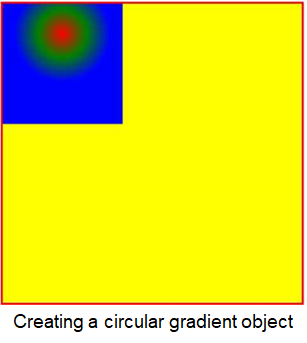
[h2]createRadialGradient()
Description
Creates a radial gradient.

The start point is in the circle center, and the end point is on the circle. You need to call addColorStop() to add at least two color stops.
Parameters
Parameter | Type | Mandatory/Optional | Description |
|---|---|---|---|
x | number | Mandatory | Horizontal coordinate of the circle center. |
y | number | Mandatory | Vertical coordinate of the circle center. |
r | number | Mandatory | Radius of a circle. |
Returns
Parameter | Type | Description |
|---|---|---|
gradient | - | Gradient object. You need to call addColorStop() to add at least two color stops. |
Sample code
var test = this.$element("42Canvas");
var ctx = test.getContext("2d");
var grd = ctx.createRadialGradient(100, 50, 80);
grd.addColorStop(0, "red");
grd.addColorStop(0.5, "green");
grd.addColorStop(1, "blue");
// Fill with gradient
ctx.fillStyle = grd;
ctx.fillRect(0, 0, 200, 200);
The following figure shows the final effect.
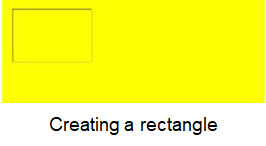
[h2]rect()
Description
Creates a rectangle.

Call fill() or stroke() to draw the rectangle on the canvas.
Parameters
Parameter | Type | Mandatory/Optional | Description |
|---|---|---|---|
x | number | Mandatory | Horizontal coordinate of the upper left corner of the rectangle. |
y | number | Mandatory | Vertical coordinate of the upper left corner of the rectangle. |
width | number | Mandatory | Rectangle width. |
height | number | Mandatory | Rectangle height. |
Sample code
var test = this.$element("11Canvas");
var ctx = test.getContext("2d");
ctx.rect(20, 20, 150, 100);
ctx.stroke();
The following figure shows the final effect.
[h2]fillRect()
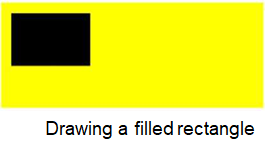
Description
Fills a rectangle.

Set fillStyle to specify the fill color of the rectangle. If fillStyle is not set, black is used by default.
Parameters
Parameter | Type | Mandatory/Optional | Description |
|---|---|---|---|
x | number | Mandatory | Horizontal coordinate of the upper left corner of the rectangle. |
y | number | Mandatory | Vertical coordinate of the upper left corner of the rectangle. |
width | number | Mandatory | Rectangle width. |
height | number | Mandatory | Rectangle height. |
Sample code
var test = this.$element("12Canvas");
var ctx = test.getContext("2d");
ctx.fillRect(20, 20, 150, 100);
The following figure shows the final effect.
[h2]strokeRect()
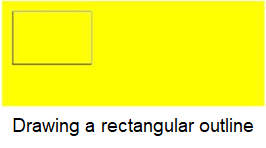
Description
Draws a rectangle stroke.

Set strokeStyle to specify the stroke color of the rectangle. If strokeStyle is not set, black is used by default.
Parameters
Parameter | Type | Mandatory/Optional | Description |
|---|---|---|---|
x | number | Mandatory | Horizontal coordinate of the upper left corner of the rectangle. |
y | number | Mandatory | Vertical coordinate of the upper left corner of the rectangle. |
width | number | Mandatory | Rectangle width. |
height | number | Mandatory | Rectangle height. |
Sample code
var test = this.$element("13Canvas");
var ctx = test.getContext("2d");
ctx.strokeRect(20, 20, 150, 100);
The following figure shows the final effect.
[h2]clearRect()
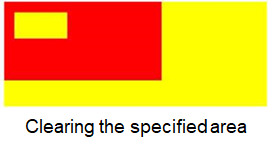
Description
Clears the content in a rectangle.
To clear all content on the canvas, the area to be cleared must be larger than or the same as the canvas. This API clears the drawing commands saved by the canvas API to reduce the memory usage.

This API does not draw a white rectangle but clears the rectangle.
Parameters
Parameter | Type | Mandatory/Optional | Description |
|---|---|---|---|
x | number | Mandatory | Horizontal coordinate of the upper left corner of the rectangle. |
y | number | Mandatory | Vertical coordinate of the upper left corner of the rectangle. |
width | number | Mandatory | Rectangle width. |
height | number | Mandatory | Rectangle height. |
Sample code
var test = this.$element("14Canvas");
var ctx = test.getContext("2d");
ctx.fillStyle = "red";
ctx.fillRect(0, 0, 300, 150);
ctx.clearRect(20, 20, 100, 50);
The following figure shows the final effect.
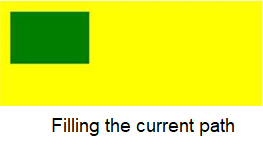
[h2]fill()
Description
Fills the area inside a path. The default fill color is black.

If the path is not closed, the fill() method draws a line from the end point to the start point to close the path and then fills the path. The path filled by fill() is started by beginPath() and does not include the rectangle drawn by fillRect().
Sample code
var test = this.$element("15Canvas");
var ctx = test.getContext("2d");
ctx.rect(20, 20, 150, 100);
ctx.fillStyle = "green";
ctx.fill();
The following figure shows the final effect.
[h2]stroke()
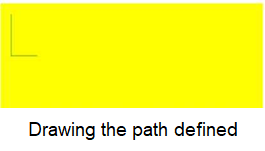
Description
Draws the border stroke of a path. The default fill color is black.

The path whose border stroke is drawn by fill() is started by beginPath() and does not include the rectangle drawn by strokeRect().
Sample code
var test = this.$element("16Canvas");
var ctx = test.getContext("2d");
ctx.beginPath();
ctx.moveTo(20, 20);
ctx.lineTo(20, 100);
ctx.lineTo(70, 100);
ctx.strokeStyle = "green";
ctx.stroke();
The following figure shows the final effect.
[h2]beginPath()
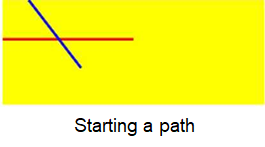
Description
Starts a path. You need to call fill or stroke to fill or draw the border stroke for the path.

Call beginPath() first when creating a path. If fillStyle, strokeStyle, and lineWidth for a path are set multiple times, the last settings take effect.
Sample code
var test = this.$element("17Canvas");
var ctx = test.getContext("2d");
ctx.beginPath();
ctx.lineWidth = "5";
ctx.strokeStyle = "red"; // Red path
ctx.moveTo(0, 75);
ctx.lineTo(250, 75);
ctx.stroke(); // Draw the path.
ctx.beginPath();
ctx.strokeStyle = "blue"; // Blue path
ctx.moveTo(50, 0);
ctx.lineTo(150, 130);
ctx.stroke();
The following figure shows the final effect.
[h2]closePath()
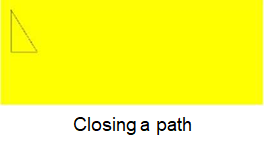
Description
Closes a path.

This API draws a line from the end point to the start point to close the path. If fill() or stroke() is not called after the path is closed and a new path is started, the path will not be rendered.
Sample code
var test = this.$element("19Canvas");
var ctx = test.getContext("2d");
ctx.beginPath();
ctx.moveTo(20, 20);
ctx.lineTo(20, 100);
ctx.lineTo(70, 100);
ctx.closePath();
ctx.stroke();
The following figure shows the final effect.
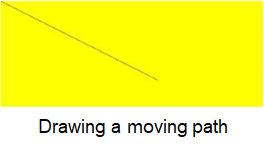
[h2]moveTo()
Description
Moves a drawing path to a target position on the canvas, without drawing lines.

You need to call stroke() to draw lines.
Parameters
Parameter | Type | Mandatory/Optional | Description |
|---|---|---|---|
x | number | Mandatory | Horizontal coordinate of the target position. |
y | number | Mandatory | Vertical coordinate of the target position. |
Sample code
var test = this.$element("18Canvas");
var ctx = test.getContext("2d");
ctx.beginPath();
ctx.moveTo(0, 0);
ctx.lineTo(300, 150);
ctx.stroke();
The following figure shows the final effect.
[h2]lineTo()
Description
Draws a line from the current position up to the specified point.

You need to call stroke() to draw lines.
Parameters
Parameter | Type | Mandatory/Optional | Description |
|---|---|---|---|
x | number | Mandatory | Horizontal coordinate of the target position. |
y | number | Mandatory | Vertical coordinate of the target position. |
[h2]arc()
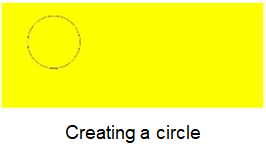
Description
Draws an arc.

To create a circle, call the arc() method to define the start angle as 0 and the end angle as 2 x Math.PI. Call the stroke() or fill() method to draw an arc on the canvas.
Parameters
Parameter | Type | Mandatory/Optional | Description |
|---|---|---|---|
x | number | Mandatory | Horizontal coordinate of the target position. |
y | number | Mandatory | Vertical coordinate of the target position. |
r | number | Mandatory | Radius of a circle. |
sAngle | number | Mandatory | Start angle, in radians (in the direction of 3 o'clock). |
eAngle | number | Mandatory | End angle. |
counterclockwise | boolean | Mandatory | Indicates whether to draw the arc counterclockwise. The default value is false, indicating clockwise. |
Sample code
var test = this.$element("24Canvas");
var ctx = test.getContext("2d");
ctx.beginPath();
ctx.arc(100, 75, 50, 0, 2 * Math.PI);
ctx.stroke();
The following figure shows the final effect.
[h2]bezierCurveTo()
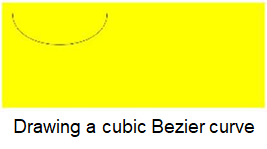
Description
Draws a cubic bezier curve.

The start point of the curve is the previous point of the path.
Parameters
Parameter | Type | Mandatory/Optional | Description |
|---|---|---|---|
cp1x | number | Mandatory | Horizontal coordinate of the first control point of the bezier curve. |
cp1y | number | Mandatory | Vertical coordinate of the first control point of the bezier curve. |
cp2x | number | Mandatory | Horizontal coordinate of the second control point of the bezier curve. |
cp2y | number | Mandatory | Vertical coordinate of the second control point of the bezier curve. |
x | number | Mandatory | Horizontal coordinate of the end point. |
y | number | Mandatory | Vertical coordinate of the end point. |
Sample code
var test = this.$element("23Canvas");
var ctx = test.getContext("2d");
ctx.beginPath();
ctx.moveTo(20, 20);
ctx.bezierCurveTo(20, 100, 200, 100, 200, 20);
ctx.stroke();
The following figure shows the final effect.
[h2]quadraticCurveTo()
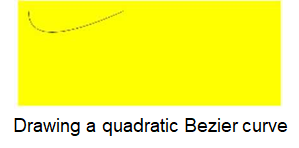
Description
Creates a quadratic bezier curve.

The start point of the curve is the previous point of the path.
Parameters
Parameter | Type | Mandatory/Optional | Description |
|---|---|---|---|
cpx | number | Mandatory | Horizontal coordinate of the control point of the bezier curve. |
cpy | number | Mandatory | Vertical coordinate of the control point of the bezier curve. |
x | number | Mandatory | Horizontal coordinate of the end point. |
y | boolean | Mandatory | Vertical coordinate of the end point. |
Sample code
var test = this.$element("22Canvas");
var ctx = test.getContext("2d");
ctx.beginPath();
ctx.moveTo(20, 20);
ctx.quadraticCurveTo(20, 100, 200, 20);
ctx.stroke();
The following figure shows the final effect.
[h2]scale()
Description
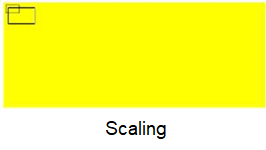
Scales the path created after the call of this API horizontally. If this API is called multiple times, the multiples specified in these calls are multiplied as the final scaling ratio.
Parameters
Parameter | Type | Mandatory/Optional | Description |
|---|---|---|---|
scaleWidth | number | Mandatory | Scaling ratio of the horizontal coordinate (1 = 100%, 0.5 = 50%, 2 = 200%). |
scaleHeight | number | Mandatory | Scaling ratio of the vertical coordinate (1 = 100%, 0.5 = 50%, 2 = 200%). |
Sample code
var test = this.$element("26Canvas");
var ctx = test.getContext("2d");
ctx.strokeRect(5, 5, 25, 15);
ctx.scale(2, 2);
ctx.strokeRect(5, 5, 25, 15);
The following figure shows the final effect.
[h2]rotate()
Description
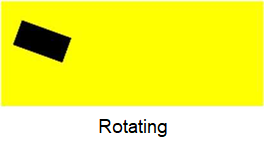
Rotates clockwise with the image origin as the rotation center. The image origin can be changed through the translate method. If this API is called multiple times, the rotation degrees specified in these calls are added up as the final degrees.
Parameters
Parameter | Type | Mandatory/Optional | Description |
|---|---|---|---|
rotate | number | Mandatory | Rotation angle, in radians (degrees x Math.PI/180. The value of degrees ranges from 0 to 360. |
Sample code
var test = this.$element("27Canvas");
var ctx = test.getContext("2d");
ctx.rotate(20 * Math.PI / 180);
ctx.fillRect(50, 20, 100, 50);
The following figure shows the final effect.
[h2]translate()
Description
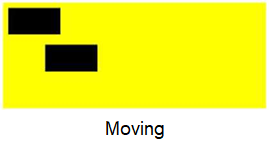
Moves the origin (0, 0) of the coordinate system to a specified position. The upper left corner is the default origin.
Parameters
Parameter | Type | Mandatory/Optional | Description |
|---|---|---|---|
x | number | Mandatory | Translation of the horizontal coordinate. |
y | number | Mandatory | Translation of the vertical coordinate. |
Sample code
var test = this.$element("28Canvas");
var ctx = test.getContext("2d");
ctx.fillRect(10, 10, 100, 50);
ctx.translate(70, 70);
ctx.fillRect(10, 10, 100, 50);
The following figure shows the final effect.
[h2]clip()
Description
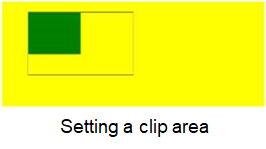
Clips the specified area on the canvas. Once an area is clipped, subsequent drawing can be completed only in the area (other areas in the canvas cannot be drawn). Before calling the clip() method, you may call the save() method to save the current canvas area and restore it anytime by calling the restore() method.
Sample code
var test = this.$element("21Canvas");
var ctx = test.getContext("2d");
ctx.rect(50, 20, 200, 120);
ctx.stroke();
ctx.clip();
// Draw a green rectangle after calling clip().
ctx.fillStyle = "green";
ctx.fillRect(0, 0, 150, 100);
The following figure shows the final effect.
[h2]fillText()
Description
Draws a text.
Parameters
Parameter | Type | Mandatory/Optional | Description |
|---|---|---|---|
text | string | Mandatory | Text to be drawn on the canvas. |
x | number | Mandatory | Horizontal coordinate of the upper left corner of the text to be drawn. |
y | number | Mandatory | Vertical coordinate of the upper left corner of the text to be drawn. |
maxWidth (Huawei extended API, not formulated by the vendor alliance) | number | Optional | Maximum width of the text to be drawn. If this parameter has been set and the text width is greater than the maximum width, the font is horizontally scaled (the current font can be effectively processed or is properly readable through horizontal scaling) or a smaller font is used. |
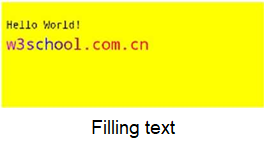
Sample code
var test = this.$element("34Canvas");
var ctx = test.getContext("2d");
ctx.font = "20px monospace";
ctx.fillText("Hello World!", 10, 50);
ctx.font = "30px monospace";
// Create a gradient.
var gradient = ctx.createLinearGradient(0, 0, 170, 0);
gradient.addColorStop("0", "magenta");
gradient.addColorStop("0.5", "blue");
gradient.addColorStop("1.0", "red");
// Fill the text with a gradient.
ctx.fillStyle = gradient;
ctx.fillText("w3school.com.cn", 10, 90);
The following figure shows the final effect.
[h2]drawImage()
Description
drawImage(image, dx, dy)
drawImage(image, dx, dy, dWidth, dHeight)
drawImage(image, sx, sy, sWidth, sHeight, dx, dy, dWidth, dHeight): draws an image.
Parameters
Parameter | Type | Mandatory/Optional | Description |
|---|---|---|---|
imageResource | string | Mandatory | Resource used to draw an image. |
sx | number | Optional | Horizontal coordinate of the start point. |
sy | number | Optional | Vertical coordinate of the start point. |
sWidth | number | Optional | Width of the cropped image. |
sHeight | number | Optional | Height of the cropped image. |
dx | number | Mandatory | Horizontal coordinate of the upper left corner of the image. |
dy | number | Mandatory | Vertical coordinate of the upper left corner of the image. |
dWidth | number | Optional | Image width. |
dHeight | number | Optional | Image height. |
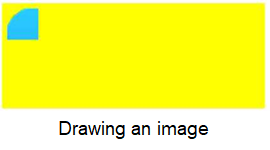
Sample code
var test = this.$element("37Canvas");
var ctx = test.getContext("2d");
var img = this.$element("image");
ctx.drawImage(img, 10, 10, 20, 20, 10, 10, 60, 60);
The following figure shows the final effect.
[h2]createPattern()
Description
Repeats the specified element in the specified direction.
Parameters
Parameter | Type | Mandatory/Optional | Description |
|---|---|---|---|
image | Image element | Mandatory | Image to be used. |
repeat | string | Mandatory | Type of image fills. The options are repeat (default), repeat-x, repeat-y, and no-repeat. |
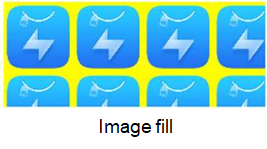
Sample code
var test = this.$element("3Canvas");
var ctx = test.getContext("2d");
var img = this.$element("image");
console.log("ctx.fillStyle 555 >> " + ctx.fillStyle);
var pat = ctx.createPattern(img, "repeat");
ctx.rect(0, 0, 500, 200);
ctx.fillStyle = pat;
console.log("ctx.fillStyle 666 >> " + ctx.fillStyle);
ctx.fill();
The following figure shows the final effect.
[h2]arcTo()
Description
Creates an arc between two tangents.
Parameters
Parameter | Type | Mandatory/Optional | Description |
|---|---|---|---|
x1 | number | Mandatory | Horizontal coordinate of the arc start point. |
y1 | number | Mandatory | Vertical coordinate of the arc start point. |
x | number | Mandatory | Horizontal coordinate of the arc end point. |
y | number | Mandatory | Vertical coordinate of the arc end point. |
r | number | Mandatory | Radius of the arc. |

Call the stroke() method to draw the arc on the canvas.
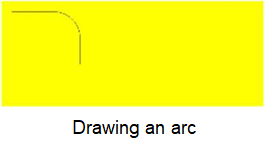
Sample code
var test = this.$element("25Canvas");
var ctx = test.getContext("2d");
ctx.beginPath();
ctx.beginPath();
ctx.moveTo (20, 20); // Create a start point.
ctx.lineTo (100, 20); // Create a horizontal line.
ctx.arcTo(150, 20, 150, 70, 50); // Create an arc.
ctx.lineTo (150, 120); // Create a vertical line.
ctx.stroke();
The following figure shows the final effect.
[h2]transform()
Description
Replaces the current transformation matrix.
Parameters
Parameter | Type | Mandatory/Optional | Description |
|---|---|---|---|
a | number | Mandatory | Horizontal scaling. |
b | number | Mandatory | Horizontal skewing. |
c | number | Mandatory | Vertical skewing. |
d | number | Mandatory | Vertical scaling. |
e | number | Mandatory | Horizontal moving. |
f | number | Mandatory | Vertical moving. |

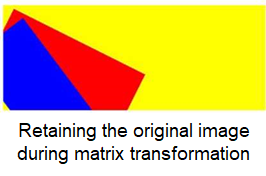
This transformation affects only the drawing generated after the transform() method is called.
Sample code
this.message = "drawtransform";
var test = this.$element("29Canvas");
var ctx = test.getContext("2d");
ctx.fillStyle = "#FFFF00";
ctx.fillRect(0, 0, 250, 100)
ctx.transform(1, 0.5, -0.5, 1, 30, 10);
ctx.fillStyle = "red";
ctx.fillRect(0, 0, 250, 100);
ctx.transform(1, 0.5, -0.5, 1, 30, 10);
ctx.fillStyle = "blue";
ctx.fillRect(0, 0, 250, 100);
The following figure shows the final effect.
[h2]setTransform()
Description
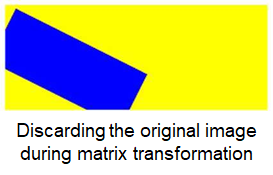
Resets and creates a transformation matrix, and draws a rectangle again.
Parameters
Parameter | Type | Mandatory/Optional | Description |
|---|---|---|---|
a | number | Mandatory | Horizontal scaling. |
b | number | Mandatory | Horizontal skewing. |
c | number | Mandatory | Vertical skewing. |
d | number | Mandatory | Vertical scaling. |
e | number | Mandatory | Horizontal moving. |
f | number | Mandatory | Vertical moving. |
Sample code
var ctx = test.getContext("2d");
ctx.fillStyle = "#FFFF00";
ctx.fillRect(0, 0, 250, 100)
ctx.setTransform(1, 0.5, -0.5, 1, 30, 10);
ctx.fillStyle = "red";
ctx.fillRect(0, 0, 250, 100);
ctx.setTransform(1, 0.5, -0.5, 1, 30, 10);
ctx.fillStyle = "blue";
ctx.fillRect(0, 0, 250, 100);
The following figure shows the final effect.
[h2]measureText()
Description
Returns an object that contains the width of the specified text, in pixels.
Parameters
Parameter | Type | Mandatory/Optional | Description |
|---|---|---|---|
text | string | Mandatory | Text to be measured. |
Returns
Parameter | Type | Description |
|---|---|---|
Object | - | Returns an object that contains the width of the specified text, in pixels. (Use Object.width to obtain the width.) |
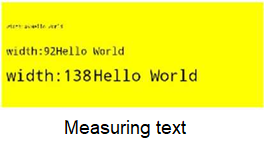
Sample code
var test = this.$element("36Canvas");
var ctx = test.getContext("2d");
ctx.font = "10px monospace";
var txt = "Hello World"
ctx.fillText("width:" + ctx.measureText(txt).width, 10, 50)
ctx.fillText(txt, 10 + ctx.measureText(txt).width, 50);
ctx.font = "20px monospace";
ctx.fillText("width:" + ctx.measureText(txt).width, 10, 100)
ctx.fillText(txt, 12 + ctx.measureText(txt).width, 100);
ctx.font = "30px monospace";
ctx.fillText("width:" + ctx.measureText(txt).width, 10, 150)
ctx.fillText(txt, 38 + ctx.measureText(txt).width, 150);
The following figure shows the final effect.
[h2]createImageData() (Huawei extended API, not formulated by the vendor alliance)
Description
Creates an empty ImageData object.
Parameters
Parameter | Type | Mandatory/Optional | Description |
|---|---|---|---|
width | number | Mandatory | Width of the ImageData object, in pixels. |
height | number | Mandatory | Height of the ImageData object, in pixels. |
Returns
Parameter | Type | Description |
|---|---|---|
ImageData | - | Image data that is returned. You can use the following attributes: width, height, and data. |
ImageData parameters
Parameter | Type | Description |
|---|---|---|
width | number | Width of the ImageData object, in pixels. |
height | number | Height of the ImageData object, in pixels. |
data | array | Object that contains the image data of the specified ImageData object. |
Sample code
var test = this.$element("38Canvas");
var ctx = test.getContext("2d");
var imgData = ctx.createImageData(100, 100);
for (var i = 0; i < imgData.data.length; i += 4) {
    imgData.data[i + 0] = 255;
    imgData.data[i + 1] = 0;
    imgData.data[i + 2] = 0;
    imgData.data[i + 3] = 255;
}
ctx.putImageData(imgData, 10, 10);
[h2]getImageData() (Huawei extended API, not formulated by the vendor alliance)
Description
Returns an ImageData object that copies the pixel data for the specified rectangle.
Parameters
Parameter | Type | Mandatory/Optional | Description |
|---|---|---|---|
x | number | Mandatory | Horizontal coordinate of the upper left corner of the rectangle for which the pixel data needs to be copied. |
y | number | Mandatory | Vertical coordinate of the upper left corner of the rectangle for which the pixel data needs to be copied. |
width | number | Mandatory | Width of the rectangle for which the pixel data needs to be copied. |
height | number | Mandatory | Height of the rectangle for which the pixel data needs to be copied. |
Returns
Parameter | Type | Description |
|---|---|---|
ImageData | - | Image data that is returned. You can use the following attributes: width, height, and data. |
ImageData parameters
Parameter | Type | Description |
|---|---|---|
width | number | Width of the ImageData object, in pixels. |
height | number | Height of the ImageData object, in pixels. |
data | array | Object that contains the image data of the specified ImageData object. |
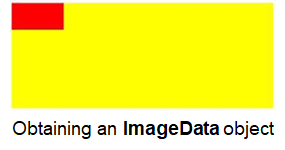
Sample code
var test = this.$element("39Canvas");
var ctx = test.getContext("2d");
var imageData = ctx.getImageData(0, 0, 100, 50);
for (var i = 0; i < imageData.data.length; i += 4) {
    imageData.data[i + 0] = 255;
    imageData.data[i + 1] = 0;
    imageData.data[i + 2] = 0;
    imageData.data[i + 3] = 255;
}
ctx.putImageData(imageData, 0, 0);
The following figure shows the final effect.
[h2]putImageData() (Huawei extended API, not formulated by the vendor alliance)
Description
Puts the image data from the specified ImageData object back to the canvas.
Parameters
Parameter | Type | Mandatory/Optional | Description |
|---|---|---|---|
imageData | imagedata object | Mandatory | ImageData object, which will be put back to the canvas. |
X | number | Mandatory | Horizontal coordinate of the upper left corner of the ImageData object, in pixels. |
Y | number | Mandatory | Vertical coordinate of the upper left corner of the ImageData object, in pixels. |
dirtyX | number | Optional | Horizontal coordinate at which the image data will be put, in pixels. |
dirtyY | number | Optional | Vertical coordinate at which the image data will be put, in pixels. |
dirtyWidth | number | Optional | Width of the image to be drawn. |
dirtyHeight | number | Optional | Height of the image to be drawn. |
[h2]strokeText()
Description
Draws text without a fill.
Parameters
Parameter | Type | Mandatory/Optional | Description |
|---|---|---|---|
text | string | Mandatory | Text to be drawn on the canvas. |
x | number | Mandatory | Horizontal coordinate of the upper left corner of the text to be drawn. |
y | number | Mandatory | Vertical coordinate of the upper left corner of the text to be drawn. |
maxWidth (Huawei extended API, not formulated by the vendor alliance) | number | Optional | Maximum width of the text to be drawn. If this parameter has been set and the text width is greater than the maximum width, the font is horizontally scaled (the current font can be effectively processed or is properly readable through horizontal scaling) or a smaller font is used. |
Sample code
var test = this.$element("35Canvas");
var ctx = test.getContext("2d");
ctx.font = "20px monospace";
ctx.strokeText("Hello World!", 10, 50);
ctx.font = "30px monospace";
// Create a gradient.
var gradient = ctx.createLinearGradient(0, 0, 200, 0);
gradient.addColorStop("0", "magenta");
gradient.addColorStop("0.5", "blue");
gradient.addColorStop("1.0", "red");
// Fill the text with a gradient.
ctx.strokeStyle = gradient;
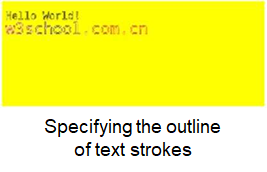
ctx.strokeText("w3school.com.cn", 10, 90);
The following figure shows the final effect.
[h2]setLineDash() (Huawei extended API, not formulated by the vendor alliance)
Description
Sets the dash line style.
Parameters
Parameter | Type | Mandatory/Optional | Description |
|---|---|---|---|
pattern | array | Mandatory | A group of digits that describe the lengths of alternatively drawn line segments and spacing (coordinate space unit). |
Sample code
var canvas = this.$element('43Canvas');
var ctx = canvas.getContext('2d');
ctx.setLineDash([4, 16,100]);
ctx.lineDashOffset = 2;
ctx.beginPath();
ctx.moveTo(0, 100);
ctx.lineTo(400, 100);
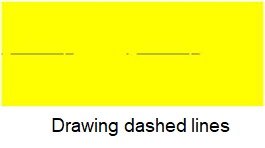
ctx.stroke();
The following figure shows the final effect.
[h2]getLineDash() (1035+)
Description
Obtains an array, which is a group of digits that describe the lengths of alternatively drawn line segments and spacing (coordinate space unit). If the number of elements in the array is an odd number, these elements will be copied and concatenated in the array. For example, if you set the dash line data to [5, 15, 25], [5, 15, 25, 5, 15, 25] will be returned.
Demo
<template>
  <!-- There can only be one root node in the template -->
  <div class="container">
    <text class="text">{{message}}</text>
    <image src="../../Common/logo.png" id="image" style="margin-top:20px;"></image>
    <canvas id="1Canvas" style="background-color:#FFFF00; margin-top:20px;" onlongtap="longtapfun" ontouchmove="touchmove" ontouchstart="touchstart"></canvas>
    <input class="buttons" type="button" onclick="click1" value="drawfillStyleforColor"></input>
    <canvas id="2Canvas" style="background-color:#FFFF00; margin-top:20px; width: 500px; height:200px;" disable-scroll="true" onlongtap="longtapfun" onerror="errorfun"></canvas>
    <input class="buttons" type="button" onclick="click2" value="drawfillStyleforLinearGradient"></input>
    <canvas id="3Canvas" style="background-color:#FFFF00; margin-top:20px;width: 500px; height:200px;" onlongtap="longtapfun"></canvas>
    <input class="buttons" type="button" onclick="click3" value="drawfillStyleforcreatePattern"></input>
    <canvas id="4Canvas" style="background-color:#FFFF00; margin-top:20px;width: 500px; height:200px;" disable-scroll="true"></canvas>
    <input class="buttons" type="button" onclick="click4" value="drawstrokeStyleforColor"></input>
    <canvas id="5Canvas" style="background-color:#FFFF00; margin-top:20px;width: 500px; height:200px;"></canvas>
    <input class="buttons" type="button" onclick="click5" value="drawstrokeStyleforLinearGradient"></input>
    <canvas id="6Canvas" style="background-color:#FFFF00; margin-top:20px;width: 500px; height:200px;"></canvas>
    <input class="buttons" type="button" onclick="click6" value="drawShadow"></input>
    <canvas id="7Canvas" style="background-color:#FFFF00; margin-top:20px;width: 500px; height:200px;"></canvas>
    <input class="buttons" type="button" onclick="click7" value="drawlineCap"></input>
    <canvas id="8Canvas" style="background-color:#FFFF00; margin-top:20px;width: 500px; height:200px;"></canvas>
    <input class="buttons" type="button" onclick="click8" value="drawlineJoin"></input>
    <canvas id="9Canvas" style="background-color:#FFFF00; margin-top:20px;width: 500px; height:200px;"></canvas>
    <input class="buttons" type="button" onclick="click9" value="drawlineWidth"></input>
    <canvas id="10Canvas" style="background-color:#FFFF00; margin-top:20px;width: 500px; height:200px;"></canvas>
    <input class="buttons" type="button" onclick="click10" value="drawmiterLimit"></input>
    <canvas id="11Canvas" style="background-color:#FFFF00; margin-top:20px;width: 500px; height:200px;"></canvas>
    <input class="buttons" type="button" onclick="click11" value="drawrect"></input>
    <canvas id="12Canvas" style="background-color:#FFFF00; margin-top:20px;width: 500px; height:200px;"></canvas>
    <input class="buttons" type="button" onclick="click12" value="drawfillRect"></input>
    <canvas id="13Canvas" style="background-color:#FFFF00; margin-top:20px;width: 500px; height:200px;"></canvas>
    <input class="buttons" type="button" onclick="click13" value="drawstrokeRect"></input>
    <canvas id="14Canvas" style="background-color:#FFFF00; margin-top:20px;width: 500px; height:200px;"></canvas>
    <input class="buttons" type="button" onclick="click14" value="drawclearRect"></input>
    <canvas id="15Canvas" style="background-color:#FFFF00; margin-top:20px;width: 500px; height:200px;"></canvas>
    <input class="buttons" type="button" onclick="click15" value="drawfill"></input>
    <canvas id="16Canvas" style="background-color:#FFFF00; margin-top:20px;width: 500px; height:200px;"></canvas>
    <input class="buttons" type="button" onclick="click16" value="drawstroke"></input>
    <canvas id="17Canvas" style="background-color:#FFFF00; margin-top:20px;width: 500px; height:200px;"></canvas>
    <input class="buttons" type="button" onclick="click17" value="drawbeginPath"></input>
    <canvas id="18Canvas" style="background-color:#FFFF00; margin-top:20px;width: 500px; height:200px;"></canvas>
    <input class="buttons" type="button" onclick="click18" value="drawmoveTo"></input>
    <canvas id="19Canvas" style="background-color:#FFFF00; margin-top:20px;width: 500px; height:200px;"></canvas>
    <input class="buttons" type="button" onclick="click19" value="drawclosePath"></input>
    <canvas id="20Canvas" style="background-color:#FFFF00; margin-top:20px;width: 500px; height:200px;"></canvas>
    <input class="buttons" type="button" onclick="click20" value="drawlineTo"></input>
    <canvas id="21Canvas" style="background-color:#FFFF00; margin-top:20px;width: 500px; height:200px;"></canvas>
    <input class="buttons" type="button" onclick="click21" value="drawclip"></input>
    <canvas id="22Canvas" style="background-color:#FFFF00; margin-top:20px;width: 500px; height:200px;"></canvas>
    <input class="buttons" type="button" onclick="click22" value="drawquadraticCurveTo"></input>
    <canvas id="23Canvas" style="background-color:#FFFF00; margin-top:20px;width: 500px; height:200px;"></canvas>
    <input class="buttons" type="button" onclick="click23" value="drawbezierCurveTo"></input>
    <canvas id="24Canvas" style="background-color:#FFFF00; margin-top:20px;width: 500px; height:200px;"></canvas>
    <input class="buttons" type="button" onclick="click24" value="drawarc"></input>
    <canvas id="25Canvas" style="background-color:#FFFF00; margin-top:20px;width: 500px; height:200px;"></canvas>
    <input class="buttons" type="button" onclick="click25" value="drawarcTo"></input>
    <canvas id="26Canvas" style="background-color:#FFFF00; margin-top:20px;width: 500px; height:200px;"></canvas>
    <input class="buttons" type="button" onclick="click26" value="drawscale"></input>
    <canvas id="28Canvas" style="background-color:#FFFF00; margin-top:20px;width: 500px; height:200px;"></canvas>
    <input class="buttons" type="button" onclick="click28" value="drawtranslate"></input>
    <canvas id="29Canvas" style="background-color:#FFFF00; margin-top:20px;width: 500px; height:200px;"></canvas>
    <input class="buttons" type="button" onclick="click29" value="drawtransform"></input>
    <canvas id="30Canvas" style="background-color:#FFFF00; margin-top:20px;width: 500px; height:200px;"></canvas>
    <input class="buttons" type="button" onclick="click30" value="drawsetTransform"></input>
    <canvas id="31Canvas" style="background-color:#FFFF00; margin-top:20px;width: 500px; height:200px;"></canvas>
    <input class="buttons" type="button" onclick="click31" value="drawfont"></input>
    <canvas id="32Canvas" style="background-color:#FFFF00; margin-top:20px;width: 500px; height:200px;"></canvas>
    <input class="buttons" type="button" onclick="click32" value="drawtextAlign "></input>
    <canvas id="33Canvas" style="background-color:#FFFF00; margin-top:20px;width: 500px; height:200px;"></canvas>
    <input class="buttons" type="button" onclick="click33" value="drawtextBaseline"></input>
    <canvas id="34Canvas" style="background-color:#FFFF00; margin-top:20px;width: 500px; height:200px;"></canvas>
    <input class="buttons" type="button" onclick="click34" value="drawfillText"></input>
    <canvas id="35Canvas" style="background-color:#FFFF00; margin-top:20px;width: 500px; height:200px;"></canvas>
    <input class="buttons" type="button" onclick="click35" value="drawstrokeText"></input>
    <canvas id="36Canvas" style="background-color:#FFFF00; margin-top:20px;width: 500px; height:200px;"></canvas>
    <input class="buttons" type="button" onclick="click36" value="drawmeasureText"></input>
    <canvas id="37Canvas" style="background-color:#FFFF00; margin-top:20px;width: 500px; height:200px;"></canvas>
    <input class="buttons" type="button" onclick="click37" value="drawdrawImage"></input>
    <canvas id="38Canvas" style="background-color:#FFFF00; margin-top:20px;width: 500px; height:200px;"></canvas>
    <input class="buttons" type="button" onclick="click38" value="drawcreateImageData"></input>
    <canvas id="39Canvas" style="background-color:#FFFF00; margin-top:20px;width: 500px; height:200px;"></canvas>
    <input class="buttons" type="button" onclick="click39" value="drawgetImageData"></input>
    <canvas id="40Canvas" style="background-color:#FFFF00; margin-top:20px;width: 500px; height:200px;"></canvas>
    <input class="buttons" type="button" onclick="click40" value="drawglobalAlpha"></input>
    <canvas id="41Canvas" style="background-color:#FFFF00; margin-top:20px;width: 500px; height:200px;"></canvas>
    <input class="buttons" type="button" onclick="click41" value="drawglobalCompositeOperation"></input>
    <canvas id="27Canvas" style="background-color:#FFFF00; margin-top:20px;width: 500px; height:200px;"></canvas>
    <input class="buttons" type="button" onclick="click27" value="drawrotate"></input>
    <canvas id="42Canvas" style="background-color:#FFFF00; margin-top:20px;width: 500px; height:500px;"></canvas>
    <input class="buttons" type="button" onclick="click42" value="drawRadil"></input>
    <canvas id="43Canvas" style="background-color:#FFFF00; margin-top:20px;width: 500px; height:200px;"></canvas>
    <input class="buttons" type="button" onclick="click43" value="drawLineDash"></input>
    <canvas id="44Canvas" style="background-color:#FFFF00; margin-top:20px;width: 500px; height:200px;"></canvas>
    <input class="buttons" type="button" onclick="click44" value="drawImageForNewImage"></input>
    <canvas id="45Canvas" style="background-color:#FFFF00; margin-top:20px;width: 500px; height:200px;"></canvas>
    <input class="buttons" type="button" onclick="click45" value="CreatePatternForNewImage"></input>
    <image src="{{imageSrc}}" id="image2" style="margin-top:20px;"></image>
  </div>
</template>

<style>
  .container {
    flex-direction: column;
    justify-content: center;
    align-content: center;
    align-items: center;
  }

  .title {
    font-size: 100px;
  }

  #1Canvas {
    width: 500px;
    height: 200px;
  }

  .text {
    font-size: 50px;
    color: #0000ff;
    border: 1px;
  }
</style>

<script>
  module.exports = {
    data: {
      title: 'World',
      message: '',
      testparams: '2',
      imageSrc: ''
    },
    onInit() {
      this.$page.setTitleBar({
        text: 'Canvas',
        textColor: '#ffffff',
        backgroundColor: '#007DFF',
        backgroundOpacity: 0.5
      })
    },
    touchstart: function (e) {
      console.log('yyyy' + 'bindtouchstart' + 'e.changedTouches.length =' + e.changedTouches.length)
    },
    touchmove: function (e) {
      console.log('yyyy' + 'bindtouchmove' + ' e.changedTouches.length =' + e.changedTouches.length + e.changedTouches[0].identifier)
    },

    click1: function () {
      this.message = 'drawfillStyleforColor'
      var test = this.$element('1Canvas')
      var ctx = test.getContext('2d')
      console.log('ctx.fillStyle 111  >> ' + ctx.fillStyle)
      ctx.fillStyle = '#0000ff'
      ctx.fillRect(20, 20, 150, 100)
      console.log('ctx.fillStyle 222  >> ' + ctx.fillStyle)
    },
    click2: function () {
      this.message = 'drawfillStyleforLinearGradient'
      var test = this.$element('2Canvas')
      var ctx = test.getContext('2d')
      console.log('ctx.fillStyle 333  >> ' + ctx.fillStyle)
      var myGradient = ctx.createLinearGradient(0, 0, 0, 170)
      console.log('yyyy', 'myGradient =' + myGradient)
      myGradient.addColorStop(0, 'black')
      myGradient.addColorStop(1, 'white')
      ctx.fillStyle = myGradient
      console.log('ctx.fillStyle 444  >> ' + ctx.fillStyle)
      ctx.fillRect(20, 20, 150, 100)
    },
    click3: function () {
      this.message = 'drawfillStyleforcreatePattern'
      var test = this.$element('3Canvas')
      var ctx = test.getContext('2d')
      var img = this.$element('image')
      console.log('ctx.fillStyle 555  >> ' + ctx.fillStyle)
      var pat = ctx.createPattern(img, 'repeat')
      ctx.rect(0, 0, 500, 200)
      ctx.fillStyle = pat
      console.log('ctx.fillStyle 666  >> ' + ctx.fillStyle)
      ctx.fill()
    },
    click4: function () {
      this.message = 'drawstrokeStyleforColor'
      var test = this.$element('4Canvas')
      var ctx = test.getContext('2d')
      console.log('ctx.strokeStyle 111  >> ' + ctx.strokeStyle)
      ctx.strokeStyle = '#0000ff'
      ctx.strokeRect(20, 20, 150, 100)
      console.log('ctx.strokeStyle 222  >> ' + ctx.strokeStyle)
    },
    click5: function () {
      this.message = 'drawstrokeStyleforLinearGradient'
      var test = this.$element('5Canvas')
      var ctx = test.getContext('2d')
      console.log('ctx.strokeStyle 333  >> ' + ctx.strokeStyle)
      var gradient = ctx.createLinearGradient(0, 0, 170, 0)

      gradient.addColorStop('0', 'magenta')
      gradient.addColorStop('0.5', 'blue')
      gradient.addColorStop('1.0', 'red')

      // Fill with gradient
      ctx.strokeStyle = gradient
      ctx.lineWidth = 5
      ctx.strokeRect(20, 20, 150, 100)
      console.log('ctx.strokeStyle 444  >> ' + ctx.strokeStyle)
    },
    click6: function () {
      this.message = 'drawShadow'
      var test = this.$element('6Canvas')
      var ctx = test.getContext('2d')
      ctx.shadowBlur = 20
      ctx.shadowColor = 'black'
      ctx.shadowOffsetX = 20
      ctx.shadowOffsetY = 20
      ctx.fillStyle = 'blue'
      ctx.fillRect(20, 20, 100, 80)
      console.log('ctx.shadowBlur 222  >> ' + ctx.shadowBlur)
      console.log('ctx.shadowColor 222  >> ' + ctx.shadowColor)
      console.log('ctx.shadowOffsetX 222  >> ' + ctx.shadowOffsetX)
      console.log('ctx.shadowOffsetY 222  >> ' + ctx.shadowOffsetY)
    },
    click7: function () {
      this.message = 'drawlineCap'
      var test = this.$element('7Canvas')
      var ctx = test.getContext('2d')
      console.log('ctx.lineCap 111  >> ' + ctx.lineCap)
      ctx.beginPath()
      ctx.lineWidth = 10
      ctx.lineCap = 'round'
      ctx.moveTo(20, 20)
      ctx.lineTo(20, 200)
      console.log('ctx.lineCap 222  >> ' + ctx.lineCap)
      ctx.stroke()
    },
    click8: function () {
      this.message = 'drawlineJoin'
      var test = this.$element('8Canvas')
      var ctx = test.getContext('2d')
      console.log('ctx.lineJoin 111  >> ' + ctx.lineJoin)
      ctx.beginPath()
      ctx.lineWidth = 10
      ctx.lineJoin = 'round'
      ctx.moveTo(20, 20)
      ctx.lineTo(100, 50)
      ctx.lineTo(20, 100)
      ctx.stroke()
      console.log('ctx.lineJoin 222  >> ' + ctx.lineJoin)
    },
    click9: function () {
      this.message = 'drawlineWidth'
      var test = this.$element('9Canvas')
      var ctx = test.getContext('2d')
      console.log('ctx.lineWidth 111  >> ' + ctx.lineWidth)
      ctx.lineWidth = 10
      ctx.strokeRect(20, 20, 80, 100)
      console.log('ctx.lineWidth 222  >> ' + ctx.lineWidth)
    },
    click10: function () {
      this.message = 'drawmiterLimit'
      var test = this.$element('10Canvas')
      var ctx = test.getContext('2d')
      ctx.lineWidth = 10
      console.log('ctx.miterLimit 111  >> ' + ctx.miterLimit)
      ctx.lineJoin = 'miter'
      ctx.miterLimit = 5
      ctx.moveTo(20, 20)
      ctx.lineTo(50, 27)
      ctx.lineTo(20, 34)
      ctx.stroke()
      console.log('ctx.miterLimit 222  >> ' + ctx.miterLimit)
    },
    click11: function () {
      this.message = 'drawrect'
      var test = this.$element('11Canvas')
      var ctx = test.getContext('2d')
      ctx.rect(20, 20, 150, 100)
      ctx.stroke()
    },
    click12: function () {
      this.message = 'drawfillRect'
      var test = this.$element('12Canvas')
      var ctx = test.getContext('2d')
      ctx.fillRect(20, 20, 150, 100)
    },
    click13: function () {
      this.message = 'drawstrokeRect'
      var test = this.$element('13Canvas')
      var ctx = test.getContext('2d')
      ctx.strokeRect(20, 20, 150, 100)
    },
    click14: function () {
      this.message = 'drawclearRect'
      var test = this.$element('14Canvas')
      var ctx = test.getContext('2d')
      ctx.fillStyle = 'red'
      ctx.fillRect(0, 0, 300, 150)
      ctx.clearRect(20, 20, 100, 50)
    },
    click15: function () {
      this.message = 'drawfill'
      var test = this.$element('15Canvas')
      var ctx = test.getContext('2d')
      ctx.rect(20, 20, 150, 100)
      ctx.fillStyle = 'green'
      ctx.fill()
    },
    click16: function () {
      this.message = 'drawstroke'
      var test = this.$element('16Canvas')
      var ctx = test.getContext('2d')
      ctx.beginPath()
      ctx.moveTo(20, 20)
      ctx.lineTo(20, 100)
      ctx.lineTo(70, 100)
      ctx.strokeStyle = 'green'
      ctx.stroke()
    },
    click17: function () {
      this.message = 'drawbeginPath'
      var test = this.$element('17Canvas')
      var ctx = test.getContext('2d')
      ctx.beginPath()
      ctx.lineWidth = '5'
      ctx.strokeStyle = 'red' // red line
      ctx.moveTo(0, 75)
      ctx.lineTo(250, 75)
      ctx.stroke() // Draw

      ctx.beginPath()
      ctx.strokeStyle = 'blue' // blue line
      ctx.moveTo(50, 0)
      ctx.lineTo(150, 130)
      ctx.stroke()
    },
    click18: function () {
      this.message = 'drawmoveTo'
      var test = this.$element('18Canvas')
      var ctx = test.getContext('2d')
      ctx.beginPath()
      ctx.moveTo(0, 0)
      ctx.lineTo(300, 150)
      ctx.stroke()
    },
    click19: function () {
      this.message = 'drawclosePath'
      var test = this.$element('19Canvas')
      var ctx = test.getContext('2d')
      ctx.beginPath()
      ctx.moveTo(20, 20)
      ctx.lineTo(20, 100)
      ctx.lineTo(70, 100)
      ctx.closePath()
      ctx.stroke()
    },
    click20: function () {
      this.message = 'drawlineTo'
      var test = this.$element('20Canvas')
      var ctx = test.getContext('2d')
      ctx.beginPath()
      ctx.moveTo(0, 0)
      ctx.lineTo(300, 150)
      ctx.stroke()
    },
    click21: function () {
      this.message = 'drawclip'
      var test = this.$element('21Canvas')
      var ctx = test.getContext('2d')
      ctx.rect(50, 20, 200, 120)
      ctx.stroke()
      ctx.clip()
      // Draw a green rectangle after clip()
      ctx.fillStyle = 'green'
      ctx.fillRect(0, 0, 150, 100)
    },
    click22: function () {
      this.message = 'drawquadraticCurveTo'
      var test = this.$element('22Canvas')
      var ctx = test.getContext('2d')
      ctx.beginPath()
      ctx.moveTo(20, 20)
      ctx.quadraticCurveTo(20, 100, 200, 20)
      ctx.stroke()
    },
    click23: function () {
      this.message = 'drawbezierCurveTo'
      var test = this.$element('23Canvas')
      var ctx = test.getContext('2d')
      ctx.beginPath()
      ctx.moveTo(20, 20)
      ctx.bezierCurveTo(20, 100, 200, 100, 200, 20)
      ctx.stroke()
    },
    click24: function () {
      this.message = 'drawarc'
      var test = this.$element('24Canvas')
      var ctx = test.getContext('2d')
      ctx.beginPath()
      ctx.arc(100, 75, 50, 0, 2 * Math.PI)
      ctx.stroke()
    },
    click25: function () {
      this.message = 'drawarcTo'
      var test = this.$element('25Canvas')
      var ctx = test.getContext('2d')
      ctx.beginPath()
      ctx.beginPath()
      ctx.moveTo(20, 20) // Create a starting point
      ctx.lineTo(100, 20) // Create horizontal lines
      ctx.arcTo(150, 20, 150, 70, 50) // Create arc
      ctx.lineTo(150, 120) // Create vertical lines
      ctx.stroke()
    },
    click26: function () {
      this.message = 'drawscale'
      var test = this.$element('26Canvas')
      var ctx = test.getContext('2d')
      ctx.strokeRect(5, 5, 25, 15)
      ctx.scale(2, 2)
      ctx.strokeRect(5, 5, 25, 15)
    },
    click27: function () {
      this.message = 'drawrotate'
      var test = this.$element('27Canvas')
      var ctx = test.getContext('2d')
      ctx.rotate(20 * Math.PI / 180)
      ctx.fillRect(50, 20, 100, 50)
    },
    click28: function () {
      this.message = 'drawtranslate'
      var test = this.$element('28Canvas')
      var ctx = test.getContext('2d')
      ctx.fillRect(10, 10, 100, 50)
      ctx.translate(70, 70)
      ctx.fillRect(10, 10, 100, 50)
    },
    click29: function () {
      this.message = 'drawtransform'
      var test = this.$element('29Canvas')
      var ctx = test.getContext('2d')
      ctx.fillStyle = '#FFFF00'
      ctx.fillRect(0, 0, 250, 100)

      ctx.transform(1, 0.5, -0.5, 1, 30, 10)
      ctx.fillStyle = 'red'
      ctx.fillRect(0, 0, 250, 100)

      ctx.transform(1, 0.5, -0.5, 1, 30, 10)
      ctx.fillStyle = 'blue'
      ctx.fillRect(0, 0, 250, 100)
    },
    click30: function () {
      this.message = 'drawsetTransform'
      var test = this.$element('30Canvas')
      var ctx = test.getContext('2d')
      ctx.fillStyle = '#FFFF00'
      ctx.fillRect(0, 0, 250, 100)

      ctx.setTransform(1, 0.5, -0.5, 1, 30, 10)
      ctx.fillStyle = 'red'
      ctx.fillRect(0, 0, 250, 100)

      ctx.setTransform(1, 0.5, -0.5, 1, 30, 10)
      ctx.fillStyle = 'blue'
      ctx.fillRect(0, 0, 250, 100)
    },
    click31: function () {
      this.message = 'drawfont'
      var test = this.$element('31Canvas')
      var ctx = test.getContext('2d')
      console.log('ctx.font 111  >> ' + ctx.font)
      ctx.font = '40px monospace'
      ctx.fillText('Hello World', 10, 50)
      console.log('ctx.font 222  >> ' + ctx.font)
    },
    click32: function () {
      this.message = 'drawtextAlign'
      var test = this.$element('32Canvas')
      var ctx = test.getContext('2d')
      // Create a blue line at location 150
      ctx.strokeStyle = 'blue'
      ctx.moveTo(150, 20)
      ctx.lineTo(150, 170)
      ctx.stroke()

      ctx.font = '15px monospace'
      console.log('ctx.textAlign 111  >> ' + ctx.textAlign)
      // Display different textAlign values
      ctx.textAlign = 'start'
      console.log('ctx.textAlign 222  >> ' + ctx.textAlign)
      ctx.fillText('textAlign=start', 150, 60)
      ctx.textAlign = 'end'
      console.log('ctx.textAlign 333  >> ' + ctx.textAlign)
      ctx.fillText('textAlign=end', 150, 80)
      ctx.textAlign = 'left'
      console.log('ctx.textAlign 444  >> ' + ctx.textAlign)
      ctx.fillText('textAlign=left', 150, 100)
      ctx.textAlign = 'center'
      console.log('ctx.textAlign 555  >> ' + ctx.textAlign)
      ctx.fillText('textAlign=center', 150, 120)
      ctx.textAlign = 'right'
      console.log('ctx.textAlign 666  >> ' + ctx.textAlign)
      ctx.fillText('textAlign=right', 150, 140)
    },
    click33: function () {
      this.message = 'drawtextBaseline'
      var test = this.$element('33Canvas')
      var ctx = test.getContext('2d')
      // Draw blue lines at position y=100
      ctx.strokeStyle = 'blue'
      ctx.moveTo(5, 100)
      ctx.lineTo(395, 100)
      ctx.stroke()

      ctx.font = '20px monospace'
      console.log('ctx.textBaseline 111  >> ' + ctx.textBaseline)
      // Place each word with a different textBaseline value at y=200
      ctx.textBaseline = 'top'
      ctx.fillText('Top', 5, 100)
      console.log('ctx.textBaseline 222  >> ' + ctx.textBaseline)
      ctx.textBaseline = 'bottom'
      ctx.fillText('Bottom', 50, 100)
      console.log('ctx.textBaseline 333  >> ' + ctx.textBaseline)
      ctx.textBaseline = 'middle'
      ctx.fillText('Middle', 120, 100)
      console.log('ctx.textBaseline 444  >> ' + ctx.textBaseline)
      ctx.textBaseline = 'alphabetic'
      ctx.fillText('Alphabetic', 190, 100)
      console.log('ctx.textBaseline 555  >> ' + ctx.textBaseline)
      ctx.textBaseline = 'hanging'
      ctx.fillText('Hanging', 290, 100)
      console.log('ctx.textBaseline 666  >> ' + ctx.textBaseline)
      ctx.textBaseline = 'ideographic'
      ctx.fillText('ideographic', 350, 100)
      console.log('ctx.textBaseline 777  >> ' + ctx.textBaseline)
    },

    click34: function () {
      this.message = 'drawfillText'
      var test = this.$element('34Canvas')
      var ctx = test.getContext('2d')
      ctx.font = '20px monospace'
      ctx.fillText('Hello World!', 10, 50)

      ctx.font = '30px monospace'
      // Create a gradient
      var gradient = ctx.createLinearGradient(0, 0, 170, 0)
      gradient.addColorStop('0', 'magenta')
      gradient.addColorStop('0.5', 'blue')
      gradient.addColorStop('1.0', 'red')
      // Fill with gradient
      ctx.fillStyle = gradient
      ctx.fillText('w3school.com.cn', 10, 90)
    },
    click35: function () {
      var test = this.$element('35Canvas')
      var ctx = test.getContext('2d')
      ctx.font = '20px monospace'
      ctx.strokeText('Hello World!', 10, 50)

      ctx.font = '30px monospace'
      // Create a gradient
      var gradient = ctx.createLinearGradient(0, 0, 200, 0)
      gradient.addColorStop('0', 'magenta')
      gradient.addColorStop('0.5', 'blue')
      gradient.addColorStop('1.0', 'red')
      // Fill with gradient
      ctx.strokeStyle = gradient
      ctx.strokeText('w3school.com.cn', 10, 90)
    },
    click36: function () {
      this.message = 'drawmeasureText'
      var test = this.$element('36Canvas')
      var ctx = test.getContext('2d')
      ctx.font = '10px monospace'
      var txt = 'Hello World'
      ctx.fillText('width:' + ctx.measureText(txt).width, 10, 50)
      ctx.fillText(txt, 10 + ctx.measureText(txt).width, 50)
      ctx.font = '20px monospace'
      ctx.fillText('width:' + ctx.measureText(txt).width, 10, 100)
      ctx.fillText(txt, 12 + ctx.measureText(txt).width, 100)
      ctx.font = '30px monospace'
      ctx.fillText('width:' + ctx.measureText(txt).width, 10, 150)
      ctx.fillText(txt, 38 + ctx.measureText(txt).width, 150)
    },
    click37: function () {
      this.message = 'drawdrawImage'
      var test = this.$element('37Canvas')
      var ctx = test.getContext('2d')
      var img = this.$element('image')
      ctx.drawImage(img, 10, 10, 20, 20, 10, 10, 60, 60)
    },
    click38: function () {
      this.message = 'drawcreateImageData'
      var test = this.$element('38Canvas')
      var ctx = test.getContext('2d')
      var imgData = ctx.createImageData(100, 100)
      for (var i = 0; i < imgData.data.length; i += 4) {
        imgData.data[i + 0] = 255
        imgData.data[i + 1] = 0
        imgData.data[i + 2] = 0
        imgData.data[i + 3] = 255
      }
      ctx.putImageData(imgData, 10, 10)
    },
    click39: function () {
      this.message = 'drawgetImageData'
      var test = this.$element('39Canvas')
      var ctx = test.getContext('2d')
      var imageData = ctx.getImageData(0, 0, 100, 50)
      for (var i = 0; i < imageData.data.length; i += 4) {
        imageData.data[i + 0] = 255
        imageData.data[i + 1] = 0
        imageData.data[i + 2] = 0
        imageData.data[i + 3] = 255
      }
      ctx.putImageData(imageData, 0, 0)
    },
    click40: function () {
      this.message = 'drawglobalAlpha'
      var test = this.$element('40Canvas')
      var ctx = test.getContext('2d')
      ctx.fillStyle = 'red'
      ctx.fillRect(20, 20, 75, 50)
      console.log('ctx.globalAlpha 111  >> ' + ctx.globalAlpha)
      // Adjust transparency
      ctx.globalAlpha = 0.2
      ctx.fillStyle = 'blue'
      ctx.fillRect(50, 50, 75, 50)
      ctx.fillStyle = 'green'
      ctx.fillRect(80, 80, 75, 50)
      console.log('ctx.globalAlpha 222  >> ' + ctx.globalAlpha)
    },
    click41: function () {
      this.message = 'drawglobalCompositeOperation'
      var test = this.$element('41Canvas')
      var ctx = test.getContext('2d')
      ctx.fillStyle = 'red'
      ctx.fillRect(20, 20, 75, 50)
      console.log('ctx.globalCompositeOperation 111  >> ' + ctx.globalCompositeOperation)
      ctx.globalCompositeOperation = 'xor'
      ctx.fillStyle = 'blue'
      ctx.fillRect(50, 50, 75, 50)
      console.log('ctx.globalCompositeOperation 222  >> ' + ctx.globalCompositeOperation)
    },
    click42: function () {
      this.message = 'drawRadil'
      var test = this.$element('42Canvas')
      var ctx = test.getContext('2d')
      var grd = ctx.createRadialGradient(75, 50, 50)
      grd.addColorStop(0, 'red')
      grd.addColorStop(0.5, 'green')
      grd.addColorStop(1, 'blue')

      // Fill with gradient
      ctx.fillStyle = grd
      ctx.fillRect(10, 10, 150, 80)
    },
    click43: function () {
      var canvas = this.$element('43Canvas')
      var ctx = canvas.getContext('2d')
      console.log('lineDash=' + ctx.getLineDash())
      ctx.setLineDash([4, 16, 100])
      ctx.lineDashOffset = 2
      console.log('lineDash=' + ctx.getLineDash())
      ctx.beginPath()
      ctx.moveTo(0, 100)
      ctx.lineTo(400, 100)
      ctx.stroke()
    },
    click44: function () {
      this.message = 'drawdrawImage'
      var test = this.$element('44Canvas')
      var ctx = test.getContext('2d')
      var img = new Image()
      img.src = 'https://developer.huawei.com/dev_index/img/logo_ch.png'
      img.onload = function () {
        console.log('Image load success.')
        ctx.drawImage(img, 10, 10, 20, 20, 10, 10, 60, 60)
      }
      img.onerror = function () {
        console.log('Image load fail.')
      }
    },
    click45: function () {
      this.message = 'drawfillStyleforcreatePattern'
      var test = this.$element('45Canvas')
      var ctx = test.getContext('2d')
      console.log('ctx.fillStyle 555  >> ' + ctx.fillStyle)
      var img = new Image()
      img.src = 'https://developer.huawei.com/dev_index/img/logo_ch.png'
      img.onload = () => {
        console.log('Image load success.')
        var pat = ctx.createPattern(img, 'repeat')
        ctx.rect(0, 0, 500, 200)
        ctx.fillStyle = pat
        console.log('ctx.fillStyle 666  >> ' + ctx.fillStyle)
        ctx.fill()
        test.toTempFilePath({
          x: 0,
          y: 0,
          width: 200,
          height: 200,
          destWidth: 100,
          destHeight: 100,
          fileType: 'png',
          quality: 1.0,
          success: (data) => {
            this.imageSrc = data.uri
            console.log(`Canvas toTempFilePath success ${data.uri}`)
            console.log(`Canvas toTempFilePath success ${data.tempFilePath}`)
          },
          fail: (data) => {
            console.log('Canvas toTempFilePath data =' + data)
          },
          complete: () => {
            console.log('Canvas toTempFilePath complete.')
          }
        })
      }
      img.onerror = function () {
        console.log('Image load fail.')
      }
    },
    errorfun: function () {
      console.log('canvas onerror')
    },
    longtapfun: function () {
      console.log('canvas longtap')
    }
  }
</script>
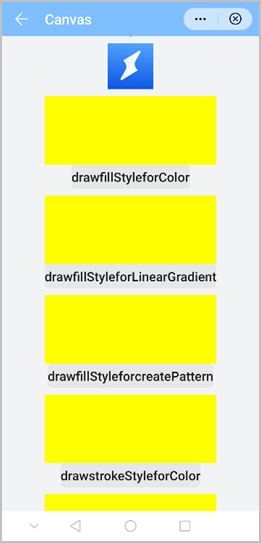
The following figure shows the final effect.
Version Change History
Version | Date | Description |
|---|---|---|
1060 | 2019-12-10 | Optimized the canvas shadow so it can be displayed in stroke mode. |
1050 | 2019-09-20 | Added the toTempFilePath method to export content in a specified area of the current canvas to an image of a specified size. |
1040 | 2019-06-24 | Added descriptions about getLineDash and how to use the image object to draw images. Deleted the x1, y1, and r1 parameters from createRadialGradient. |
1030 | 2018-10-31 | Released the first version. |