The basic power consumption quality test is applicable to scenarios requiring the power consumption quality and experience of HarmonyOS apps to meet the commercial use requirements and identifying obvious power consumption exceptions of apps. When an app is released, the app market will also perform a basic power consumption quality test to prevent the device from heating up quickly and shortening the battery life due to high power consumption after the app is released. Common tools include AppAnalyzer (Tools > AppAnalyzer in DevEco Studio) and DevEco Testing. You can conduct basic quality tests before releasing an app to improve the app release efficiency.
During app development, the following typical power consumption problems often occur due to factors such as untimely resource release or improper API usage.
- The resources used by the foreground invisible animation are not stopped in a timely manner. When the app animation is blocked or at the top of the screen, the app does not stop animation rendering in a timely manner.
- The CPU load of an app applying for a long-term task is greater than 80% when the app is in the background. During app development, the app fails to release system resources in a timely manner after applying for a long-term task and entering the background. For example, continuous printing of abnormal resources, along with multithreaded access to these resources, leads to high system load.
The basic quality test of app power consumption involves two scenarios: foreground and background power consumption control.
- The background scenario refers to the scenario where the app is not on the top of the device screen and users cannot directly view or perform operations. The app must meet the basic background power consumption experience requirements, such as proper use of Bluetooth, microphone, and positioning devices when the app is in the background, timely release of locked resources, and CPU load constraints when the app enters the background after applying for long-term or short-term tasks.
- The foreground scenario refers to the scenario where the app is on the top of the device screen and users can directly view and perform operations. The app must meet the basic foreground power consumption experience requirements, such as stopping refreshing invisible animations in a timely manner, correctly configuring app types for music and navigation, and correctly using the video hardware encoder of the platform.
The app power consumption test checks the power consumption control behavior of apps in the foreground and background. You can use the basic app power consumption quality test service provided by DevEco Testing to perform automatic detection. To ensure thorough coverage of the test in service scenarios, it is essential to log in to the app account and complete all necessary preset operations. The entire test process, including both foreground and background operations, should run continuously for at least 30 minutes.
After the test is complete, the power consumption test report is displayed, as shown in the following figure. The report objectively shows the overall compliance of foreground and background power consumption control rules.
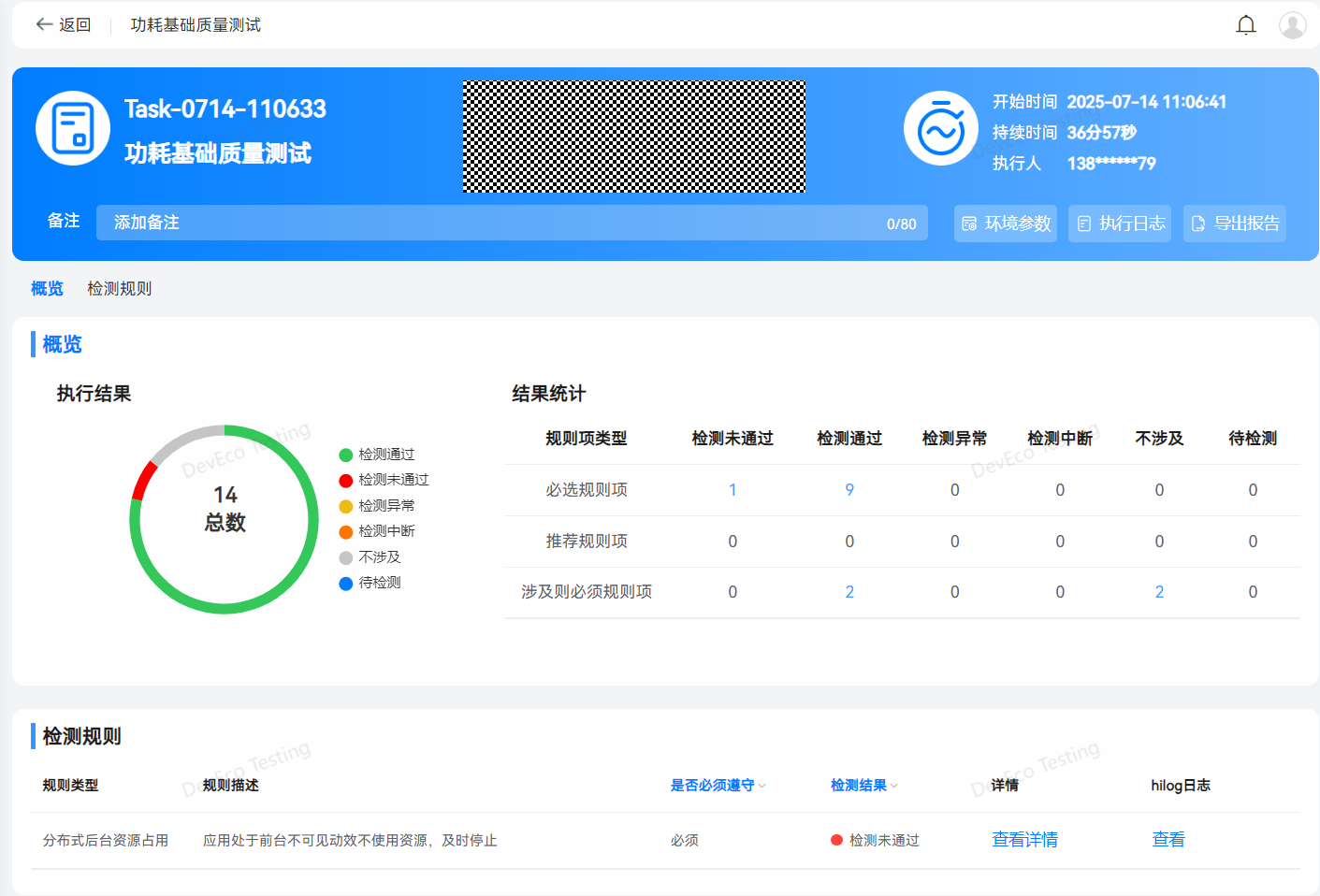
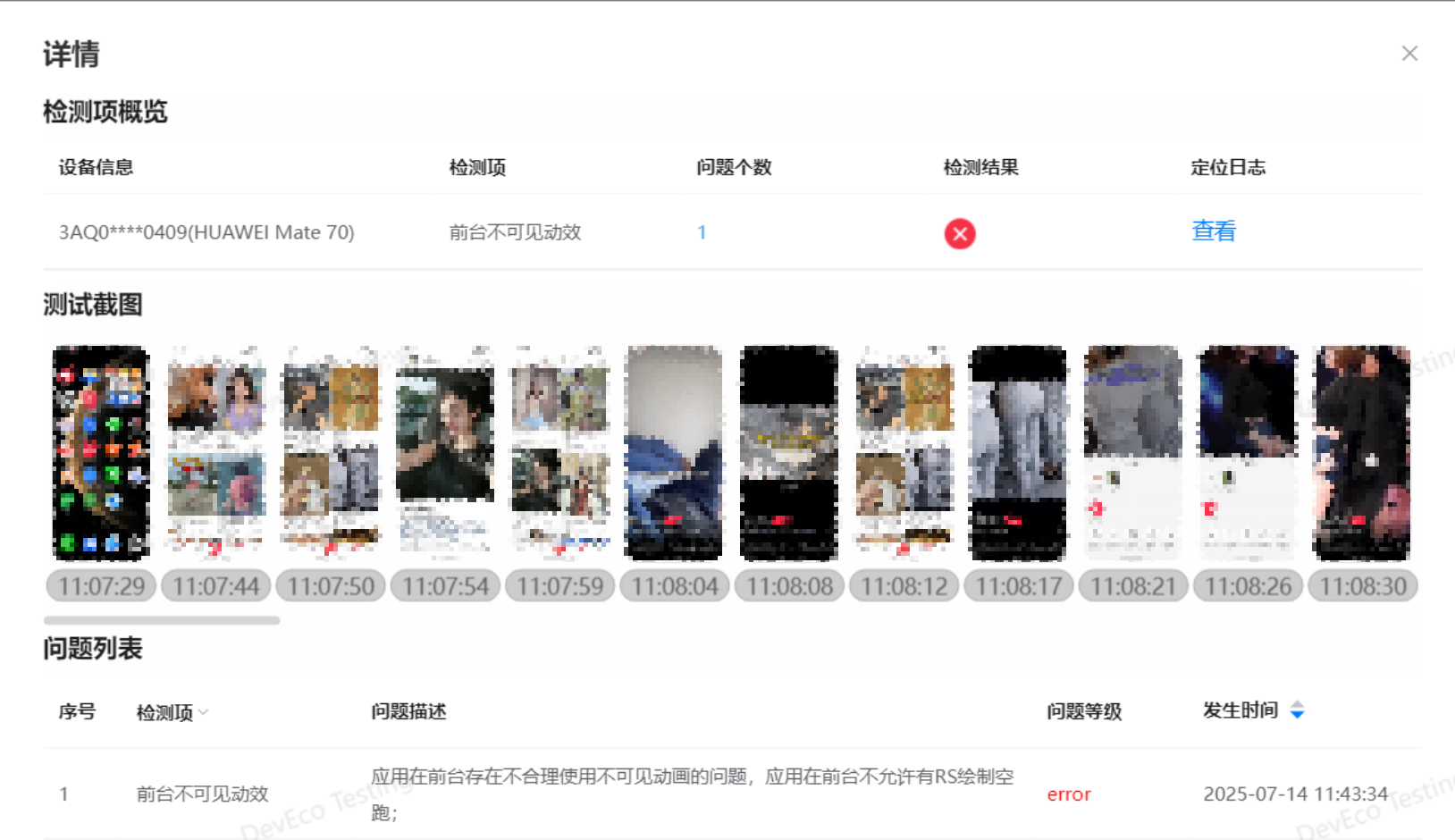
You can query the detailed test data and logs of the items that fail the check and the abnormal items. You can reproduce the problem based on the screenshots taken during the test and analyze and locate the problem based on the logs.

To ensure the accuracy and stability of the power consumption test, you need to clear background apps on the device and check whether the app account is logged in before the test. During the test, maintain a stable USB connection without interruption.