
Currently, all attributes of a user must be imported, rather than some of the attributes.
Function Overview
You can import custom user attributes to obtain specific user data, create audiences, and search for data in a report.
Typical Application Scenarios
- Label users based on custom attributes, for example, the member level in a game app or the total consumption amount in an e-commerce app, and view, edit, or report user attributes using the data management function.
- Call the API for importing custom user attributes to the cloud platform of Analytics Kit to meet more service needs.
- View analysis reports by custom user attribute.
- Label users using the custom attributes to create an audience and push messages to a specific audience.
Integration Guide

The imported custom user attributes can be viewed only after 09:00 on the next day.
[h2]Importing User Attributes by Integrating the SDK
You can import custom user attributes by integrating the Java SDK.
[h2]Importing User Attributes by Calling APIs
- Call the related API of the Account Kit server to obtain an app-level access token. For details, please refer to Client Credentials.
- Obtain the API access address. For details, please refer to Overview.
- Call the API for Importing Custom User Attributes.
- View statistics on the Overview page.
Procedure
- Go to Intelligent data access > On-cloud integration.
- Import custom user attributes by referring to Integration Guide.
- Check the on-cloud user attribute details, including the numbers of imported attributes, registered attributes, and unregistered attributes, as well as the list of imported attributes.
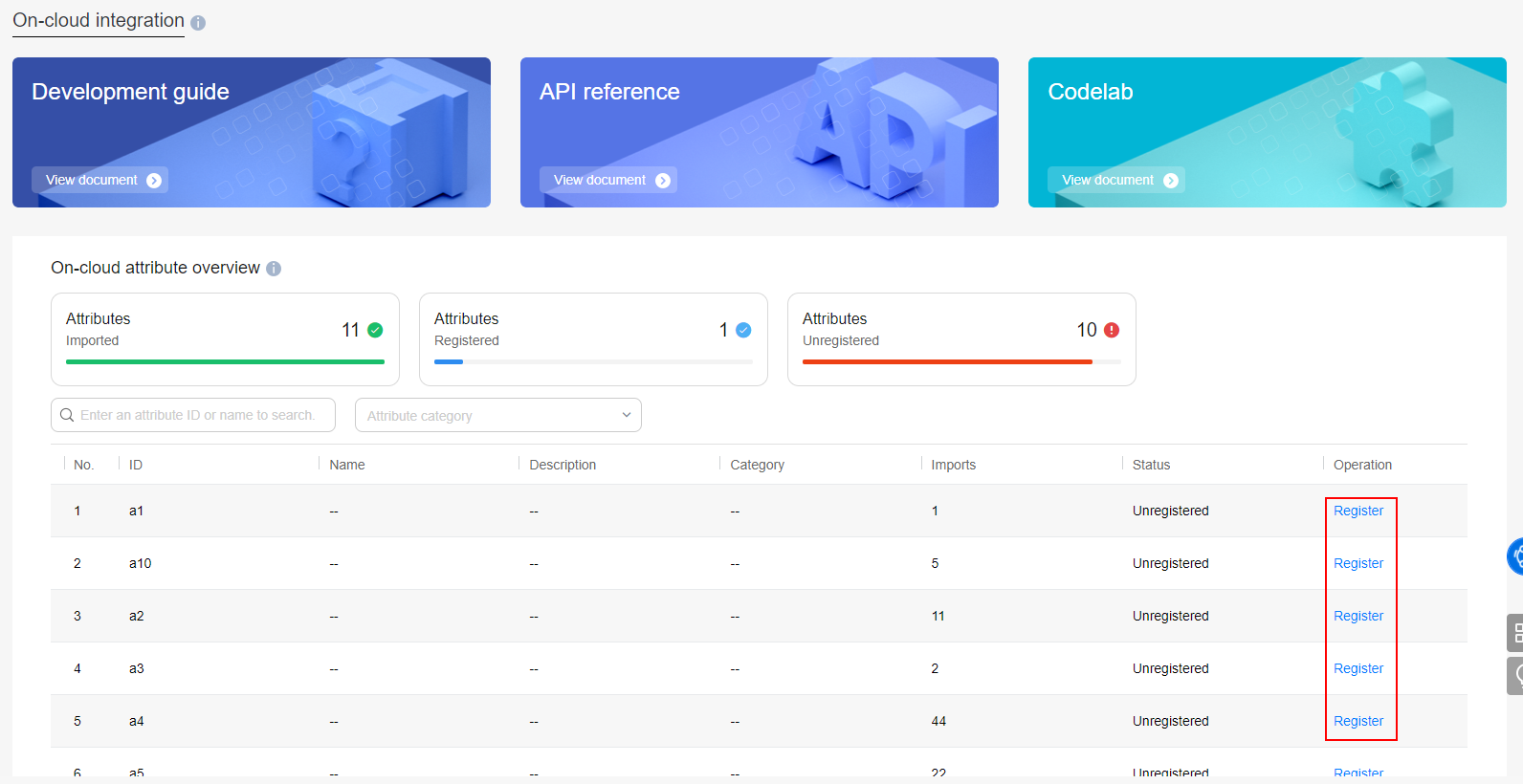
- Click Register to register a reported attribute. Only reported and registered attributes can be used by the cloud platform of Analytics Kit for further analysis. You can manage the registered attributes on the Attribute management tab page.
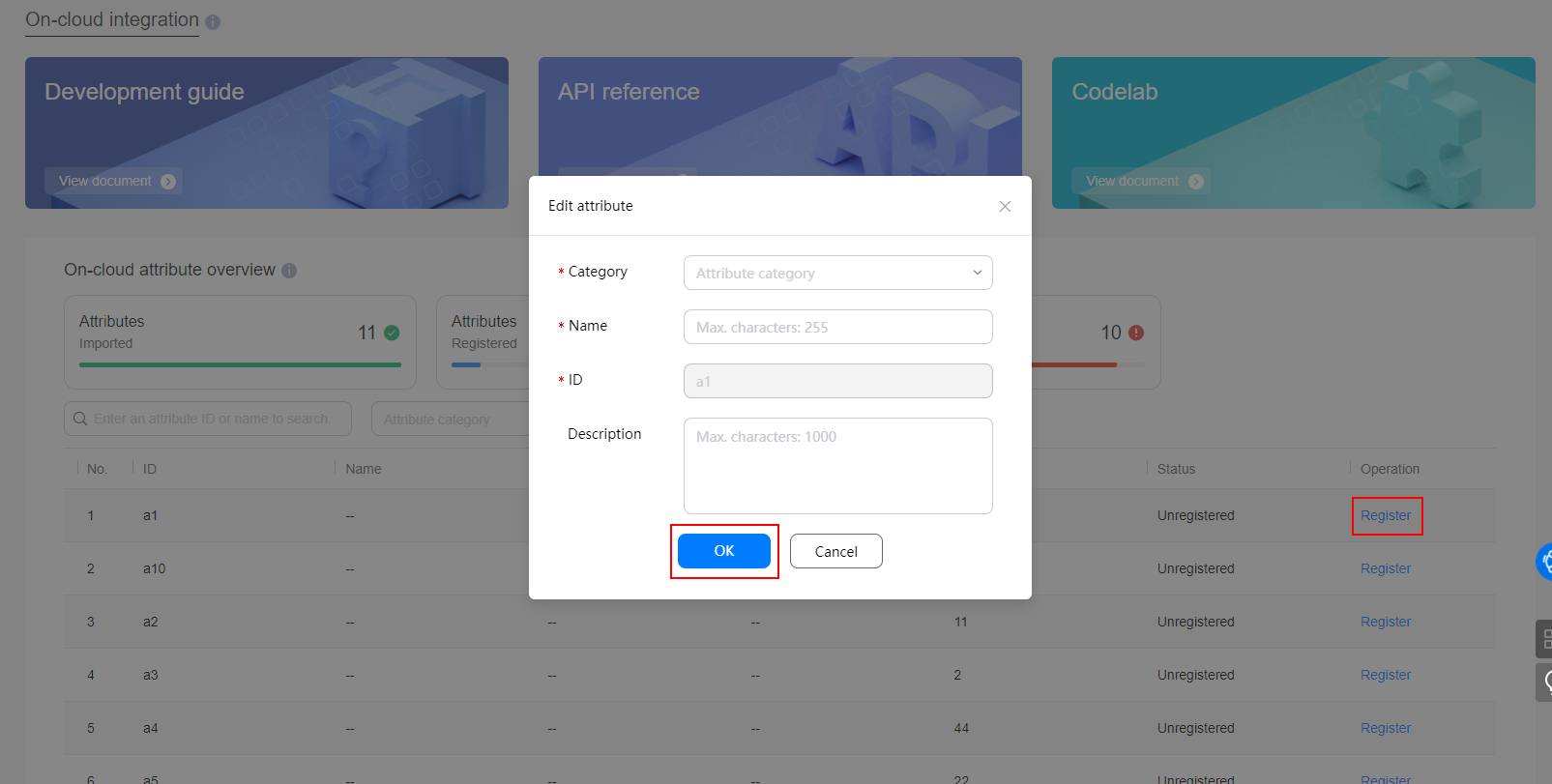
- Click OK.