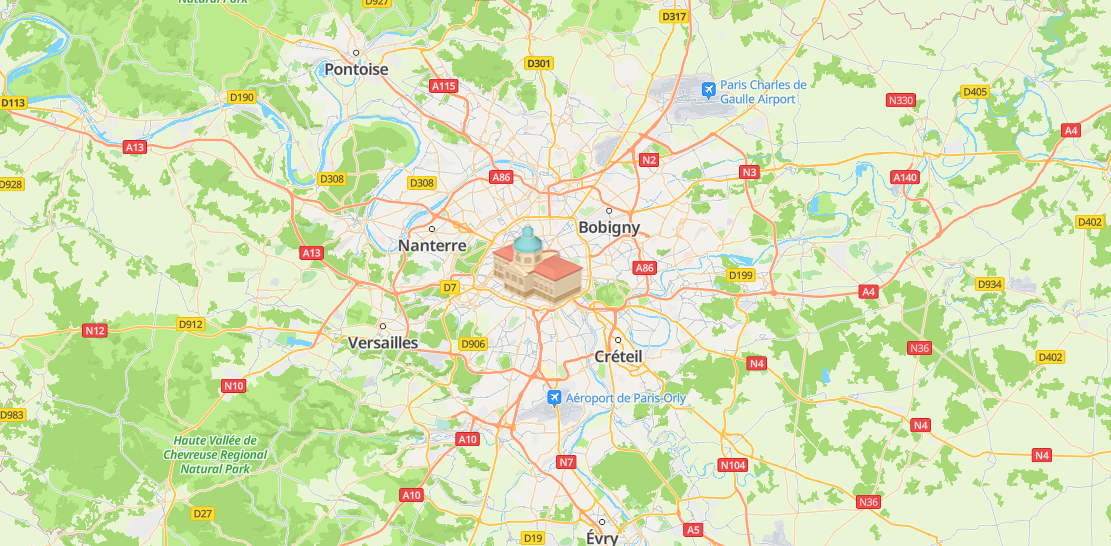
A ground overlay is an image fixed on a map.
Adding a Ground Overlay
Call the HWMapJsSDK.HWGroundOverlay(imageUrl, bounds, groundOverlayOptions) method to create a ground overlay on the map.
var map;
var mGroundOverlay;

function initMap() {
    var mapOptions = {};
    mapOptions.center = {lat: 48.856613, lng: 2.352222};
    mapOptions.zoom = 10;

    map = new HWMapJsSDK.HWMap(document.getElementById('map'), mapOptions);

    var imageBounds = {
        north: 48.902,
        south: 48.82,
        east: 2.42,
        west: 2.257,
    };

    mGroundOverlay = new HWMapJsSDK.HWGroundOverlay(
        // Path to a local image or the URL of an image.
        'covering.png',
        // Displayed fill area.
        imageBounds,
        {
            map: map,
            opacity: 1,
            zIndex: 1
        }
    );
} 
Removing a Ground Overlay
To remove a ground overlay from a map, call the setMap() method and pass null as a parameter of the method.
mGroundOverlay.setMap(null);
Note that the previous method cannot be used to delete a ground overlay. It simply removes the ground overlay from the map. To delete a ground overlay, you need to remove it from the map and set the ground overlay itself to null.
mGroundOverlay.setMap(null);
mGroundOverlay = null;
Modifying a Ground Overlay
Call methods provided by HWGroundOverlay to modify ground overlay attributes. For example, call the setUrl(url) method to modify the URL of the ground overlay.
<tr>
    <td>URL:</td>
    <td>
        <!-- Set value to a path to a local image or the URL of an image. -->
        <input id="urlInput" type="text" value="huawei_logo.png"/>
    </td>
</tr>
<script>
    var url = document.getElementById("urlInput").value;
    mGroundOverlay.setUrl(url);
</script>
The following table describes ground overlay attributes that can be customized. For details, please refer to HWGroundOverlay Methods.
| Attribute | Description |
|---|---|
| setBounds(bounds) | Sets the display scope of a ground overlay. |
| setOpacity(opacity) | Sets the transparency of a ground overlay. |
| setUrl(url) | Sets the image URL. |
| setMap(map) | Sets a map instance. |