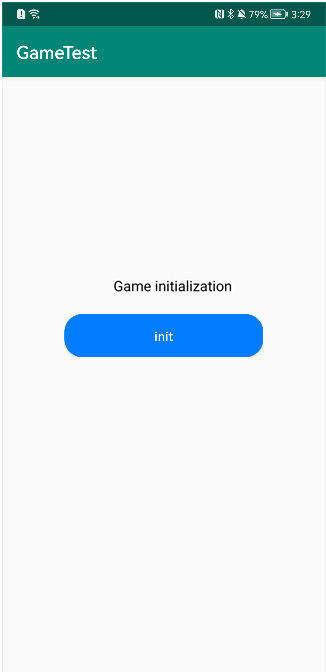
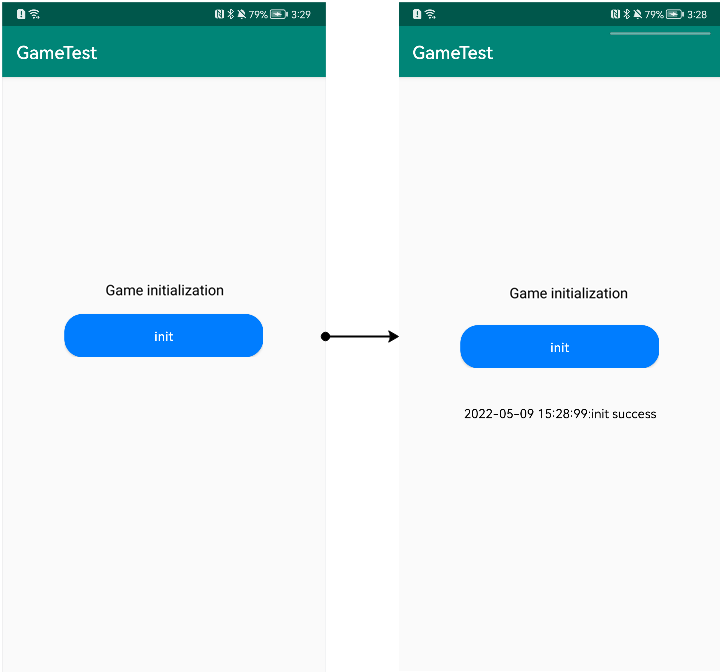
Before developing an app, you can experience the Game Service integration and development process via the demo provided in this section.
For details about the entire demo development process, please refer to this codelab.
Making Preparations in AppGallery Connect for App Development
Before developing an app, refer to Preparations in AppGallery Connect to configure related information in AppGallery Connect, including creating an app, configuring a signing certificate fingerprint, and enabling related services.
Integrating the HMS Core SDK
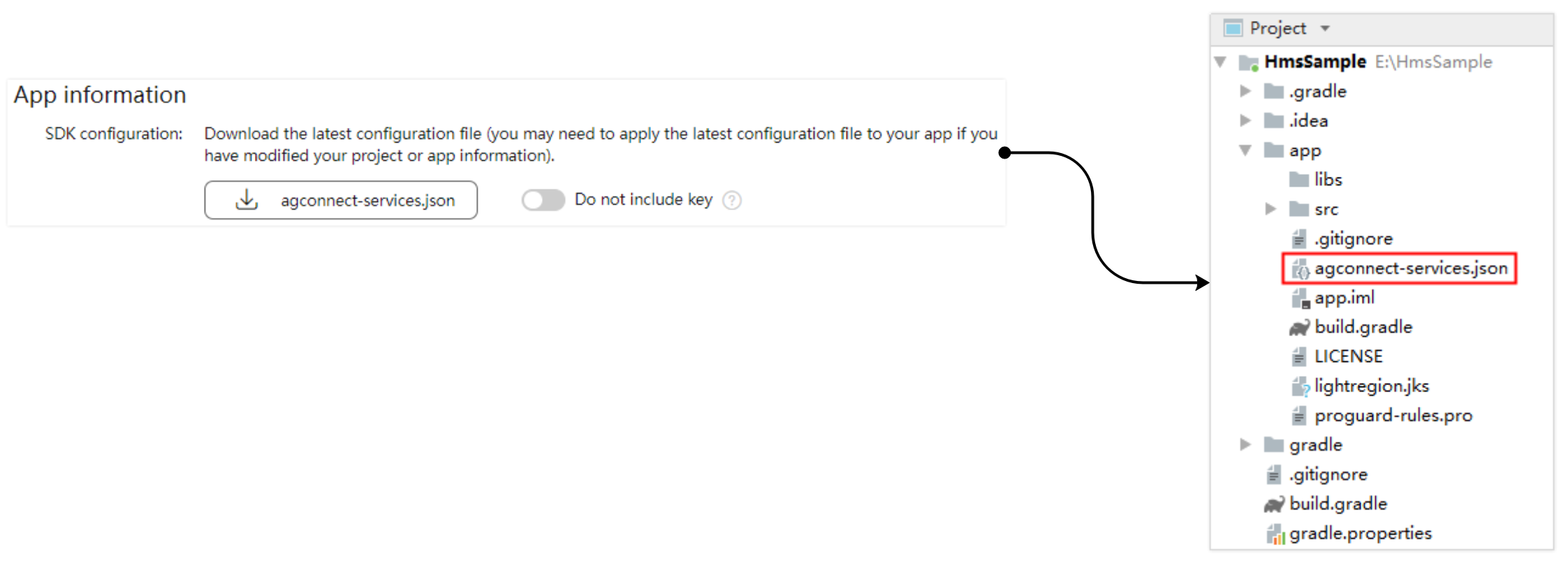
- Sign in to AppGallery Connect, download the agconnect-services.json file under Project settings > General information of the project of your app, and copy the file to your app's module directory.
- Configure the Maven repository address for the HMS Core SDK. The following uses Gradle 7.1 or later as an example:
- Open the Android Studio project-level build.gradle file and add the AppGallery Connect plugin configuration under .
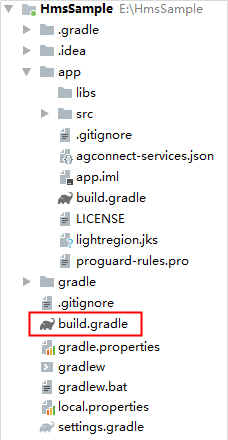
buildscript { dependencies { ... // Add the AppGallery Connect plugin configuration. You are advised to use the latest plugin version. classpath 'com.huawei.agconnect:agcp:1.6.0.300' } - Open the project-level settings.gradle file and configure the Maven repository address for the HMS Core SDK.
pluginManagement {
    repositories {
        gradlePluginPortal()
        google()
        mavenCentral()
        // Configure the Maven repository address for the HMS Core SDK.
        maven { url 'https://developer.huawei.com/repo/' }
    }
}
dependencyResolutionManagement {
    ...
    repositories {
        google()
        mavenCentral()
        // Configure the Maven repository address for the HMS Core SDK.
        maven { url 'https://developer.huawei.com/repo/' }
    }
}
- Open the Android Studio project-level build.gradle file and add the AppGallery Connect plugin configuration under .
- Add build dependencies.
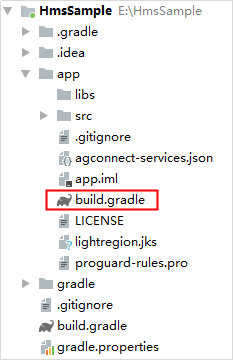
- Open the app-level build.gradle file and add the following build dependencies to the dependencies block:
dependencies {
     implementation 'com.huawei.hms:hwid:{version}'
     implementation 'com.huawei.hms:game:6.14.0.300'
}
hwid indicates Account Kit. Replace {version} with its latest version number. For details about its latest version number, please refer to Account Kit.
- Open the app-level build.gradle file and add the following build dependencies to the dependencies block:
- Add the AppGallery Connect plugin configuration in either of the following methods:
- Method 1: Add the following configuration under the declaration in the file header:
apply plugin: 'com.huawei.agconnect'
- Method 2: Add the plugin configuration in the plugins block.
plugins {
    id 'com.android.application'
    // Add the following configuration:
    id 'com.huawei.agconnect'
}
- Method 1: Add the following configuration under the declaration in the file header:
- After the preceding configuration is complete, click the synchronization icon on the toolbar to synchronize the build.gradle file and download the dependency file to the local PC.


If an error occurs, check the network connection and the configuration in the build.gradle files.
Developing Your Page
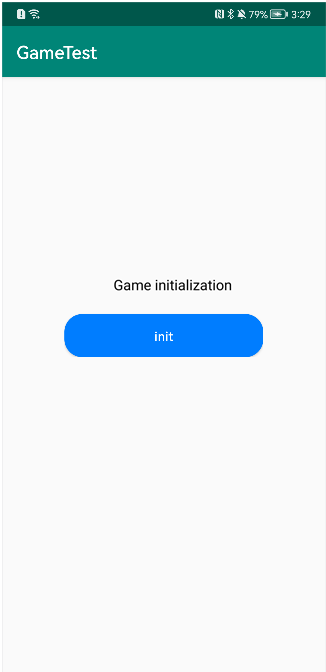
| Layout File Configuration | Preview |
|---|---|
<?xml version="1.0" encoding="utf-8"?>
<LinearLayout xmlns:android="http://schemas.android.com/apk/res/android"
  android:layout_width="match_parent"
  android:layout_height="match_parent"
  android:orientation="vertical">
 <LinearLayout
      android:layout_width="wrap_content"
      android:layout_height="wrap_content"
      android:layout_marginBottom="40dp"
      android:orientation="vertical">
      <TextView
          android:layout_width="match_parent"
          android:layout_height="wrap_content"
          android:gravity="center"
          android:layout_marginBottom="20dp"
            android:text="Game initialization"
          android:textColor="@color/hwid_auth_button_color_black"
          android:textSize="16sp" />
      <Button
          android:id="@+id/btn_init"
          android:layout_width="wrap_content"
          android:layout_height="wrap_content"
          android:background="@drawable/blue_bg_shape"
          android:paddingLeft="100dp"
          android:paddingRight="100dp"
          android:text="@string/init"
          android:textColor="@color/color_white" />
  </LinearLayout>
  <LinearLayout
      android:layout_width="match_parent"
      android:layout_height="wrap_content"
      android:orientation="horizontal">
      <ScrollView
          android:id="@+id/sv_log"
          android:layout_width="match_parent"
          android:layout_height="match_parent">
          <TextView
              android:id="@+id/tv_log"
              android:layout_width="wrap_content"
              android:layout_height="match_parent"
              android:gravity="center"
              android:textColor="#000000"
              android:paddingBottom="30dp"/>
      </ScrollView>
  </LinearLayout>
</LinearLayout> |
|
Calling the Game Service Initialization API
Add the following code to the first activity for app launch:
public void init() {
  AccountAuthParams params = AccountAuthParams.DEFAULT_AUTH_REQUEST_PARAM_GAME;
  JosAppsClient appsClient = JosApps.getJosAppsClient(this);
  Task<Void> initTask;
        // Set the game addiction prevention message context, which is mandatory.
  ResourceLoaderUtil.setmContext(this);
  initTask = appsClient.init(
          new AppParams(params, new AntiAddictionCallback() {
              @Override
              public void onExit() {
                  // System.exit(0);
                        // The callback is returned in either of the following cases:
                        // 1. If a minor who has passed identity verification signs in to your game beyond the allowed time period, Game Service will display a pop-up, indicating that the player is currently not allowed to enter the game, and the player has to tap OK.
                        // 2. A minor who has passed identity verification signs in to your game within the allowed time period. If the player is still playing the game at 21:00, Game Service notifies the player that the allowed time is used up, and the player has to tap OK.
                        // Implement the game addiction prevention function including saving the game progress and calling the account sign-out API or exiting the game process using System.exit(0).
              }
          }));
  initTask.addOnSuccessListener(new OnSuccessListener<Void>() {
      @Override
      public void onSuccess(Void aVoid) {
          showLog("init success");
      }
  }).addOnFailureListener(
          new OnFailureListener() {
              @Override
              public void onFailure(Exception e) {
                  if (e instanceof ApiException) {
                      ApiException apiException = (ApiException) e;
                      int statusCode = apiException.getStatusCode();
                            // Result code 7401 indicates that the user does not agree to Huawei's joint operations privacy agreement.
                      if (statusCode == JosStatusCodes.JOS_PRIVACY_PROTOCOL_REJECTED) {
                          showLog("has reject the protocol");
                                // Exit the game or re-call the initialization API.
                      }
                            // Process other result codes.
                  }
              }
          });
}