Q:对于文件下载并分享给三方,是应用开发过程中常见的一类场景,那么,如何实现文件下载并打开分享功能呢?
A:实现文件下载并打开分享功能可参考如下流程进行:
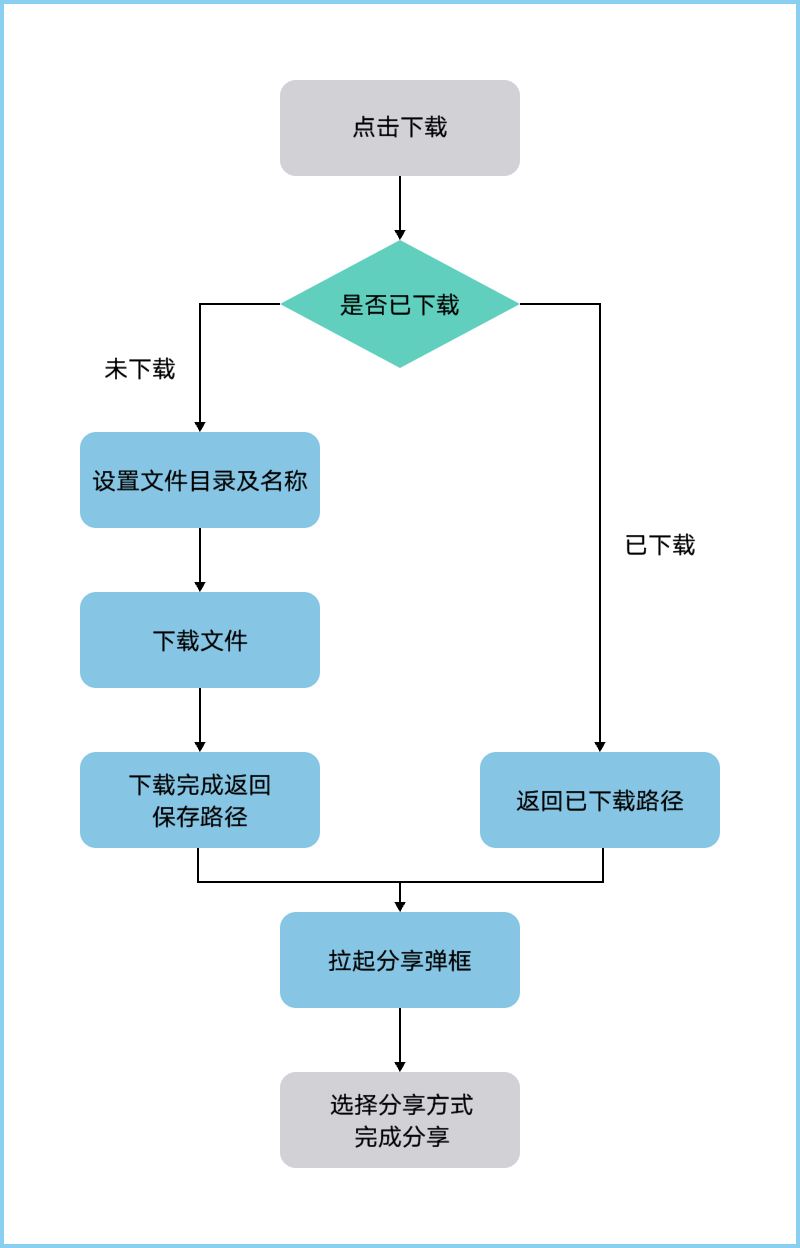
- 可根据业务需要自行确定文件的下载路径,以下是创建待下载文件沙箱保存路径样例:
// 创建/down_export目录 aboutToAppear(): void { let context = this.getUIContext().getHostContext() as common.UIAbilityContext; let cacheDir = context.cacheDir; this.dirPath = cacheDir + '/down_export'; fs.mkdir(this.dirPath).then(() => { console.info('mkdir succeed'); }).catch((err: BusinessError) => { console.error(`mkdir failed with error message: ${err.message}, error code: ${err.code}`); }); // 文件名称、文件所在的沙箱路径 } - 可根据业务需要对下载文件进行命名,以下是获取当前时间,使用当前时间和文件后缀命名文件:
//获取当前时间 getTime() { let date = new Date(); let year = date.getFullYear(); // 月份从0开始,所以需要加1 let month = date.getMonth() + 1; let day = date.getDate(); let hour = date.getHours(); let minute = date.getMinutes(); let seconds = date.getSeconds(); this.fileName = `${year}${month}${day}${hour}${minute}${seconds}.pdf`; } - 拉起分享页面:
//调起分享页面 shareData(context: common.UIAbilityContext, uri: string) { let data: systemShare.SharedData = new systemShare.SharedData({ utd: utd.UniformDataType.PDF, content: this.fileName, uri: uri }); let controller: systemShare.ShareController = new systemShare.ShareController(data); controller.on('dismiss', () => { // 分享结束,可处理其他业务。 }); // 进行分享面板显示 controller.show(context, { previewMode: systemShare.SharePreviewMode.DETAIL, selectionMode: systemShare.SelectionMode.SINGLE }); } - 下载文件并分享文件:
downLoad2Share() {
    // 获取UIContext
    const uiContext = this.getUIContext();
    // 通过UIContext获取PromptAction实例
    const promptAction = uiContext.getPromptAction();
    let context = uiContext.getHostContext() as common.UIAbilityContext;
    this.getTime();
    this.filePath = this.dirPath + '/' + this.fileName;
    try {
      // 判断是否已下载过文件
      let res = fs.accessSync(this.filePath);
      if (res) {
        promptAction.showToast({
          message: '文件已存在'
        });
        let uri = fileUri.getUriFromPath(this.filePath);
        this.shareData(context, uri);
      } else {
        // 此处地址实际使用过程中替换为真实地址
        let url = 'xx://xx.xx.xx/xxxx.pdf';
        // 下载文件
        request.downloadFile(context, {
          // 替换下载地址
          url: url,
          // 文件下载后保存的沙箱路径
          filePath: this.filePath
        }).then((downloadTask: request.DownloadTask,) => {
          let progressCallback = (receivedSize: number, totalSize: number) => {
            this.progress = ((receivedSize / totalSize) * 100).toFixed(2);
            promptAction.showToast({
              message: `下载进度:${this.progress}%`,
              duration: this.showProgress,
            });
          };
          downloadTask.on('progress', progressCallback);
          // 开启回调
          downloadTask.on('complete', () => {
            this.showProgress = 0;
            let uri = fileUri.getUriFromPath(this.filePath);
            promptAction.showToast({
              message: `下载完成,存储目录:${uri}`
            });
            this.shareData(context, uri);
          });
        }).catch((err: BusinessError) => {
          // 下载请求失败回调,可以弹窗提示失败
          if (err.code == 13900015) {
            console.info('目录已存在');
          } else {
            console.info(JSON.stringify(err));
          }
        });
      }
    } catch (error) {
      // 下载请求失败回调,可以弹窗提示失败
      let err: BusinessError = error as BusinessError;
      console.error(`Invoke downloadTask downloadFile failed, code is ${err.code}, message is ${err.message}`);
    }
  }
完整代码如下:
downLoad2Share() {
    // 获取UIContext
    const uiContext = this.getUIContext();
    // 通过UIContext获取PromptAction实例
    const promptAction = uiContext.getPromptAction();
    let context = uiContext.getHostContext() as common.UIAbilityContext;
    this.getTime();
    this.filePath = this.dirPath + '/' + this.fileName;
    try {
      // 判断是否已下载过文件
      let res = fs.accessSync(this.filePath);
      if (res) {
        promptAction.showToast({
          message: '文件已存在'
        });
        let uri = fileUri.getUriFromPath(this.filePath);
        this.shareData(context, uri);
      } else {
        // 此处地址实际使用过程中替换为真实地址
        let url = 'xx://xx.xx.xx/xxxx.pdf';
        // 下载文件
        request.downloadFile(context, {
          // 替换下载地址
          url: url,
          // 文件下载后保存的沙箱路径
          filePath: this.filePath
        }).then((downloadTask: request.DownloadTask,) => {
          let progressCallback = (receivedSize: number, totalSize: number) => {
            this.progress = ((receivedSize / totalSize) * 100).toFixed(2);
            promptAction.showToast({
              message: `下载进度:${this.progress}%`,
              duration: this.showProgress,
            });
          };
          downloadTask.on('progress', progressCallback);
          // 开启回调
          downloadTask.on('complete', () => {
            this.showProgress = 0;
            let uri = fileUri.getUriFromPath(this.filePath);
            promptAction.showToast({
              message: `下载完成,存储目录:${uri}`
            });
            this.shareData(context, uri);
          });
        }).catch((err: BusinessError) => {
          // 下载请求失败回调,可以弹窗提示失败
          if (err.code == 13900015) {
            console.info('目录已存在');
          } else {
            console.info(JSON.stringify(err));
          }
        });
      }
    } catch (error) {
      // 下载请求失败回调,可以弹窗提示失败
      let err: BusinessError = error as BusinessError;
      console.error(`Invoke downloadTask downloadFile failed, code is ${err.code}, message is ${err.message}`);
    }
  }
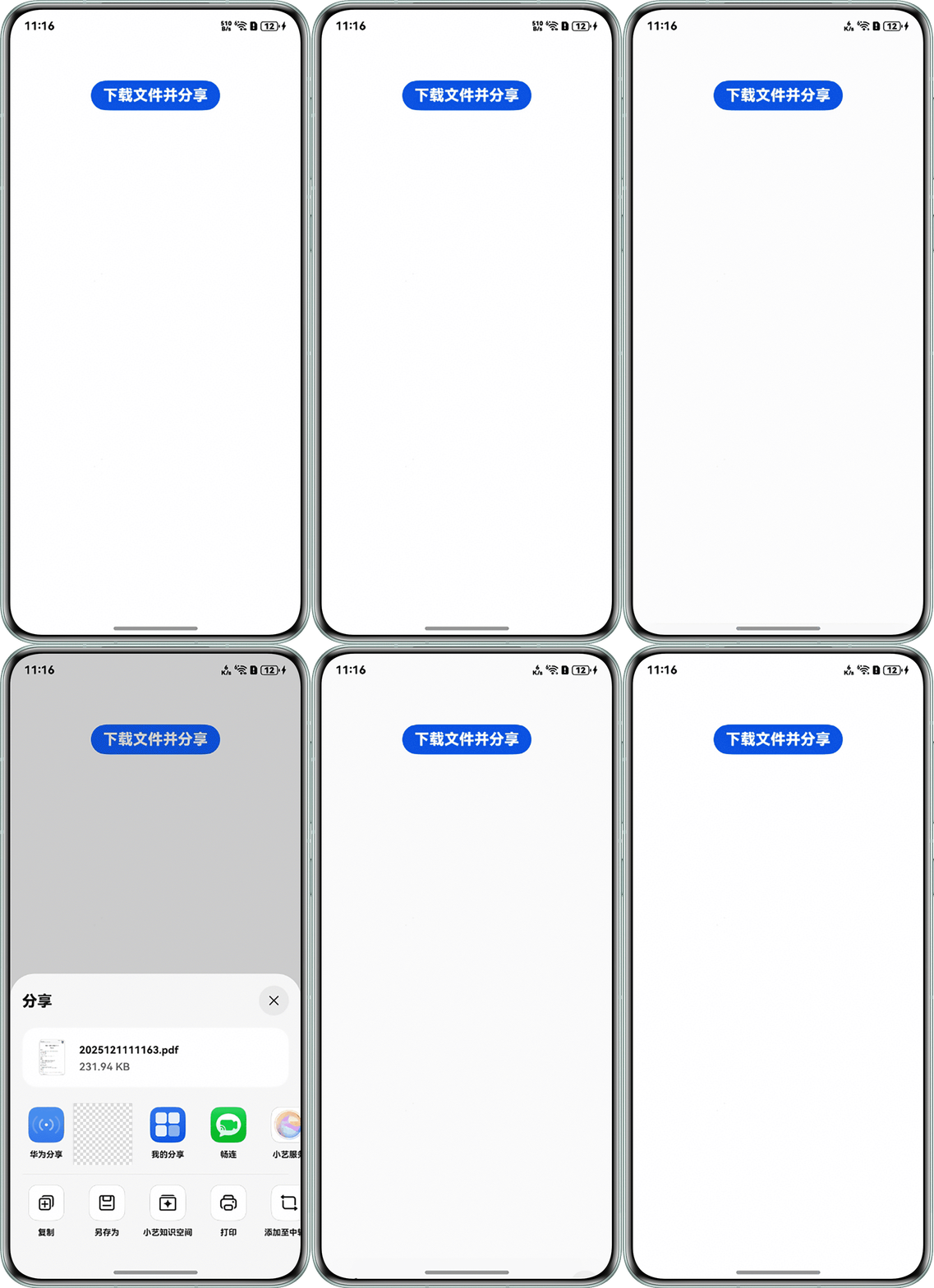
实现效果:
Q:文件下载到沙箱失败,报错Invoke downloadFile failed,code is 13400003。
A:在使用request.downloadFile()接口时,需要保证存储下载文件的父级路径必须存在。
Q:使用request.downloadFile()下载文件,使用的非文件后缀结尾的url,下载成功后文件无法查看。
A:使用request.downloadFile()下载后的沙箱文件默认文件名从url的最后一个"/"后截取,使用非文件后缀结尾的url则下载后的沙箱文件不是一个正常的文件名,故无法正常查看。可以在下载任务的配置信息DownloadConfig中设置下载路径filePath,示例代码如下:
import { request } from '@kit.BasicServicesKit';
import { common } from '@kit.AbilityKit';

@Entry
@Component
struct Page {
  private context = this.getUIContext().getHostContext() as common.UIAbilityContext;

  build() {
    RelativeContainer() {
      Button('点击下载')
        .onClick(() => {
          request.downloadFile(this.context, {
            url: 'https://xxx/test.pdf?parama=a',
            filePath: this.context.cacheDir + '/test.pdf',
            header: {
              'User-Agent': '',
            },
          }).then((data: request.DownloadTask) => {
            console.info('data=', data);
          });
        });
    }
    .height('100%')
    .width('100%');
  }
}
Q:使用request.downloadFile下载文件失败后,fs.accessSync判断文件是否存在仍返回true,如何避免误判?
A:request.downloadFile在开始下载时可能会先创建目标文件(或临时文件),若下载中途失败(如网络中断、服务器错误),该文件可能已存在但内容不完整,fs.accessSync不会抛出异常,导致误判文件存在。建议在下载失败的回调中删除该不完整文件,或在下载完成时校验文件大小来确认文件完整性。
Q:下载文件保存到沙箱后,调起分享另存为到本地目录,文件大小为0,如何解决?
A:拼接文件沙箱路径时,若文件名前多了一个"/"(如dirPath + '/' + '/' + fileName),虽然在沙箱中可以正常读写,但分享时无法正常将文件保存或分享给其他应用,导致文件大小为0。应确保路径中文件名前只有一个"/",正确写法为dirPath + '/' + fileName。