背景知识
- 当开发者希望给自定义组件添加独特的行为或功能时,比如在一个特定的自定义组件实例中实现点击跳转的功能,可能会遇到这样的问题:直接将这个行为绑定在组件内部会导致所有该组件的实例都具备此功能,而这往往不是我们所期望的。为了解决这个问题并提供更灵活的定制选项,ArkUI引入了@BuilderParam装饰器。
- @BuilderParam用于装饰指向@Builder方法的变量,开发者可以在初始化自定义组件时,使用不同的方式(如参数修改、尾随闭包、借用箭头函数等)对@BuilderParam装饰的自定义构建函数进行传参赋值。在自定义组件内部,通过调用@BuilderParam为组件增加特定功能。
解决方案
- 场景一:@Builder局部自定义构建函数的传递与接收。
- 在自定义组件中,this指代当前所属组件,组件的状态变量可在自定义构建函数内访问。建议通过this访问组件的状态变量,而不是通过参数传递。
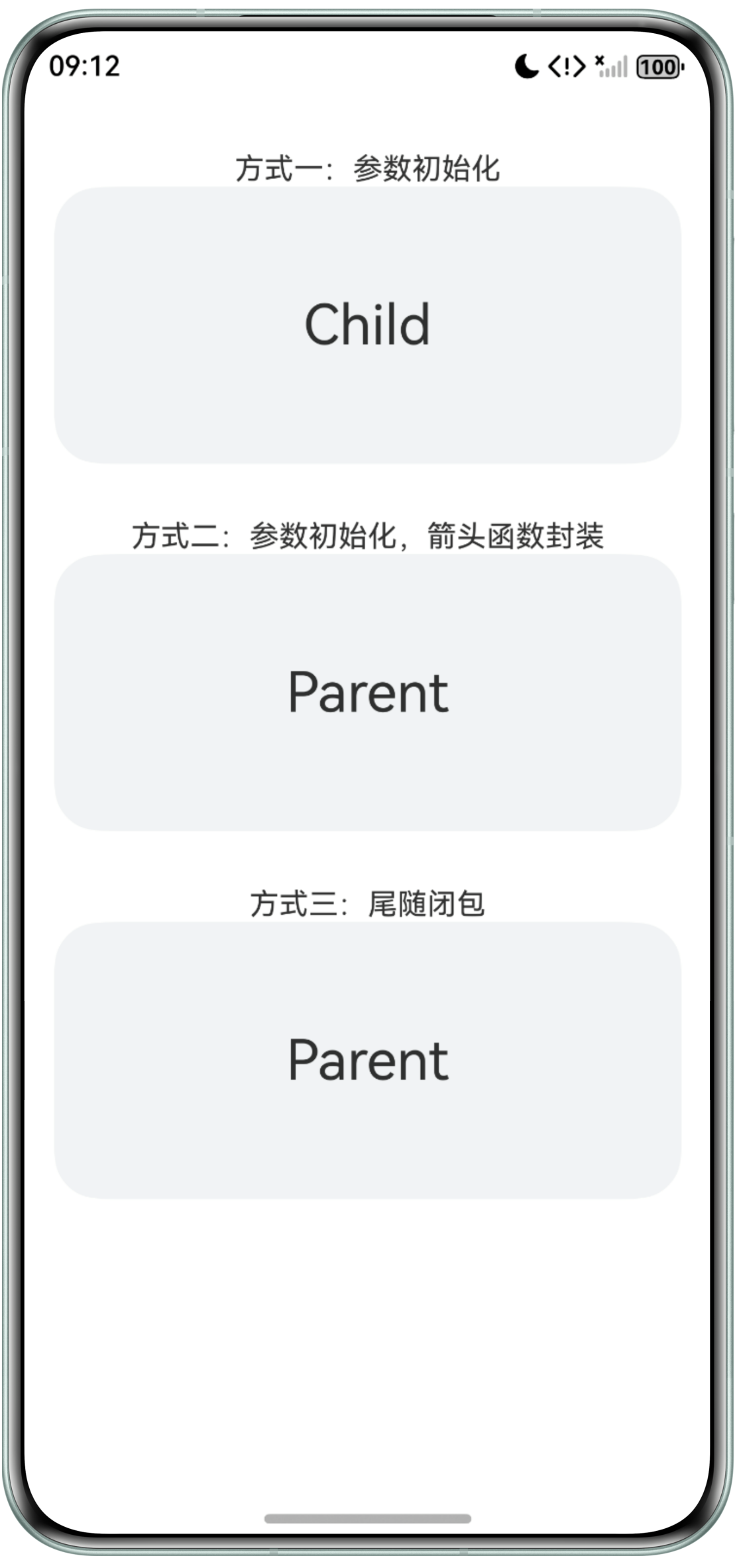
- 当局部自定义构建函数传递方式不一样时,其this指针的指向也不一致。
@Component
struct SceneOneChild {
  message: string = 'Child';

  @Builder
  customBuilder() {
  }

  @BuilderParam customBuilderParam: () => void = this.customBuilder;

  build() {
    Column() {
      this.customBuilderParam();
    }
    .width('100%')
    .height('20%');
  }
}

@Entry
@Component
struct SceneOneParent {
  message: string = 'Parent';

  @Builder
  componentBuilder() {
    Column() {
      Text(this.message)
        .fontSize(30);
    }
    .width('90%')
    .height('100%')
    .borderRadius(25)
    .justifyContent(FlexAlign.Center)
    .backgroundColor('#f1f3f5');
  }

  build() {
    Column() {
      Text('方式一:参数初始化')
        .margin({ top: 30 });
      // 参数初始化子组件
      SceneOneChild({ customBuilderParam: this.componentBuilder });
      Text('方式二:参数初始化,箭头函数封装')
        .margin({ top: 30 });
      // 参数初始化子组件,且通过箭头函数传递
      SceneOneChild({
        customBuilderParam: () => {
          this.componentBuilder();
        }
      });
      Text('方式三:尾随闭包')
        .margin({ top: 30 });
      // 尾随闭包初始化子组件
      SceneOneChild() {
        this.componentBuilder();
      };
    };
  }
}
效果预览:
- 场景二:@Builder全局自定义构建函数的传递与接收。
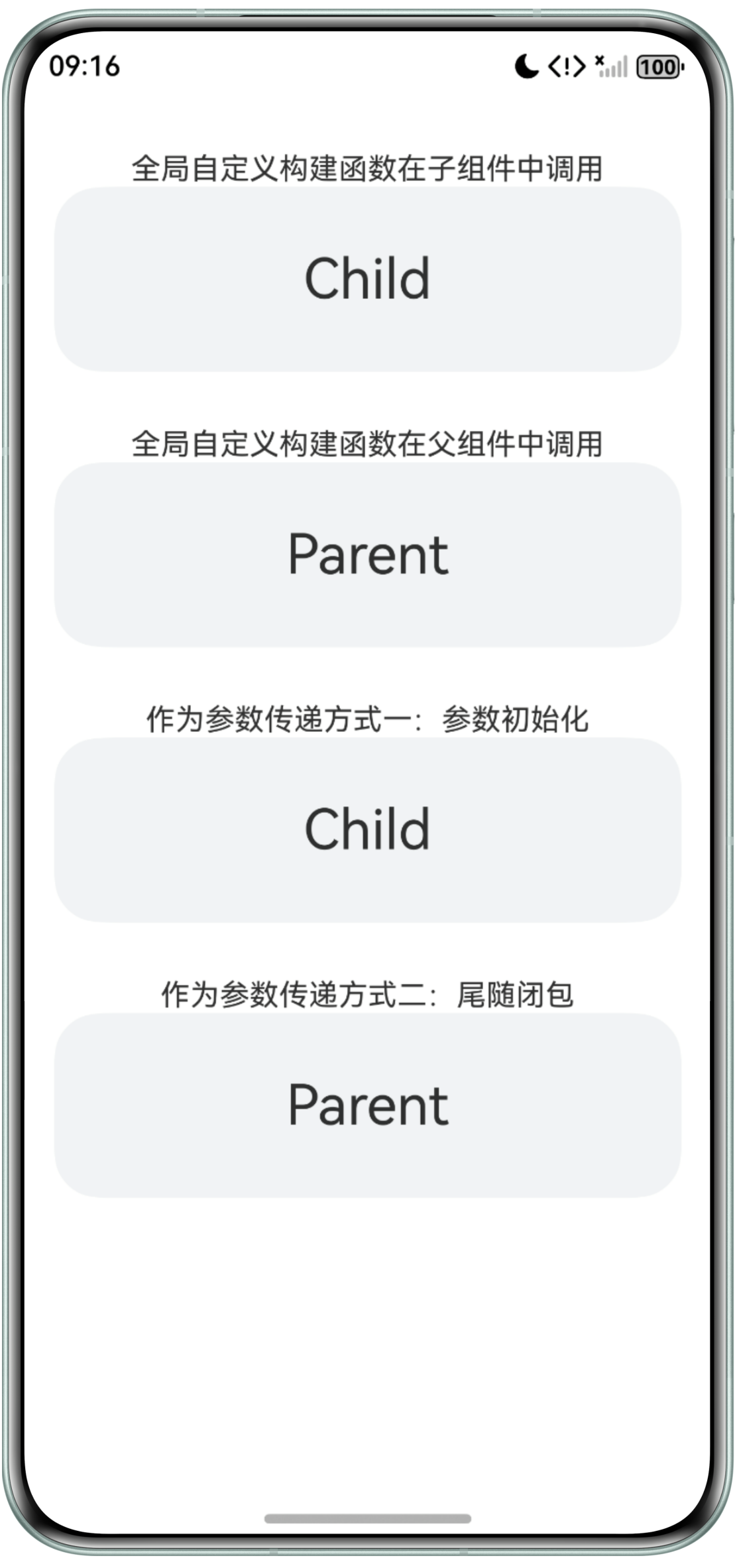
- 全局自定义构建函数不支持参数初始化的箭头函数方式,同时由于其是全局自定义的构建函数,所以只要导入了该函数,就可以实现调用,而不必通过子组件@BuilderParam装饰器接收的方式实现。
- 由于全局自定义函数定义在自定义组件外,所以不支持this指针调用状态变量,必须使用传参的方式,传入Text组件文本。
@Component
struct SceneTwoChild {
  message: string = 'Child';

  @Builder
  customBuilder() {
  }

  @BuilderParam customBuilderParam: (message: string) => void = this.customBuilder; // 定义参数

  build() {
    Column() {
      this.customBuilderParam(this.message);
    }
    .width('100%')
    .height(100);
  }
}

@Component
struct SceneTwoExample {
  message: string = 'Child';

  build() {
    Column() {
      // 无需传递,可直接调用
      componentBuilder(this.message);
    }
    .width('100%')
    .height(100);
  }
}

@Builder
function componentBuilder(message: string) {
  Column() {
    Text(message)
      .fontSize(30);
  }
  .width('90%')
  .height(100)
  .borderRadius(25)
  .justifyContent(FlexAlign.Center)
  .backgroundColor('#f1f3f5');
}

@Entry
@Component
struct SceneTwoParent {
  message: string = 'Parent';

  build() {
    Column() {
      // 全局自定义构建函数除了可以参数传递外,还可以直接全局调用
      Text('全局自定义构建函数在子组件中调用')
        .margin({ top: 30 });
      SceneTwoExample();
      Text('全局自定义构建函数在父组件中调用')
        .margin({ top: 30 });
      componentBuilder(this.message);
      Text('作为参数传递方式一:参数初始化')
        .margin({ top: 30 });
      // 参数初始化子组件
      SceneTwoChild({ customBuilderParam: componentBuilder });
      Text('作为参数传递方式二:尾随闭包')
        .margin({ top: 30 });
      // 尾随闭包初始化子组件
      SceneTwoChild() {
        componentBuilder(this.message);
      };
    };
  }
}
效果预览:
常见FAQ
Q:@Builder和@BuilderParam这两个装饰器的区别是什么?
A:@Builder是HarmonyOS中用于定义可复用UI组件的装饰器,可以将一段UI逻辑封装成一个方法,方便在多个地方调用,而@BuilderParam是用于装饰指向@Builder方法的变量,开发者可以在初始化自定义组件时,使用不同的方式(例如:参数初始化、尾随闭包、箭头函数等)对@BuilderParam装饰的自定义构建函数进行传参赋值。传递方式参考正文内容。
Q:@BuilderParam有哪些使用限制?
A:主要有以下几点限制:
- @BuilderParam装饰的变量只能使用@Builder装饰的函数来进行初始化。
- 当@Require装饰器和@BuilderParam装饰器一起使用的时候,@BuilderParam装饰器必须进行初始化。
- 在自定义组件尾随闭包的场景下,子组件有且仅有一个@BuilderParam用来接收此尾随闭包,且此@BuilderParam不能有参数。
Q:自定义组件@BuilderParam以参数初始化的方式添加子组件时可以链式调用属性;以尾随闭包的方式添加子组件时,链式调用属性时,为什么编译错误?
A:以尾随闭包的方式添加子组件不支持通用属性设置,详见官方文档说明:尾随闭包初始化组件。
Q:如何自定义属性方法?
A:通常@Component修饰的自定义组件,都是一个较为完整的UI单元,内部结构比较固定,更为细致的划分,可以考虑使用@Builder装饰器,将相似的UI部分封装成一个自定义构建方法,以实现复用。实现方式参考正文内容。
总结
根据上述场景,总结传递自定义构建函数的注意事项如下:
传递方式 | 局部自定义构建函数 | 全局自定义构建函数 |
|---|---|---|
参数初始化 |
|
|
参数初始化-箭头函数 | 若@Builder内需要使用UI变量时,可以直接采用this指针调用,传入的变量为父组件的变量。 | / |
尾随闭包 |
|
|
尾随闭包的传递方式存在一定的限制,建议优先使用参数初始化和箭头函数的方式实现Builder函数的传递。