问题现象
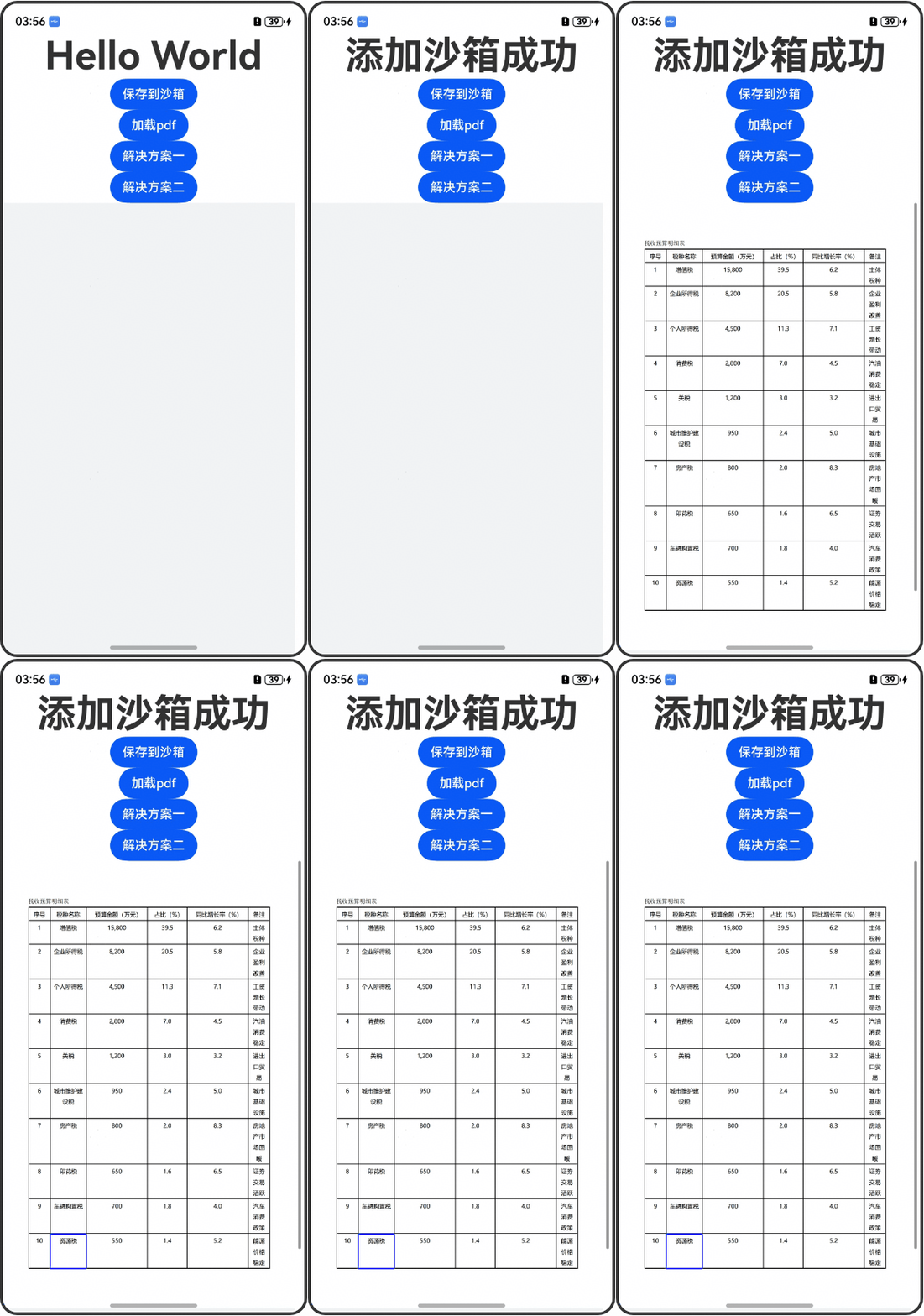
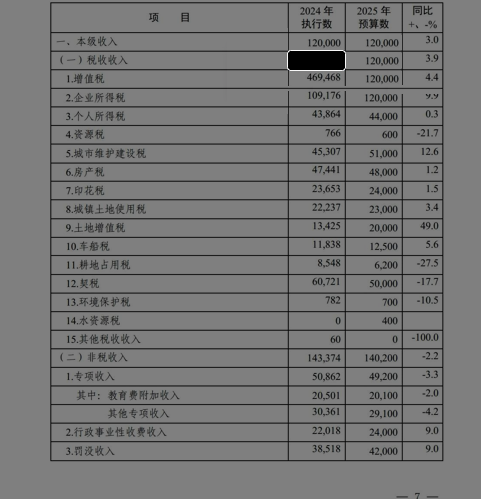
使用下面代码添加SquareAnnotationInfo标注,设置fillColor实际渲染效果一直是黑色的,无法修改,详情请看截图。
 private controller: pdfViewManager.PdfController = new pdfViewManager.PdfController();
 private pdfDocument = new pdfService.PdfDocument();

  async loadPDF(pdfUrl: string) {
    FileDownloadManager.getInstance().download(pdfUrl, FILE_DOWNLOAD_DIR, this.fileName, {
      onStart: () => {
      },
      onComplete: async (fileEntity) => {
        fileEntity.downloadType = 'pdf';
        DatabaseManager.getInstance().insertFileDownloadTable(fileEntity);
        this.controller.registerPageCountChangedListener((pageCount: number) => {
          console.info(`registerPageCountChanged- ${JSON.stringify(pageCount)}`);

        });

        await this.addAnnotation(fileEntity.filePath);
        let loadResult: pdfService.ParseResult = await this.controller.loadDocument(fileEntity.filePath ?? '');
        if (pdfService.ParseResult.PARSE_SUCCESS === loadResult) {
          this.controller.goToPage(this.pageNum);
        }
      },
      onFail: (error) => {

      }
    })
  }

  async addAnnotation(filePath?: string) {
    try {
      let tempDir = this.context.tempDir;

      let tempFilePath = tempDir + `/temp${Math.random()}.pdf`;
      fileIo.copyFileSync(filePath, tempFilePath);

      let loadResult = this.pdfDocument.loadDocument(tempFilePath, '');
      if (pdfService.ParseResult.PARSE_SUCCESS === loadResult && this.pageNum > 0) {
        let pdfPage: pdfService.PdfPage = this.pdfDocument.getPage(this.pageNum - 1);

        let top = this.positionMap['top32'];
        let left = this.positionMap['left32'];
        let width = this.positionMap['width'];
        let height = this.positionMap['height'];

        let aInfo = new pdfService.SquareAnnotationInfo();
        aInfo.top = top;
        aInfo.left = left;
        aInfo.right = left + width;
        aInfo.bottom = top + height;

        aInfo.lineColor = 0xFF0000;
        aInfo.fillColor = 0x00FF00;

        pdfPage.addAnnotation(aInfo);

        this.pdfDocument.saveDocument(filePath);
      }
    } catch (e) {

    }
  }
效果图:
背景知识
- 在PDF中可以添加SquareAnnotationInfo标注并设置背景填充颜色。
- PDF服务添加批注方法addAnnotation。
- pdfService提供了很多种添加批注的类,但是目前没有直接添加边框的方法,可以使用LineAnnotationInfo线型标注信息类来实现添加边框的效果。
解决方案
首先点击保存到沙箱按钮(通过fs.writeSync写入),保存的沙箱地址为'/data/storage/el2/base/haps/entry/temp/test.pdf',保存成功Hello World信息变更为添加沙箱成功;点击加载pdf按钮(案例中pdf原文件123.pdf存放在resources/rawfile目录下),展示pdf文件信息。
解决方案一:设置pdfService.PdfBorder属性值来设置填充区域颜色。(点击解决方案一按钮实现)
解决方案二:使用LineAnnotationInfo画出边框的四条边,计算好位置即可实现边框效果。需要注意的是,lineColor的规格是BGR,例如0xFF0000是蓝色而非红色。(点击解决方案二按钮实现)
示例代码:
import { common, Context } from '@kit.AbilityKit';
import { fileIo as fs } from '@kit.CoreFileKit';
import { pdfService, PdfView, pdfViewManager } from '@kit.PDFKit';

@Entry
@Component
struct PDFPage {
  // pdf文件沙箱路径
  @State message: string = '';
  @State addSandBoxMsg: string = 'Hello World';
  private context: Context = this.getUIContext().getHostContext() as common.UIAbilityContext;
  private pdfController: pdfViewManager.PdfController = new pdfViewManager.PdfController();
  @State tempFilePath: string = '';

  build() {
    Column() {
      Text(this.addSandBoxMsg)
        .id('HelloWorld')
        .fontSize(50)
        .fontWeight(FontWeight.Bold)
        .maxLines(1)
        .textOverflow({ overflow: TextOverflow.MARQUEE });

      Button('保存到沙箱').onClick(() => {
        this.saveToSandBox();
      });

      Button('加载pdf').onClick(() => {
        if (this.message) {
          this.pdfController.loadDocument(this.message);
        }
      });

      Button('解决方案一').onClick(() => {
        this.AddAnnotation();
      });

      Button('解决方案二').onClick(() => {
        this.AddAnnotation2();
      });

      PdfView({
        controller: this.pdfController
      });
    }
    .height('100%')
    .width('100%');
  }

  copyTempFile() {
    let tempDir = this.context.tempDir;

    // 临时文件
    this.tempFilePath = tempDir + `/temp222.pdf`;
    try {
      fs.copyFileSync(this.message, this.tempFilePath);
    } catch (e) {
      console.error(`errmsg: ${e}`);
    }
  }

  async AddAnnotation() {

    this.copyTempFile();

    this.pdfController.releaseDocument();
    let pdfDocument = new pdfService.PdfDocument();
    let loadResult = await pdfDocument.loadDocument(this.message, '');
    if (pdfService.ParseResult.PARSE_SUCCESS == loadResult) {
      let pdfPage: pdfService.PdfPage = pdfDocument.getPage(0);
      let aInfo = new pdfService.SquareAnnotationInfo();
      aInfo.left = 112;
      aInfo.bottom = 140;
      aInfo.right = 180;
      aInfo.top = 75;
      // lineColor,fillColor组合为边框颜色
      aInfo.lineColor = 0xFF0000;
      aInfo.fillColor = 0x00ff00;
      // 边框区域内填充颜色
      let a: pdfService.PdfBorder = new pdfService.PdfBorder();
      a.borderColor = 0xFFFFFF;
      a.borderWidth = 4;
      a.borderStyle = pdfService.BorderStyle.SOLID;
      aInfo.border = a;
      aInfo.opacity = 0.5;

      pdfPage.addAnnotation(aInfo);
      pdfDocument.saveDocument(this.tempFilePath);
      this.pdfController.loadDocument(this.tempFilePath);
    }
  }

  async AddAnnotation2() {

    this.copyTempFile();

    this.pdfController.releaseDocument();
    let pdfDocument = new pdfService.PdfDocument();
    let loadResult = await pdfDocument.loadDocument(this.message, '');

    if (pdfService.ParseResult.PARSE_SUCCESS === loadResult) {
      let pdfPage: pdfService.PdfPage = pdfDocument.getPage(0);
      let aInfo = new pdfService.LineAnnotationInfo();
      aInfo.startX = 112;
      aInfo.startY = 75;
      aInfo.endX = 180;
      aInfo.endY = 75;
      aInfo.startPointStyle = pdfService.LineEndStyle.STYLE_NONE;
      aInfo.endPointStyle = pdfService.LineEndStyle.STYLE_NONE;
      // 注意注意,lineColor的规格是BGR,0xFF0000是蓝色而非红色
      aInfo.lineColor = 0xFF0000;

      let a: pdfService.PdfBorder = new pdfService.PdfBorder();
      a.borderColor = 0xFF7500;
      a.borderWidth = 4;
      a.borderStyle = pdfService.BorderStyle.SOLID;

      aInfo.border = a;
      pdfPage.addAnnotation(aInfo);

      let aInfo2 = new pdfService.LineAnnotationInfo();
      aInfo2.startX = 112;
      aInfo2.startY = 75;
      aInfo2.endX = 112;
      aInfo2.endY = 140;
      aInfo2.startPointStyle = pdfService.LineEndStyle.STYLE_NONE;
      aInfo2.endPointStyle = pdfService.LineEndStyle.STYLE_NONE;
      aInfo2.lineColor = 0xFF0000;

      let a2: pdfService.PdfBorder = new pdfService.PdfBorder();
      a2.borderColor = 0xFF7500;
      a2.borderWidth = 4;
      a2.borderStyle = pdfService.BorderStyle.SOLID;

      aInfo2.border = a2;
      pdfPage.addAnnotation(aInfo2);

      let aInfo3 = new pdfService.LineAnnotationInfo();
      aInfo3.startX = 112;
      aInfo3.startY = 140;
      aInfo3.endX = 180;
      aInfo3.endY = 140;
      aInfo3.startPointStyle = pdfService.LineEndStyle.STYLE_NONE;
      aInfo3.endPointStyle = pdfService.LineEndStyle.STYLE_NONE;
      aInfo3.lineColor = 0xFF0000;

      let a3: pdfService.PdfBorder = new pdfService.PdfBorder();
      a3.borderColor = 0xFF7500;
      a3.borderWidth = 4;
      a3.borderStyle = pdfService.BorderStyle.SOLID;

      aInfo3.border = a3;
      pdfPage.addAnnotation(aInfo3);

      let aInfo4 = new pdfService.LineAnnotationInfo();
      aInfo4.startX = 180;
      aInfo4.startY = 75;
      aInfo4.endX = 180;
      aInfo4.endY = 140;
      aInfo4.startPointStyle = pdfService.LineEndStyle.STYLE_NONE;
      aInfo4.endPointStyle = pdfService.LineEndStyle.STYLE_NONE;
      aInfo4.lineColor = 0xFF0000;

      let a4: pdfService.PdfBorder = new pdfService.PdfBorder();
      a4.borderColor = 0xFF7500;
      a4.borderWidth = 4;
      a4.borderStyle = pdfService.BorderStyle.SOLID;

      aInfo4.border = a4;
      pdfPage.addAnnotation(aInfo4);

      pdfDocument.saveDocument(this.tempFilePath);
      this.pdfController.loadDocument(this.tempFilePath);
    }

  }

  saveToSandBox() {
    /**
     * 通过fd来进行拷贝,避免文件过大的内存占用问题
     * data.fd是hap包的fd,data.offset表示目标文件在hap包中的偏移,data.length表示目标文件的长度
     */
    this.context.resourceManager.getRawFd('123.pdf', (err, data) => {
      if (err != null) {
        console.error(err.message);
        return;
      }

      try {
        let filePath = this.context.tempDir + '/test.pdf';
        this.message = filePath;
        this.addSandBoxMsg = '添加沙箱成功';
        let dest = fs.openSync(filePath, fs.OpenMode.CREATE | fs.OpenMode.READ_WRITE);
        let bufsize = 4096;
        let buf = new ArrayBuffer(bufsize);
        let off = 0, len = 0, readedLength = 0;
        // 通过buffer将rawfile文件内容copy到沙箱路径
        len = fs.readSync(data.fd, buf, { offset: data.offset + off, length: bufsize });
        while (len) {
          readedLength += len;
          fs.writeSync(dest.fd, buf, { offset: off, length: len });
          off = off + len;
          if ((data.length - readedLength) < bufsize) {
            bufsize = data.length - readedLength;
          }
          len = fs.readSync(data.fd, buf, { offset: data.offset + off, length: bufsize });
        }
        fs.close(dest.fd);
        fs.close(data.fd);
      } catch (e) {
        console.error(`errmsg: ${e}`);
      }
    });
  }
}
方案一效果图:
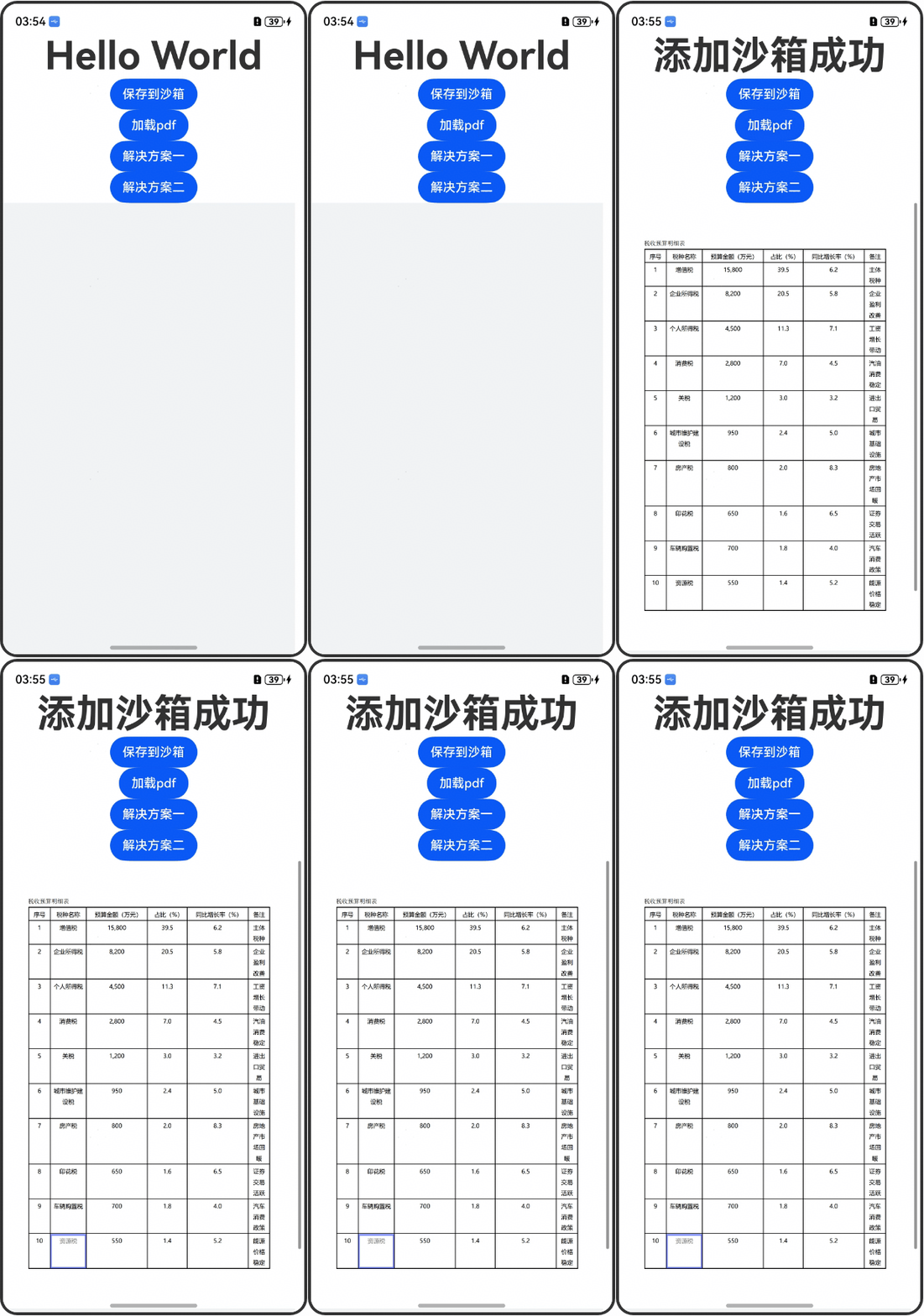
方案二效果图: