背景知识
- @ohos.net.connection (网络连接管理)提供管理网络一些基础能力,包括获取默认激活的数据网络、获取所有激活数据网络列表、开启关闭飞行模式、获取网络能力信息等功能。
- 使用on('netLost')可订阅网络丢失事件,监听用于网络状态丢失的场景,例如Wi-Fi或移动网络断开时。
- 使用on('netUnavailable')可订阅网络不可用事件,监听用于网络连接成功但是发生异常无法正常访问浏览器的场景(例如设备上显示桌面wifi图标有"!")。
- 使用on('netAvailable')可订阅网络可用事件。
解决方案
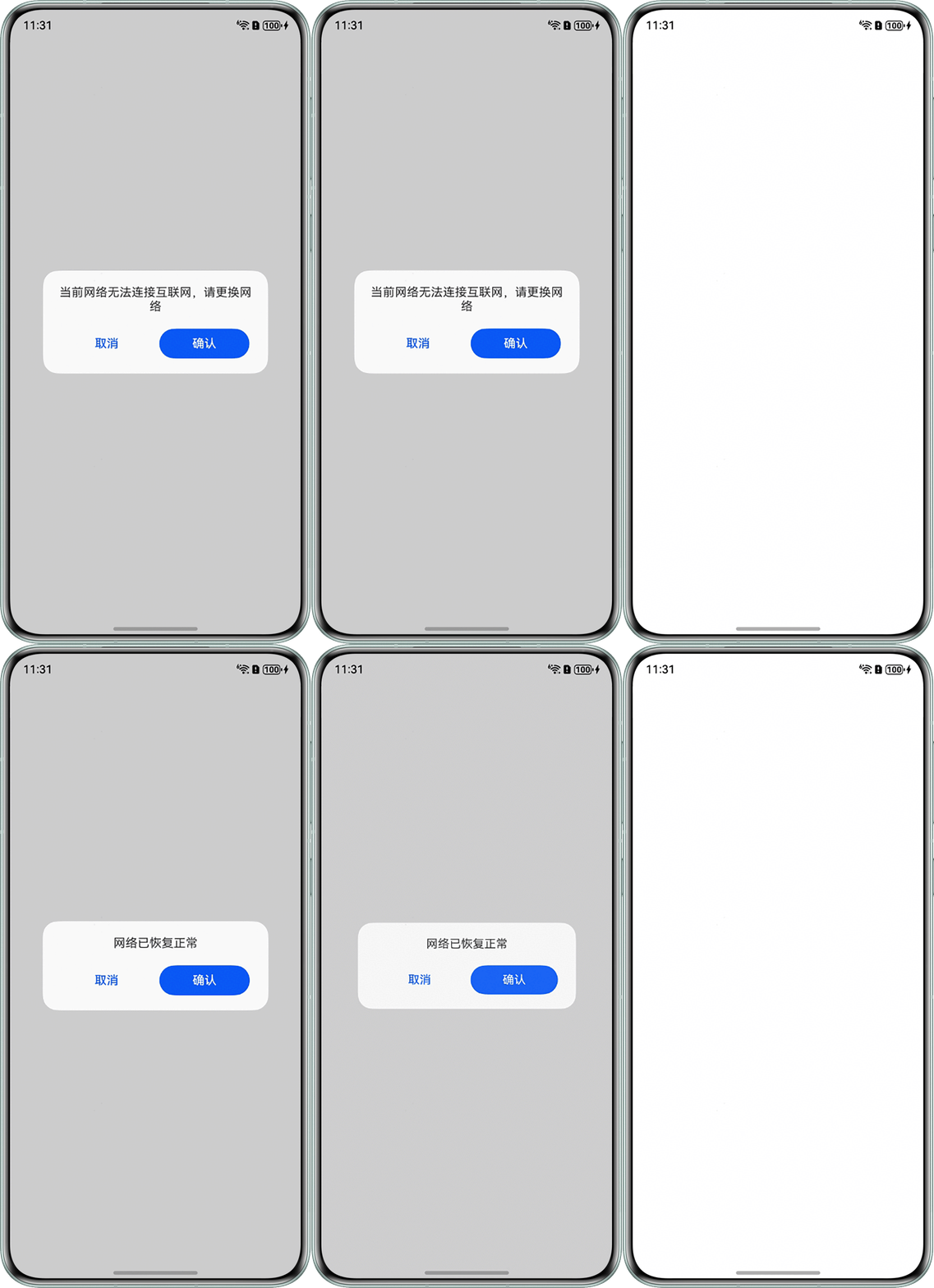
合理使用on('netLost')在网络断开进行相应提示,使用on('netUnavailable')在当前网络不可用时进行相应提示,使用on('netAvailable')在网络恢复时也进行相应提示。
import { connection } from '@kit.NetworkKit';
import { BusinessError } from '@kit.BasicServicesKit';

@CustomDialog
struct CustomDialogExample {
  @Consume('net') netState: string;
  controller?: CustomDialogController;
  cancel: () => void = () => {
  };

  build() {
    Column() {
      Text(this.netState)
        .fontSize(16)
        .textAlign(TextAlign.Center);

      Row() {
        Button('取消')
          .fontSize(16)
          .fontColor('#0A59F7')
          .backgroundColor(Color.Transparent)
          .width(120)
          .height(40)
          .borderRadius('50%')
          .onClick(() => {
            this.cancel();
          });
        Button('确认')
          .fontSize(16)
          .backgroundColor('#0A59F7')
          .fontColor(Color.White)
          .width(120)
          .height(40)
          .borderRadius('50%')
          .onClick(() => {
            this.cancel();
          });
      }
      .margin({ top: 20 })
      .width('100%')
      .justifyContent(FlexAlign.SpaceAround);
    }
    .padding(20);
  }
}

@Entry
@Component
struct Index {
  @Provide('net') netState: string = '';
  private usable: boolean = true;
  netCon: connection.NetConnection = connection.createNetConnection();
  dialogControllerConfirm: CustomDialogController = new CustomDialogController({
    builder: CustomDialogExample({
      cancel: () => {
        this.dialogControllerConfirm.close();
      }
    }),
    width: 300,
    cornerRadius: 20
  });

  aboutToAppear(): void {
    // 网络断开时提示网络已断开
    this.netCon.on('netLost', () => {
      this.netState = '网络已断开';
      this.usable = false;
      this.dialogControllerConfirm.open();
    });
    // 订阅网络不可用事件。调用register后,才能接收到此事件通知。
    this.netCon.on('netUnavailable', () => {
      this.netState = '当前网络无法连接互联网,请更换网络';
      this.usable = false;
      this.dialogControllerConfirm.open();
    });
    // 在网络恢复时提示网络可用
    this.netCon.on('netAvailable', () => {
      if (!this.usable) {
        this.netState = '网络已恢复正常';
        this.usable = true;
        this.dialogControllerConfirm.open();
      }
    });
    // 使用register接口注册网络状态变化事件。
    this.netCon.register((error: BusinessError) => {
      if (error) {
        console.error(error.message, error.code);
      }
    });
  }

  aboutToDisappear(): void {
    this.netCon.unregister((error: BusinessError) => {
      if (error) {
        console.error(error.message, error.code);
      }
    });
  }

  build() {
    Column()
      .height('100%')
      .width('100%');
  }
}
效果图如下: