背景知识
- 申请相机开发的权限:在开发相机应用时,需要先申请相机相关权限,确保应用拥有访问相机硬件及其他功能的权限。
- XComponent:提供用于图形绘制和媒体数据写入的Surface,XComponent负责将其嵌入到视图中,支持应用自定义Surface位置和大小。其可通过指定type字段来实现不同的渲染方式,分别为XComponentType.SURFACE和XComponentType.TEXTURE。
- XComponentType:枚举值,用于指定XComponent组件类型(渲染方式)。
- CameraManager:相机输出能力。
问题定位
- 排查视频预览流分辨率(previewProfiles)与XComponent容器的宽高比是否一致。
根据关键词CreatePreviewOutputInstance查找日志,确认采用的previewProfiles的宽高是480*480,宽高比是1:1,日志如下:
C02B01/应用包名/CAMERA 应用包名 I {CreatePreviewOutputInstance():869} CameraManagerNapi::CreatePreviewOutputInstance ParseProfile size.width = 480, size.height = 480, format = 1003, surfaceId = 6811818131538检查XComponent组件的宽高,是100vp*300vp,宽高比是1:3,与视频预览流分辨率的宽高比不一致:
import { camera } from '@kit.CameraKit'; @Entry @Component struct CameraPreviewPage { private xComponentCtl: XComponentController = new XComponentController(); private xComponentSurfaceId: string = ''; private cameraManager: camera.CameraManager | undefined = undefined; private cameras: Array<camera.CameraDevice> = []; private cameraInput: camera.CameraInput | undefined = undefined; private previewOutput: camera.PreviewOutput | undefined = undefined; private session: camera.VideoSession | undefined = undefined; private uiContext: UIContext = this.getUIContext(); private context: Context | undefined = this.uiContext.getHostContext(); build() { Column() { XComponent({ id: 'componentId', type: XComponentType.SURFACE, controller: this.xComponentCtl }) // XComponent组件的宽高是100vp*200vp,宽高比是1:2 .width(100) .height(300) } .justifyContent(FlexAlign.Center) .height('100%') .width('100%') } async initCamera() { try { // 获取相机管理器实例。 this.cameraManager = camera.getCameraManager(this.context); // 获取当前设备支持的相机device列表。 this.cameras = this.cameraManager.getSupportedCameras(); // 选择一个相机device,创建cameraInput输出对象。 this.cameraInput = this.cameraManager.createCameraInput(this.cameras[0]); // 打开相机。 await this.cameraInput.open() // 获取相机device支持的profile。 let capability: camera.CameraOutputCapability = this.cameraManager.getSupportedOutputCapability(this.cameras[0], camera.SceneMode.NORMAL_VIDEO); // 根据需求选择一个支持的预览流previewProfile。 let previewProfile: camera.Profile = capability.previewProfiles[0]; console.info(`[PreviewProfile], width: ${previewProfile.size.width}px, height:${previewProfile.size.height}px`); // 使用xComponentSurfaceId创建预览。 this.previewOutput = this.cameraManager.createPreviewOutput(previewProfile, this.xComponentSurfaceId); // 创建录像模式相机会话。 this.session = this.cameraManager.createSession(camera.SceneMode.NORMAL_VIDEO) as camera.VideoSession; // 开始配置会话。 this.session.beginConfig(); // 添加相机设备输入。 this.session.addInput(this.cameraInput); // 添加第二路预览流输出。 this.session.addOutput(this.previewOutput); // 提交会话配置。 await this.session.commitConfig(); // 开始启动已配置的输入输出流。 await this.session.start(); } catch (error) { // ... } } } - 排查应用是否有使用cameraOutputCap.previewProfiles的相关能力,根据设备的宽高设置合适的预览流分辨率。
分析结论
- 视频预览分辨率(previewProfiles)与XComponent容器的宽高比不一致,从而导致画面比例显示异常。
- 应用没有根据设备的宽高设置合适的预览流分辨率,而是强制设置自定义值,导致画面比例显示异常。
修改建议
保持预览分辨率与XComponent容器比例一致。
- 方案一:根据使用相机Profile的调整XComponent组件的宽高。
import { camera } from '@kit.CameraKit';
import { BusinessError } from '@kit.BasicServicesKit';
import { abilityAccessCtrl, Permissions } from '@kit.AbilityKit';

@Entry
@Component
struct AdaptProfile {
  private xComponentCtl: XComponentController = new XComponentController();
  private xComponentSurfaceId: string = '';
  private cameraManager: camera.CameraManager | undefined = undefined;
  private cameras: Array<camera.CameraDevice> = [];
  private cameraInput: camera.CameraInput | undefined = undefined;
  private previewOutput: camera.PreviewOutput | undefined = undefined;
  private session: camera.VideoSession | undefined = undefined;
  private uiContext: UIContext = this.getUIContext();
  private context: Context | undefined = this.uiContext.getHostContext();
  private cameraPermission: Permissions = 'ohos.permission.CAMERA'; // 申请权限相关问题可参考本篇开头的申请相关权限文档
  @State isShow: boolean = false;
  @State profileRatio: number = 1 / 1; // Profile的宽高比

  async requestPermissionsFn(): Promise<void> {
    let atManager = abilityAccessCtrl.createAtManager();
    if (this.context) {
      let res = await atManager.requestPermissionsFromUser(this.context, [this.cameraPermission]);
      for (let i = 0; i < res.permissions.length; i++) {
        if (this.cameraPermission.toString() === res.permissions[i] && res.authResults[i] === 0) {
          this.isShow = true;
        }
      }
    }
  }

  aboutToAppear(): void {
    this.requestPermissionsFn();
  }

  onPageShow(): void {
    console.info('onPageShow');
    if (this.xComponentSurfaceId !== '') {
      this.initCamera();
    }
  }

  onPageHide(): void {
    console.info('onPageHide');
    this.releaseCamera();
  }

  build() {
    Column() {
      if (this.isShow) {
        XComponent({
          id: 'componentId',
          type: XComponentType.SURFACE,
          controller: this.xComponentCtl
        })
          .onLoad(async () => {
            this.xComponentSurfaceId = this.xComponentCtl.getXComponentSurfaceId(); // 获取组件surfaceId。
            // 初始化相机,组件实时渲染每帧预览流数据。
            // 该方法中会根据使用的Profile更新XComponent组件的宽高比
            this.initCamera();
          })
          .width('100%')
          .aspectRatio(this.profileRatio)
      }
    }
    .justifyContent(FlexAlign.Center)
    .height('100%')
    .width('100%')
  }

  // 初始化相机。
  async initCamera(): Promise<void> {
    console.info(`initCamera xComponentSurfaceId:${this.xComponentSurfaceId}`);
    try {
      // 获取相机管理器实例。
      this.cameraManager = camera.getCameraManager(this.context);
      if (!this.cameraManager) {
        console.error('initCamera getCameraManager');
      }
      // 获取当前设备支持的相机device列表。
      this.cameras = this.cameraManager.getSupportedCameras();
      if (!this.cameras) {
        console.error('initCamera getSupportedCameras');
      }
      // 选择一个相机device,创建cameraInput输出对象。
      this.cameraInput = this.cameraManager.createCameraInput(this.cameras[0]);
      if (!this.cameraInput) {
        console.error('initCamera createCameraInput');
      }
      // 打开相机。
      await this.cameraInput.open().catch((err: BusinessError) => {
        console.error(`initCamera open fail: ${err}`);
      });
      // 获取相机device支持的profile。
      let capability: camera.CameraOutputCapability =
        this.cameraManager.getSupportedOutputCapability(this.cameras[0], camera.SceneMode.NORMAL_VIDEO);
      if (!capability) {
        console.error('initCamera getSupportedOutputCapability');
      }
      let previewProfile: camera.Profile = capability.previewProfiles[0];
      // 此处选择第一个预览流previewProfile。
      // 更新Profile的宽高比
      this.profileRatio = previewProfile.size.width / previewProfile.size.height;
      // 使用xComponentSurfaceId创建预览。
      this.previewOutput = this.cameraManager.createPreviewOutput(previewProfile, this.xComponentSurfaceId);
      if (!this.previewOutput) {
        console.error('initCamera createpreviewOutput');
      }
      // 创建录像模式相机会话。
      this.session = this.cameraManager.createSession(camera.SceneMode.NORMAL_VIDEO) as camera.VideoSession;
      if (!this.session) {
        console.error('initCamera createSession');
      }
      // 开始配置会话。
      this.session.beginConfig();
      // 添加相机设备输入。
      this.session.addInput(this.cameraInput);
      // 添加第二路预览流输出。
      this.session.addOutput(this.previewOutput);
      // 提交会话配置。
      await this.session.commitConfig();
      // 开始启动已配置的输入输出流。
      await this.session.start();
    } catch (error) {
      console.error(`initCamera fail: ${error}`);
    }
  }

  // 释放相机。
  async releaseCamera(): Promise<void> {
    console.info('releaseCamera E');
    try {
      // 停止当前会话。
      await this.session?.stop();
      // 释放相机输入流。
      await this.cameraInput?.close();
      // 释放拍照输出流。
      await this.previewOutput?.release();
      // 释放会话。
      await this.session?.release();
    } catch (error) {
      console.error(`initCamera fail: ${error}`);
    }
  }
}
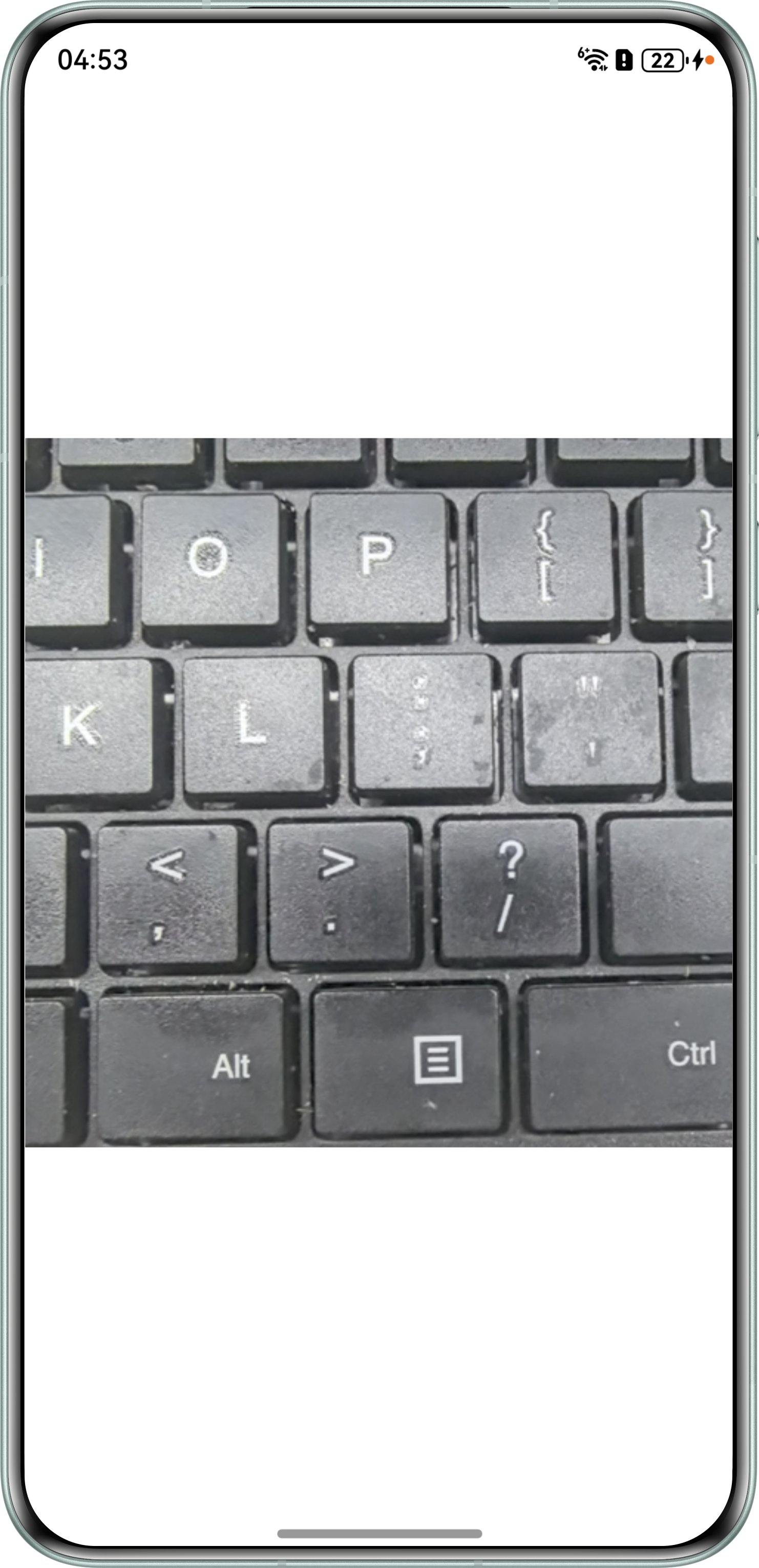
效果如下:
- 方案二:根据XComponent的宽高比调整使用的Profile。
import { camera } from '@kit.CameraKit';
import { BusinessError } from '@kit.BasicServicesKit';
import { abilityAccessCtrl, Permissions } from '@kit.AbilityKit';

@Entry
@Component
struct AdaptXComponent {
  private xComponentCtl: XComponentController = new XComponentController();
  private xComponentSurfaceId: string = '';
  @State xComponentWidth: number = 1920;
  @State xComponentHeight: number = 1080;
  private cameraManager: camera.CameraManager | undefined = undefined;
  private cameras: Array<camera.CameraDevice> = [];
  private cameraInput: camera.CameraInput | undefined = undefined;
  private previewOutput: camera.PreviewOutput | undefined = undefined;
  private session: camera.VideoSession | undefined = undefined;
  private uiContext: UIContext = this.getUIContext();
  private context: Context | undefined = this.uiContext.getHostContext();
  private cameraPermission: Permissions = 'ohos.permission.CAMERA'; // 申请权限相关问题可参考本篇开头的申请相关权限文档
  @State isShow: boolean = false;

  async requestPermissionsFn(): Promise<void> {
    let atManager = abilityAccessCtrl.createAtManager();
    if (this.context) {
      let res = await atManager.requestPermissionsFromUser(this.context, [this.cameraPermission]);
      for (let i = 0; i < res.permissions.length; i++) {
        if (this.cameraPermission.toString() === res.permissions[i] && res.authResults[i] === 0) {
          this.isShow = true;
        }
      }
    }
  }

  aboutToAppear(): void {
    this.requestPermissionsFn();
  }

  onPageShow(): void {
    console.info('onPageShow');
    if (this.xComponentSurfaceId !== '') {
      this.initCameraWithSize();
    }
  }

  onPageHide(): void {
    console.info('onPageHide');
    this.releaseCamera();
  }

  build() {
    Column() {
      if (this.isShow) {
        XComponent({
          id: 'componentId',
          type: XComponentType.SURFACE,
          controller: this.xComponentCtl
        })
          .onLoad(async () => {
            this.xComponentSurfaceId = this.xComponentCtl.getXComponentSurfaceId(); // 获取组件surfaceId。
            // 初始化相机,组件实时渲染每帧预览流数据。
            // 该方法中会根据XComponent组件的宽高比筛选合适的Profile,并更新XComponent组件的宽高
            this.initCameraWithSize();
          })
          .width(this.uiContext.px2vp(this.xComponentHeight))
          .height(this.uiContext.px2vp(this.xComponentWidth))
      }
    }
    .justifyContent(FlexAlign.Center)
    .height('100%')
    .width('100%')
  }

  // 释放相机。
  async releaseCamera(): Promise<void> {
    console.info('releaseCamera E');
    try {
      // 停止当前会话。
      await this.session?.stop();
      // 释放相机输入流。
      await this.cameraInput?.close();
      // 释放拍照输出流。
      await this.previewOutput?.release();
      // 释放会话。
      await this.session?.release();
    } catch (error) {
      console.error(`initCamera fail: ${error}`);
    }
  }

  // 根据XComponent的宽高选择合适的预览Profile,并调整XComponent的宽高
  async initCameraWithSize() {
    console.info(`initCamera xComponentSurfaceId:${this.xComponentSurfaceId}`);
    try {
      // 获取相机管理器实例。
      this.cameraManager = camera.getCameraManager(this.context);
      if (!this.cameraManager) {
        console.error('initCamera getCameraManager');
      }
      // 获取当前设备支持的相机device列表。
      this.cameras = this.cameraManager.getSupportedCameras();
      if (!this.cameras) {
        console.error('initCamera getSupportedCameras');
      }
      // 选择一个相机device,创建cameraInput输出对象。
      this.cameraInput = this.cameraManager.createCameraInput(this.cameras[0]);
      if (!this.cameraInput) {
        console.error('initCamera createCameraInput');
      }
      // 打开相机。
      await this.cameraInput.open().catch((err: BusinessError) => {
        console.error(`initCamera open fail: ${err}`);
      });
      // 获取相机device支持的profile。
      let capability: camera.CameraOutputCapability =
        this.cameraManager.getSupportedOutputCapability(this.cameras[0], camera.SceneMode.NORMAL_VIDEO);
      if (!capability) {
        console.error('initCamera getSupportedOutputCapability');
      }
      // 此处仅为示例,可以根据实际需要确定筛选方案
      let maxRatioDiff: number = 0.1; // 宽高比最大差距
      let surfaceRatio: number = this.xComponentWidth / this.xComponentHeight; // 目标宽高比,16:9。
      let previewProfile: camera.Profile = capability.previewProfiles[0];
      // 应用开发者根据实际业务需求选择一个支持的预览流previewProfile。
      // 此处以选择CAMERA_FORMAT_YUV_420_SP(NV21)格式、满足限定条件分辨率的预览流previewProfile为例。
      for (let index = 0; index < capability.previewProfiles.length; index++) {
        const tempProfile = capability.previewProfiles[index];
        // 计算Profile宽高比
        let tempRatio = tempProfile.size.width >= tempProfile.size.height ?
          tempProfile.size.width / tempProfile.size.height : tempProfile.size.height / tempProfile.size.width;
        let currentRatio = Math.abs(tempRatio - surfaceRatio);
        // 采用Profile数组中第一个符合要求的Profile
        if (currentRatio <= maxRatioDiff && tempProfile.format == camera.CameraFormat.CAMERA_FORMAT_YUV_420_SP) {
          previewProfile = tempProfile;
          break;
        }
      }
      this.xComponentWidth = previewProfile.size.width; // 更新xComponent组件的宽。
      this.xComponentHeight = previewProfile.size.height; // 更新xComponent组件的高。
      console.info(`initCamera xComponentWidth:${this.xComponentWidth}px xComponentHeight:${this.xComponentHeight}px`);

      // 使用xComponentSurfaceId创建预览。
      this.previewOutput = this.cameraManager.createPreviewOutput(previewProfile, this.xComponentSurfaceId);
      if (!this.previewOutput) {
        console.error('initCamera createpreviewOutput');
      }
      // 创建录像模式相机会话。
      this.session = this.cameraManager.createSession(camera.SceneMode.NORMAL_VIDEO) as camera.VideoSession;
      if (!this.session) {
        console.error('initCamera createSession');
      }
      // 开始配置会话。
      this.session.beginConfig();
      // 添加相机设备输入。
      this.session.addInput(this.cameraInput);
      // 添加第二路预览流输出。
      this.session.addOutput(this.previewOutput);
      // 提交会话配置。
      await this.session.commitConfig();
      // 开始启动已配置的输入输出流。
      await this.session.start();
    } catch (error) {
      console.error(`initCamera fail: ${error}`);
    }
  }
}
效果如下: