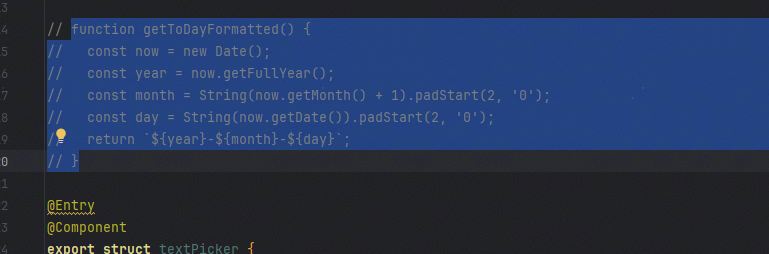
解决方案
场景一:
可以使用如下两种解决方案:
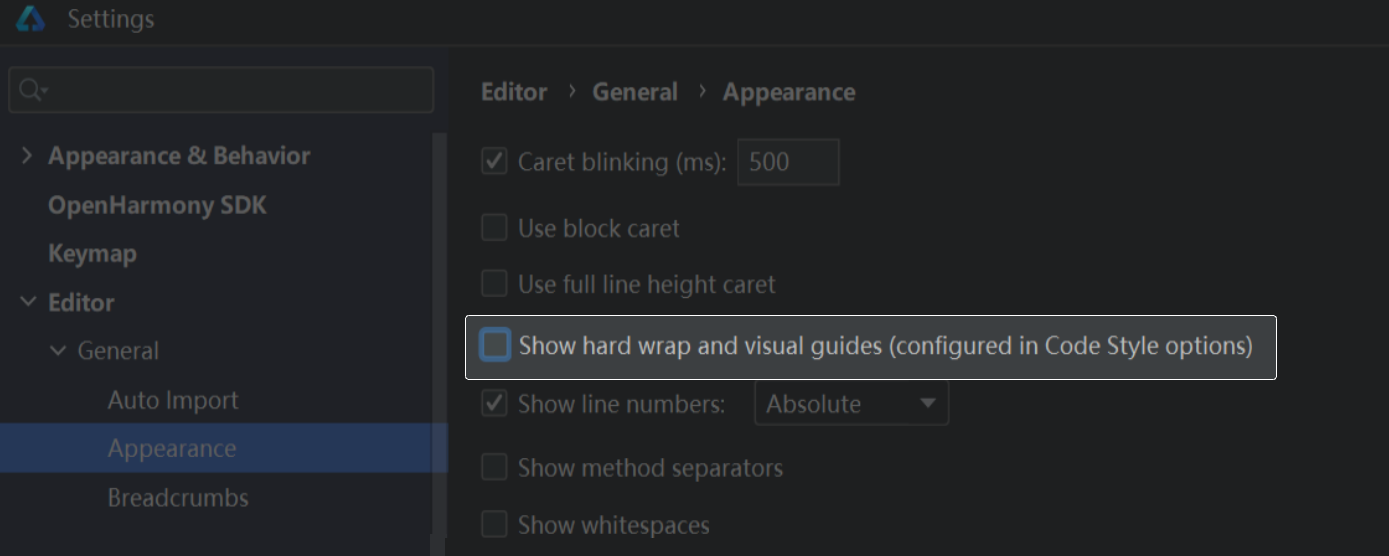
- 完全取消分割线:
在开发工具File->Settings->Editor->General->Appearance取消勾选show hard wrap and visual guides。
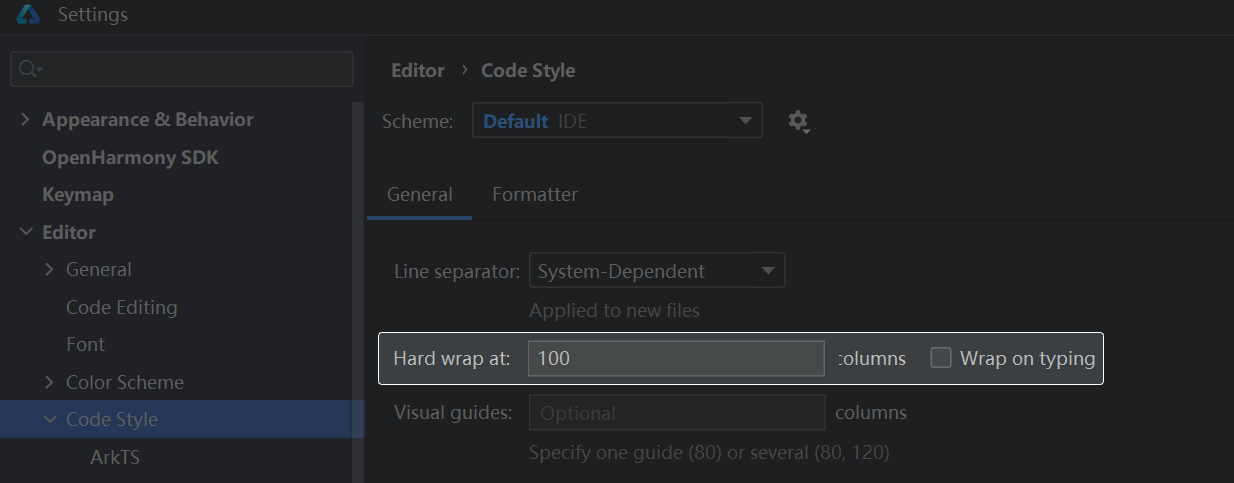
- 增大代码的宽度限制:
在开发工具File->Settings->Editor->Code Style中增大Hard wrap值,如将其值改为1000。
场景二:
在DevEco Studio中,选择File->Settings->Editor->General->Appearance,取消勾选Show intention bulb即可关闭灯泡图标。
常见FAQ
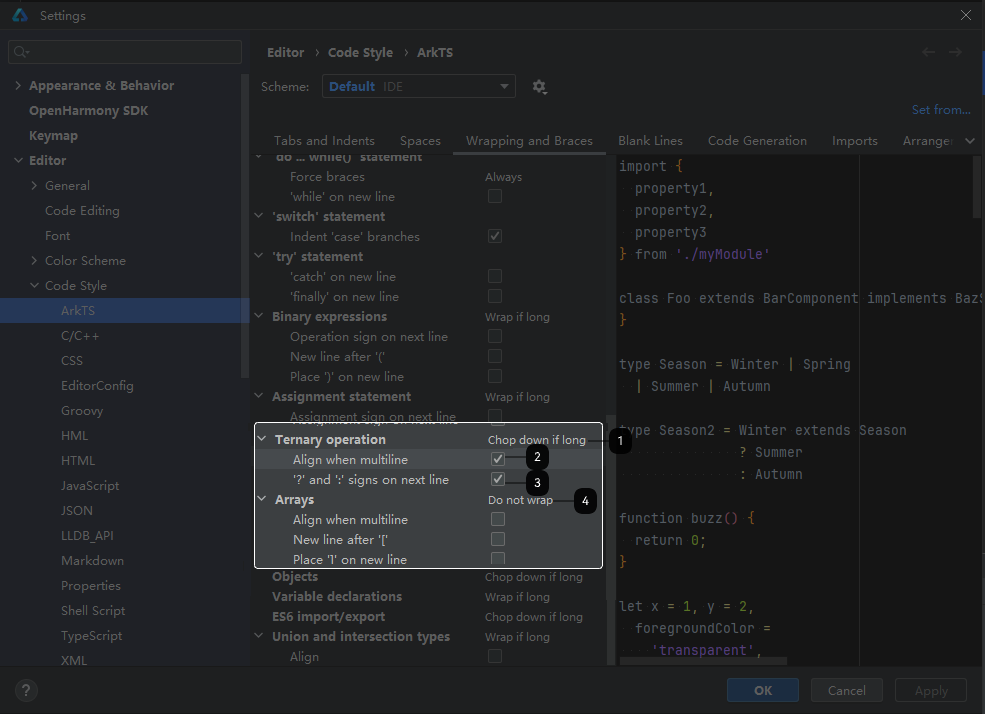
Q:过长的三元表达式会直接换行但不带缩进,是否有办法可以调节?
A:在IDE的setting中,Editor-Code Style-ArkTS下,找到Ternary operation,勾选下面的两个选项。
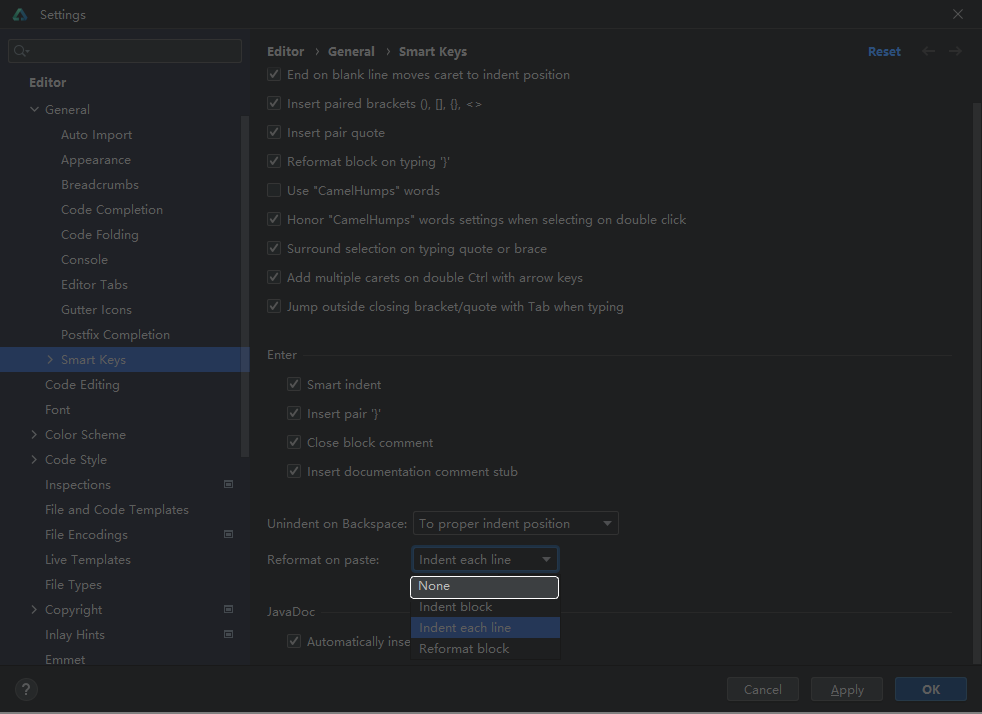
Q:粘贴代码时,如何关闭编辑器自动格式化?
A:在IDE的setting中,Editor-General-Smart Keys下,找到Reformat on paste选项,下拉选择None。
Q:在File -> Settings -> Appearance -> Editor -> Font设置字体大小大于14(比如设置为16),在File -> Settings -> Editor -> Color Scheme修改任意类型代码颜色,预览器颜色错乱。
A:设置代码颜色后需要按回车确认。
Q:如何使用快捷键批量注释代码?
A:选中需要注释的代码,按住ctrl + /键方可批量注释。