背景知识
- setWindowDecorVisible设置窗口标题栏是否可见,对存在标题栏和三键区的窗口形态生效。Stage模型下,该接口需要在loadContent()或setUIContent()调用生效后使用。
- setWindowTitleButtonVisible设置主窗标题栏上的最大化、最小化、关闭按钮是否可见。该接口在支持并处于自由窗口状态的设备上可正常调用;在支持但不处于自由窗口状态的设备及不支持自由窗口状态的设备上调用返回801错误码。
- setWindowDecorHeight设置窗口的标题栏高度,对存在标题栏和三键区的窗口形态生效。如果使用Stage模型,该接口需要在loadContent()或setUIContent()调用生效后使用。
- setDecorButtonStyle设置装饰栏按钮样式,仅对主窗和子窗生效。如果使用Stage模型,该接口需要在loadContent()或setUIContent()调用生效后使用。
- MaximizePresentation窗口最大化时的布局枚举。
解决方案
- 场景一: 隐藏窗口标题栏及自定义窗口标题栏样式。
窗口由容器层和内容区构成,两者不重叠。通过setWindowDecorVisible设置标题栏不可见,内容区会囊括整个窗口,可以通过自定义的方式自定义标题栏内容。通过setWindowTitleButtonVisible设置标题栏三键按钮不可见,此时即可自定义窗口的三键样式。参考示例如下:
- EntryAbility.ets:隐藏标题栏及三键区域,并存储windowClass用于窗口操作。
onWindowStageCreate(windowStage: window.WindowStage): void { // Main window is created, set main page for this ability hilog.info(DOMAIN, 'testTag', '%{public}s', 'Ability onWindowStageCreate'); windowStage.loadContent('pages/Index', (err) => { if (err.code) { hilog.error(DOMAIN, 'testTag', 'Failed to load the content. Cause: %{public}s', JSON.stringify(err)); return; } windowStage.getMainWindow((err: BusinessError, data) => { if (err) { // To do sth. } let windowClass = data; // 存储windowClass AppStorage.setOrCreate('windowClass', windowClass); // 设置标题栏不可见 windowClass.setWindowDecorVisible(false); // 设置标题栏高度 windowClass.setWindowDecorHeight(56); // 设置三键区隐藏不可见 windowClass.setWindowTitleButtonVisible(false, false, false); }); hilog.info(DOMAIN, 'testTag', 'Succeeded in loading the content.'); }); } - Index.ets:自定义窗口标题栏,通过setWindowDecorHeight设置标题栏高度,自定义三键区域并使用windowClass操作窗口最大化、最小化、关闭。
import window from '@ohos.window';
import { common } from '@kit.AbilityKit';

@Entry
@Component
struct Index {
  windowClass: window.Window | undefined = AppStorage.get('windowClass');
  private context: common.UIAbilityContext = this.getUIContext().getHostContext() as common.UIAbilityContext;

  build() {
    Column() {
      Row({ space: 20 }) {
        // 自定义标题栏
        Row({ space: 10 }) {
          Image($r('app.media.startIcon'))
            .height(40)
            .width(40);
          Text('自定义内容区')
            .fontSize(18);
        };

        // 自定义三键样式
        // 最大化
        Row({ space: 10 }) {
          SymbolGlyph($r('sys.symbol.arrow_up_left_and_arrow_down_right'))
            .height(56)
            .onClick(() => {
              if (this.windowClass) {
                // 最大化显示标题栏
                this.windowClass.maximize(window.MaximizePresentation.EXIT_IMMERSIVE);
              }
            });
          // 最小化
          SymbolGlyph($r('sys.symbol.arrow_down_right_and_arrow_up_left'))
            .height(56)
            .onClick(() => {
              if (this.windowClass) {
                this.windowClass.minimize();
              }
            });
          // 关闭
          SymbolGlyph($r('sys.symbol.xmark'))
            .height(56)
            .onClick(() => {
              if (this.windowClass) {
                this.context.terminateSelf();
              }
            });

          Blank().width(8);
        };
      }
      .justifyContent(FlexAlign.SpaceBetween)
      .height(56)
      .width('100%')
      .padding({ left: 10 })
      .backgroundColor('#f2f2f2');
    }.width('100%').height('100%');
  }
}
效果如下:

- EntryAbility.ets:隐藏标题栏及三键区域,并存储windowClass用于窗口操作。
- 场景二: 自定义标题栏常驻,并设置最大化功能,使得点击最大化按钮恢复窗口全屏沉浸式。
PC窗口可通过maximize进入沉浸式,在自定义最大化逻辑时,调用窗口沉浸式接口设置窗口沉浸式效果。参考示例如下:
- EntryAbility.ets:隐藏标题栏及三键区域,设置窗口沉浸式,并存储windowClass用于窗口操作。
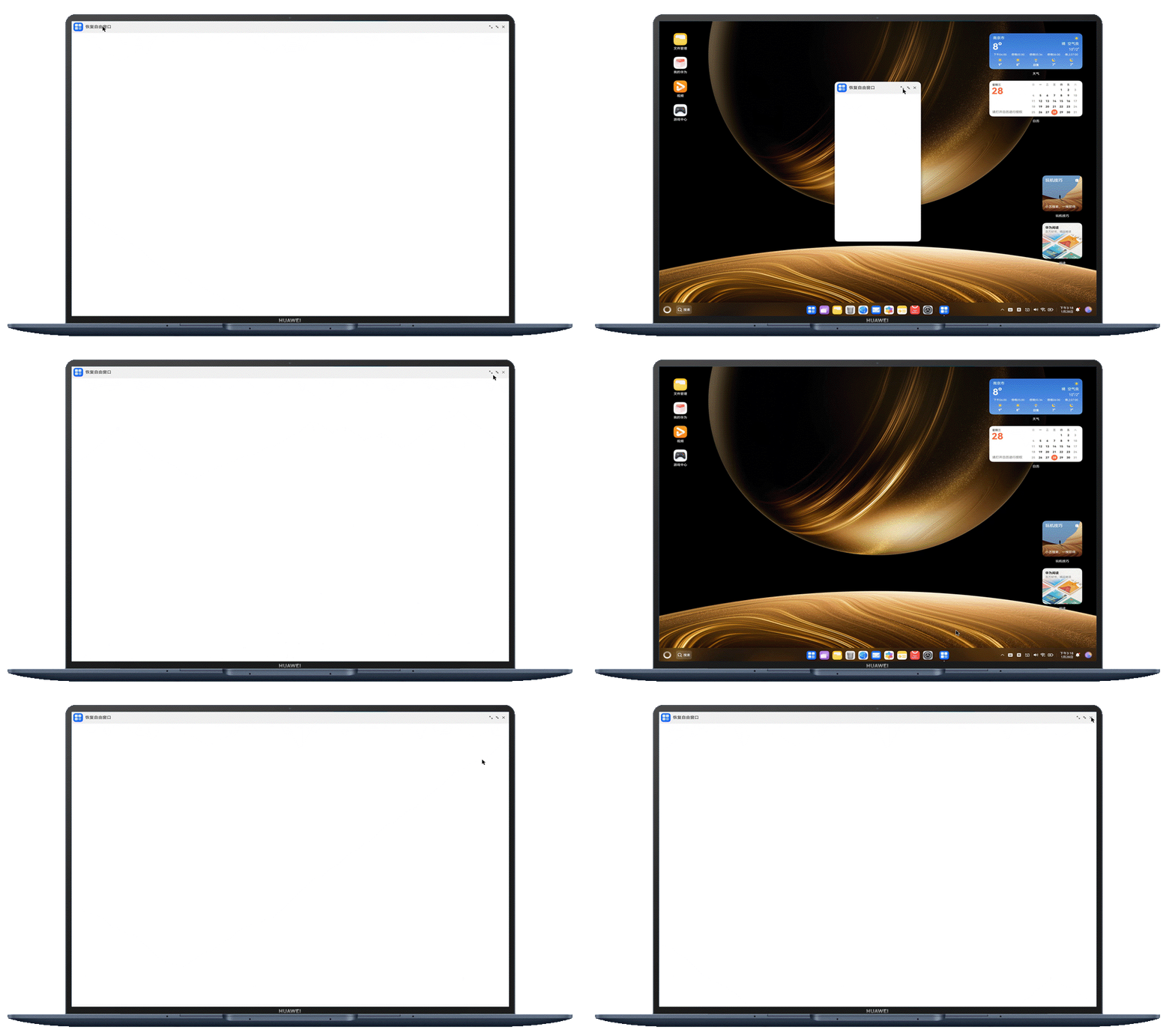
onWindowStageCreate(windowStage: window.WindowStage): void { // Main window is created, set main page for this ability hilog.info(DOMAIN, 'testTag', '%{public}s', 'Ability onWindowStageCreate'); windowStage.loadContent('pages/Index', (err) => { if (err.code) { hilog.error(DOMAIN, 'testTag', 'Failed to load the content. Cause: %{public}s', JSON.stringify(err)); return; } windowStage.getMainWindow((err: BusinessError, data) => { if (err) { // To do sth. } let windowClass = data; // 存储windowClass AppStorage.setOrCreate('windowClass', windowClass); // 设置标题栏不可见 windowClass.setWindowDecorVisible(false); // 设置标题栏高度 windowClass.setWindowDecorHeight(56); // 设置三键区隐藏不可见 windowClass.setWindowTitleButtonVisible(false, false, false); // 设置标题栏hover不显示 windowClass.setTitleAndDockHoverShown(false, true); // 最大化显示标题栏 windowClass.maximize(); }); hilog.info(DOMAIN, 'testTag', 'Succeeded in loading the content.'); }); } - Index.ets:自定义窗口标题栏三键区域,并使用windowClass.maximize()操作窗口最大化进入沉浸式,使用setTitleAndDockHoverShown设置主窗口进入全屏模式时鼠标Hover到热区上不显示系统窗口标题栏。通过recover恢复自由窗口状态,从而方便验证最大化时恢复窗口全屏沉浸式的效果。
import window from '@ohos.window';
import { common } from '@kit.AbilityKit';

@Entry
@Component
struct Index {
  windowClass: window.Window | undefined = AppStorage.get('windowClass');
  private context: common.UIAbilityContext = this.getUIContext().getHostContext() as common.UIAbilityContext;

  build() {
    Column() {
      Row({ space: 20 }) {
        // 自定义标题栏
        Row({ space: 10 }) {
          Image($r('app.media.startIcon'))
            .height(40)
            .width(40);
          Text('恢复自由窗口')
            .fontSize(18)
            .onClick(() => {
              if (this.windowClass) {
                this.windowClass.recover();
              }
            });
          // 业务逻辑处理
        };

        // 自定义三键样式
        // 最大化
        Row({ space: 10 }) {
          SymbolGlyph($r('sys.symbol.arrow_up_left_and_arrow_down_right'))
            .height(56)
            .onClick(() => {
              if (this.windowClass) {
                this.windowClass.setTitleAndDockHoverShown(false, true);
                // 最大化显示标题栏
                this.windowClass.maximize();
              }
            });
          // 最小化
          SymbolGlyph($r('sys.symbol.arrow_down_right_and_arrow_up_left'))
            .height(56)
            .onClick(() => {
              if (this.windowClass) {
                this.windowClass.minimize();
              }
            });
          // 关闭
          SymbolGlyph($r('sys.symbol.xmark'))
            .height(56)
            .onClick(() => {
              if (this.windowClass) {
                this.context.terminateSelf();
              }
            });

          // 业务逻辑处理
          Blank().width(8);
        };
      }
      .justifyContent(FlexAlign.SpaceBetween)
      .height(56)
      .width('100%')
      .padding({ left: 10 })
      .backgroundColor('#f2f2f2');
    }.width('100%').height('100%');
  }
}
效果如下:
- EntryAbility.ets:隐藏标题栏及三键区域,设置窗口沉浸式,并存储windowClass用于窗口操作。