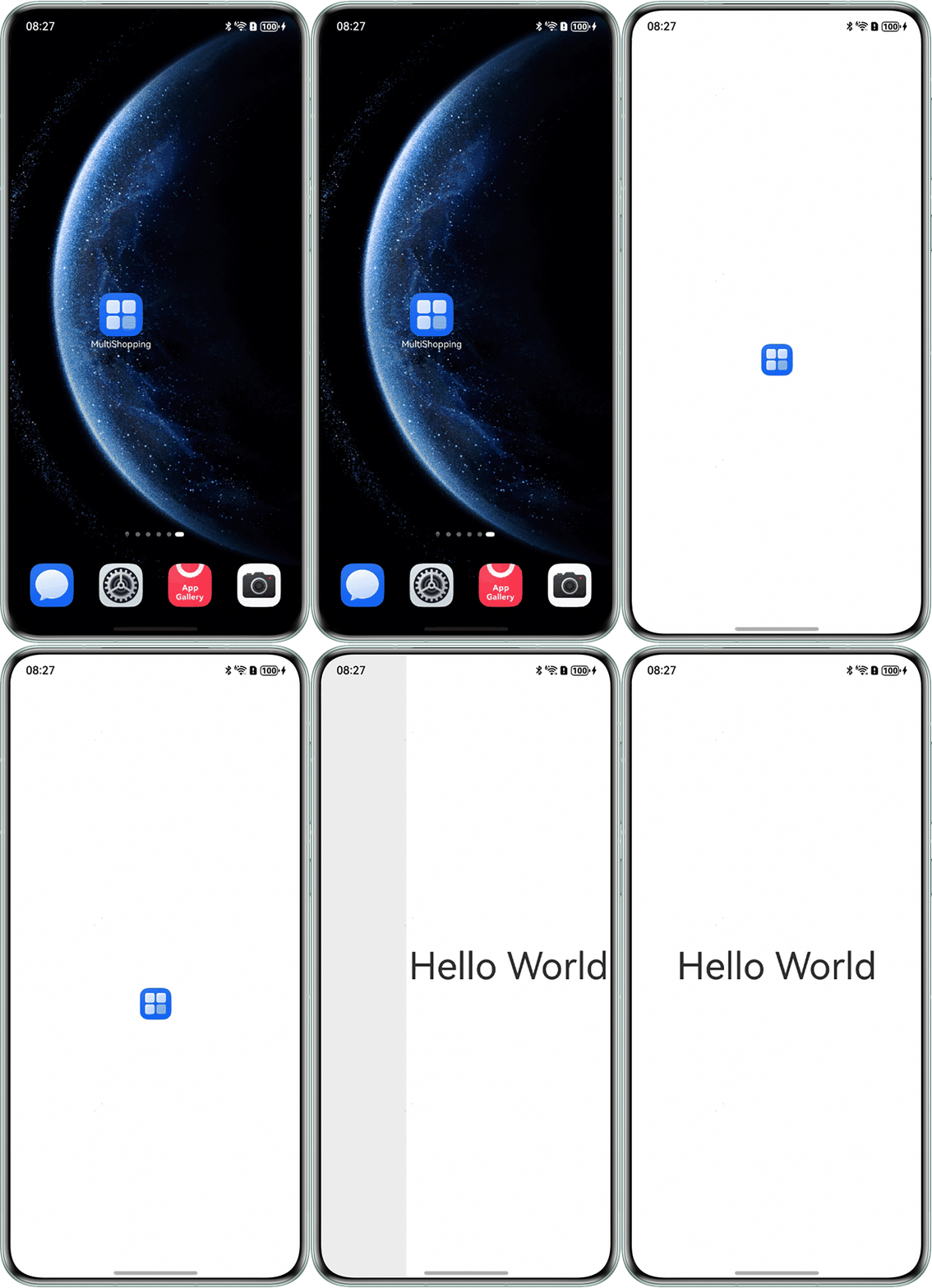
背景知识
module.json5配置文件中的abilities标签:其中的startWindowIcon配置项是用于配置应用启动时显示的图标。这个图标通常出现在应用启动过程中,从桌面图标过渡到应用的第一个页面(如启动页或闪屏页)时显示。应用启动时会通过startWindowIcon属性设置过渡动画的图标。
修改建议
在module.json5配置中,替换startWindowIcon指向的媒体资源图片为透明图片,通过透明图标可隐藏过渡动画的显示效果,消除与主图标重复闪现问题。
{
  "module": {
    "name": "entry",
    "type": "entry",
    "description": "$string:module_desc",
    "mainElement": "EntryAbility",
    "deviceTypes": [
      "phone"
    ],
    "deliveryWithInstall": true,
    "installationFree": false,
    "pages": "$profile:main_pages",
    "abilities": [
      {
        "name": "EntryAbility",
        "srcEntry": "./ets/entryability/EntryAbility.ets",
        "description": "$string:EntryAbility_desc",
        "icon": "$media:layered_image",
        "label": "$string:EntryAbility_label",
        "startWindowIcon": "$media:none",
        "startWindowBackground": "$color:start_window_background",
        "exported": true,
        "skills": [
          {
            "entities": [
              "entity.system.home"
            ],
            "actions": [
              "ohos.want.action.home"
            ]
          }
        ]
      }
    ],
    "extensionAbilities": [
      {
        "name": "EntryBackupAbility",
        "srcEntry": "./ets/entrybackupability/EntryBackupAbility.ets",
        "type": "backup",
        "exported": false,
        "metadata": [
          {
            "name": "ohos.extension.backup",
            "resource": "$profile:backup_config"
          }
        ]
      }
    ],
    "routerMap": "$profile:router_map"
  }
}
"$media:none"需要替换为开发者需要的透明图片。
src/main/ets/pages/Index.ets:
// 启动页
@Entry
@Component
struct Index {
  pageInfos: NavPathStack = new NavPathStack();

  aboutToAppear(): void {
    setTimeout(() => {
      this.pageInfos.pushPath({ name: 'Main' });
    }, 2000);
  }

  build() {
    Navigation(this.pageInfos) {
      Stack() {
        // 启动图标
        Image($r('app.media.startIcon')) // $r('app.media.startIcon')需要替换为开发者需要的图片资源文件
          .width(42)
          .height(42)
          .objectFit(ImageFit.Contain)
          .margin({ top: 100 });
      }
      .height('100%')
      .width('100%');
    }
    .hideTitleBar(true)
    .height('100%')
    .width('100%')
    .mode(NavigationMode.Stack);
  }
}
src/main/ets/pages/Main.ets:
@Builder
export function MainBuilder() {
  Main();
}

@Entry
@Component
export struct Main {
  pageInfos: NavPathStack = new NavPathStack();

  build() {
    NavDestination() {
      // 首页内容
      RelativeContainer() {
        Text('Hello World')
          .fontSize('50fp')
          .alignRules({
            center: { anchor: '__container__', align: VerticalAlign.Center },
            middle: { anchor: '__container__', align: HorizontalAlign.Center }
          });
      }
      .height('100%')
      .width('100%');
    }
    .onBackPressed(() => {
      this.pageInfos.pop(); // 弹出路由栈栈顶元素
      return true;
    })
    .onReady((navContext: NavDestinationContext) => {
      this.pageInfos = navContext.pathStack;
    })
    .hideTitleBar(true)
    .height('100%')
    .width('100%')
    .backgroundColor(Color.White);
  }
}
src/main/resources/base/profile/router_map.json:
{
  "routerMap": [
    {
      "name": "Main",
      "pageSourceFile": "src/main/ets/pages/Main.ets",
      "buildFunction": "MainBuilder"
    }
  ]
}
效果图如下: