解决方案
利用hilog封装log工具类检查日志长度,超出特定长度(比如:1024字节)就分段打印。
示例代码参考如下:
import hilog from '@ohos.hilog';
import { util } from '@kit.ArkTS';

class LogUtil {
  private static instance: LogUtil;
  private static DOMAIN: number = 0x0000;

  private constructor() {
    // 私有构造函数,防止外部实例化
  }

  public static getInstance(): LogUtil {
    if (!LogUtil.instance) {
      LogUtil.instance = new LogUtil();
    }
    return LogUtil.instance;
  }

  // error、debug参照info即可
  public info(logTag: string, content: string) {
    const maxSize = 1024;
    let textEncoder = new util.TextEncoder('utf-8');
    let result = textEncoder.encodeInto(content);
    if (result.byteLength <= maxSize) {
      // 长度小于等于限制直接打印
    } else {
      while (result.byteLength > maxSize) {
        // 循环分段打印
        let logContent = content.substring(0, maxSize);
        content = content.replace(logContent, '');
        result = textEncoder.encodeInto(content);
        hilog.info(LogUtil.DOMAIN, logTag, '%{public}s', logContent);
        // 打印剩余日志
      }
    }
    hilog.info(LogUtil.DOMAIN, logTag, '%{public}s', content);
  }
}

export default LogUtil;

@Entry
@Component
struct LongLogPrint {
  private oneContent: string = 'LongLogPrint';
  private logContent: string = '';

  aboutToAppear(): void {
    for (let i = 0; i < 500; i++) {
      this.logContent += this.oneContent + '[' + i + '],';
    }
  }

  build() {
    Row() {
      Column() {
        Button('Log Test')
          .fontSize(50)
          .fontWeight(FontWeight.Bold)
          .onClick(() => {
            LogUtil.getInstance().info('Long Log', this.logContent);
          });
      }
      .width('100%');
    }
    .height('100%');
  }
}
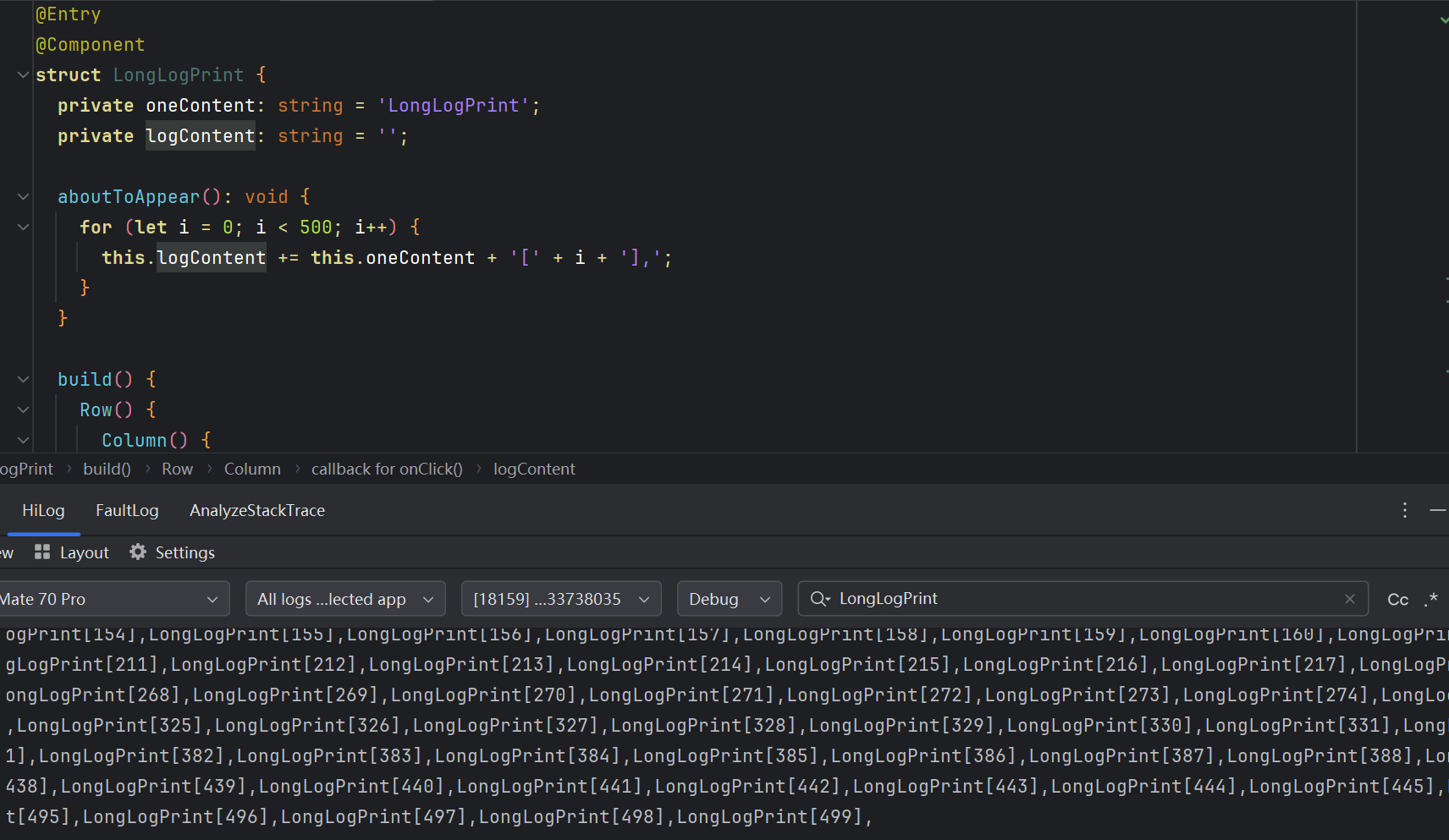
修改后日志能打印完整: