Before you start developing an app, configure app information in AppGallery Connect.
Before you get started, you must register as a HUAWEI developer and complete identity verification on the HUAWEI Developer website. For details, please refer to Register a HUAWEI ID.
Create an app by referring to Creating a Project and Creating an App in the Project. Set the following parameters as described:
Before you download or use HUAWEI Ads Kit, you must agree on the HUAWEI Developer Service Agreement, Agreement on Use of HUAWEI APIs, and the agreements corresponding to the said kits ; otherwise, you shall not download or use the said kits. You understand and undertake that by downloading or using the said kits it shall be deemed that you have agreed to any and all preceding agreements, and you will fulfill and assume the legal responsibilities and obligations in accordance with said agreements.
Integrate the following SDK to access HUAWEI Ads Kit:
ads-identifier : Obtaining the OAID and the Disable personalized ads switch value.
ads-installreferrer : used to obtain an install referrer.
Configure a Maven repository address for automatically downloading HUAWEI Ads Kit SDK.
Perform the following steps:
Step 1: Configure the Maven repository address for HUAWEI Ads Kit SDK.
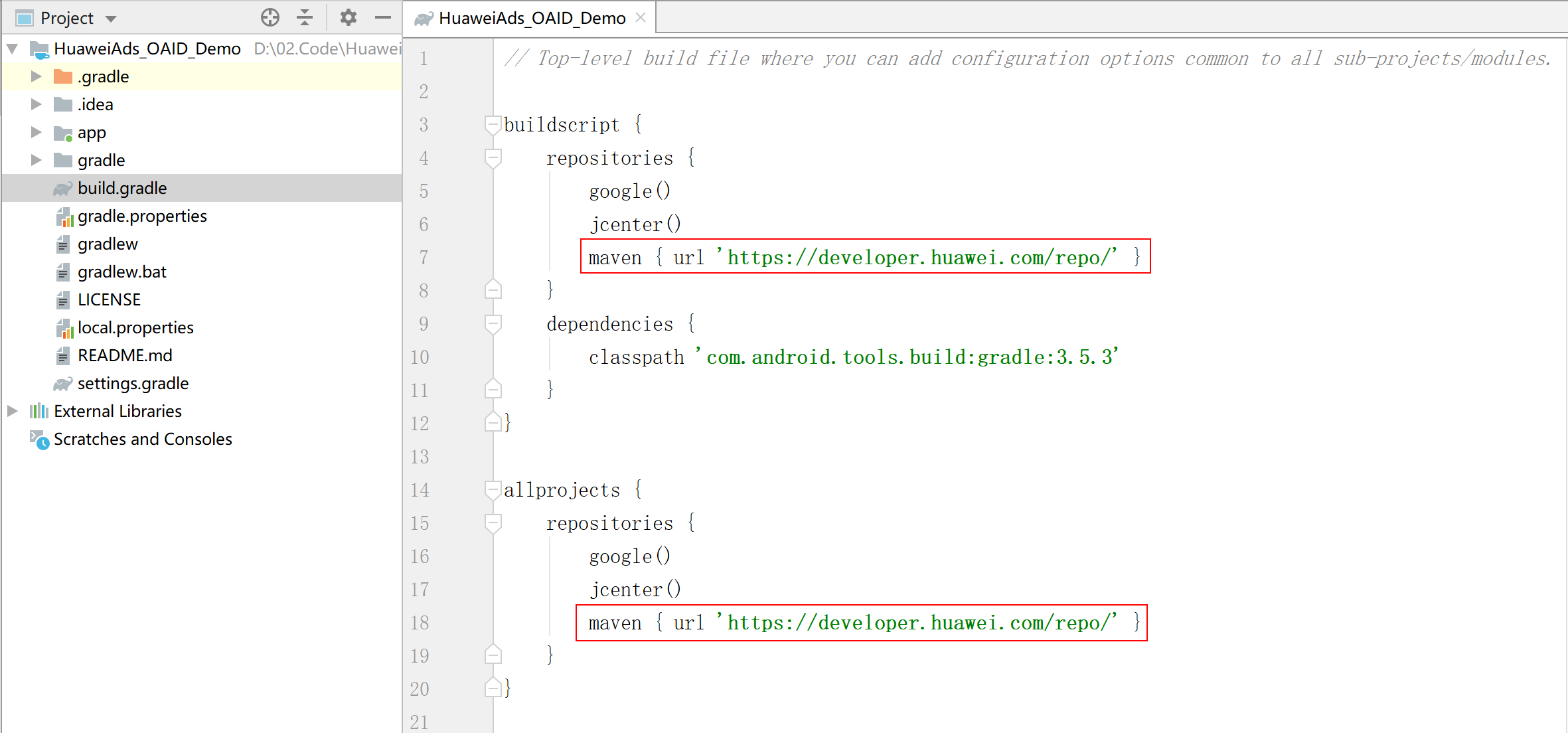
Open the build.gradle file in the root directory of your Android Studio project. Go to allprojects > repositories and configure the Maven repository address for the SDK.
- buildscript {
- repositories {
- google()
- jcenter()
- maven { url 'https://developer.huawei.com/repo/' }
- }
- ...
- }
- allprojects {
- repositories {
- google()
- jcenter()
- maven { url 'https://developer.huawei.com/repo/' }
- }
- }
Step 2: Configure dependencies.
Open the build.gradle file in the app directory. Configure build dependencies.
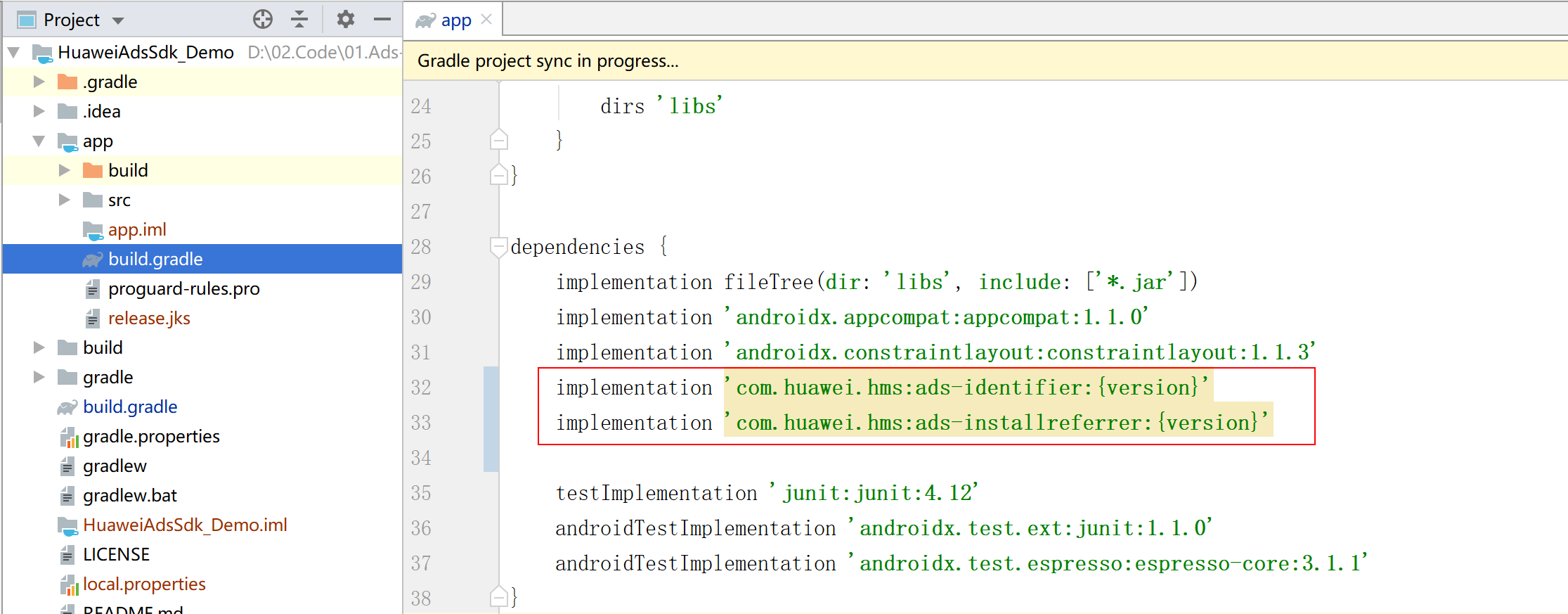
Replace {version} with the actual SDK version number, for example:
- dependencies {
- implementation 'com.huawei.hms:ads-identifier:3.4.28.313'
- implementation 'com.huawei.hms:ads-installreferrer:3.4.28.313'
- }
You can select SDKs based on your needs.
com.huawei.hms:ads-identifier is required to obtain the OAID and setting of Disable personalized ads.
com.huawei.hms:ads-installreferrer is required to obtain the install referrer.
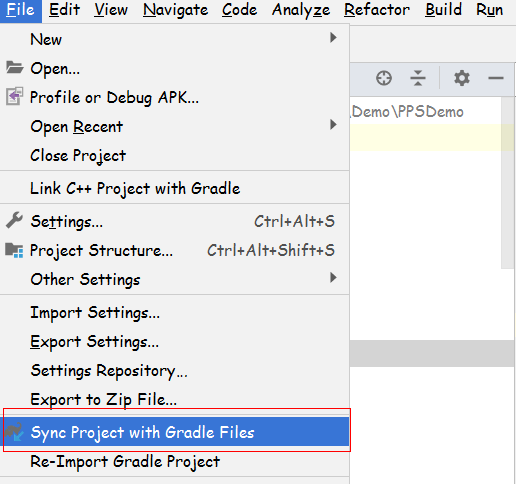
Step 3: Synchronize modified files.
Before building the APK, configure obfuscation scripts to prevent the HUAWEI Ads SDK from being obfuscated. If obfuscation arises, the HUAWEI Ads SDK may not function properly.
The configuration file in Android Studio isproguard-rules.pro.
Open the obfuscation script file of your project.
Add configurations to exclude the HUAWEI Ads SDK from obfuscation.
- -keep class com.huawei.hms.ads.** { *; }
- -keep interface com.huawei.hms.ads.** { *; }