1. Before you get started, you must register as a HUAWEI developer and complete identity verification on HUAWEI Developers. For details, please refer to Register a HUAWEI ID.
2. Create an app by following instructions in Creating an AppGallery Connect Project and Adding an App to the Project. Configure basic app information as follows:
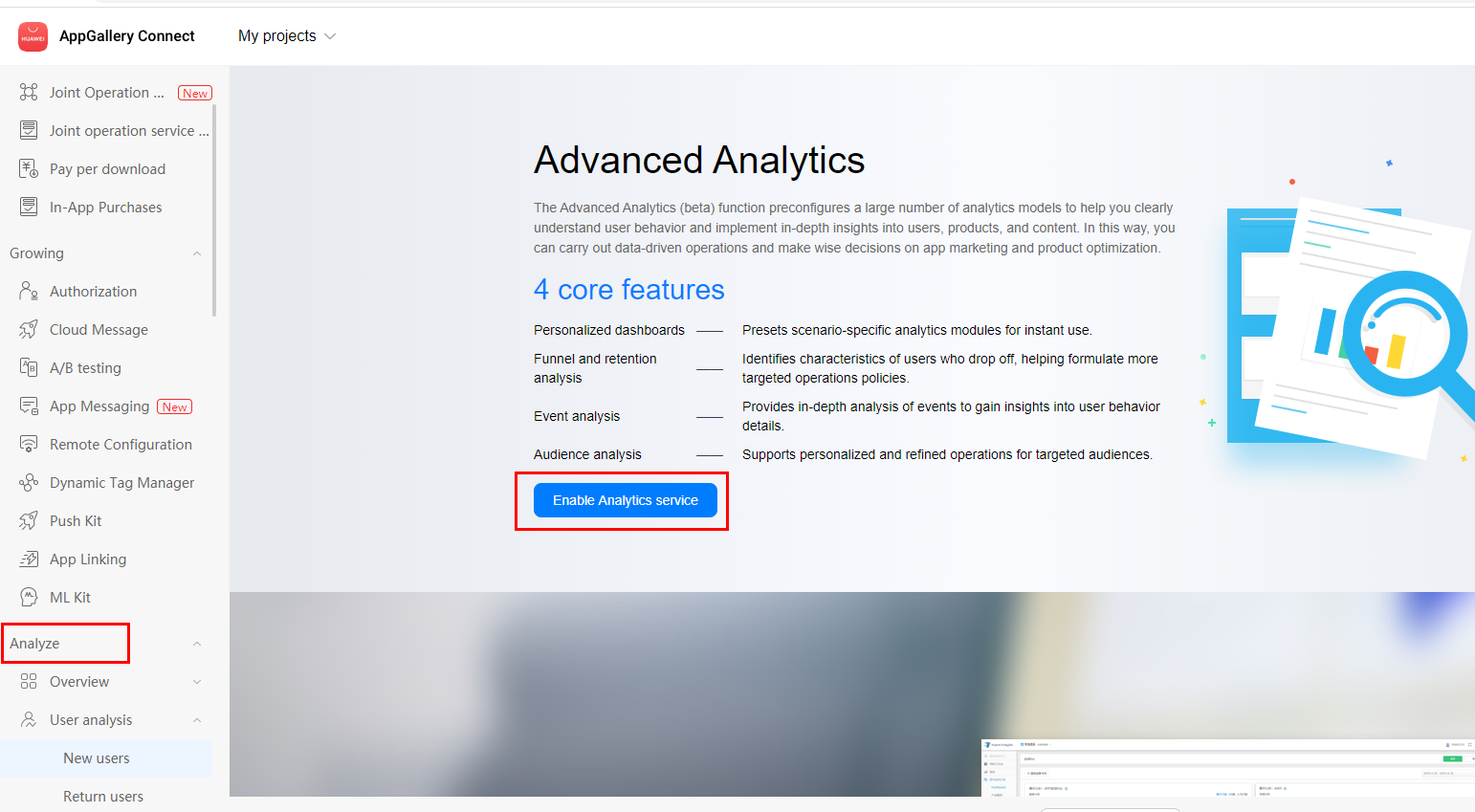
Sign in to AppGallery Connect and select My projects.
Click the app for which you need to view analytics data.
Select any menu under Analyze and click Enable Analytics service.
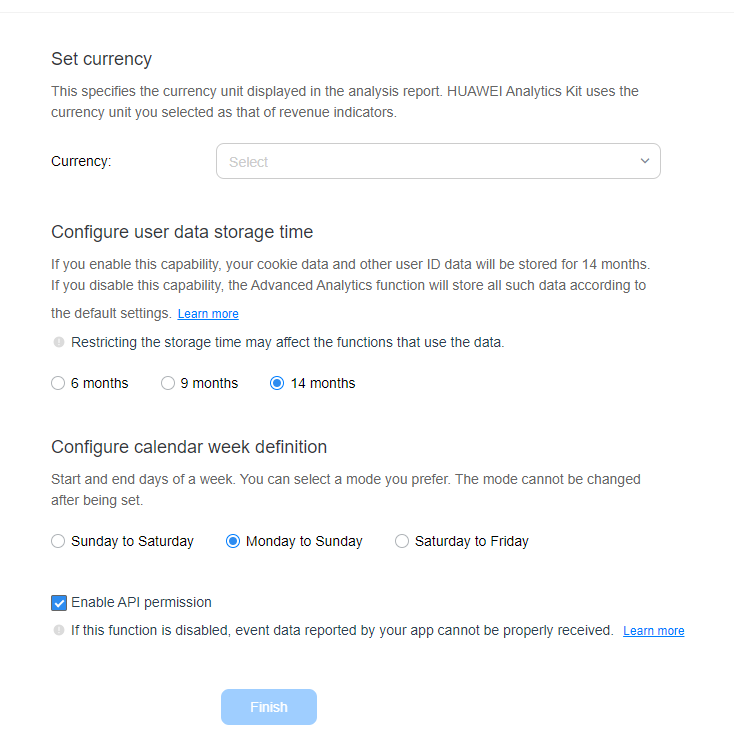
4. On the Project access settings page, set the data storage location, time zone, currency, user data storage time, and calendar week, and click Finish.