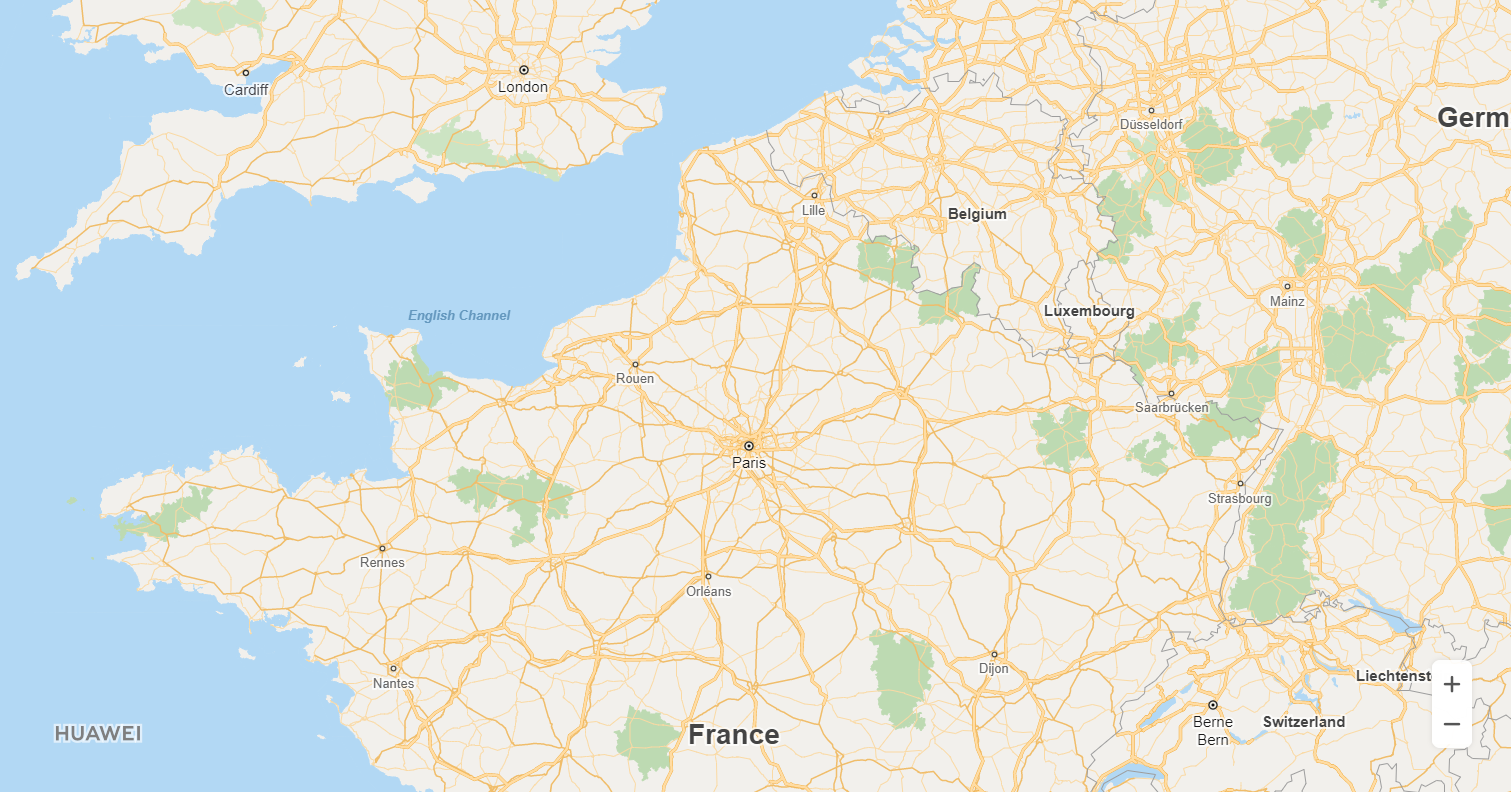
This section describes how to create a simple web-based map using the HUAWEI Map Kit API for JavaScript.
1. Create an HTML file and declare the following content in the file header so that the file is supported in most browsers:
- <!DOCTYPE html>
2. Add the style tag pair in the head tag pair to set the map container dimensions.
- <head>
- <meta charset="UTF-8">
- <style>
- #map {
- height: 800px;
- width: 80%;
- margin: 0 auto;
- }
- </style>
- </head>
3. Provide the HUAWEI Map Kit API file. The key must be transcoded using the URL.
- <script src="https://mapapi.cloud.huawei.com/mapjs/v1/api/js?callback=initMap&key=API KEY"></script>
4. Create map container elements in the body.
- <body>
- <div id="map"></div>
- </body>
Create a script for initializing the map. The following sample code is to create a map with Paris as the center and a zoom level of 8:
- <script>
- function initMap() {
- var mapOptions = {};
- mapOptions.center = {lat: 48.856613, lng: 2.352222};
- mapOptions.zoom = 8;
- mapOptions.language='ENG';
- var map = new HWMapJsSDK.HWMap(document.getElementById('map'), mapOptions);
- }
- </script>
5. View the created map.
Figure 1: Created map
You can modify the attributes of a map, such as the map center, zoom coefficient, and map heading. The following sample code is to modify the map center:
- <tr>
- <td>Latitude:</td>
- <td><input id="latInput" type="text" value="48.95"/></td>
- </tr>
- <tr>
- <td>Longitude:</td>
- <td><input id="lngInput" type="text" value="2.35"/></td>
- </tr>
- var lat = Number(document.getElementById("latInput").value);
- var lng = Number(document.getElementById("lngInput").value);
- map.setCenter({lat: lat, lng: lng});
The following table describes the map attributes that can be customized.
| Attribute | Description |
| setCenter(latlng) | Sets the coordinates of the map center point. |
| setHeading(heading) | Sets the map heading, that is, the angle between the map and the north direction. |
| setOpacity(opacity) | Sets the transparency of the map. |
| setTitle(title) | Sets the prompt information for the container where the map is located. |
| setZoom(zoom) | Sets the zoom level of a map. |
| zoomOut() | Zooms out the map by one level. |
| zoomIn() | Zooms in the map by one level. |