Before you start developing an app, configure app information in AppGallery Connect.
Before developing an app, you will need to register as a HUAWEI developer and complete identity verification on the HUAWEI Developer website,only enterprise developers can enable WisePlay DRM. For details, please refer to Account Registration and Verification.
Create an app by referring to Creating an App at the AppGallery Connect help center. Set the following parameters as described.
Package type: APK (Android app)
Device: Mobile phone
App category: App
To integrate and enable WisePlay DRM, use one of the following methods to obtain technical support and guide:
Offline application: Contact your offline customer manager or support engineer to apply for integrating and enabling WisePlay DRM.
Application by work order: Fill in a work order online and specify the purpose to apply for integrating and enabling WisePlay DRM. For details about how to submit a work order, visit https://developer.huawei.com/consumer/en/support/feedback.
Application by email: Send an email to the Huawei customer service email address (with the title of WisePlay DRM application) to apply for integrating and enabling WisePlay DRM. For details about the email address, please refer to Contact HUAWEI Developer under https://developer.huawei.com/consumer/en/hms.
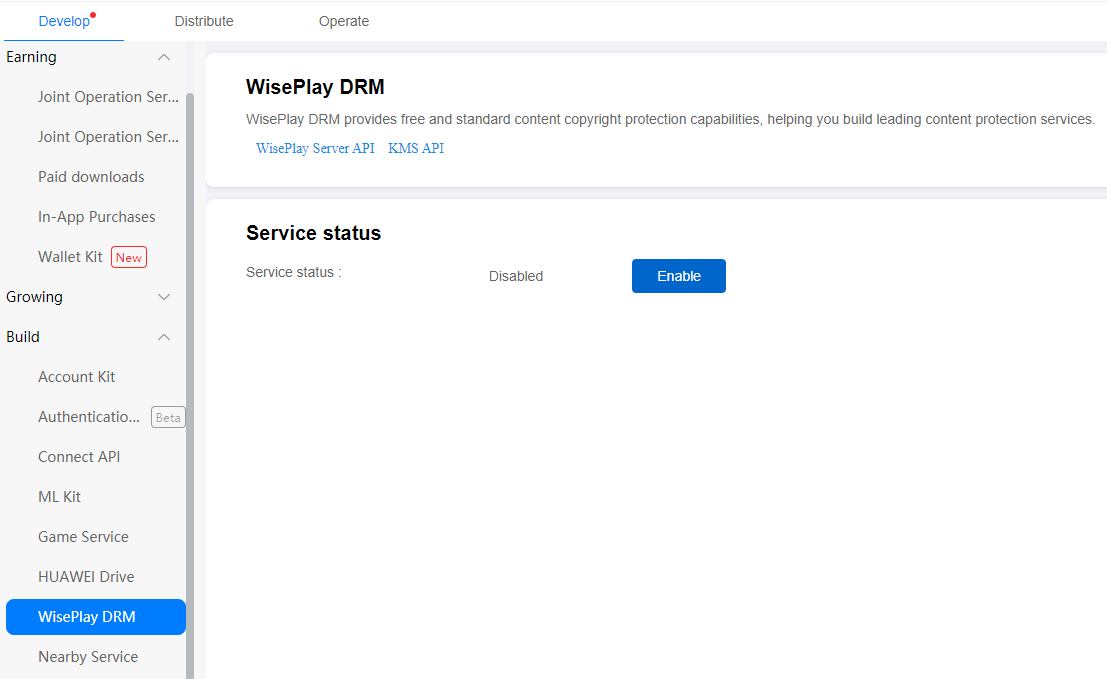
Check the service status under Develop > Build > WisePlay DRM. If the service is not enabled, click Enable to enable it.
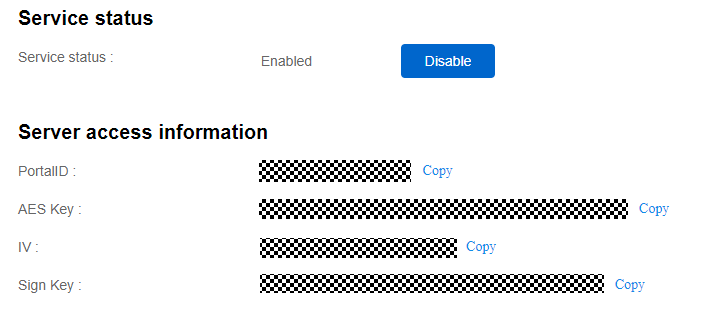
After the service is enabled, save PortalID,Aes Key,IV and Sign Key in the server access information, which will be used when you call the WisePlay DRM Server API for message integrity verification.