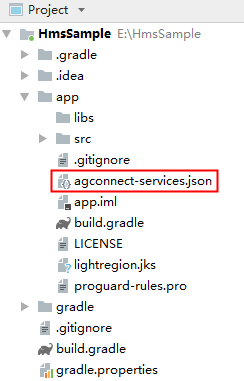
If you are using Android Studio, you can integrate your HMS SDK by using the Maven repository. Before you start developing an app, integrate the HMS SDK into your Android Studio first.
1. Sign in to AppGallery Connect and select My projects.
2. Find your project from the project list and click the app on the project card.
3. Go to Project Setting > General information. In the App information area, download the agconnect-services.json file.
4. Copy the agconnect-services.json file to the app root directory.