App ID (app package name).
Initialize the SDK in the onCreate method in the first activity of the app. Otherwise, the processing of automatic collection of periodic page events may be affected. For details about how to view reported data, please refer to the Integrating HUAWEI Analytics in the Development Guide.
You do not need to integrate the AppsFlyer SDK. However, you need to set the following parameters:
App ID (app package name).
Developer key (obtained from the app configuration of AppsFlyer).
AppsFlyer device (preset variables Device ID and Device Name).
Event name.
ICustomVariable and ICustomTag contain custom extensible variables and templates. You can also customize variables and templates in DTM to meet specific requirements.
DTM automatically downloads the latest JSON file from the server and updates the JSON file in the cache every six hours.
Events are sent to HUAWEI Analytics.
If a third-party platform is configured, events are also sent to the third-party platform.
Events are reported to a third-party analytics platform (for example, AppsFlyer).
A sub-thread reports events in the background every 10 minutes. When your app is started, the sub-thread queries the database and, if the database is not empty, periodically reports events as long as the network is connected. Each time before reporting events, the sub-thread checks whether there are more than 3000 persisted data records. If so, it deletes the oldest data records and reserves only the latest 3000 records. Then, the sub-thread deletes the data records generated more than one month ago and reports remaining data records to the third-party analytics platform based on the event insertion sequence.
Periodic reporting is automatically interrupted when one of the following conditions is met:
1. The database is empty.
2. The network is disconnected.
Periodic reporting is automatically started when one of the following conditions is met:
1. The network is connected and the database is not empty.
2. A new data record is inserted to the empty database and the network is connected.
In debugging or preview mode, an inserted data record is reported immediately.
The standard HTTPS protocol and trusted certificates are used for event reporting.
Locally persisted records are deleted after they are successfully reported. If a data record fails to be reported for the first time, the sub-thread records the reporting failure time and attempts to report the data record again. The data record will be deleted if it still fails to be reported after four hours.
An app needs to integrate both the HUAWEI Analytics and DTM SDKs. The app can use the HUAWEI Analytics SDK to report events, and HUAWEI Analytics calls the DTM to process events. If events need to be sent to a third-party platform, DTM directly reports them to the third-party platform. If events need to be sent to HUAWEI Analytics, the HUAWEI Analytics SDK reports the events.
In this case, the database can store a maximum of 3000 events for up to 30 days.
Automatically reported events and specified in-app events. You can configure a template to prevent some events from being reported to HUAWEI Analytics.
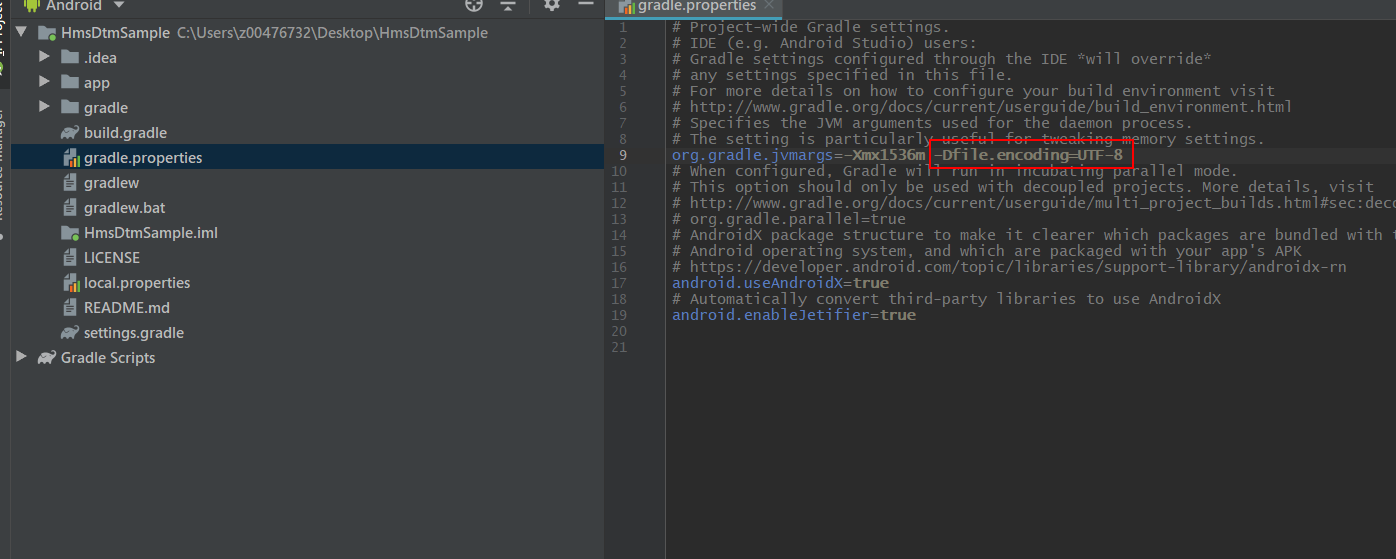
You need to change the encoding format to UTF-8 by adding-Dfile.encoding=UTF-8to thegradle.propertiesfile of the project.
Integrate DTM SDK 4.0.1.300 or later.