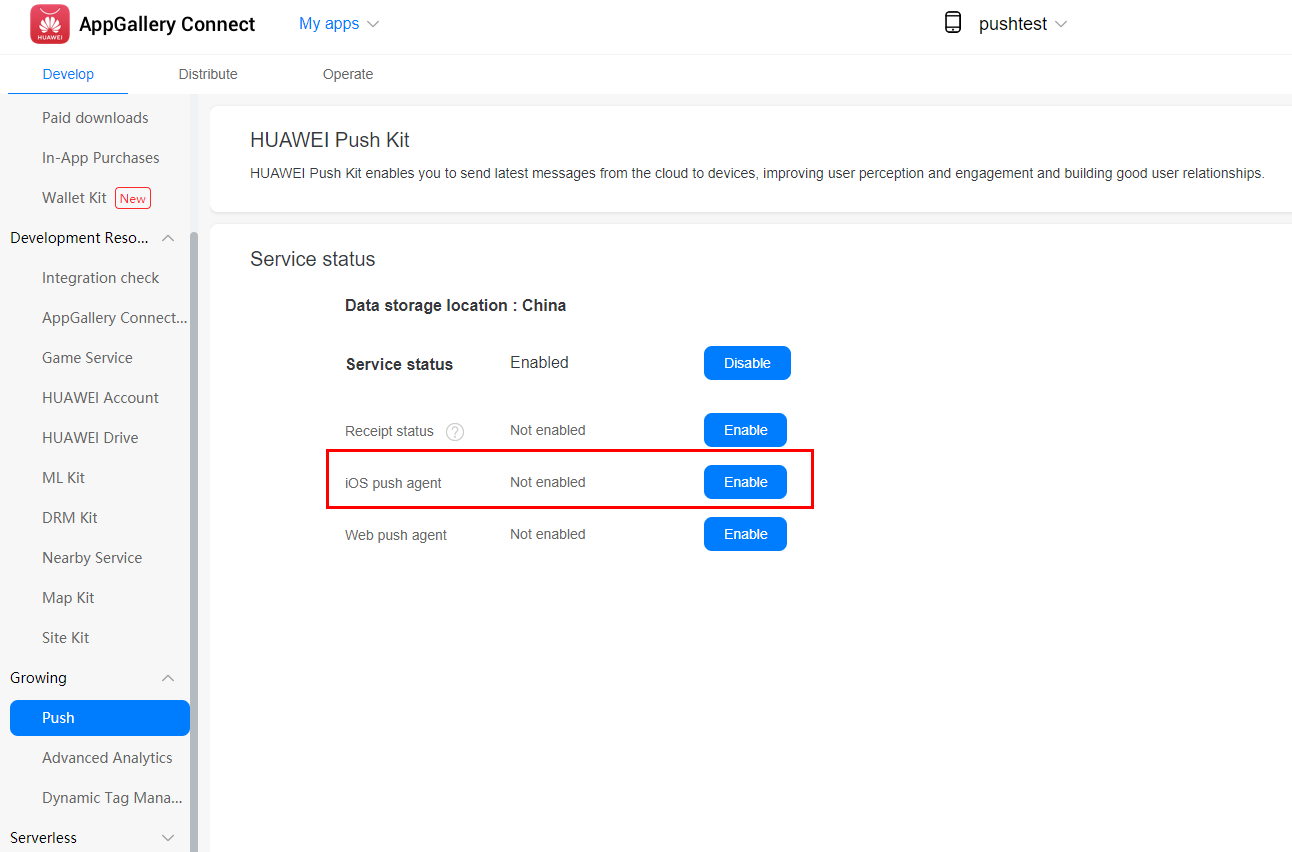
HUAWEI Push Kit provides the capability of sending messages to iOS apps via Apple Push Notification service (APNs), which is referred to as the iOS push agent in this document.
Currently, AppGallery Connect does not support iOS apps. To use the iOS push agent, you need to configure it through an Android app. But before that, you need to register as a developer and create an Android app. For details, please refer to the Preparations for Android apps.
To use the iOS push agent, you need to create the required credentials and certificates on the Apple Developer website, including Identifiers, Keys, Certificates, download the certificates, add your keychain, and export the .p12 file. In addition, you need to obtain the device token for your iOS app, which will be used to send messages to the designated iOS device. For details, please refer to the guides provided by Apple Developer. For other preparations, please refer to the following.
After enabling HUAWEI Push Kit, enable the iOS push agent.
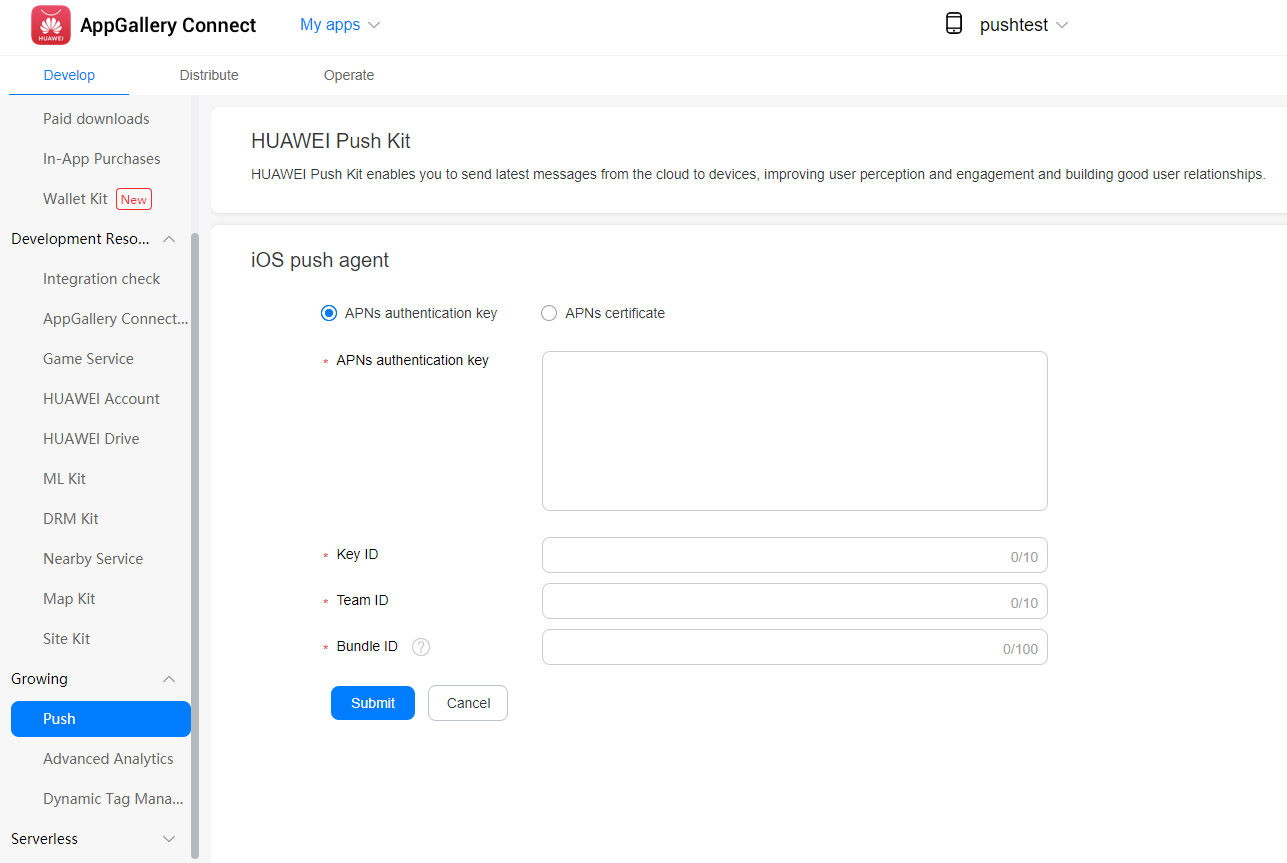
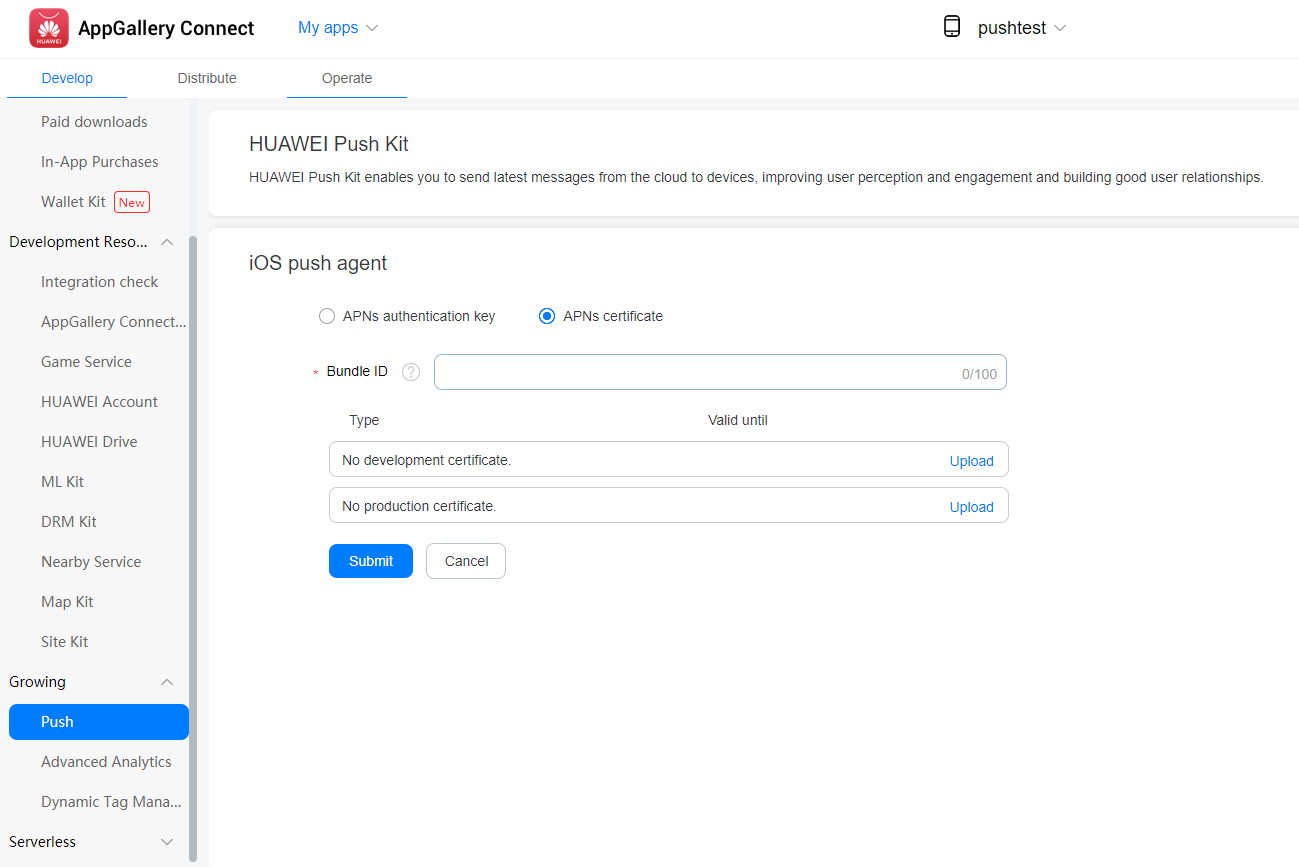
After enabling the iOS push agent, upload the APNs authentication key or certificate that you have applied for on the Apple Developer website.
1. Upload your APNs authentication key.
2. Upload your APNs certificate. You can upload multiple certificates.
You can push messages to iOS apps by referring to the server sample code. The value of the token parameter in the message body should be your iOS device token. For more iOS related parameters, please refer toSending Messages.
Sample code:
- {
- "validate_only": false,
- "message": {
- "notification": {
- "title": "message title",
- "body": "message body"
- },
- "apns": {
- "headers": {
- "apns-topic": "hmspush",
- "apns-priority": "5"
- },
- "hms_options": {
- "target_user_type": 1
- },
- "payload": {
- "aps": {
- "alert": {
- "title": "ios message title",
- "body": "ios message body",
- "action-loc-key": "PLAY"
- },
- "badge": 5
- },
- "acme1": "bar",
- "acme2": [
- "bang",
- "whiz"
- ]
- }
- },
- "token": [
- "your IOS token"
- ]
- }
- }