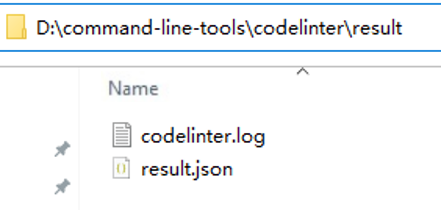
codelinter is used to check and repair code using commands. It can be integrated into the gated check-in or continuous integration environment.
The codelinter command format is as follows:
codelinter [options] [dir]
options: optional parameters. See Table 1.
dir: root directory of the project to be checked. This parameter is optional. If this parameter is not specified, the current context directory is used by default.
Option | Description |
|---|---|
--config/-c <filepath> | Specifies a rule configuration file for codelinter check. <filepath> specifies the save path of the rule configuration file. |
--fix | Specifies whether to execute QuickFix together with codelinter check. |
--format/-f | Specifies an output format of the check result. Currently, the default, JSON, XML, and HTML formats are supported. If this parameter is not specified, the default format (text format) is used by default. |
--output/-o <filepath> | Specifies a path for saving the check result and prevents the check result from being displayed in the command line tool. <filepath> specifies the path for saving the code check result. The value can be a relative path or an absolute path. If --output is not used, the check result is displayed in the CLI by default. |
--version/-v | Displays the codelinter version. |
--product/-p <productName> | Specifies a product for which codelinter check takes effect. <productName> indicates the name of the effective product. |
--incremental/-i | Checks the incremental files in the Git project (which includes newly added, modified, and renamed files). |
--language/-l <language> | Sets the codelinter language to Chinese (cn) or English (en). The default value is en. |
--help/-h | Displays help information about the codelinter command. |
--exit-on/-e <levels> | Specifies the alarm severities at which a non-zero exit code needs to be returned. The alarm severities include error, warn, and suggestion. To specify multiple severities, separate them with commas (,). The exit code is calculated as follows: A 3-bit binary number is used, where the bits (from the highest to the lowest) correspond to the error, warn, and suggestion severities, respectively. If the severity is configured in the command line and the code check result contains the severity, the binary value is 1. Otherwise, the binary value is 0. The exit code is the decimal equivalent of this binary number. Examples:
|
- Execute codelinter code check and repair. If your project has multiple products, run the --product/-p command to specify the product for which the code check takes effect and the root directory of the project to be checked.

- Use the command line tool in the root directory of the project.
- Run the codelinter command In this case, the code of the TypeScript/ArkTS file in the project is checked according to the default codelinter check rule. After the check is complete, you can view the code-linter.json5 file in the corresponding path as prompted.
codelinter // Execute codelinter check.
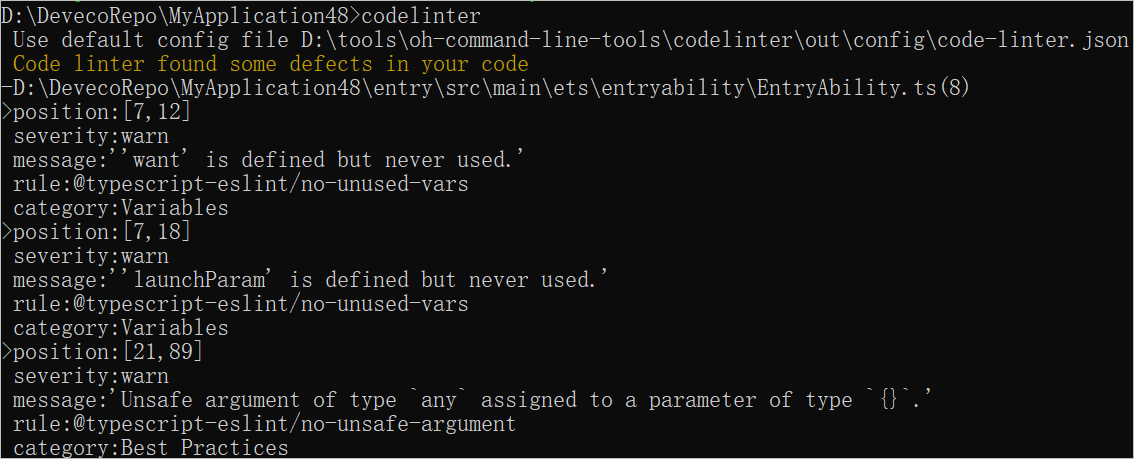
- Specify the code-linter.json5 rule configuration file to be used for code check:
codelinter -c filepath // Specify the path to the rule configuration file.
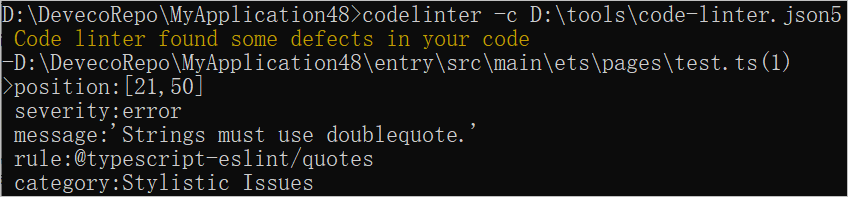
- Perform codelinter check for a specified project based on the specified rule configuration file. Some alarms that can be cleared are automatically fixed.
codelinter -c filepath --fix // Fix the alarms in the project.

- Run the codelinter command In this case, the code of the TypeScript/ArkTS file in the project is checked according to the default codelinter check rule. After the check is complete, you can view the code-linter.json5 file in the corresponding path as prompted.
- Use the command line tool in a non-root directory of the project.
- Run the following command to specify the project directory or file path to be checked. In this case, the code of the TypeScript/ArkTS file in the project is checked according to the default check rules. After the check is complete, you can review the rules in the code-linter.json5 file indicated in the check result.
codelinter dir [filepath] [dir1] // Specify the project directory or file path to be checked. filepath indicates the file path, and dir and dir1 indicate the project directories. Multiple directories and file paths are allowed.

- Specify the codelinter rule configuration file.
codelinter -c filepath dir // filepath indicates the save path of the specified rule configuration file, and [dir] indicates the root directory of the project to be checked.
- Perform codelinter check for the specified project based on the specified rule configuration file and fix issues that can be auto-fixed.
codelinter -c filepath dir --fix // Fix the alarms in the project. Multiple project paths are allowed.

- Run the following command to specify the project directory or file path to be checked. In this case, the code of the TypeScript/ArkTS file in the project is checked according to the default check rules. After the check is complete, you can review the rules in the code-linter.json5 file indicated in the check result.
- Use the command line tool in the root directory of the project.
- Run the following command to specify the output format (for example, JSON) of the check result. The check result is displayed in the CLI.
codelinter [dir] -f json // [dir] is the root directory of the project to be checked.
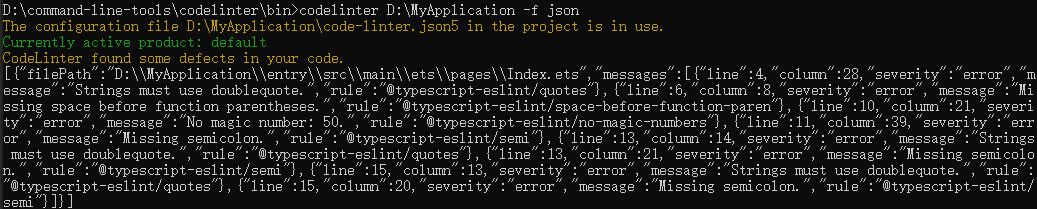
- Run the following command to specify the code check output format and its save path. In this case, the check result is not displayed in the CLI. You can view the check result in the specified path.
codelinter [dir] -f json -o filepath2 // [dir] indicates the root directory of the project to be checked, and filepath2 indicates the path for storing the code check result.