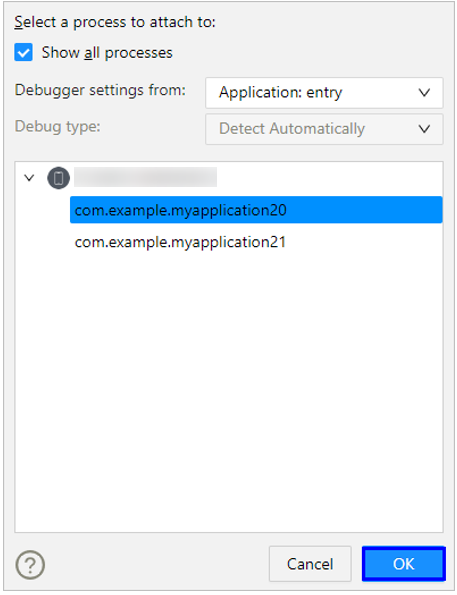
You can also attach the debugger to an app that is already running for debugging.
The difference between Debug and Attach Debugger to Process is that the latter allows you to debug an app/atomic service in running or start an app/atomic service installed on the device for debugging. Debug allows you to start and debug an app/atomic service in sequence.
Prerequisites
The attached app on the device is running code that matches the local source, with source maps pre-built for debugging.
Constraints
The attach operation does not support the following cases:
- There is no source code locally.
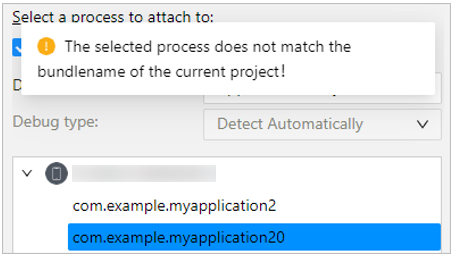
- The local bundle name does not match the bundle name of the app to be attached to. If this occurs, the message "The selected process does not match the bundle name of the current project!" will be displayed, but the debugging process will not be blocked.
Procedure
- On the toolbar, select the device to be debugged and click
 Attach Debugger to Process.

- Select the app to be debugged. If the bundle name of the app is different from that of the current project, select Show all processes.


In general, attach debugging only supports apps signed with a debug certificate. Since DevEco Studio 6.0.2 Beta1, apps on PCs and 2-in-1 devices can also be attached and debugged if they are signed with a release certificate and have been granted the ohos.permission.kernel.ALLOW_DEBUG permission.
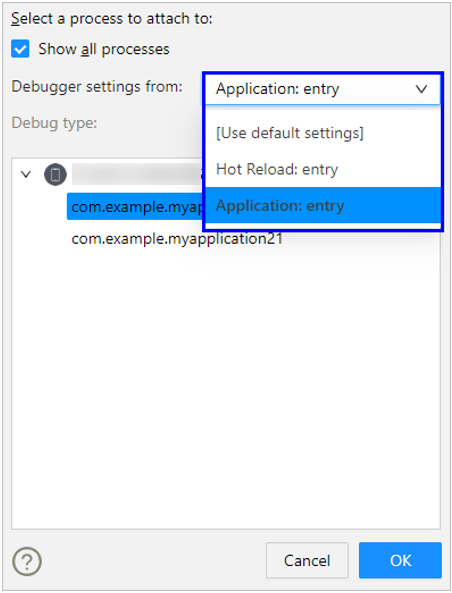
- Select the debugger settings to be used, or use the default settings.
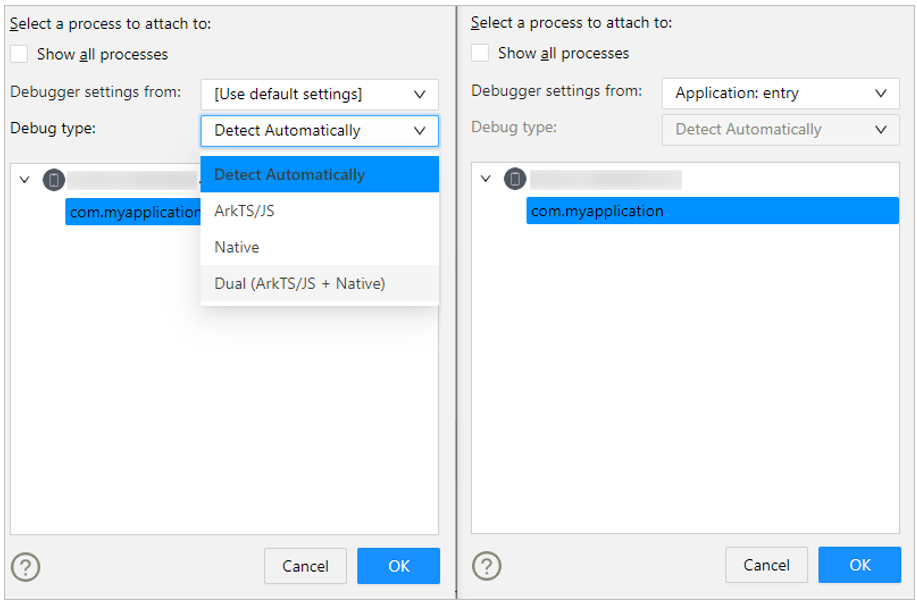
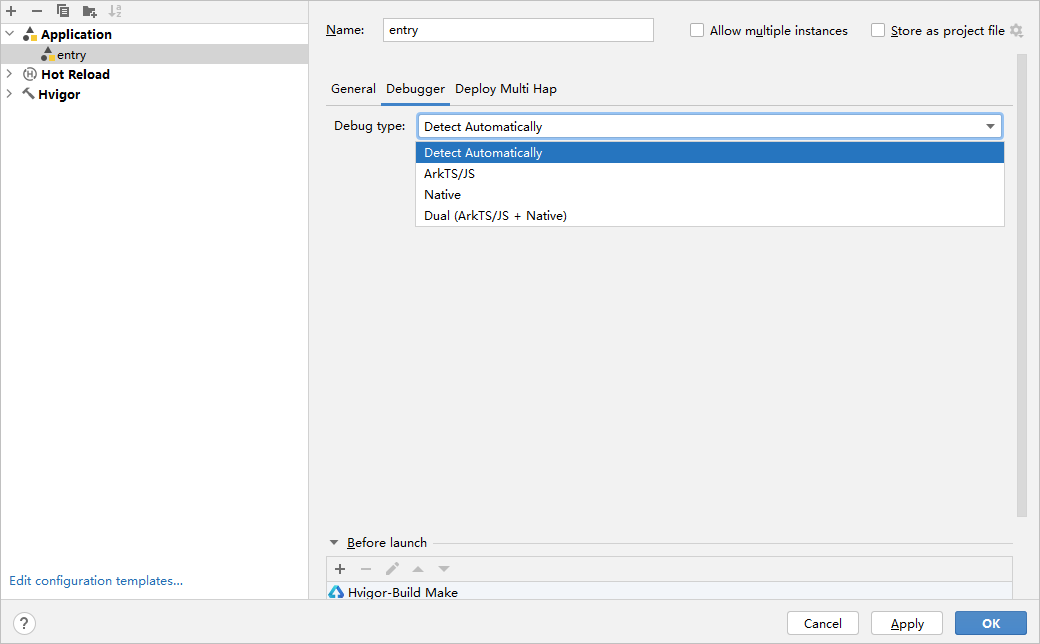
- Select the debug type. The debug type can be changed only on the Run/Debug Configurations page. If you select configured debugger settings, the debug type cannot be changed.
- Click OK to start debugging.