A HAR is a static shared package that can contain code, C++ libraries, resource files, and configuration files (also called profiles). It enables modules and projects to share code of ArkUI components, resources, and more. Unlike a HAP, a HAR cannot be independently installed on a device. Instead, it can only be referenced as a dependency of a module. This section describes how to create a HAR module and compile a shared package.
The following figure shows the project structure of a HAR module.
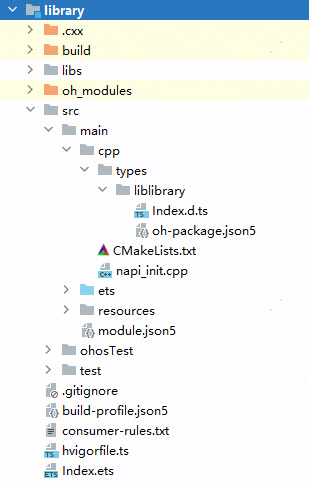
The fields specific to the HAR module are as follows. Other fields are the same as those of the entry or feature module. For details, see Project Overview.
- libs: a collection of .so files.
- src > main > cpp > types: a collection of C++ API description files. Subdirectories are divided by .so.
- src > main > cpp > types > liblibrary > Index.d.ts: description of the method names, input parameters, and output parameters of C++ APIs.
- src > main > cpp > types > liblibrary > oh-package.json5: description of the entry to the third-party .so package declaration file and the .so package name.
- src > main > cpp > CMakeLists.txt: CMake configuration file, which provides CMake build scripts.
- src > main > cpp > napi_init.cpp: C++ source code file of the HAR.
- Index.ets: entry to the HAR export declaration.
Since DevEco Studio 6.0.1 Beta1, you can specify the C++ language standard when creating a HAR module.
Creating a HAR Module
- Right-click the top of the project directory and choose New > Module from the shortcut menu.
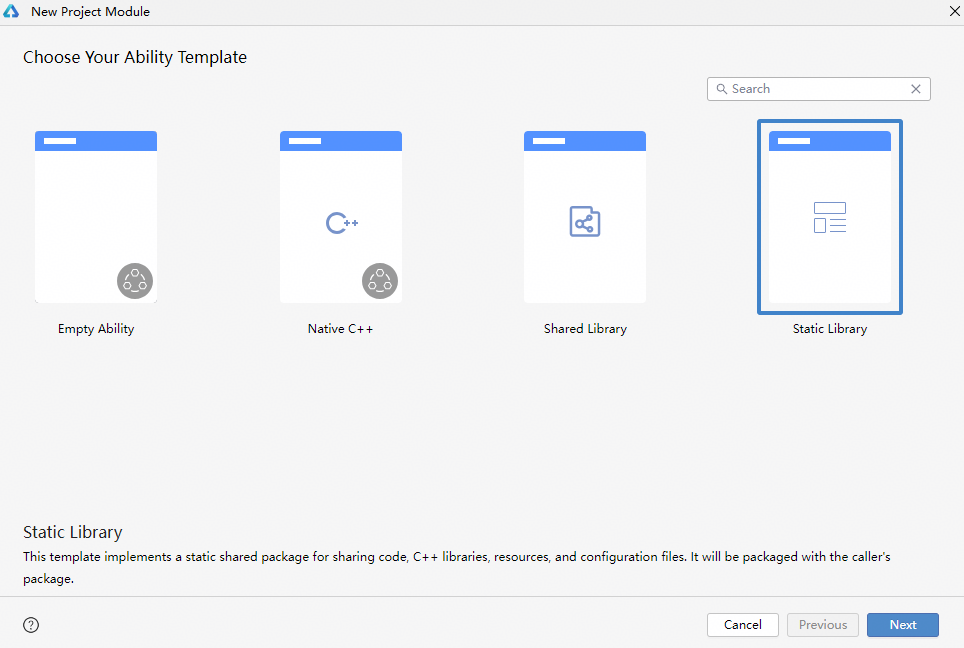
- On the Choose Your Ability Template page, select Static Library and click Next.
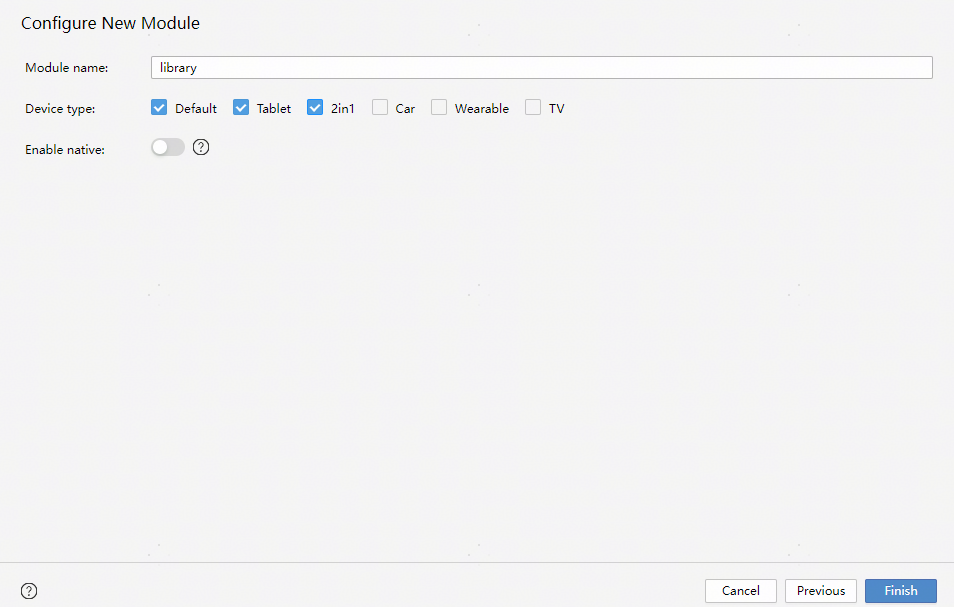
- On the Configure New Module page, set the following parameters and click Finish to create a HAR module.
- Module name: name of the new module.
- Device type: supported device type.
- Enable native: whether to create a module for invoking C++ code.
- C++ Standard: C++ standard library. The options are Toolchain Default, C++11, and C++14. This parameter must be set only when Enable native is toggled on. This field is supported since DevEco Studio 6.0.1 Beta1.
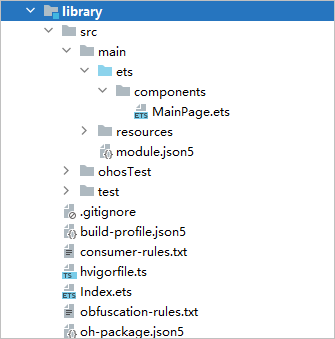
After the creation is complete, the HAR module and related files are generated in the project directory.
Building a HAR Module
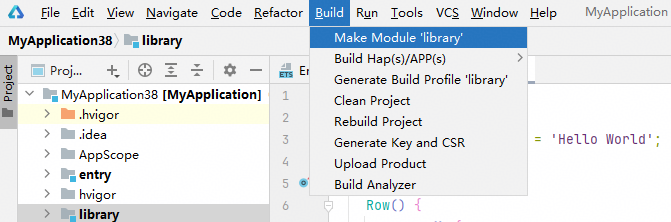
When the development of a HAR module is complete, select the module name and choose Build > Make Module ${libraryName} on the menu bar to compile and build the module into a HAR. The HAR can be referenced by other modules of the same project or be uploaded to the ohpm repository for access by other developers. For more details, see Building a HAR.
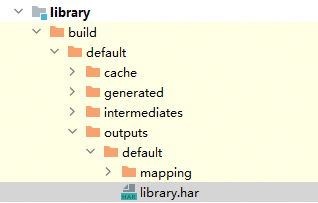
A HAR is in .har format and is accessible in the build folder of the module directory.
During compilation and build, pay attention to the following:
- C++ code in the HAR module is not directly packaged into the HAR. Instead, it is compiled into an .so file and stored in the libs directory of the HAR.
- The ResourceTable.txt file, which enables the editor of DevEco Studio to associate the resource files in the HAR for intelligent code completion, is automatically created if compilation and build is conducted on DevEco Studio. This means that, if a HAR is not compiled and built on DevEco Studio, its resource files cannot be used by the editor for intelligent code completion.
- If Hvigor 2.5.0-s or later is used, local dependencies (that is, dependencies specified via dependencies) in the module are also packaged into the HAR during compilation and build. If any local dependencies (for example, the cpp/types directory) are missing, see FAQs.