Use Cases
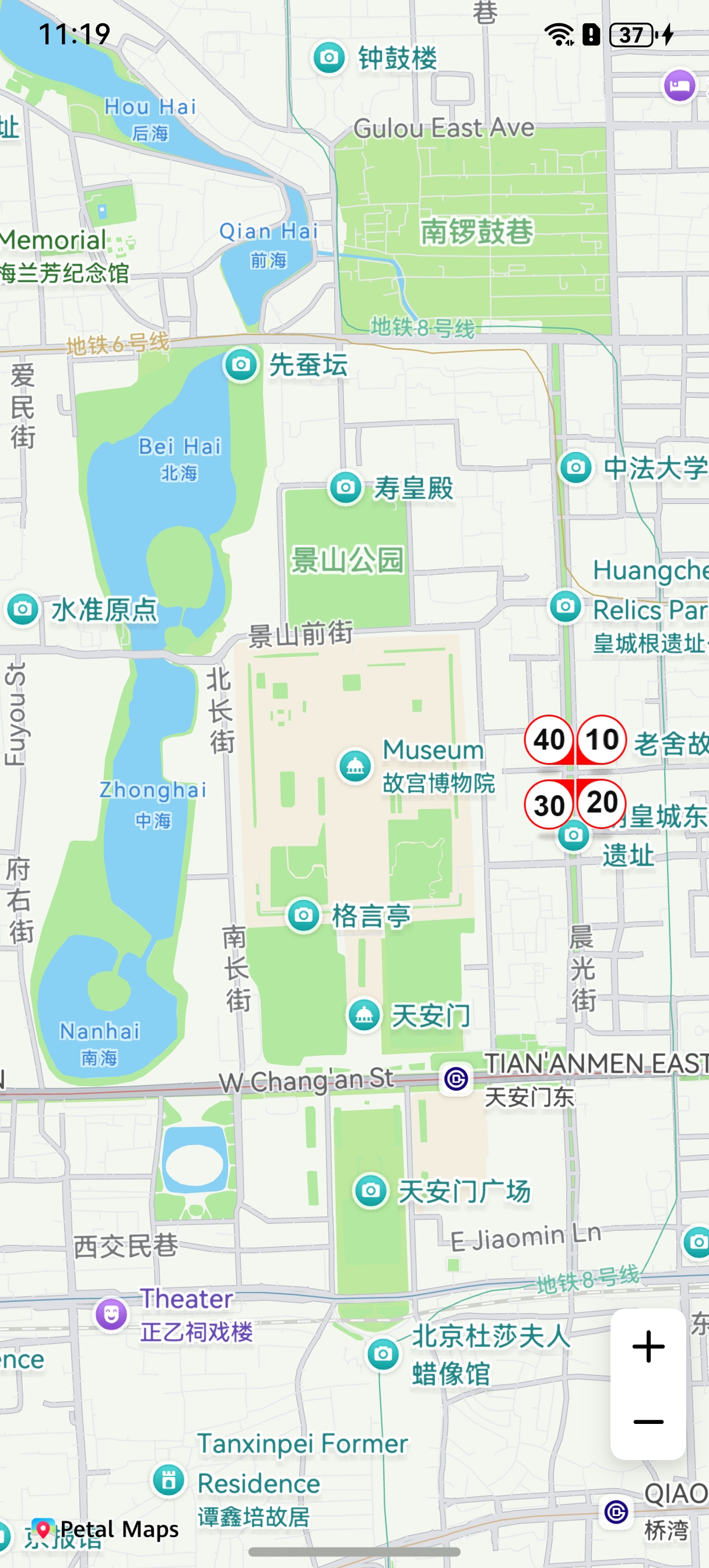
This section describes how to add a Bubble to a specified position on a map.
You can use Bubbles to show speed and congestion information at a specified location on a road. This function allows you to:
-
Set icons for four directions. (The icons must have the same height and width.)
-
Set the icon collision rule.
-
Set the candidate coordinates segment for a Bubble, so that the Bubble can be displayed on the optimal position on the road after calculation.
-
Set the icon animation.
-
Add tap events.
API Description
The Bubble adding function is mainly provided by BubbleParams, addBubble, and Bubble. For more information about the APIs, please refer to API Reference.
| API | Description |
|---|---|
| BubbleParams | Bubble parameters. |
| addBubble(params: mapCommon.BubbleParams): Promise<Bubble> | Adds a Bubble to a map. |
| Bubble | Bubble. This API supports updating and querying Bubble attributes. |
[h2]Adding a Bubble
-
Import required modules.
import { MapComponent, mapCommon, map } from '@kit.MapKit'; import { AsyncCallback } from '@kit.BasicServicesKit'; -
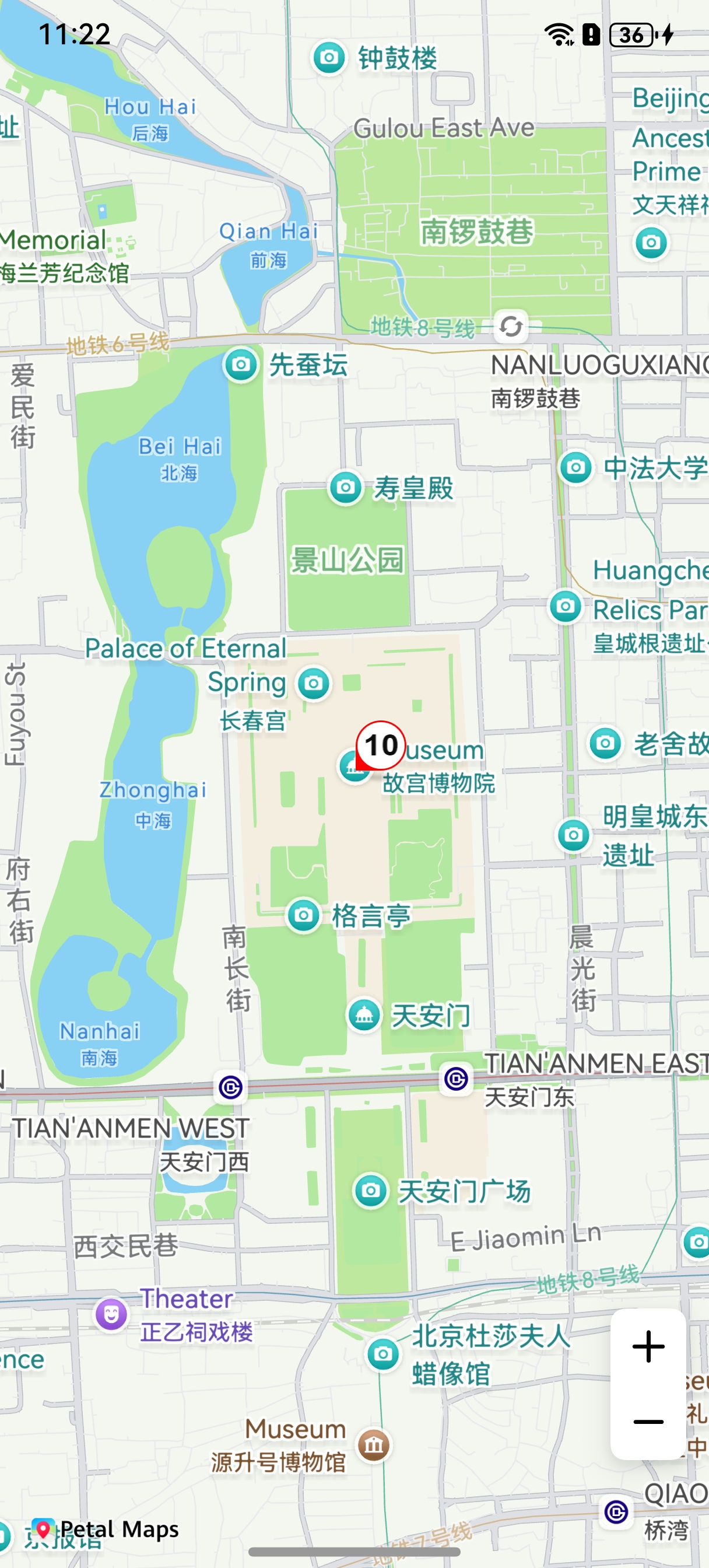
Add a Bubble. Create initialization parameters in the callback method, and create a Bubble.
@Entry
@Component
struct BubbleDemo {
  private mapOptions?: mapCommon.MapOptions;
  private mapController?: map.MapComponentController;
  private callback?: AsyncCallback<map.MapComponentController>;
  private bubble?: map.Bubble;

  aboutToAppear(): void {
    this.mapOptions = {
      position: {
        target: {
          latitude: 39.918,
          longitude: 116.397
        },
        zoom: 14
      }
    };

    this.callback = async (err, mapController) => {
      if (!err) {
        this.mapController = mapController;
        let bubbleOptions: mapCommon.BubbleParams = {
          // Bubble position.
          positions: [[{
            latitude: 39.918,
            longitude: 116.397
          }]],
          // Set icons. Icons for four directions must be provided and stored in resources/rawfile.
          icons: [
            'speed_limit_10.png',
            'speed_limit_20.png',
            'speed_limit_30.png',
            'speed_limit_40.png'
          ],
          // Set the display attribute of the Bubble. If it is set to true, the Bubble remains visible after collision.
          forceVisible: true,
          // Define the Bubble collision priority. A larger value indicates a lower priority.
          priority: 3,
          // Define the minimum zoom level for Bubble display.
          minZoom: 2,
          // Define the maximum zoom level for Bubble display.
          maxZoom: 20,
          // Define whether the Bubble is visible.
          visible: true,
          // Define the overlay level attribute of the Bubble.
          zIndex: 1
        }

        // Add a bubble.
        try {
          this.bubble = await this.mapController.addBubble(bubbleOptions);
        } catch (e) {
          console.error(`Failed to create the bubble. Code: ${e.code}; message: ${e.message}`);
        }
      } else {
        console.error(`Failed to initialize the map. Code: ${err.code}; message: ${err.message}`);
      }
    };
  }

  build() {
    Stack() {
      Column() {
        MapComponent({ mapOptions: this.mapOptions, mapCallback: this.callback });
      }.width('100%')
    }.height('100%')
  }
}
[h2]Setting a Listener for Bubble Tap Events
let callback = (bubble: map.Bubble) => {
  console.info("bubbleClick", `callback bubble = ${bubble.getId()}`);
};
this.mapController?.on("bubbleClick", callback);
[h2]Setting an Animation for a Bubble
Bubble calls setAnimation to set the animation.
Bubble calls startAnimation to start the animation.
let animation: map.ScaleAnimation = new map.ScaleAnimation(1, 3, 1, 3);
// Set the duration for a single animation cycle.
animation.setDuration(3000);
// Set a listener for animation start events.
let callbackStart = () => {
  console.info("animationStart", `callback`);
};
animation.on("animationStart", callbackStart);
// Set a listener for animation end events.
let callbackEnd = () => {
  console.info("animationEnd", `callback`);
};
animation.on("animationEnd", callbackEnd);
// Set the end state of the animation.
animation.setFillMode(map.AnimationFillMode.BACKWARDS);
// Set the animation replay mode.
animation.setRepeatMode(map.AnimationRepeatMode.REVERSE);
// Set an animation interpolator.
animation.setInterpolator(Curve.Linear);
// Set the number of times the animation is replayed.
animation.setRepeatCount(100);
this.bubble.setAnimation(animation);
this.bubble.startAnimation();