Generating a Glue Code Function Framework
Cross-language code editing allows you to use Node-API to encapsulate the APIs exposed to ArkTS or JS.
- Make sure the napi_init.cpp file exists in the entry > src > main > cpp directory of the current C++ project. If the file does not exist, create one as follows: Place the caret at the name of a function or class (whose parameters must be of the bool, int, string, void, float, double, std::array, or std::vector type) in the header file (in .hpp, .hxx, .hh, or .h format), right-click, and choose Generate > NAPI from the shortcut menu to generate the glue code framework file napi_init.cpp.
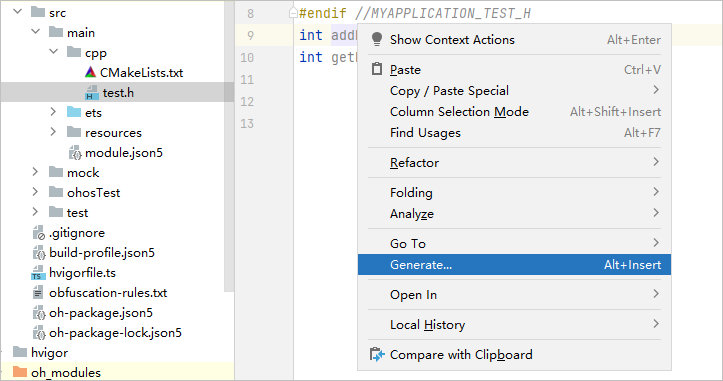
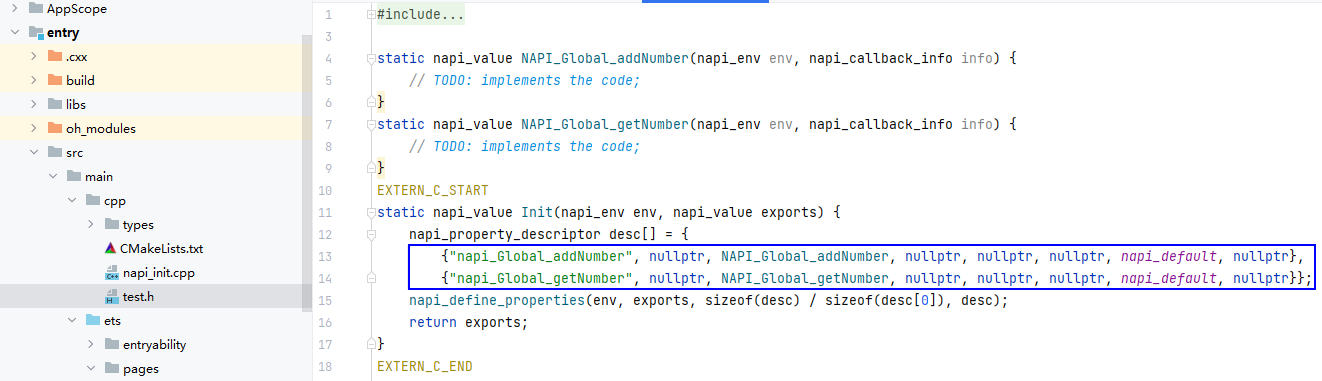
- When the napi_init.cpp file is in the preceding location, place the caret at the function or class to be invoked in the header file, right-click, and choose Generate > NAPI from the shortcut menu. The corresponding function or class will be registered in the napi_property_descriptor field of the napi_init.cpp file.
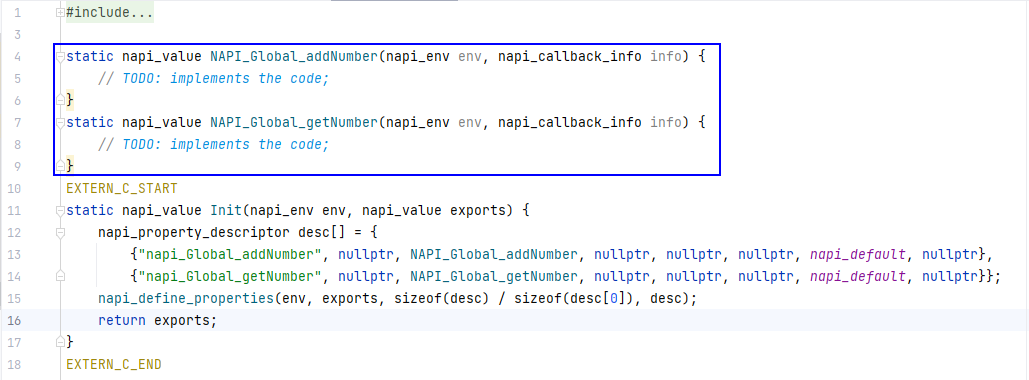
- Add the corresponding implementation code to the TODO position in the napi_init.cpp file.
Quickly Generating Function Definitions Across Languages
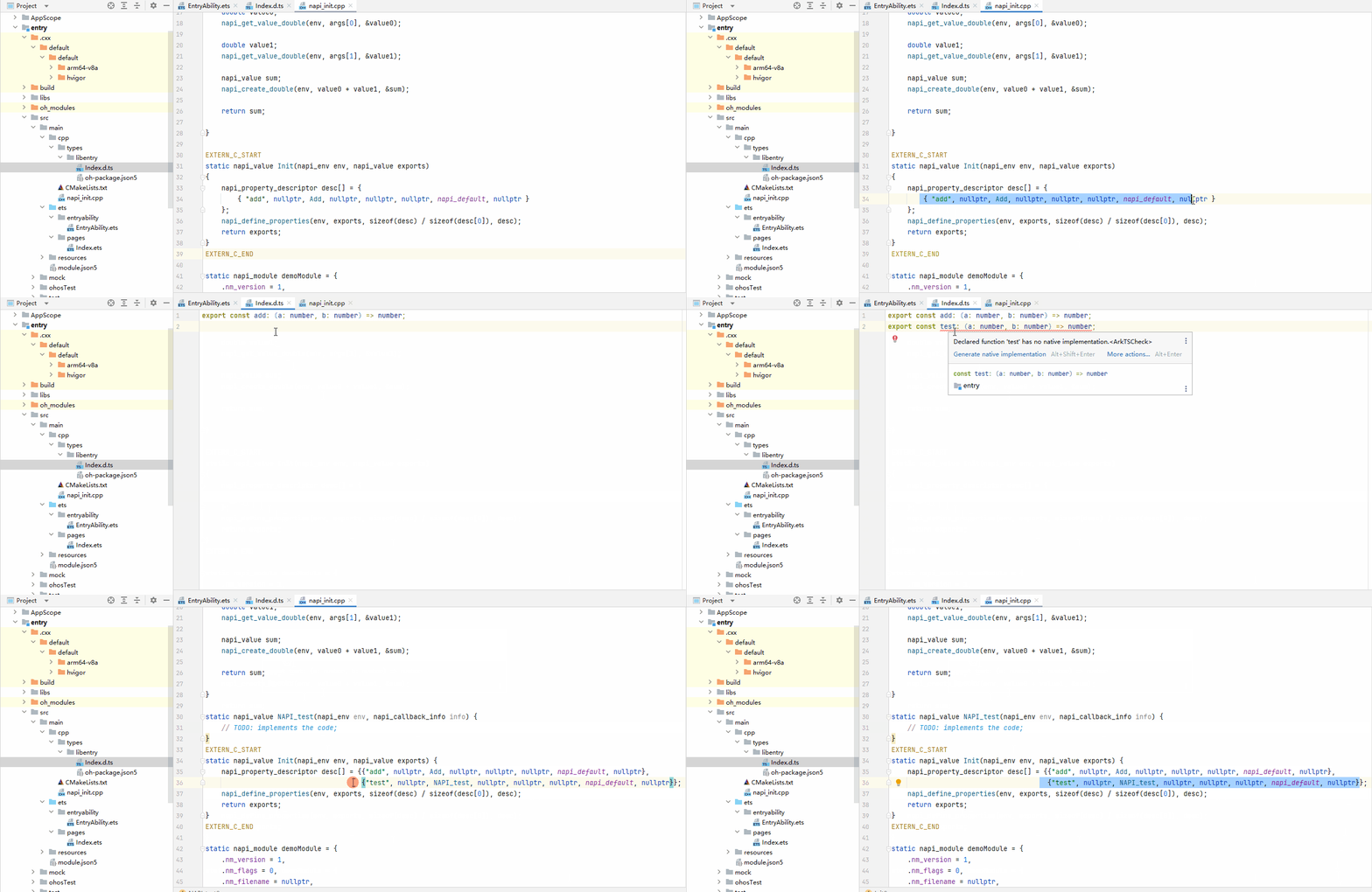
The Generate native implementation feature is supported in cross-language .d.ts files, allowing for the one-click generation of corresponding function definitions in C++ files.
To use this feature, hover the cursor over the name of an undefined function. In the popup window, click Generate native implementation, or click the red light bulb icon that appears on the page and select Generate native implementation, to create the function definition.