Cleans the ohpm cache.

- @group: (optional) namespace of the third-party library. This parameter is added in ohpm 26.0.0.410.
- pkg: (mandatory) name of the third-party library. This parameter is added in ohpm 26.0.0.410.
[h2]log_level
- Default value: none
- Value type: string
In ohpm 6.0.2.636 and later versions, you can append the --log_level <string> parameter to the command to specify the log level (info, debug, warn, or error) for the execution of the current command. If this parameter is not set, the log_level setting in the .ohpmrc file is applied.
[h2]debug
- Default value: false
- Value type: boolean
In ohpm 6.0.2.636 and later versions, you can append the --debug parameter to the command to set the log level to debug for execution of the current command. This configuration takes effect only on the current command line and does not alter the log level configured in the .ohpmrc file. If this parameter is not set, the log_level setting in the .ohpmrc file is applied.
[h2]--v
- Default value: all
- Value type: string
In ohpm 26.0.0.410 and later versions, you can append the --v <string> parameter to the ohpm cache clean [<@group>/]<pkg> command to clear the metadata cache file of a specified version in the package. If this parameter is not appended, all metadata cache files of the specified package are cleared. If this parameter is appended but no version is specified, the all.json metadata cache file of the specified package is cleared.
Example
Example 1
Run the following command to clean the ohpm cache:
ohpm cache clean
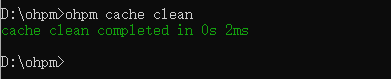
Below is an output example:
Example 2
Run the following command to clean the metadata file of a specified version in the package:
ohpm cache clean // Clean the cache directory created by the system under ~/.ohpm/cache and the .ohpm/lock/oh-install-meta.json5 file in the project directory.
ohpm cache clean @group/package // Clean all metadata cache files of a specified package.
ohpm cache clean @group/package --v // Clean the all.json metadata cache file of a specified package.
ohpm cache clean @group/package --v 2.0.0 // Clean the 2.0.0.json metadata cache file of a specified package.
Description of Cache Design
ohpm stores the cache data in the content-v1 folder under the configured cache directory. The folder stores all the HAR package data obtained through HTTP requests. The package path is constructed by splitting the package's SHA-512 hash into three segments: the first two characters form the level-1 directory, the next two characters form the level-2 directory, and all remaining characters (from the fifth character to the end) are used as the file name. Hash values are used to evenly distribute files in each directory. The three-level directory structure prevents any single directory from containing too many files, improving file indexing efficiency.
Since ohpm 26.0.0.410, metadata file caching is introduced. In the metadata folder under the cache directory, all metadata obtained through HTTP requests is stored in local files based on the group name and package name. The metadata files are categorized into fixed-version metadata files (x.x.x.json) and all-version metadata files (all.json).