Use Cases
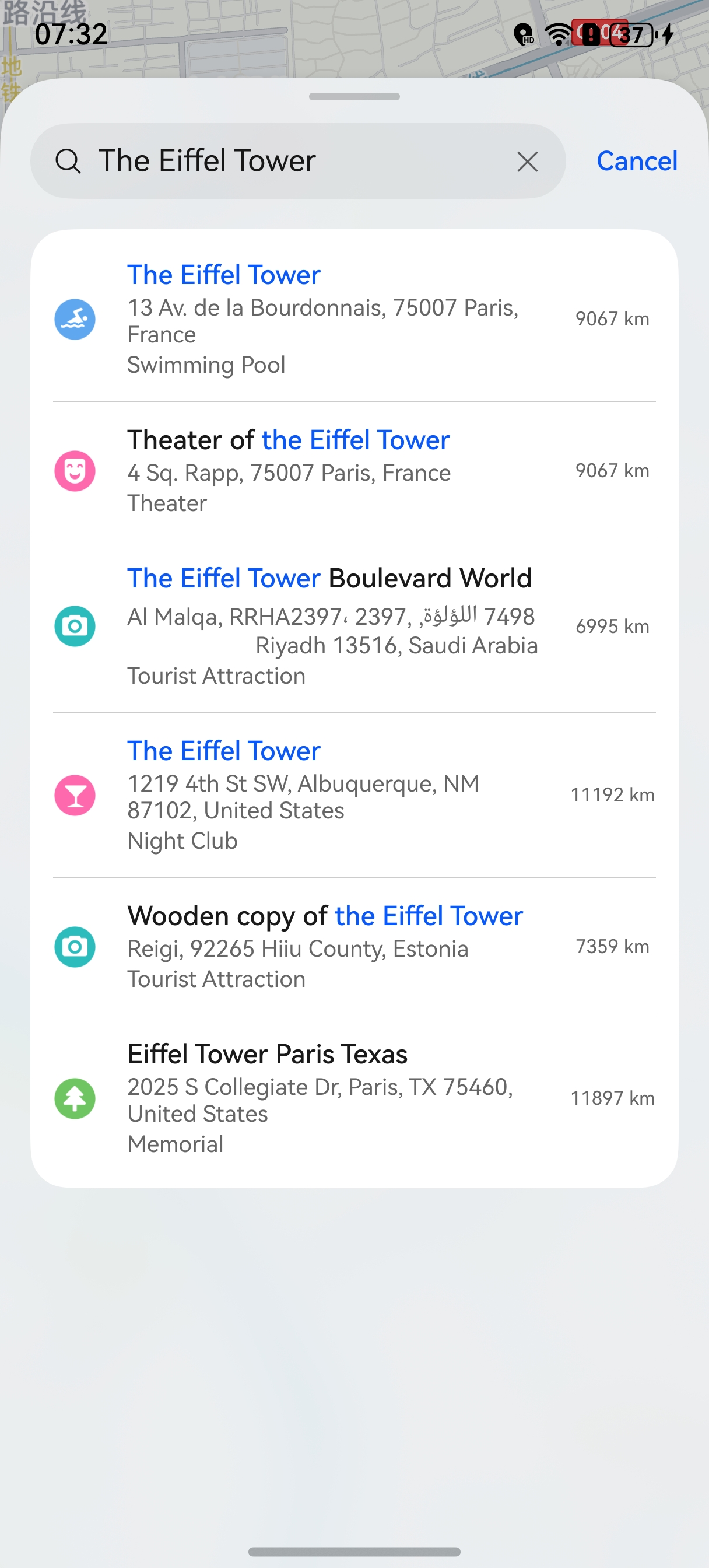
This section describes how to integrate the location selection control. You can use this control to quickly implement location selection on a map without developing a map page. This control does not apply to smart watches.
Figure 1 Location selection page
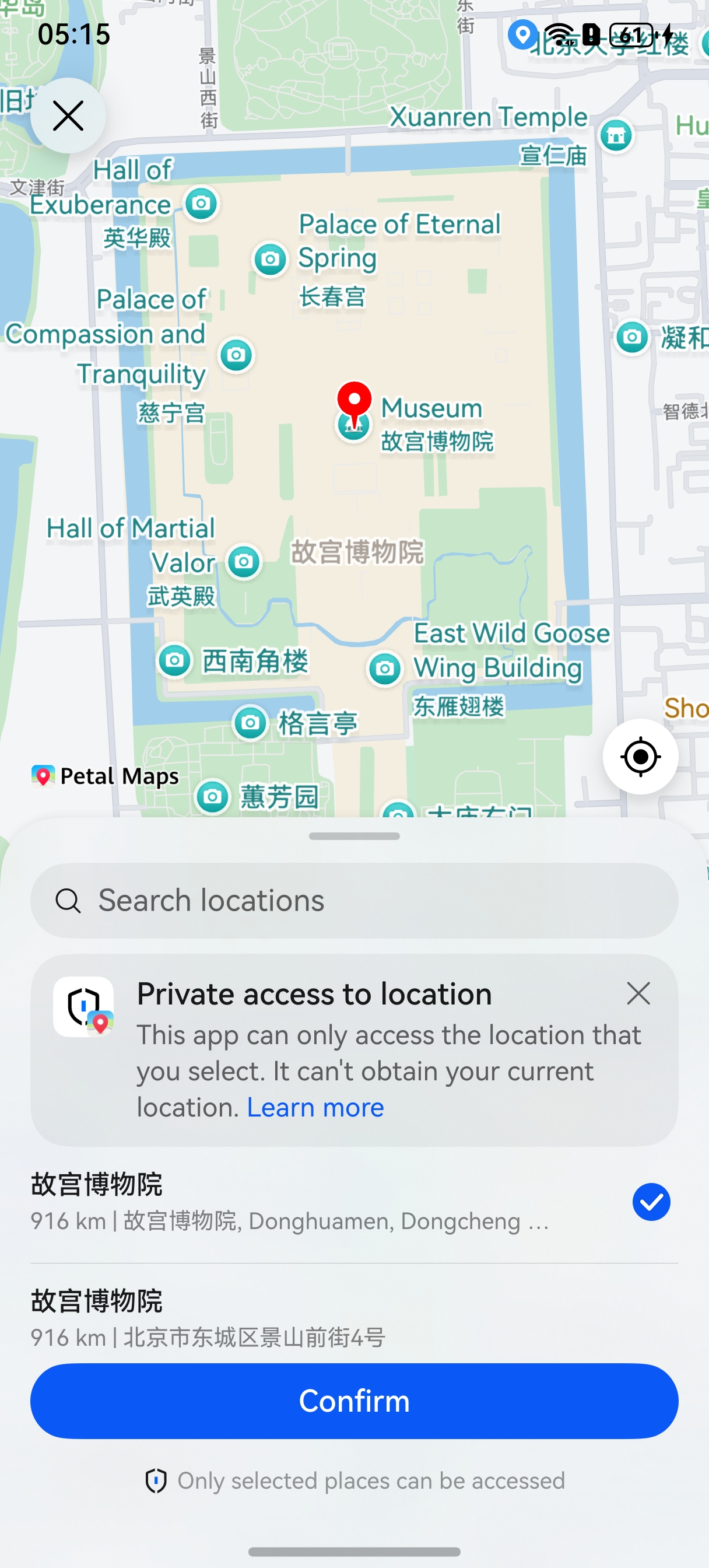
Figure 2 Location selection
Constraints
To use this function, the following condition must be met:
- The device must be a phone, tablet, or PC/2-in-1 device.
API Description
Functions of this control are mainly provided by the chooseLocation method in the sceneMap namespace. For more information about the APIs, please refer to API Reference.
| API | Description |
|---|---|
| LocationChoosingOptions | Parameters for location selection. |
| chooseLocation(context: common.UIAbilityContext, options: LocationChoosingOptions): Promise<LocationChoosingResult> | Selects a location. |
| LocationChoosingResult | Result of location selection. |
Development Procedure
-
Import required modules.
import { sceneMap } from '@kit.MapKit'; import { BusinessError } from '@kit.BasicServicesKit'; import { common } from '@kit.AbilityKit'; -
Create location selection parameters and call the chooseLocation method to display the location selection page.
let locationChoosingOptions: sceneMap.LocationChoosingOptions = {
  // Coordinates of the map center point.
  location: {
    latitude: 39.91804051376904,
    longitude: 116.3970536796932
  },
  // Display the search control.
  searchEnabled: true,
  // Display nearby POIs.
  showNearbyPoi: true
};
// Display the location selection page.
sceneMap.chooseLocation(this.getUIContext().getHostContext() as common.UIAbilityContext,
  locationChoosingOptions).then((data) => {
  console.info('ChooseLocation', 'Succeeded in choosing location.');
}).catch((err: BusinessError) => {
  console.error('ChooseLocation', `Failed to choose location, code: ${err.code}, message: ${err.message}`);
});