To start your app in debug mode right from the beginning, do as follows:
- Set breakpoints. To set a breakpoint, locate the code line and click its left sideline, or move the cursor to the code line and press Ctrl+F8 (Command+F8 for macOS). If a breakpoint cannot be added, see What should I do if breakpoints cannot be added during debugging? for troubleshooting.
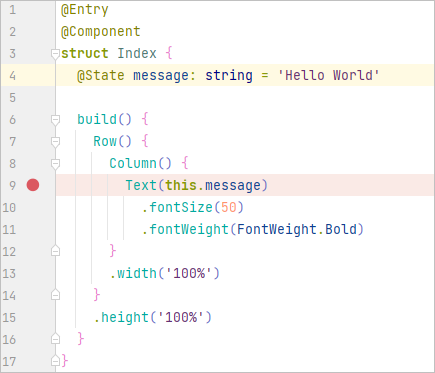
After a breakpoint is set, the execution of your code will pause at the specified line of code, and the line will be highlighted with a red dot.
- Select the device to be debugged.

- Select the configuration for debugging, and then select the module to be debugged. You can also set debugging parameters in Edit Configurations.

- On the toolbar, click
 Debug.

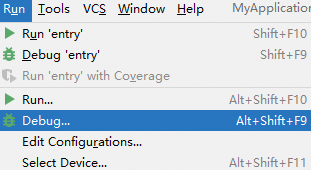
Alternatively, choose Run > Debug.
- Debug code with the debugger.
The breakpoint is highlighted, and its Frames and Variables are displayed.
