当开发者使用相同的计算逻辑重复绑定在UI上时,为了防止重复计算,可以使用@Computed计算属性。计算属性中依赖的状态变量变化时,只会计算一次。这解决了UI多次重用该属性导致的重复计算和性能问题。如下面例子。
@Computed
get sum() {
  return this.count1 + this.count2 + this.count3;
}
Text(`${this.count1 + this.count2 + this.count3}`) // 计算this.count1 + this.count2 + this.count3
Text(`${this.count1 + this.count2 + this.count3}`) // 重复计算this.count1 + this.count2 + this.count3
Text(`${this.sum}`) // 读取@Computed sum的缓存值,节省上述重复计算
Text(`${this.sum}`) // 读取@Computed sum的缓存值,节省上述重复计算 在阅读本文档前,建议提前阅读:@ComponentV2,@ObservedV2和@Trace,@Local。

@Computed装饰器从API version 12开始支持。
从API version 12开始,该装饰器支持在元服务中使用。
从API version 23开始,该装饰器支持在ArkTS卡片中使用。
概述
@Computed为方法装饰器,装饰getter方法。@Computed会检测被计算的属性变化,当被计算的属性变化时,@Computed只会被求解一次。不建议在@Computed中修改变量,错误的使用会导致数据无法被追踪或appfreeze等问题,详情见使用限制。
但需要注意,对于简单计算,不建议使用计算属性,因为计算属性本身也有开销。对于复杂的计算,@Computed能带来性能收益。
使用限制
-
@Computed为方法装饰器,仅能装饰getter方法。
@Computed get fullName() { // 正确用法 return this.firstName + ' ' + this.lastName; } @Computed val: number = 0; // 错误用法,编译时报错 @Computed func() { // 错误用法,编译时报错 } -
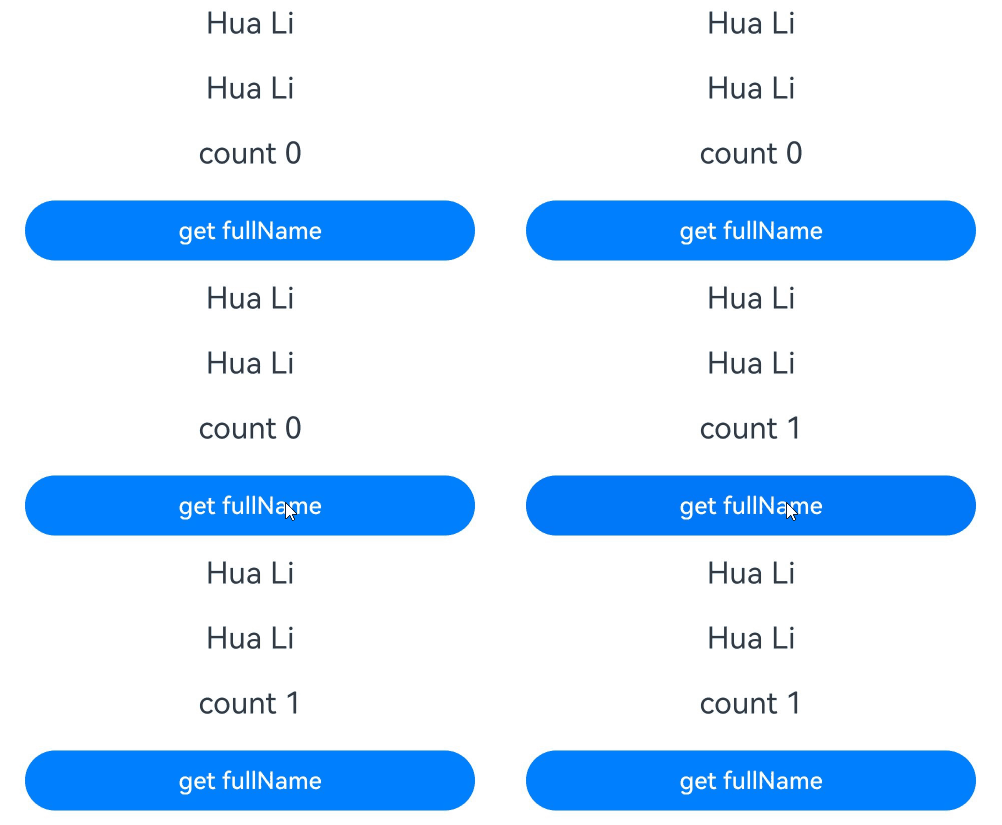
@Computed装饰的方法只有在初始化,或者其被计算的状态变量改变时,才会发生重新计算。不建议开发者在@Computed装饰的getter方法中做除获取数据外其余的逻辑操作,如下面例子。
@Entry
@ComponentV2
struct Page {
  @Local firstName: string = 'Hua';
  @Local lastName: string = 'Li';
  @Local showFullNameRequestCount: number = 0;
  private fullNameRequestCount: number = 0;

  @Computed
  get fullName() {
    console.info('fullName');
    // 不建议在@Computed的计算中做赋值逻辑,因为@Computed本质是一个getter访问器,用来节约重复计算
    // 在这个例子中,fullNameRequestCount仅代表@Computed计算次数,不能代表fullName被访问的次数
    this.fullNameRequestCount++;
    return this.firstName + ' ' + this.lastName;
  }

  build() {
    Column() {
      Text(`${this.fullName}`) // 获取一次fullName
        .fontSize(20)
        .margin(10)
      Text(`${this.fullName}`) // 获取一次fullName,累计获取两次fullName,但是fullName不会重新计算,读取缓存值
        .fontSize(20)
        .margin(10)

      // 点击Button,获取fullNameRequestCount次数
      Text(`count ${this.showFullNameRequestCount}`)
        .fontSize(20)
        .margin(10)
      Button('get fullName')
        .width(300)
        .margin(10)
        .onClick(() => {
          this.showFullNameRequestCount = this.fullNameRequestCount;
        })
    }
    .width('100%')
  }
}
-
在@Computed装饰的getter方法中,不能改变参与计算的属性,以防止重复执行计算属性导致的appfreeze。
在下面例子中,计算fullName1时触发了this.lastName的改变,this.lastName的改变,触发fullName2的计算,在fullName2的计算中,改变了this.firstName,再次触发fullName1的重新计算,从而导致循环计算,最终引起appfreeze。
@Entry @ComponentV2 struct Page { @Local firstName: string = 'Hua'; @Local lastName: string = 'Li'; @Computed get fullName1() { console.info('fullName1'); this.lastName += 'a'; // 错误,不能改变参与计算的属性 return this.firstName + ' ' + this.lastName; } @Computed get fullName2() { console.info('fullName2'); this.firstName += 'a'; // 错误,不能改变参与计算的属性 return this.firstName + ' ' + this.lastName; } build() { Column() { Text(`${this.fullName1}`) .fontSize(20) .margin(10) Text(`${this.fullName2}`) .fontSize(20) .margin(10) } .width('100%') } } -
@Computed不能和双向绑定!!连用,@Computed装饰的是getter访问器,不会被子组件同步,也不能被赋值。开发者自己实现的计算属性的setter不生效,且产生编译时报错。
@ComponentV2 struct Child { @Param double: number = 100; @Event $double: (val: number) => void; build() { Button('ChildChange') .width(300) .margin(10) .onClick(() => { this.$double(200); }) } } @Entry @ComponentV2 struct Index { @Local count: number = 100; @Computed get double() { return this.count * 2; } // @Computed装饰的属性是只读的,开发者自己实现的setter不生效,编译时报错。 set double(newValue : number) { this.count = newValue / 2; } build() { Scroll() { Column({ space: 3 }) { Text(`${this.count}`) // 错误写法,@Computed装饰的属性是只读的,无法与双向绑定连用,编译时报错。 Child({ double: this.double!! }) } } } } -
@Computed为状态管理V2提供的能力,只能在@ComponentV2和@ObservedV2中使用。
-
多个@Computed一起使用时,警惕循环求解,以防止计算过程中的死循环。
@Local a : number = 1; @Computed get b() { return this.a + ' ' + this.c; // 错误写法,存在循环b -> c -> b } @Computed get c() { return this.a + ' ' + this.b; // 错误写法,存在循环c -> b -> c } -
@Computed装饰器会缓存装饰函数的计算结果。如果@Computed依赖的状态变量被修改了,缓存的计算结果不会同步更新,@Computed会在下一帧重新计算结果,并更新@Computed绑定的UI组件。如果在修改@Computed依赖的状态变量后同步获取@Computed的值,获取的是修改前@Computed缓存的值。
@Entry
@ComponentV2
struct Page {
  @Local count: number = 1;

  // 使用@Computed缓存计算数据
  @Computed
  get computedDouble(): number {
    return this.count * 2;
  }

  // 使用getter直接计算数据
  get normalDouble(): number {
    return this.count * 2;
  }

  build() {
    Column() {
      Text(`count: ${this.count}`)
        .fontSize(20)
        .margin(10)
      Text(`double: ${this.computedDouble}`)
        .fontSize(20)
        .margin(10)
      Button('change count')
        .width(300)
        .margin(10)
        .onClick(() => {
          this.count = 10;
          // 同步获取普通getter函数的值,获取的是20
          console.info('Normal double: ' + this.normalDouble);
          // 同步获取@Computed的值,获取的是修改前的缓存值2,而非20
          console.info('Computed double: ' + this.computedDouble);
        })
    }
    .width('100%')
  }
}
[h2]当被计算的属性变化时,@Computed装饰的getter访问器只会被求解一次
-
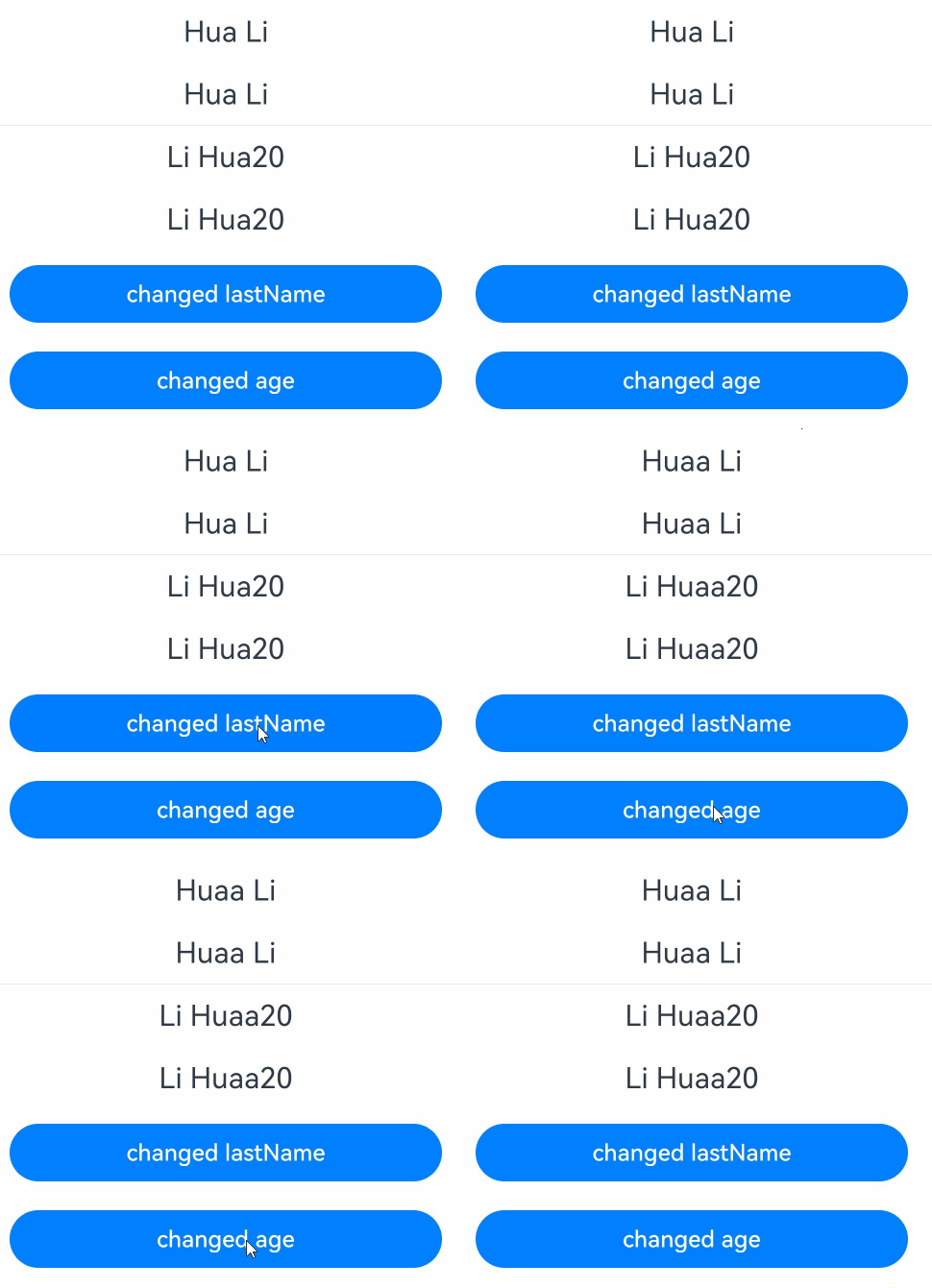
在自定义组件中使用计算属性。
- 点击第一个Button改变lastName,触发@Computed fullName重新计算。
- this.fullName被绑定在两个Text组件上,观察fullName日志,可以发现,计算只发生了一次。
- 对于前两个Text组件,this.lastName + ' '+ this.firstName这段逻辑被求解了两次。
- 如果UI中有多处需要使用this.lastName + ' '+ this.firstName这段计算逻辑,可以使用计算属性,减少计算次数。
- 点击第二个Button,age自增,UI无变化。因为age非状态变量,只有被观察到的变化才会触发@Computed fullName重新计算。
import { hilog } from '@kit.PerformanceAnalysisKit';

const TAG = '[Sample_Textcomponent]';
const DOMAIN = 0xF811;
const BUNDLE = 'Textcomponent_';

@Entry
@ComponentV2
struct CustomComponentUse {
  @Local firstName: string = 'Li';
  @Local lastName: string = 'Hua';
  age: number = 20; // 无法触发Computed

  @Computed
  get fullName() {
    hilog.info(DOMAIN, TAG, BUNDLE + '---------Computed----------');
    return this.firstName + ' ' + this.lastName + this.age;
  }

  build() {
    Column() {
      Text(this.lastName + ' ' + this.firstName)
        .fontSize(20)
        .margin(10)
      Text(this.lastName + ' ' + this.firstName)
        .fontSize(20)
        .margin(10)
      Divider()
      Text(this.fullName)
        .fontSize(20)
        .margin(10)
      Text(this.fullName)
        .fontSize(20)
        .margin(10)
      Button('changed lastName')
        .width(300)
        .margin(10)
        .onClick(() => {
          this.lastName += 'a';
        })

      Button('changed age')
        .width(300)
        .margin(10)
        .onClick(() => {
          this.age++;  // 无法触发Computed
        })
    }
  }
}
计算属性本身会带来性能开销,在实际应用开发中需要注意:
- 对于简单的计算逻辑,可以不使用计算属性。
- 如果计算逻辑在视图中仅使用一次,则不使用计算属性,直接求解。
-
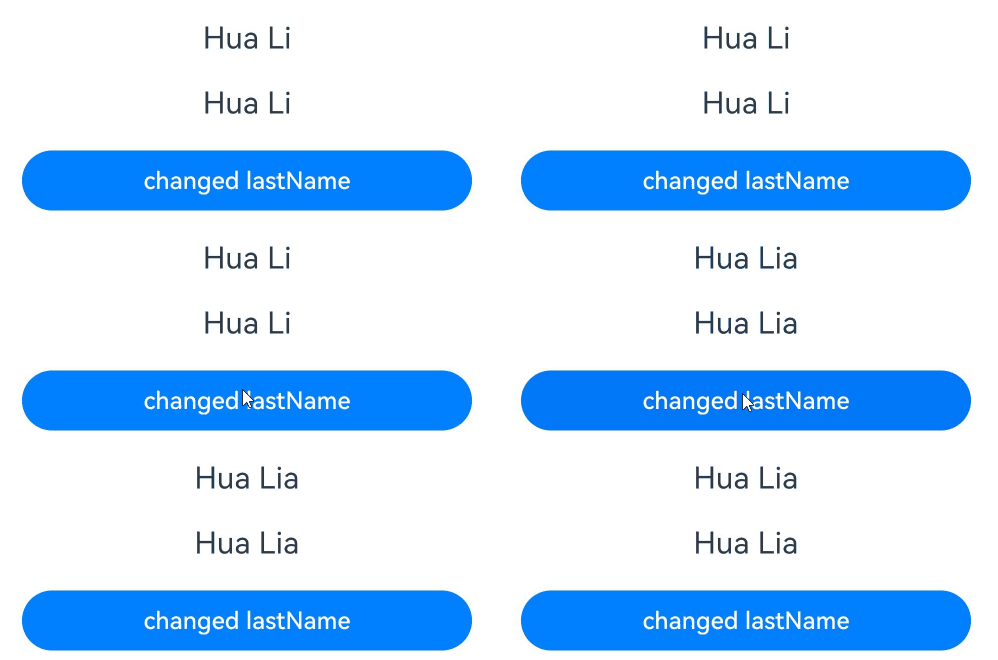
在@ObservedV2装饰的类中使用计算属性。
点击Button改变lastName,触发@Computed fullName重新计算,且只被计算一次。
import { hilog } from '@kit.PerformanceAnalysisKit';

const TAG = '[Sample_Textcomponent]';
const DOMAIN = 0xF811;
const BUNDLE = 'Textcomponent_';

@ObservedV2
class Name {
  @Trace public firstName: string = 'Hua';
  @Trace public lastName: string = 'Li';

  @Computed
  get fullName() {
    hilog.info(DOMAIN, TAG, BUNDLE + '---------Computed----------');
    return this.firstName + ' ' + this.lastName;
  }
}

const name: Name = new Name();

@Entry
@ComponentV2
struct ObservedV2ClassUser {
  name1: Name = name;

  build() {
    Column() {
      Text(this.name1.fullName)
        .fontSize(20)
        .margin(10)
      Text(this.name1.fullName)
        .fontSize(20)
        .margin(10)
      // 点击Button改变lastName,触发fullName重新计算,且只被计算一次
      Button('changed lastName')
        .width(300)
        .margin(10)
        .onClick(() => {
          this.name1.lastName += 'a';
        })
    }
    .width('100%')
  }
}
[h2]@Computed装饰的属性可以被@Monitor监听变化
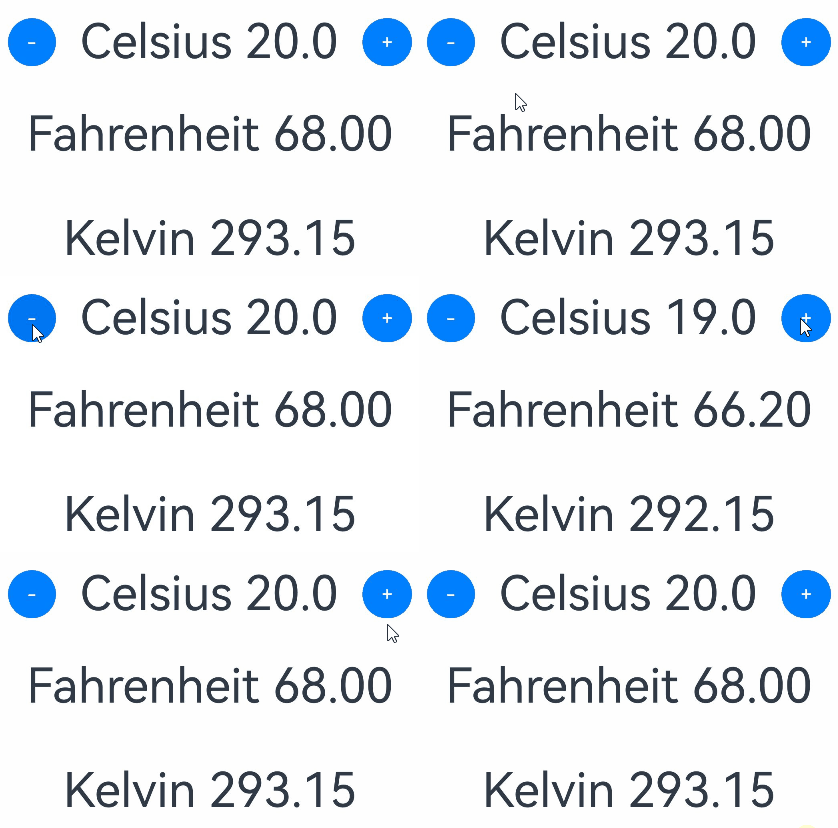
下面示例展示如何使用计算属性求解fahrenheit和kelvin,并使用@Monitor监听计算属性的变化:
-
点击“-”,celsius-- -> fahrenheit -> kelvin --> kelvin变化时调用onKelvinMonitor。
-
点击“+”,celsius++ -> fahrenheit -> kelvin --> kelvin变化时调用onKelvinMonitor。
import { hilog } from '@kit.PerformanceAnalysisKit';

const TAG = '[Sample_Textcomponent]';
const DOMAIN = 0xF811;
const BUNDLE = 'Textcomponent_';

@Entry
@ComponentV2
struct ComputedPropertyResolution {
  @Local celsius: number = 20;

  @Computed
  get fahrenheit(): number {
    return this.celsius * 9 / 5 + 32; // C -> F
  }

  @Computed
  get kelvin(): number {
    return (this.fahrenheit - 32) * 5 / 9 + 273.15; // F -> K
  }

  @Monitor('kelvin')
  onKelvinMonitor(mon: IMonitor) {
    hilog.info(DOMAIN, TAG, BUNDLE + 'kelvin changed from' + mon.value()?.before + ' to ' + mon.value()?.now);
  }

  build() {
    Column({ space: 20 }) {
      Row({ space: 20 }) {
        Button('-')
          .onClick(() => {
            this.celsius--;
          })

        Text(`Celsius ${this.celsius.toFixed(1)}`).fontSize(40)

        Button('+')
          .onClick(() => {
            this.celsius++;
          })
      }

      Text(`Fahrenheit ${this.fahrenheit.toFixed(2)}`)
        .fontSize(40)
        .margin(10)
      Text(`Kelvin ${this.kelvin.toFixed(2)}`)
        .fontSize(40)
        .margin(10)
    }
    .width('100%')
  }
}
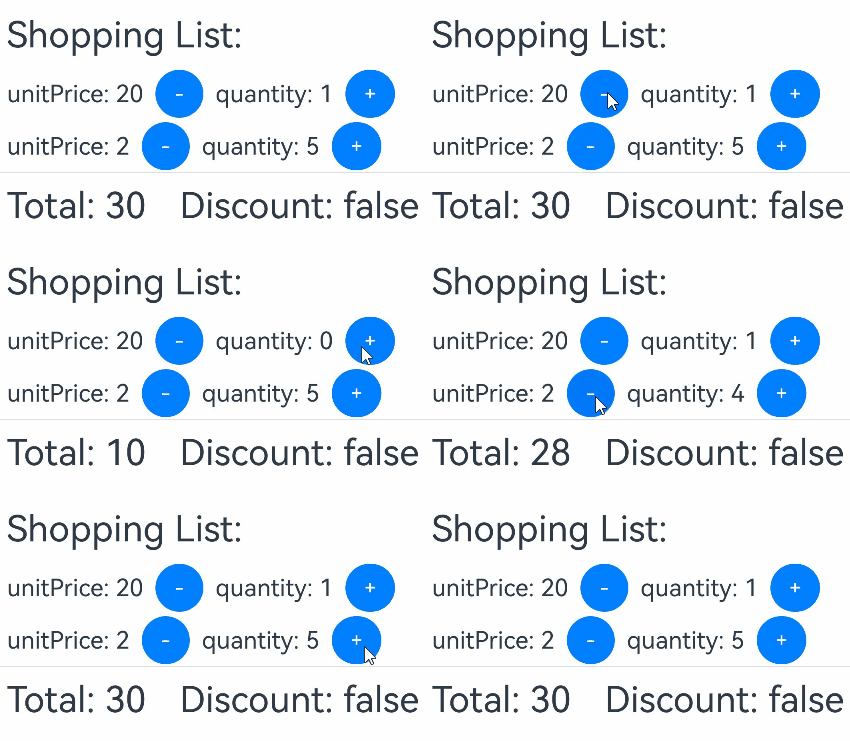
[h2]@Computed装饰的属性可以初始化@Param
下面的例子使用@Computed初始化@Param。
-
点击Button('-')和Button('+')改变商品数量,quantity是被@Trace装饰的,其改变时可以被观察到的。
-
quantity的改变会触发total和qualifiesForDiscount重新计算,计算商品总价和是否可以享有优惠。
-
total和qualifiesForDiscount的改变会触发子组件Child对应Text组件刷新。
@ObservedV2
class Article {
  @Trace public quantity: number = 0;
  public unitPrice: number = 0;

  constructor(quantity: number, unitPrice: number) {
    this.quantity = quantity;
    this.unitPrice = unitPrice;
  }
}

@Entry
@ComponentV2
struct ComputingInitParam {
  @Local shoppingBasket: Article[] = [new Article(1, 20), new Article(5, 2)];

  @Computed
  get total(): number {
    return this.shoppingBasket.reduce((acc: number, item: Article) => acc + (item.quantity * item.unitPrice), 0);
  }

  @Computed
  get qualifiesForDiscount(): boolean {
    return this.total >= 100;
  }

  build() {
    Column() {
      Text(`Shopping List: `)
        .fontSize(30)
        .margin(10)
      ForEach(this.shoppingBasket, (item: Article) => {
        Row() {
          Text(`unitPrice: ${item.unitPrice}`)
            .fontSize(20)
            .margin(10)
          // 点击Button减少quantity,触发total和qualifiesForDiscount重新计算
          Button('-')
            .onClick(() => {
              if (item.quantity > 0) {
                item.quantity--;
              }
            })
          Text(`quantity: ${item.quantity}`)
            .fontSize(20)
            .margin(10)
          // 点击Button增加quantity,触发total和qualifiesForDiscount重新计算
          Button('+')
            .onClick(() => {
              item.quantity++;
            })
        }
        .width('100%')

        Divider()
      })
      Child({ total: this.total, qualifiesForDiscount: this.qualifiesForDiscount })
    }
    .alignItems(HorizontalAlign.Start)
  }
}

@ComponentV2
struct Child {
  @Param total: number = 0;
  @Param qualifiesForDiscount: boolean = false;

  build() {
    Row() {
      Text(`Total: ${this.total} `)
        .fontSize(30)
        .margin(10)
      Text(`Discount: ${this.qualifiesForDiscount} `)
        .fontSize(30)
        .margin(10)
    }
  }
}