Property animation refers to the continuous visual effect produced on the UI when the parameter value of an animatable property changes. When the parameter value changes continuously and is set on an attribute API that can cause UI changes, a property animation is achieved. In addition to the attributes that components natively support for animation, ArkUI also provides the @AnimatableExtend decorator for defining custom animatable properties.
Because the data type of the parameter must have a certain degree of continuity, meaning that interpolation can be used to fill the gaps between data points to achieve a visually continuous effect, the parameter type of a custom animatable property API supports only the number type and custom types that implement the AnimatableArithmetic<T> interface. Through a custom animatable property API and an animatable data type, you can use a frame-by-frame callback to modify the value of a non-animatable property API, thereby enabling animation effects on non-animatable property APIs. For an example, see Changing Graphic Shapes Using Custom Data Types. You can also use a frame-by-frame callback to modify the value of an animatable property on each frame to achieve a frame-by-frame layout effect. For an example, see Using the Number Data Type to Change Text Component Width for a Frame-by-Frame Layout Effect. For details about animatable property APIs and non-animatable property APIs, see the attribute API classification in Property Animation Overview.
Using the Number Data Type to Change Text Component Width for a Frame-by-Frame Layout Effect
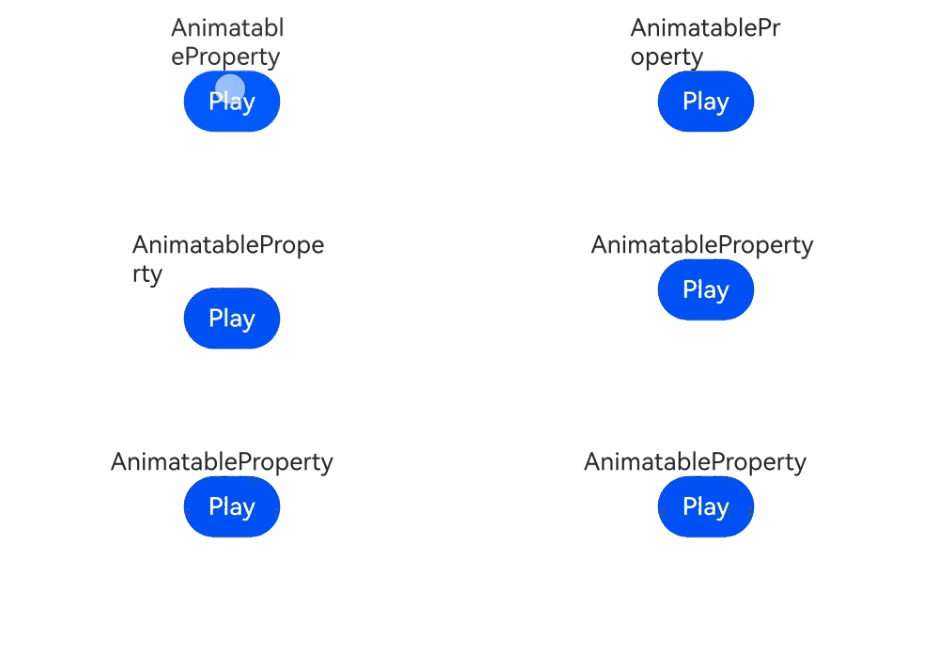
This example uses the @AnimatableExtend decorator to define an animatable property interface animatableWidth. By passing a number data type to modify the width attribute, it implements a frame-by-frame animation that changes the width of the Text component.
// Step 1: Use the @AnimatableExtend decorator to define a custom animatable property interface.
@AnimatableExtend(Text)
function animatableWidth(width: number) {
  .width(width) // Call the system attribute interface. The frame-by-frame callback modifies the animatable property value on each frame to achieve a frame-by-frame layout effect.
}

@Entry
@Component
struct AnimatablePropertyExample {
  @State textWidth: number = 80; // 80: initial text width.

  build() {
    Column() {
      Text('AnimatableProperty')
        .animatableWidth(this.textWidth) // Step 2: Set the custom animatable property UI on the component.
        .animation({ duration: 2000, curve: Curve.Ease }) // Step 3: Bind an animation to the custom animatable property UI.
      Button('Play')
        .onClick(() => {
          this.textWidth = this.textWidth === 80 ? 160 : 80; // Step 4: Change the parameters of the custom animatable property to trigger the animation.
        })
    }
    .width('100%')
    .padding(10) // 10: Padding
  }
} 
Changing Graphic Shapes Using Custom Data Types
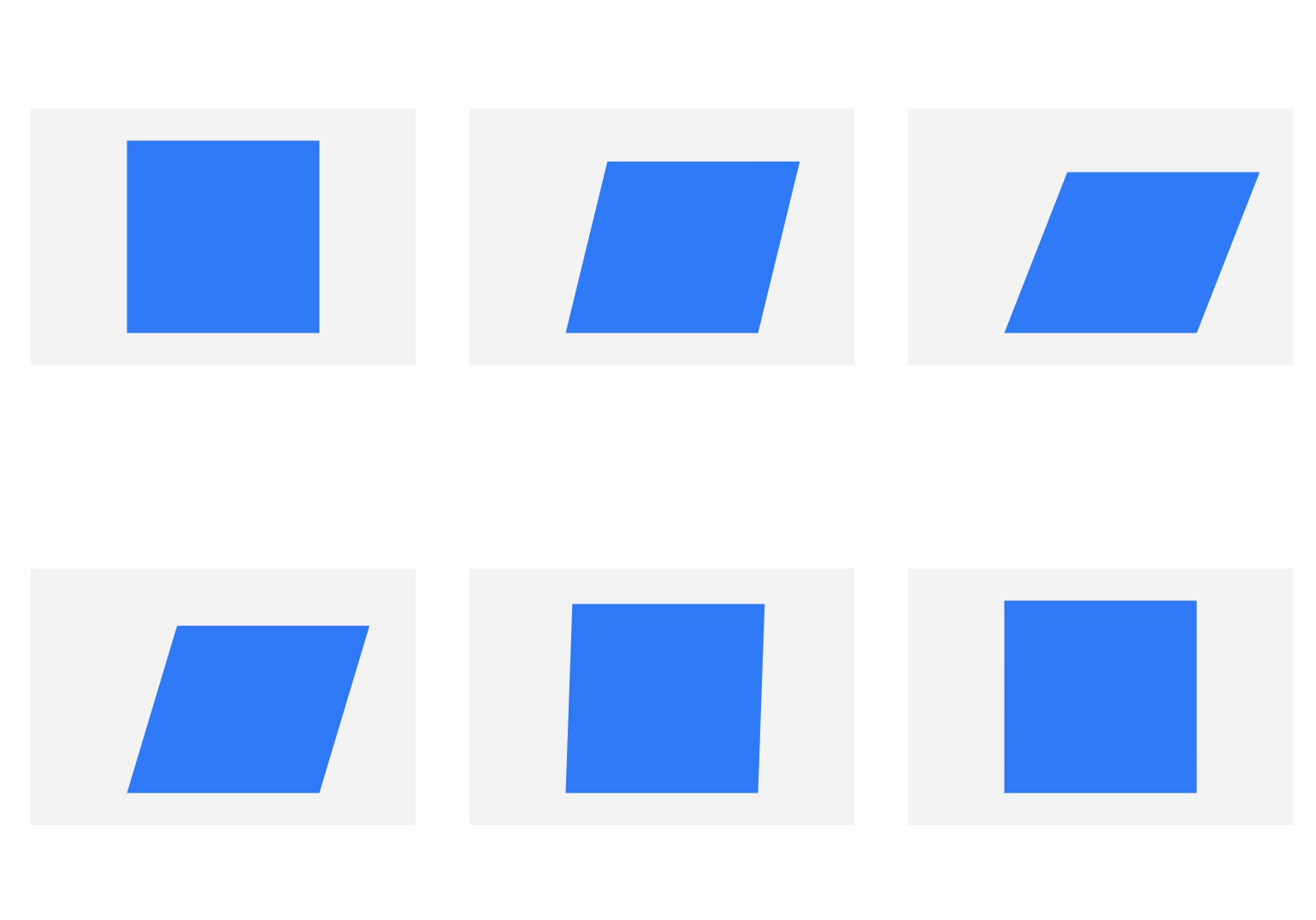
In this example, the animatable property interface animatablePoints is defined through the @AnimatableExtend decorator. By passing a custom data type to modify the value of the non-animatable points attribute, an animation that changes the shape of the Polyline component is achieved. Since the system does not support animation of the points attribute of the Polyline component, it is necessary to implement the addition, subtraction, multiplication, and equality judgment functions in the AnimatableArithmetic<T> interface to define the animation interpolation method for the parameter of this attribute. During the animation process, the system calculates the data value for each frame based on the defined data interpolation method and calls back to the custom animatable property interface decorated by the @AnimatableExtend decorator, which then sets the points attribute, thereby producing an animation for the points attribute.
declare type Point = number[];
// Define the parameter type of the animatable property interface and implement the addition, subtraction, multiplication, and equality judgment functions in the AnimatableArithmetic<T> interface.
class PointClass extends Array<number> {
constructor(value: Point) {
super(value[0], value[1]);
}
add(rhs: PointClass): PointClass {
let result: Point = new Array<number>() as Point;
for (let i = 0; i < 2; i++) { // 2: two-dimensional coordinate point.
result.push(rhs[i] + this[i]);
}
return new PointClass(result);
}
subtract(rhs: PointClass): PointClass {
let result: Point = new Array<number>() as Point;
for (let i = 0; i < 2; i++) { // 2: two-dimensional coordinate point.
result.push(this[i] - rhs[i]);
}
return new PointClass(result);
}
multiply(scale: number): PointClass {
let result: Point = new Array<number>() as Point;
for (let i = 0; i < 2; i++) { // 2: 2D coordinate point.
result.push(this[i] * scale);
}
return new PointClass(result);
}
}
// Define the parameter type of the animatable property interface, and implement the addition, subtraction, multiplication, and equality check functions in the AnimatableArithmetic<T> interface.
// Template T supports types that nest the AnimatableArithmetic<T> implementation.
class PointVector extends Array<PointClass> implements AnimatableArithmetic<Array<Point>> {
constructor(initialValue: Array<Point>) {
super();
if (initialValue.length) {
initialValue.forEach((p: Point) => this.push(new PointClass(p)));
}
}
// Implement the AnimatableArithmetic<T> interface.
plus(rhs: PointVector): PointVector {
let result = new PointVector([]);
const len = Math.min(this.length, rhs.length);
for (let i = 0; i < len; i++) {
result.push(this[i].add(rhs[i]));
}
return result;
}
subtract(rhs: PointVector): PointVector {
let result = new PointVector([]);
const len = Math.min(this.length, rhs.length);
for (let i = 0; i < len; i++) {
result.push(this[i].subtract(rhs[i]));
}
return result;
}
multiply(scale: number): PointVector {
let result = new PointVector([]);
for (let i = 0; i < this.length; i++) {
result.push(this[i].multiply(scale));
}
return result;
}
equals(rhs: PointVector): boolean {
if (this.length !== rhs.length) {
return false;
}
for (let index = 0, size = this.length; index < size; ++index) {
if (this[index][0] !== rhs[index][0] || this[index][1] !== rhs[index][1]) {
return false;
}
}
return true;
}
}
// Custom animatable property interface.
@AnimatableExtend(Polyline)
function animatablePoints(points: PointVector) {
.points(points);
}
@Entry
@Component
struct AnimatedShape {
squareStartPointX: number = 75; // 75: X coordinate of the square's starting point.
squareStartPointY: number = 25; // 25: Y coordinate of the square start point.
squareWidth: number = 150; // 150: Width of the square.
squareEndTranslateX: number = 50; // 50: X-axis translation of the square end position.
squareEndTranslateY: number = 50; // 50: Y-axis translation of the square end position.
@State pointVec1: PointVector = new PointVector([
[this.squareStartPointX, this.squareStartPointY],
[this.squareStartPointX + this.squareWidth, this.squareStartPointY],
[this.squareStartPointX + this.squareWidth, this.squareStartPointY + this.squareWidth],
[this.squareStartPointX, this.squareStartPointY + this.squareWidth]
]);
@State pointVec2: PointVector = new PointVector([
[this.squareStartPointX + this.squareEndTranslateX, this.squareStartPointY + this.squareStartPointY],
[this.squareStartPointX + this.squareWidth + this.squareEndTranslateX,
this.squareStartPointY + this.squareStartPointY],
[this.squareStartPointX + this.squareWidth, this.squareStartPointY + this.squareWidth],
[this.squareStartPointX, this.squareStartPointY + this.squareWidth]
]);
@State color: Color = Color.Green;
@State fontSize: number = 20.0; // 20.0: Font size.
@State polyline1Vec: PointVector = this.pointVec1;
@State polyline2Vec: PointVector = this.pointVec2;
build() {
Row() {
Polyline()
.width(300) // 300: polyline width
.height(200) // 200: polyline height
.backgroundColor('#0C000000') // 0C000000: background color (black with transparency)
.fill('#317AF7') // 317AF7: fill color (blue)
.animatablePoints(this.polyline1Vec)
.animation({ duration: 2000, delay: 0, curve: Curve.Ease }) // 2000: animation duration (in milliseconds), 0: animation delay
.onClick(() => {
if (this.polyline1Vec.equals(this.pointVec1)) {
this.polyline1Vec = this.pointVec2;
} else {
this.polyline1Vec = this.pointVec1;
}
})
}
.width('100%').height('100%').justifyContent(FlexAlign.Center)
}
}