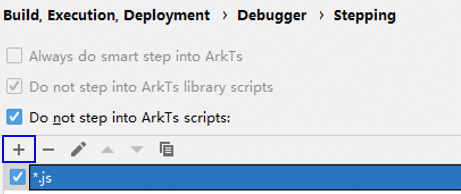
When multiple functions are nested or invoked in a single line of code, you can use the Smart Step Into feature to step into the function to be debugged. If you want to skip some files during debugging, you can customize the list of files to skip.
Procedure
- Start debugging. If there are multiple method calls on the line where the breakpoint is located, you can highlight the available functions to step into by clicking the
 button in the debugging window or pressing Shift+F7.

- Click one of the functions.


Filtering Script Files
- Choose File > Settings (DevEco Studio > Preferences/Settings on macOS) > Build, Execution, Deployment > Debugger > Stepping and select Do not step into ArkTS scripts to prevent smart stepping into certain scripts during debugging. Use the toolbar button to manage the list of scripts to skip.
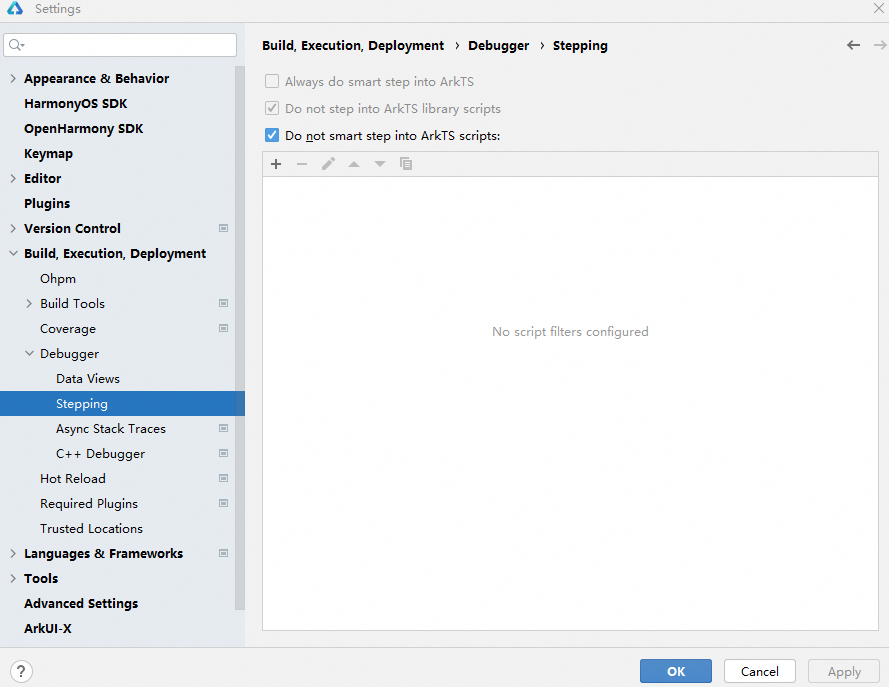
- Click + to add a script filter. In the displayed dialog box, enter the name of the file to skip or use wildcards. For example, to always skip JavaScript files, enter *.js.