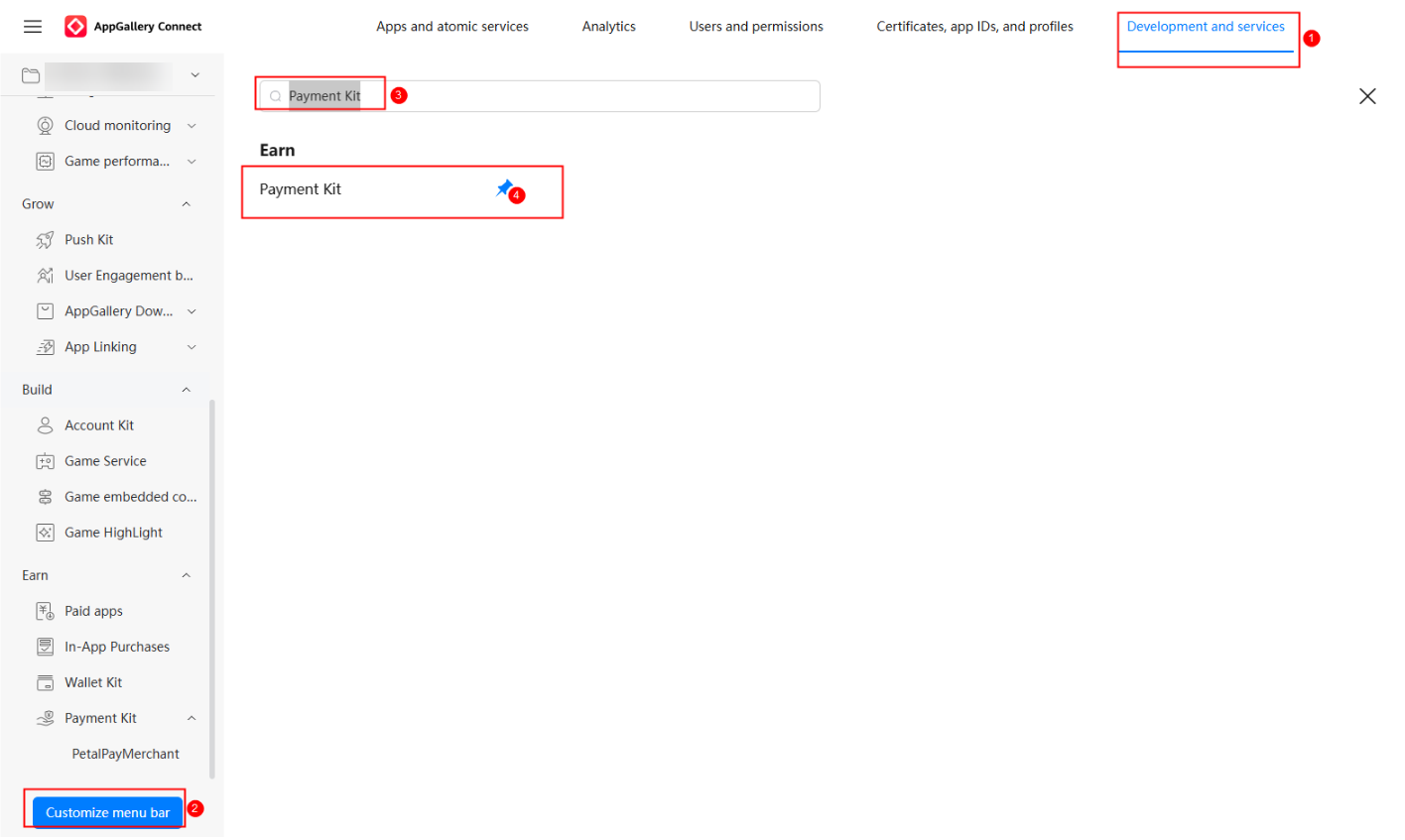
Sign in to AppGallery Connect, select the corresponding project, click Customize menu bar and search for Payment Kit, and pin it to the navigation tree. Go to Payment Kit (Non-Virtual) > Merchants to Be Associated, select the corresponding merchant, and click the authorization button. The following figure shows the reference operation path.