Replacing Images/Videos Displayed in PhotoPicker
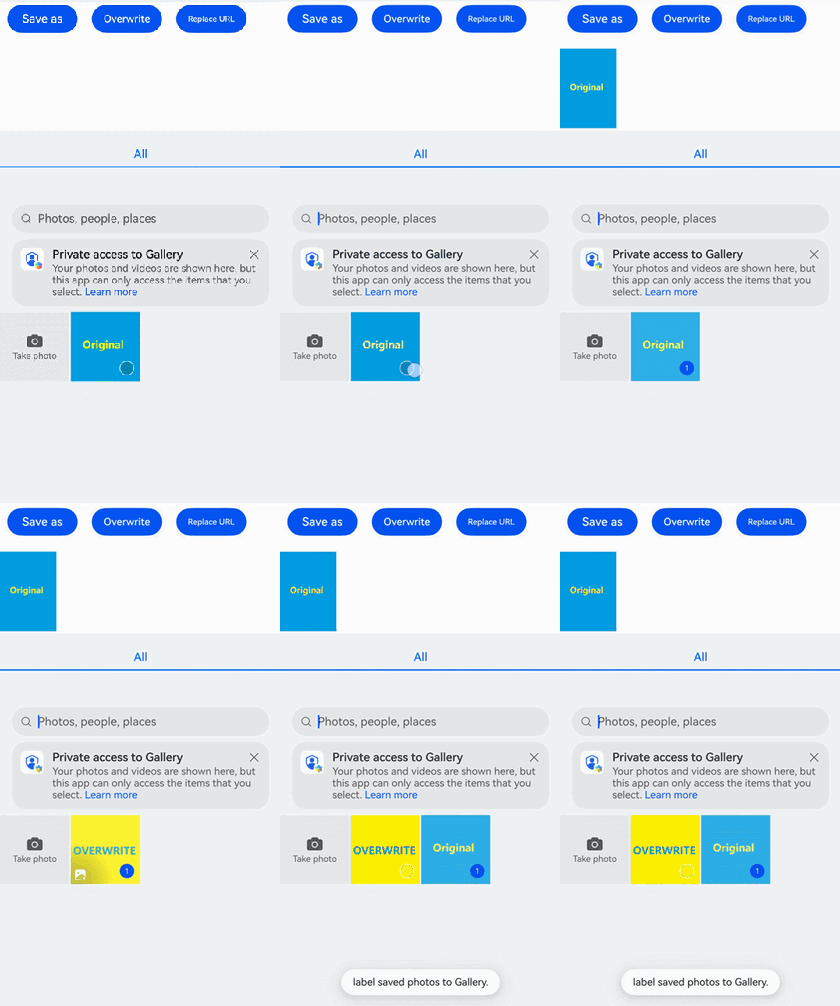
Applications can obtain the permission to read and edit images or videos selected by users from Picker. Once the edited images or videos are stored in the application sandbox, you can call an API to send the edited images or videos to PhotoPicker and specify the original images or videos to replace. Picker then replaces the original images or videos with the received ones.
The following figure shows the effect.
[h2]How to Develop
Import picker and file management modules.
import { PickerController } from '@ohos.file.PhotoPickerComponent';
import { fileUri } from '@kit.CoreFileKit';
Create a parameter list.
@State pickerController: PickerController = new PickerController();
@State originUrl: string = ''; // URI of the original image.
@State replaceUrl: string = ''; // URI of the sandbox that stores the edited image.
Call replacePhotoPickerPreview() to replace the image or video.
this.pickerController.replacePhotoPickerPreview(this.originUrl, this.replaceUrl, (a, b) => {
  console.log("hello this.pickerController.replaceUrl code res:" + b)
})
[h2]Sample Code
import { PickerController } from '@ohos.file.PhotoPickerComponent';
import { fileUri } from '@kit.CoreFileKit';

@Entry
@Component
struct Index {
  @State pickerController: PickerController = new PickerController();
  @State originUrl: string = '';
  @State replaceUrl: string = '';

  build() {
    Row() {
    Column() {
      Button("replace url").width('25%').height('50%').margin({ top: 10 }).onClick(() => {
        this.originUrl = 'file://media/photo/test.jpg';
        this.replaceUrl = fileUri.getUriFromPath(getContext().filesDir + "/test.jpg").toString();
        this.pickerController.replacePhotoPickerPreview(this.originUrl, this.replaceUrl, (err, b) => {
          console.log("hello this.pickerController.replaceUrl code res:" + b)
        })
      })
    }
    .width('100%')
    }
    .height('100%')
  }
}
Saving Images/Videos Displayed on Picker to Gallery
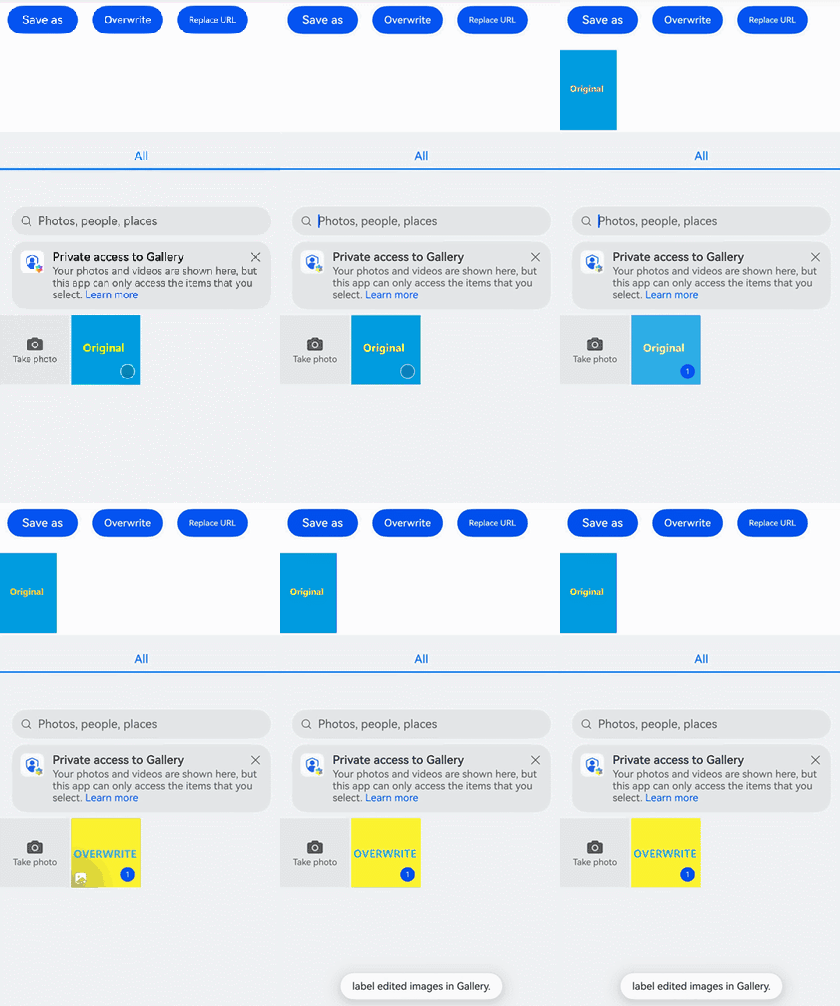
The application should specify the images or videos to be saved, which should be within the scope of the replaced display. Once the application calls the API, PhotoPicker saves the images or videos displayed on Picker to Gallery. Ensure that the saved content is the same as the images or videos to be displayed.
The following figure shows the effect.
[h2]How to Develop
Import picker and file management modules.
import photoAccessHelper from '@ohos.file.photoAccessHelper';
import { PickerController, PickerOptions, SaveMode } from '@ohos.file.PhotoPickerComponent';
import { fileUri } from '@kit.CoreFileKit';
Create a parameter list.
@State pickerController: PickerController = new PickerController();
@State originUrl: string = ''; // URI of the original image.
@State replaceUrl: string = ''; // URI of the sandbox that stores the edited image.
Call saveTrustedPhotoAssets() to save the image or video to Gallery.
this.pickerController.(this.replaceUris, (a, b) => {
  console.log("hello this.pickerController.save as new code a.code:" + a.code + ",a.message:" + a.message + ",res:" + b)
}, photoCreationConfigs, SaveMode.SAVE_AS); // SaveMode: SAVE_AS = 0, OVERWRITE = 1
pickerController.replacePhotoPickerPreview must be executed before pickerController.saveTrustedPhotoAssets.
[h2]Sample Code
import photoAccessHelper from '@ohos.file.photoAccessHelper';
import { PickerController, PickerOptions, SaveMode } from '@ohos.file.PhotoPickerComponent';
import { fileUri } from '@kit.CoreFileKit';

@Entry
@Component
struct Index {
  @State pickerController: PickerController = new PickerController();
  @State originUrl: string = '';
  @State replaceUrl: string = '';

  build() {
    Row() {
    Column() {
      Button("replace url").width('25%').height('50%').margin({ top: 10 }).onClick(() => {
        this.originUrl = 'file://media/photo/test.jpg';
        this.replaceUrl = fileUri.getUriFromPath(getContext().filesDir + "/test.jpg").toString();
        this.pickerController.replacePhotoPickerPreview(this.originUrl, this.replaceUrl, (err, b) => {
          console.log("hello this.pickerController.replaceUrl code res:" + b)
        })
        let photoCreationConfig: photoAccessHelper.PhotoCreationConfig = {
          title: 'test',
          fileNameExtension: 'jpg',
          photoType: photoAccessHelper.PhotoType.IMAGE,
          subtype: photoAccessHelper.PhotoSubtype.DEFAULT,
        };
        this.pickerController.saveTrustedPhotoAssets([this.replaceUrl], (err, arr) => {
          console.log("testPicker27 this.pickerController.save code res:" + err.code);
        }, [photoCreationConfig], SaveMode.SAVE_AS);
      })
    }
    .width('100%')
    }
    .height('100%')
  }
}