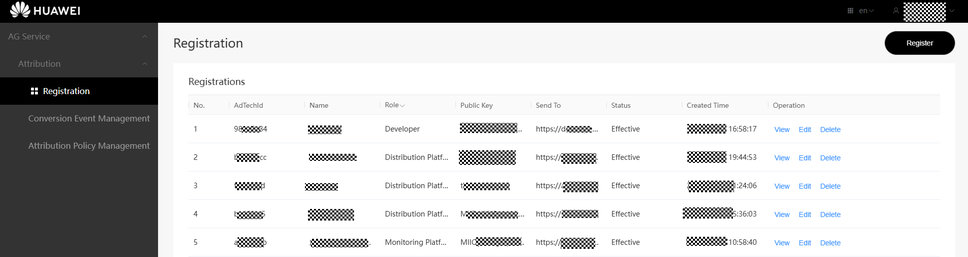
App ecosystem partners need to register an attribution role and configure information, including the role, name, postback URL (URL for receiving the attribution result), and public key on the cloud platform of the app attribution service. The app attribution service platform generates an attribution role ID after the registration succeeds.
Before you register an attribution role, a key pair for signing or signature verification needs to be generated.
Enabling the Service Permission
Before registering an attribution role, you need to enable the AppGallery Kit service permission. This feature is currently available by invitation only. If you are interested, please apply via the customer service email developer@huawei.com.
We will respond within 1 to 2 working days, so please check your email for updates. Provide necessary information based on the email template.
Email template:
Email subject: Request the AppGallery Kit app attribution service permission
Email content:
Developer ID: ******
Developer name: ******
App ID: ******
App name: ******
Request reason: *******
Generating a Key Pair
Use the relevant HarmonyOS API to generate a key pair for signing or signature verification. Or you can use a method of your choice to generate a key pair. You are advised to generate one offline using the JavaScript library.

Use the signing algorithm SHA256withRSA/PSS to generate a key pair of more than 3072 bits.
The generated private key is used to generate a signature. Please keep it secure. The generated public key will be provided for the app attribution service during role registration. Please make sure that the private key for signing and the public key for role registration are generated in a pair, thereby ensuring a successful signature verification.
Registering an Attribution Role
Sign in to HUAWEI Developers.
Click Console in the upper right corner to go to the ecosystem service center.
Go to Ecosystem services > App services > Development and click the AG Service card to access the cloud platform of the app attribution service.
Click Register in the upper right corner. On the displayed page, enter the required information.
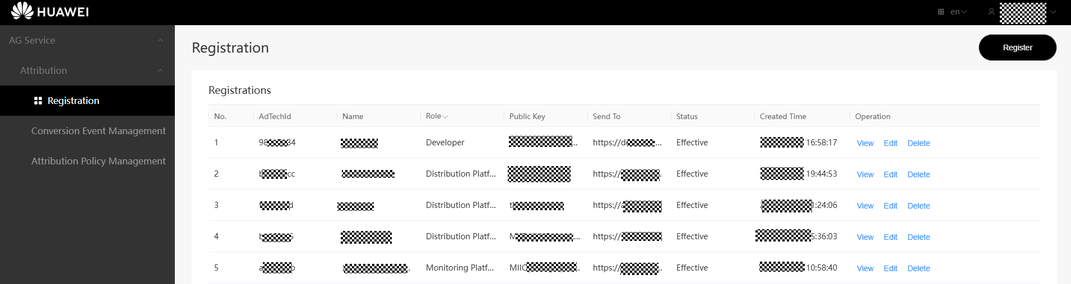
The related parameters are described as follows.
Parameter Description Role Role of the app ecosystem partner: distribution platform, monitoring platform, or developer. Name Name of the distribution platform, monitoring platform, or developer. Public key Public key obtained in Generating a Key Pair. When generating a signature, use the private key paired with the public key and follow the attribution source signature calculation rules stipulated by the app attribution service. Then the cloud platform of the app attribution service will use the public key to verify the signature. Send to URL for receiving the attribution result returned by the app attribution service. HTTPS is recommended. After completing the previous step, submit the configuration. A registration record with status of Reviewing (new) will be displayed. The operations team will review the registration record. Once approved, the registration is successful.


The status of Reviewing (new) signals that the registration is pending review. In this state, editing or deleting the registration record is not allowed.
When the status changes to Effective, the registration succeeds. In this state, editing or deleting the registration record can be done with no further review.
If the status changes to Rejected, the registration fails. In this state, after editing the registration record, submit it to the operations team for review again. Or you can delete the record without further review.
After the registration is successful, the platform generates a unique attribution role ID (specified by adTechId), and the registration record will be displayed on the Registration page.