Before enabling Device Security, make necessary preparations.

Device Security Kit provides DeviceVerify, SafetyDetect, TrustedAppService, BusinessRiskIntelligentDetection, and digital shield functions. You can enable one or more of the functions based on your service needs.
Sign in to AppGallery Connect and click Development and services.

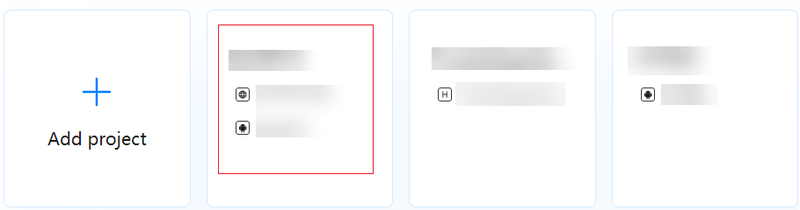
Click the project for which you want to enable Device Security Kit.
Click the Manage open capabilities tab and enable the required functions.
DeviceVerify: To enable this function, select Device status detection and click Save.

SafetyDetect: To enable this function, select Safety Detect and click Save.

TrustedAppService: To enable this function, select Trusted Application Service and click Save.

To enable TrustedAppService, you need to be on the trustlist first. Send your developer ID, company name, app name, requested service, and the application scenario to agconnect@huawei.com. AppGallery Connect operations personnel will review related materials. After your request is approved, the operations personnel will add you to the trustlist that can use the restricted service. The review takes 1–3 working days.

BusinessRiskIntelligentDetection - Fraud detection: To enable this function, click Request on the right of Fraud detection to access the service. After the request is approved, select the service and click Save.
Register as a developer on HUAWEI Developers and complete identity verification as an enterprise developer.
Click Request on the right of Fraud detection to access the service.

- Provide the required information by referring to the template in the Request reason text box, including the developer ID, company name, app name, usage scenario, and legal basis for using the service. (To use the service, you need to declare personal data and its usage in the privacy statement of your app. For details, please refer to Personal Data Processing Information. Upload the proof of the legal basis as the attachment.) Then, click Submit.


After the request is submitted, AppGallery Connect operations personnel will review related materials, which takes 1–3 working days. After the request is approved, you can save your service configuration.
Digital Shield: Before applying for this service, complete identity verification as an enterprise developer on HUAWEI Developers. After the verification is successful, you can find the corresponding service entry on the Manage open capabilities page.
- Click the Request button on the right of the Digital Shield Service area to access the service.


Enter the reason for requesting the digital shield service and its application scenario in the request dialog box. AppGallery Connect operations personnel will review related materials, which takes 1–3 working days. After the request is approved, you can save your service configuration.
- After the request is approved, select the corresponding service and click Save to save the service configuration.
RiskControlEngine: Before requesting the RiskControlEngine service, you need to register as a developer on the HUAWEI Developers website and complete enterprise developer identity verification.
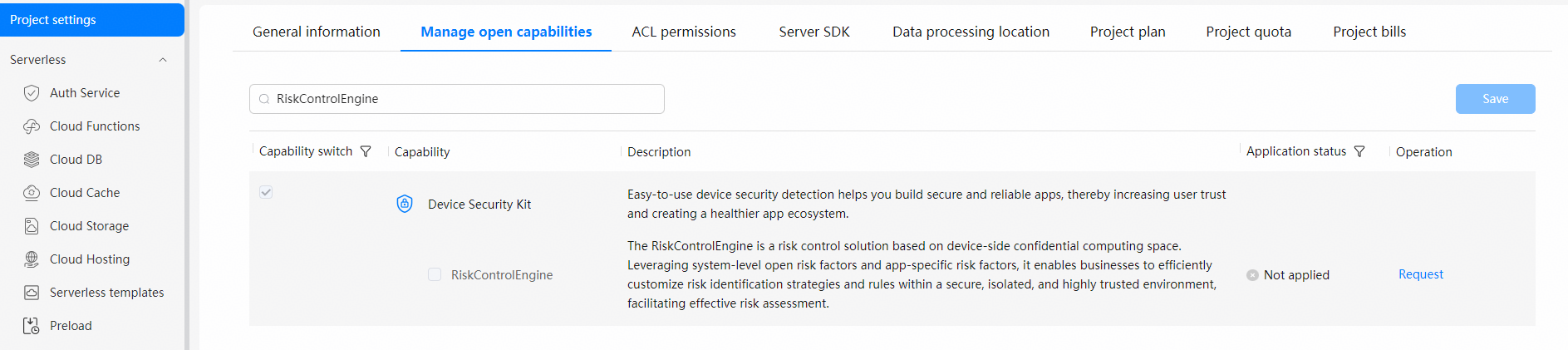
- Click the Request button on the right of RiskControlEngine to access the RiskControlEngine service.
- Provide the required information, including the company name, application user scale, and usage scenarios and purposes, by referring to the template in Request reason. Then, click Submit.
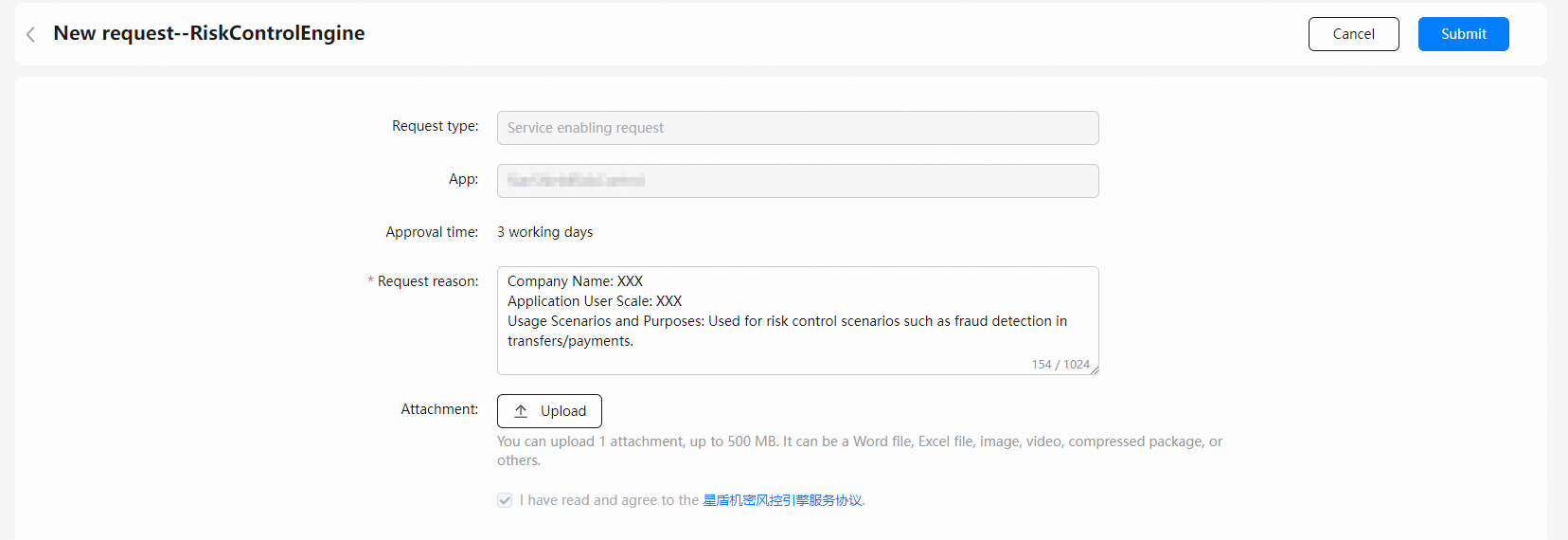

After the request is submitted, AppGallery Connect operations personnel will review related materials, which takes 1–3 working days. After the request is approved, you can save your service configuration.
Request a profile (.p7b) file. For details, please refer to Requesting a Debug Profile.

After the service is enabled, you need to request a new profile (.p7b) file.